Encrypted BCM Read and Write Without Dealer Tools Yes It’s Possible
Think encrypted BCM work can only be done by dealer tools?
Not anymore. With the right setup, you can handle it yourself 👇
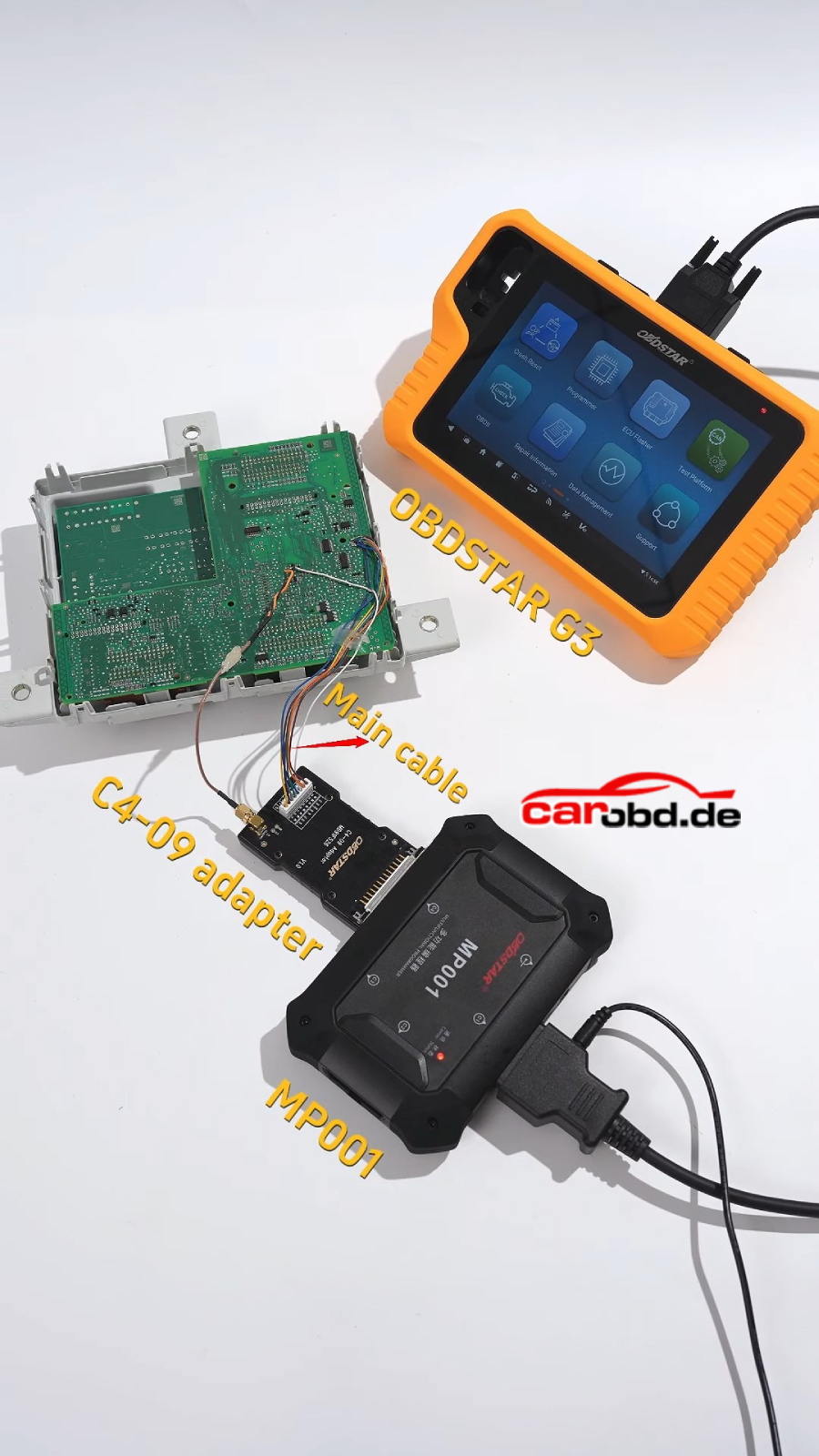
🚗 Real Case 2021 Alfa Romeo Stelvio BCM
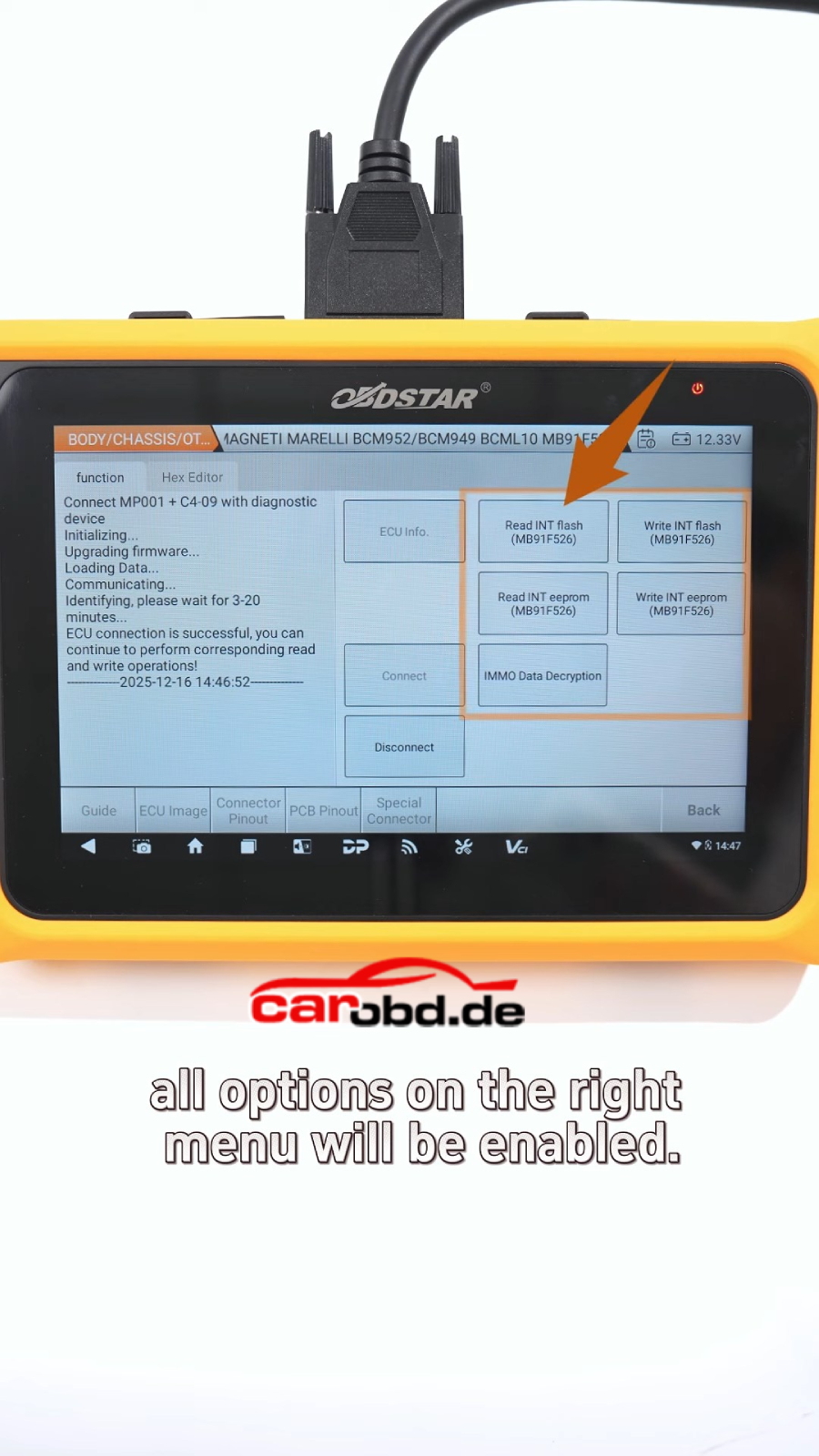
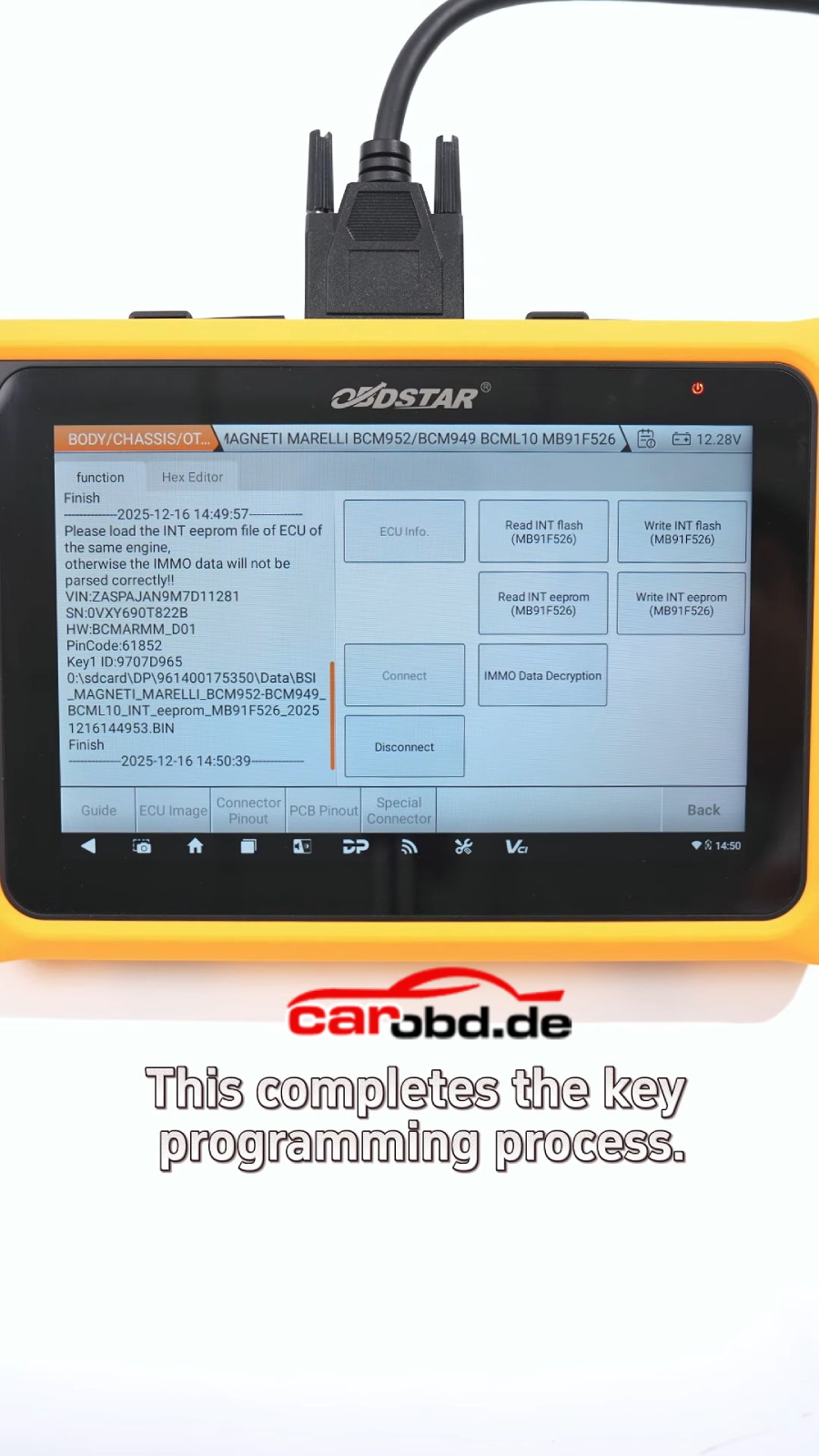
Using OBDSTAR X300 Classic G3, the full process of encrypted BCM read, write, and key data extraction can be completed step by step.
⚙️ Key Operation Process
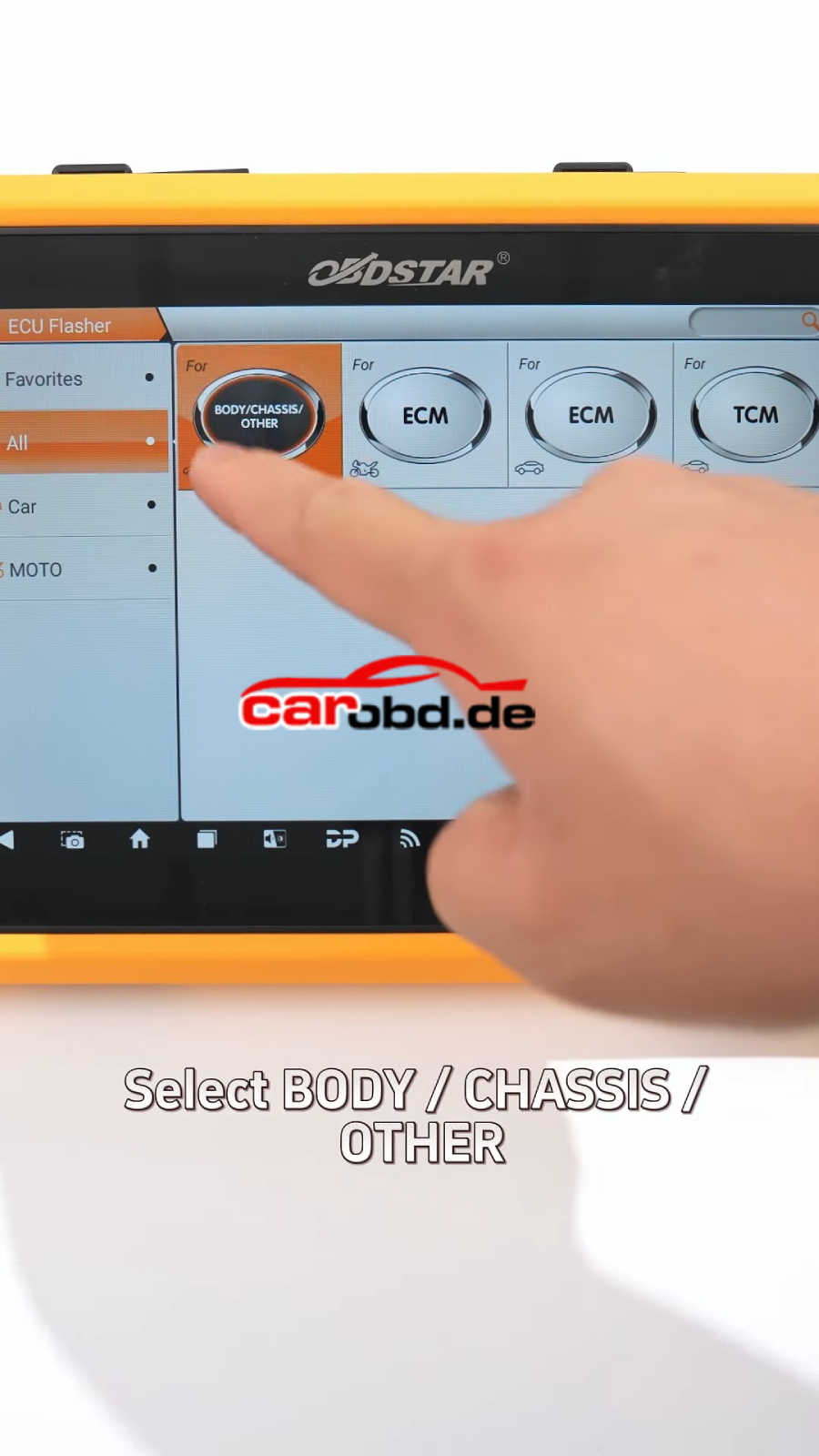
1️⃣ Enter ECU Flasher → Body / Chassis
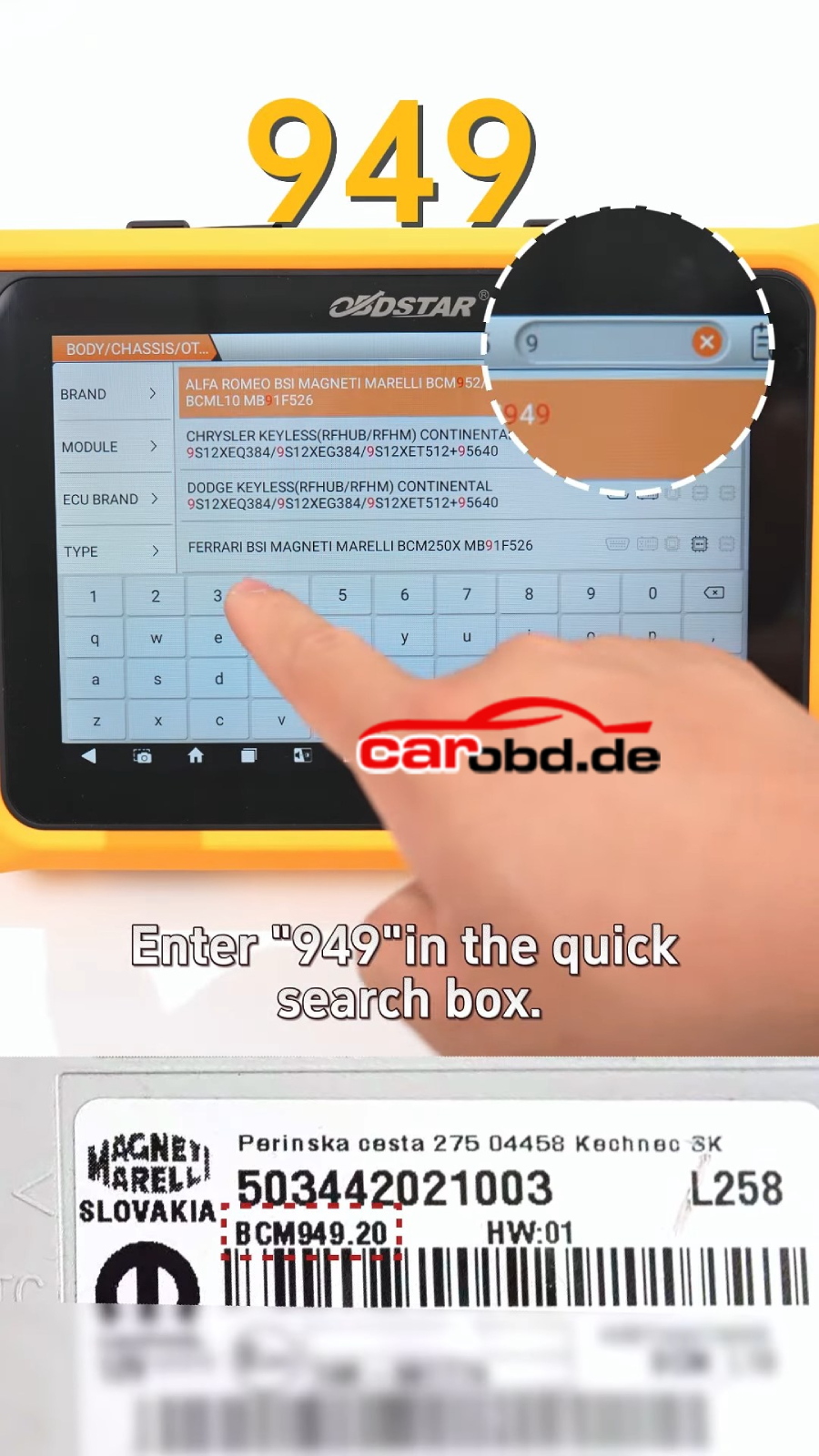
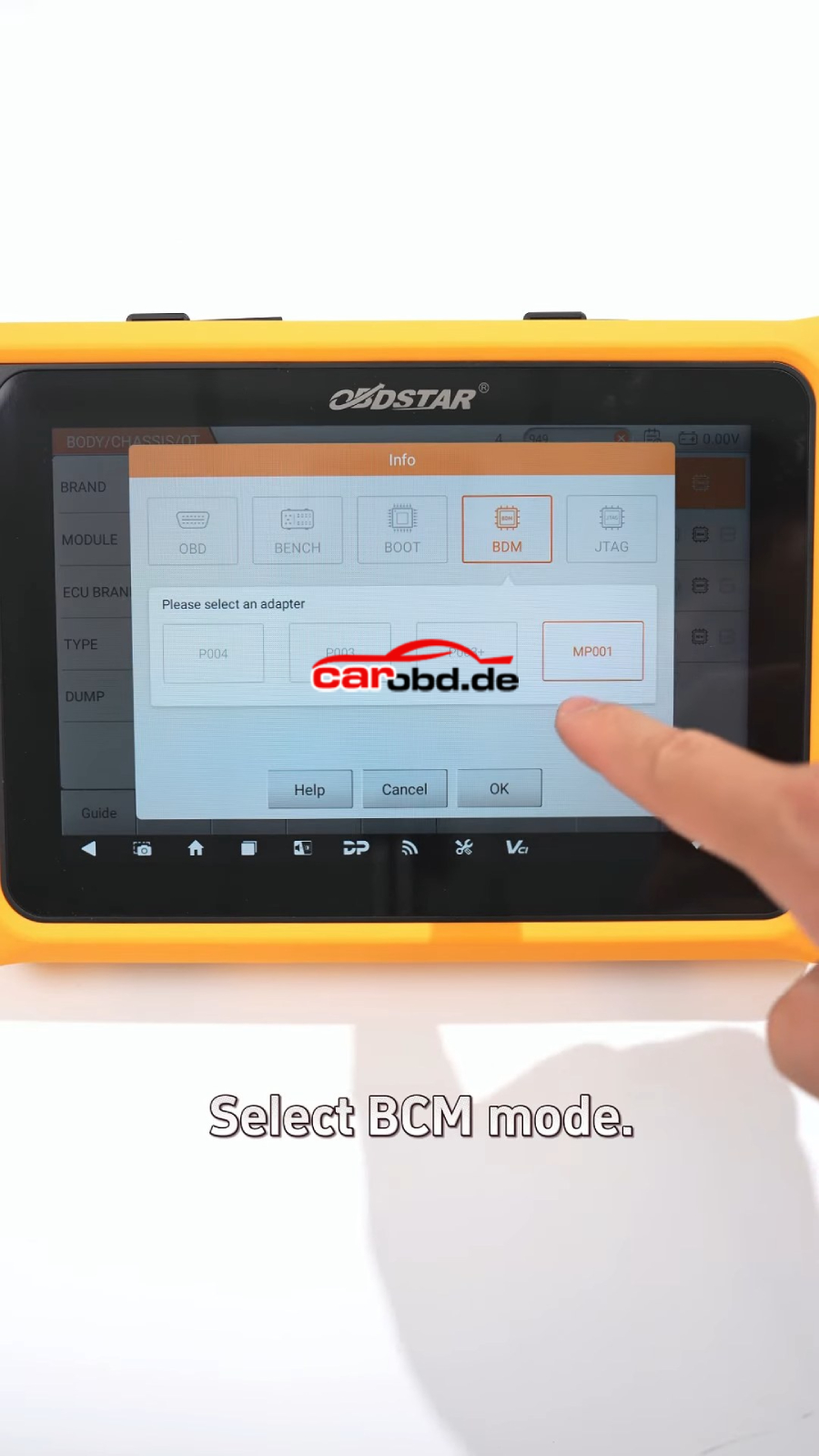
2️⃣ Identify BCM model and select correct option
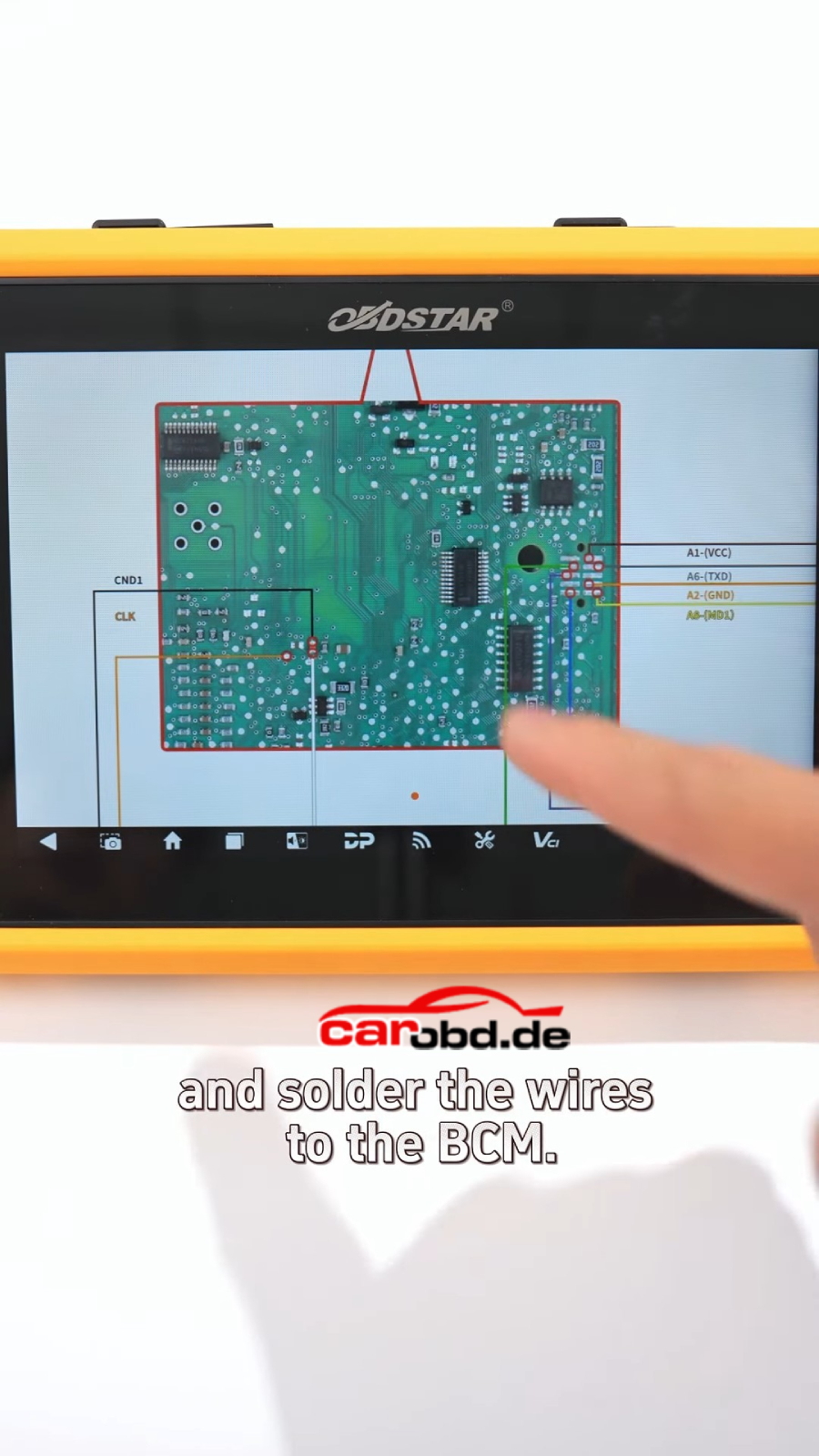
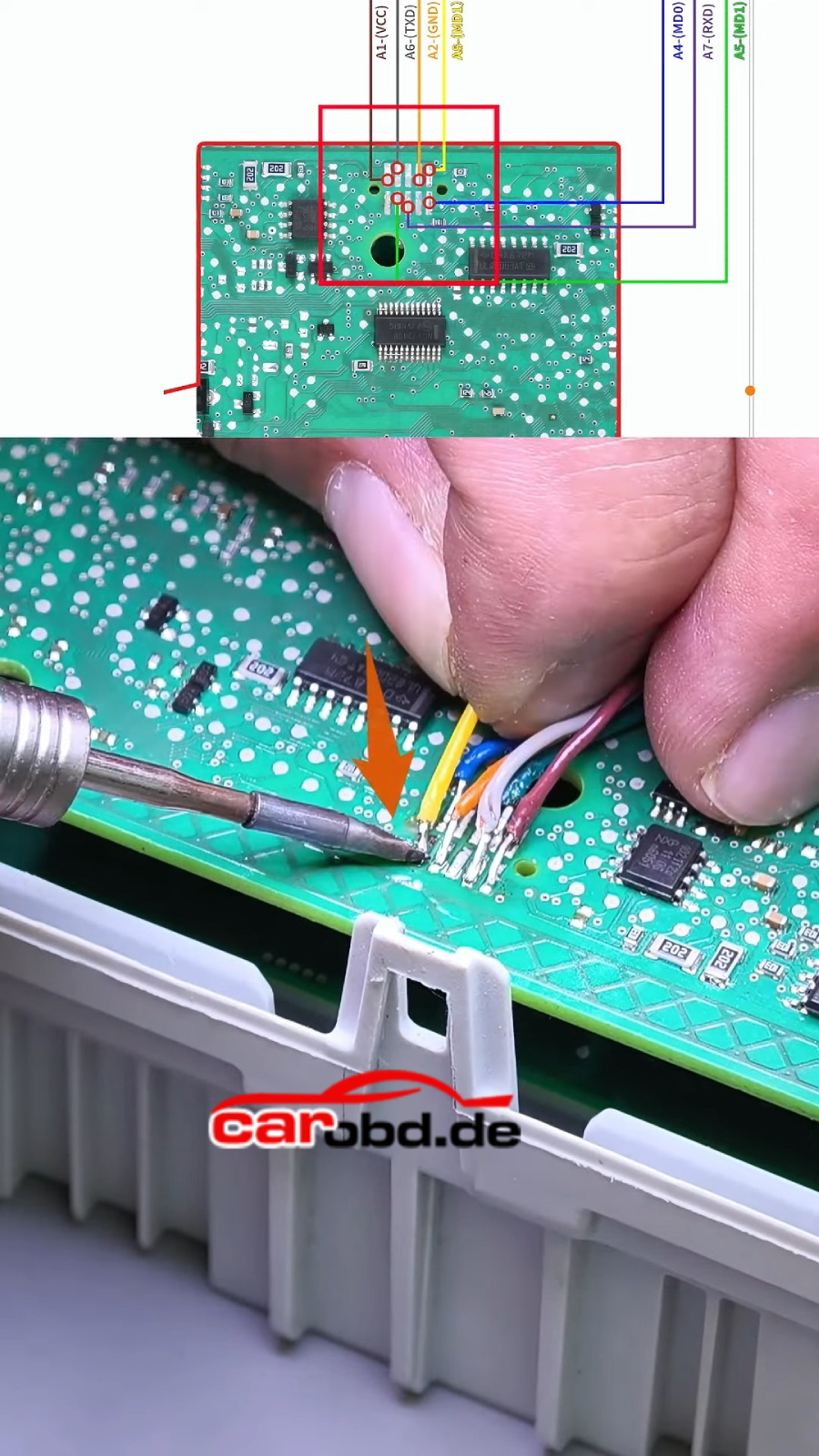
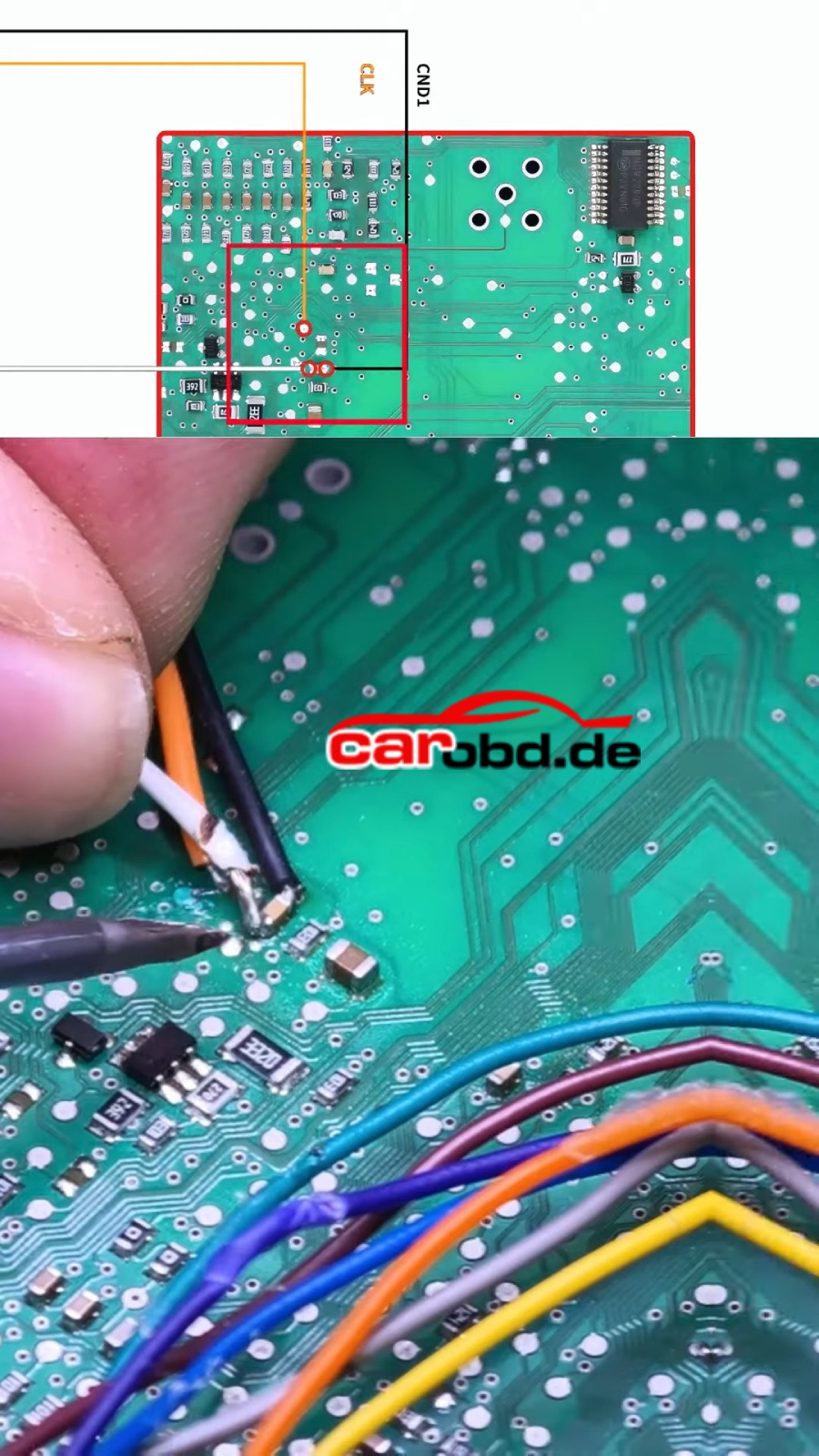
3️⃣ Follow wiring diagram and complete soldering
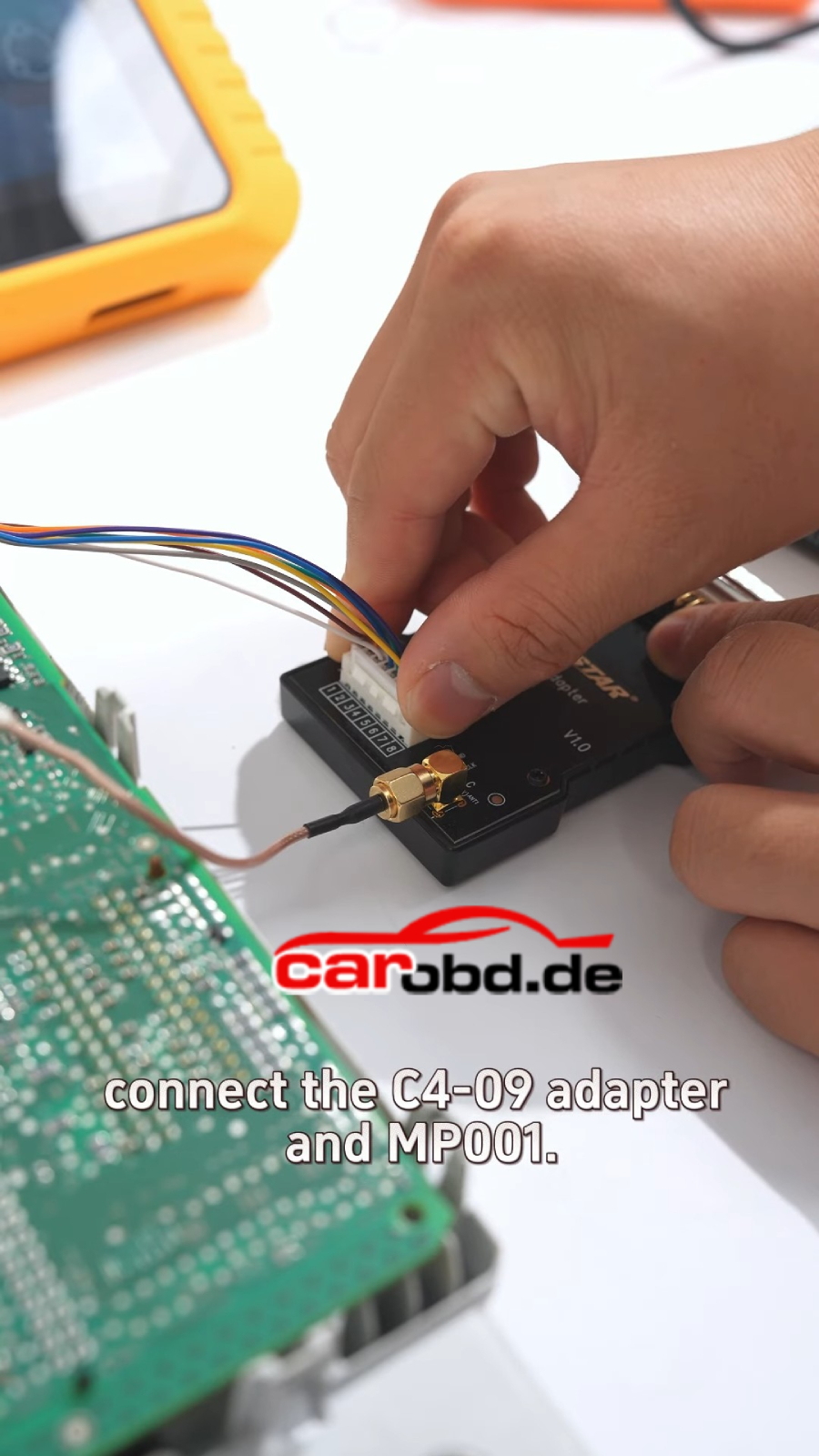
4️⃣ Connect device and start automatic decryption
🔑 After Decryption
✔ Read and save Flash data
✔ Read and save EEPROM data
✔ Write data to clone BCM module
🔓 Advanced Function
✔ Decrypt immobilizer data
✔ View VIN, PIN code, and key IDs
✔ Generate keys directly
💡 From BCM data reading to key generation, OBDSTAR X300 Classic G3 handles the entire workflow
Breaking update news
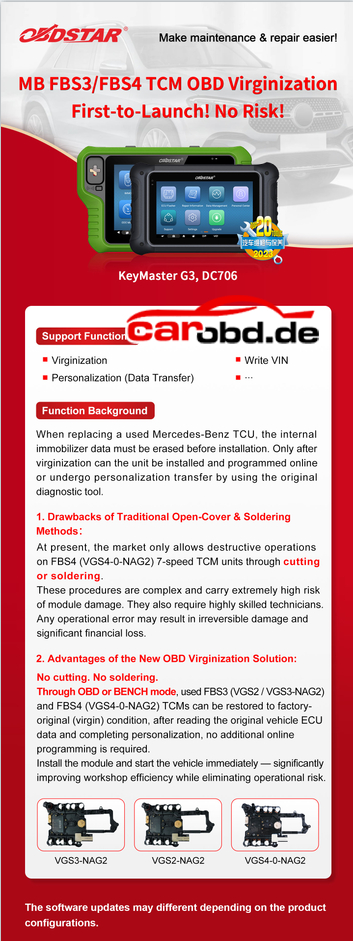
MB FBS3/FBS4 TCM OBD Virginization
First-to-Launch! No Risk! OBDSTAR X300 Classic G3 AND DC706
Support Functions
Virginization
Write yN
Personalization (Data Transfer)
Function Background
When replacing a used Mercedes-Benz TCU, the interna immobilizer data must be erased before installation. Only after virginization can the unit be installed and programmed online
or undergo personalization transfer by using the original diagnostic tool.
1.Drawbacks of Traditional Open-Cover & Soldering
Methods :
At present, the market only allows destructive operations
on FBS4 (VGS4-0-NAG2)7-speed TCM units through cutting or soldering
These procedures are complex and carry extremely high risk of module damage. They also require highly skilled techniciansAny operational error may result in irreversible damage and significant financial loss.
2. Advantages of the New OBD Virginization Solution:
No cutting. No soldering
Through OBD or BENCH mode, used FBS3 (VGS2 /VGS3-NAG2) andFRSA/CSA-0_NACD) CVs can oe restoreo to factory- original (virgin) condition, after reading the original vehicle ECU data and completing personalization, no additional online programming is required.
Install the module and start the vehicle immediately-significantly improving workshop efficiency while eliminating operational risk VGS3-NAG2 VGS2-NAG2 VGS4-0-NAG2
The software updates may different depending on the product configurations.
Greetings everyone. Has anyone been able to read this ECM? I can only read the VIN number, but I can’t connect to read the flash and EPROM. I used a 120-ohm resistor with 14 volts.
Solution :
1,Pin 87 should preferably be a 12V pin, not the ignition pin.
Both CG CG70 and OBDSTAR P50 will do Audi A6 A8 Q5 hybrid high voltage battery BMS crash reset Which device is better or faster ?
Here is the clue.
CGDI CG70 CG70 will repair Audi BMS module by CAN Mode.
Part Number: 8R0915233,8R0915591
Processor: D76F0192
Here is an example.
Repair problems: Engine don’t start. Hybrid system is locked.
Select part number 8R0915233 and check wiring diagram.
Connect BMS module with CG70, connect CG70 with main cable and 12v power supply.
Connect with the BMS unit and read the fault code P1609
The B1609 fault code in an Audi indicates an “IIIuminated entry input circuit short to battery”.This means the circuit related to the car’s IIIuminated entry feature(e.g. door light,interior light)is shorted to the battery, causing a fault.
Click One-click repair.
Repairing BMS in process
Read module again and you will see that fault P1609 has been erased.
Hi..this is on my KeyMaster G3 with ECU Flasher license, has been working great but today I get this msg anytime I hit “Connect” to any ECM, msg comes up right away, first noticed it trying to connect to a Gpec2a but it does this with anything I try to connect to, have a friend with a DC706 and he is getting the same error msg, can anyone shed some light on this issue?
Solution:
The obdstar x300 classic g3 machine seems fine, customer can select P003/MP001 to connect. If customer do not do update, then everything is fine .
1,ID4A proximity key programming(all key lost, no need pincode) 2, ID8A-BA proximity key programming(all key lost, no need pincode) 3,ID8A-B9 proximity key programming(all key lost, no need pincode) Support with Third-Party tool directly
OBDSTAR RH850/V850 Adapter Kit Works with X300 Classic G3 RH850/V850 adapter full kit is for airbag reset, immo data/pincode read (Dashboard, BCM, ELV, etc.). And all data read is unencrypted, can be used on third party devices!
Features: Supports VAG MQB 5A key programming (without removing components. With built-in MQB calculator. No need to buy Sync data for All keys lost. Requires to buy MQB collector together) Supports Ford/Lincoln 2021- BCM RH850 key programming (including all keys lost) Supports Nissan Renault HFM RH850 key programming (including all keys lost) Supports FCA key programming (coming soon) Airbag Reset
All data read is unencrypted, can be used on third party devices!
Supported Tools: X300 Classic G3/KEYMASTER G3 (DOES NOT work with x300 dp plus/dc706/p50…)
Note: Need to be used with MP001 multifunctional programmer.
Package List:
C4-06
W010
W010A
C4-06-C01
C4-06-C02
Dedicated decryption jumper (5 sets)
Option 2: MQB Collector Collecting ELV/TCM authentication data through the dashboard connector
Supported Tools: X300 Classic G3/KEYMASTER G3 (DOES NOT work with x300 dp plus/dc706/p50…)
Note: Need to be used with MP001 multifunctional programmer.
OBDSTAR X300 Classic G3 expands on the features and functionality of the OBDstar X300 DP Plus key programming series and will have the ability to add the functionality of the OBDstar Odomaster mileage correction, P50 airbag reset, MT series test platform and DC706 ECU ECM TCM BCM BSI cloning tool.
But if the tablet is broken need to repair or exchange PCB, how to solve this ?
Here we share steps.
First Step:Disassembly
Step 1: a. Remove the rubber case.
b. Use a screwdriver to loosen and remove the hex socket screws
Step 2: Open the back cover and press down on the battery connector clip with your hand, then pull out the battery connector.
Step 3: Remove the antenna marked by the arrow. Use a screwdriver to loosen the screws securing the Android board and remove the Android board.
Step 4: Peel off the acetate tape at the screen flex cable connection. Remove the LCD screen and TP (touch panel) cable, and unplug the speaker cable. Use a screwdriver to loosen the screws securing the mainboard and the coil, then remove the mainboard and the coil.
Step 5: a. Set the soldering iron temperature to 350 ± 10°C and desolder the coil to remove it.
b. Unplug the camera flex cable and use a screwdriver to loosen the screws securing the camera, then remove the camera.
c. Peel off the adhesive at the bottom of the conductive foam and remove it. (If the new mainboard comes with conductive foam already attached, this step is not necessary. Be careful when peeling off the conductive foam as it can easily be damaged.) Disassembly is complete.
Second Step: Installation Step 1: a. Take the new mainboard, install the camera, secure it with screws, and connect the camera flex cable.
b. Attach the conductive foam.
c. Insert the Android board and secure it with screws.
Step 2: a. Set the soldering iron temperature to 350 ± 10°C and solder the coil.
b. Keep the screen flex cable clear of the area where the main board will be installed. Align the mainboard with the housing connectors, and ensure the coil is installed before fully securing the mainboard to avoid pulling the wires and causing damage. Then, install the mainboard.
Step 3: a. Use a screwdriver to secure the mainboard with screws.
b. Secure the coil bracket with screws. c. Connect the LCD screen flex cable and the TP flex cable (with the white line facing up). After connecting, apply acetate tape to both the connector and the flex cable. d. Connect the speaker cable and secure the antenna.
Step 4: Insert the battery connector, reassemble the back cover, and press the power button to turn on the device. If it starts up normally, the replacement is successful.
Step 5: Use a screwdriver to fasten the screws to the back cover, and put the rubber case back on. The replacement is complete.