Archives

Humzor NexzDAS Pro Manual: Function List, How to Use, Comparison etc

What is Humzor NexzDAS Pro?

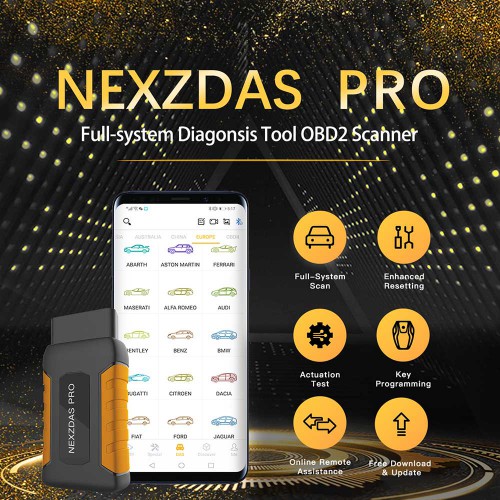
Humzor NexzDAS Pro is a professional diagnostic tool, able to read/clear codes for all the available modules of wide vehicle makes, and offers the perfect diagnostic solution for mechanics who demand unrivaled OE level smart technology and smart repair.

What can Humzor NexzDAS Pro do?

Read/clear codes for all systems, input the VIN and automatically recognize it, or manually select the vehicle model,type and year to start the quick scan for all the control units and get the inspection result with detailed DTC description.

Carrying out tests on some components of the vehicle and access vehicle specific subsystems. It may vary by makes, models, types, years, thus only the available ones will be shown.

Besides, it can perform advanced service reset like: Oil Reset, TPMS, ABS, SAS, TPS, DPF, EPB, Battery Test, Injector Adjust.

Moreover, Humzor NexzDAS Pro can add new key, erase keys, key programming, all key lost via OBD…

Free Download: Humzor NexzDAS Pro IMMO Function List.

What language Humzor NexzDAS Pro has?

English, Italian, German, Russian, French, Spanish, Polish, Traditional Chinese etc.

How to update Humzor NexzDAS Pro?

Free update on the official site: www.humzor.com .

Humzor NexzDAS Pro (SC393-B) VS Humzor NexzDAS Pro with 10inch Tablet (SP353):

There are two optional selection of Humzor NexzDAS Pro (one can run with Android phone, another one can run with both the tablet and android phone). For the vehicle coverage and capabilities, they are the same.

1.This is Humzor NexzDAS Pro (SC393-B):

Running with one Android phone (IOS phone is not okay yet).
19112015742420254455


Price: 147

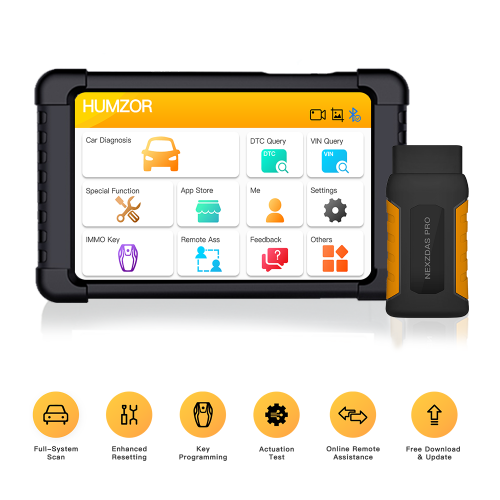
2.This is Humzor NexzDAS Pro with 10inch tablet(SP353)

Comes with one 10″ tablet, meanwhile it allows the user to download the software into the Android phone, so that you can use on both tablet and phone.
19111915742184455711

Price: 221

6 steps to use Humzor NexzDAS Pro:

Step 1:The NexzDAS APP has already installed, so just open it directly with network working.
Step 2:Use an email to register firstly and set up your login password.
Step 3:Binding the product, get the serial number and activation code from the password envelope.
Step 4:Plug the device into the car’s OBD port, turn the ignition with engine off
Step 5:Open the App, Bluetooth will automatically connect with its icon turn into blue.
Step 6:Click the “App Store” and choose to download the models and functions you need. Then start to enjoy the smart diagnosis.

Humzor NexzDAS Pro Function List

https://mega.nz/#F!ZFRW0QjQ!TysPEpuu377HYuMo1DROuA

74 car make in total:

European car makes: √

American car makes: √

Japanese car makes : √

South Korean car makes: √

Chinese car makes: √

Australian car makes: √

Indian car makes (Mahindra, Maruti, Tata): √

Malaysian car makes (Produa, Proton, Perodua): √

For examples:

Humzor NexzDAS Pro Mahindra v17.04 Function List

https://mega.nz/#!BcJwjCrI!Q0K0q6SCeU7Au0C3TmLIH9TtS9tkMXzm836HvFlyvbQ

Humzor NexzDAS Pro Maruti v18.01 Function List

https://mega.nz/#!tIRiFQLZ!EiSrFB8JA1AEjjsy-6mkG0fN5Zk_yNV3qJXnDkVKn5o

Humzor NexzDAS Pro Tata V10.00 Function List

https://mega.nz/#!ZQYgQYyQ!WcOHVl6QWNSLxV379qSTLaV92zhZQpbAg0XH1vrY9gA

Humzor NexzDAS Pro Produa V18.2 Function List

https://mega.nz/#!0JRAFIaA!O9quq7Vc4kqod-rqXnKsA03qpcCIfc4FJU9Z3lmBP4s

Humzor NexzDAS Pro Proton v12.0 Function List

https://mega.nz/#!0RJgQQ5D!CG8s34EllS81cZ08Jdn-H1KOcVfopJ5hfi9X6LIZtZY

Humzor NexzDAS Pro Perodua V18.20 Function List

https://mega.nz/#!ocICUaJT!qDylfOI5p7laNTlJ5vMD6h7u7uXHjeoMCCfiUuhHRVc

Humzor NexzDAS Pro vs. LAUNCH Easydiag 3.0 Plus vs. Autel MaxiAP AP200 vs. XTOOL Anyscan A30

1

That’s all.

Thanks.
OBDSTAR X300 Pro4 IMMO car list (from Europe Japan Korea America China)

OBDSTAR X300 Pro4 is a dedicated OBD key programmer for all makes from Europe Japan Korea America China etc , it can add new key, can program new keys when all keys lost no matter what remote key or smart key.
OBDSTAR X300 Pro4 can’t program key on: Super Luxury car makes incl. Lamborghini, Maserati, Ferrari, Bentley, Alfa Romeo, Abarth etc. for BMW, Benz key programming (vvdi or cgdi is the best).

OBDSTAR X300 Pro 4 Programmer Support Car Models List:

Serial No.:
No. Region Brand No. Region Brand No. Region Brand
1 Europe BMW 28 America FORD 53 China HONGQI
2 BENZ 29 CHRYSLER 54 HUANGHAI
3 BORGWARD 30 GM 55 JAC
4 PEUGEOT/CITROEN/DS 31 China BAIC 56 JIABAO
5 DACIA 32 BESTURN 57 JMC
6 FIAT 33 BISU 58 LIFAN
7 JAGUAR 34 BRILLIANCE 59 LUFENG
8 LANCIA 35 BYD 60 LUXGEN
9 LANDROVER 36 CHANGAN 61 MAXUS
10 OPEL 37 CHANGHE 62 QNLOTUS
11 PORSCHE 38 CHERY 63 QOROS
12 RENAULT 39 COWIN 64 ROEWE
13 SMARTSMART 40 DFFENGSHEN 65 SGMW
14 VOLVO 41 DFFG 66 SWM
15 IVECO 42 DFLIUZHOU 67 SOUEAST
16 VW/AUDI/SKODA/SEAT 43 ENRANGER 68 TJFAW
17 Japan HONDA 44 FOTON 69 TRAUM
18 ISUZU 45 GEELY 70 TRUMPCHI
19 MAZDA 46 GREATWALL 71 XENIA
20 MITSUBISHI 47 HAFEI 72 YEMA
21 NISSAN 48 HANTENG 73 ZD
22 SUBARU 49 HAWTAI 74 ZHONGXING
23 SUZUKI 50 HIMIKO 75 ZOTYE
24 TOYOTA/LEXUS 51 ZZNISSAN 76 ZZMAZDA
25 Korea HYUNDAI 52 HNMAZDA 77 CHANGFENG
26 KIA
27 SANGYONG


OBDSTAR X300 Pro4 official site: http://www.obdstar.com/, for detailed supported car models, just open this site, click on “Carlist” -> “Function List” -> “IMMOBILISER”.


OBDSTAR X300 Pro 4 Programmer Specifications:

Operation System:                Android5.1.1
CPU:                                      RK3128 quad-core,ARM Cortex A7@1.2Ghz
Battery:                                 2600Ma lithium ion
Extension Memory Card:      32G Micro SD(TF) card supported
Storage Capacity:                 16GB
LCD:                                      5.0 inch
LCD Resolution:                    800*600
Touch Screen:                       Capacitive touch screen
WiFi:                                      Supported
Working Temperatures:        -20℃~55℃(14℉~131℉)
Storage Temperature:           -20℃~70℃(-4℉~158℉)
Weight:                                 About 700g
Dimension:                           140mm*89mm*18mm


OBDSTAR X300 Pro4 price: €849  free shipping


Comparison between X300 PRO 4 and X300 DP PAD PLUS:

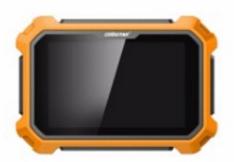
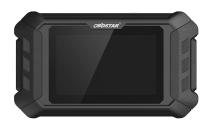
 Function Prouduct Photo
X300DP Plus X300 Pro 4 Remark
   
Available Or Not
Software
(Immo)
Programming Keys       √       √
Erase Keys       √       √
Programming Remote       √       √
Read Key Numbers       √       √
Pincode Reading       √       √
EEPROM Chip Read       √       √
OBDII Diagnosis       √       √
Cluster Calibration       √       ×
Diagnosis       √       ×
ECU Clone       √       ×
ECU Programming       √       ×
Oil Service Reset       √       ×
Other Special Functions       √       ×
RT100 Remote       √       ×
Luxury Models Coverage       √       × not support Lamborghini/
Maserati/
Ferrari/
Bentley/
Alfa Romeo/Abarth
 Specification Opration System Android5.1.1 Android5.1.1
Camera supported       ×
CPU Exynos4418 Dual Core ARM Cortex
A9 1.4GHz
RK3128 quad-core,
ARM Cortex A7@1.2Ghz
Battery 3700mA,
rechargeable polymer lithium battery
2600Ma lithium ion
Extension Memory Card 32G Micro SD(TF) card supported 32G Micro SD(TF) card supported
Storage Capacity 32GB 16GB
LCD 8.0 inch 5.0 inch
LCD resolution 1280*800 800*600
Touch screen Capacitive touch screen Capacitive touch screen
Wi-Fi supported supported
Working Temperature -10℃~55℃(14℉~131℉) -20℃~55℃(14℉~131℉)
Storage Temperature -20℃~70℃(-4℉~158℉) -20℃~70℃(-4℉~158℉)
Weight about 1.0kg about 700g
Dimension 254mm*174mm*35mm 140mm*89mm*18mm
Accessory    

2019100813206683


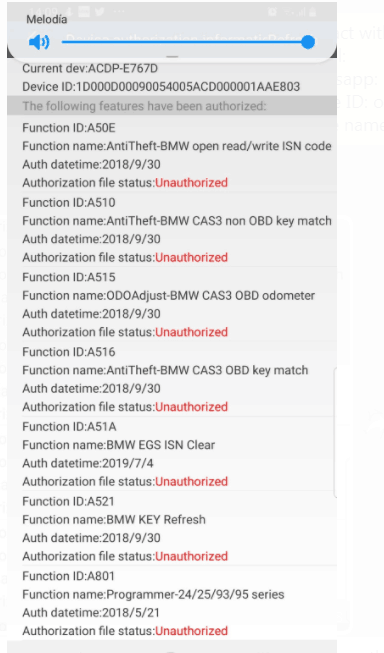
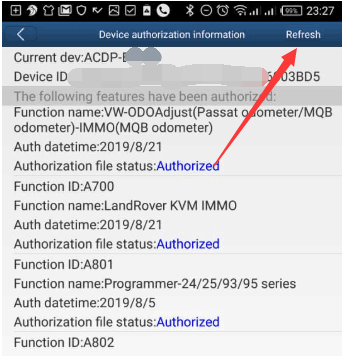
(Solved) Yanhua Mini ACDP lost all authorization after software update

This is a tip for those cannot see authorization after ACDP update.

img: ACDP doesn’t have any authorization after software update

1

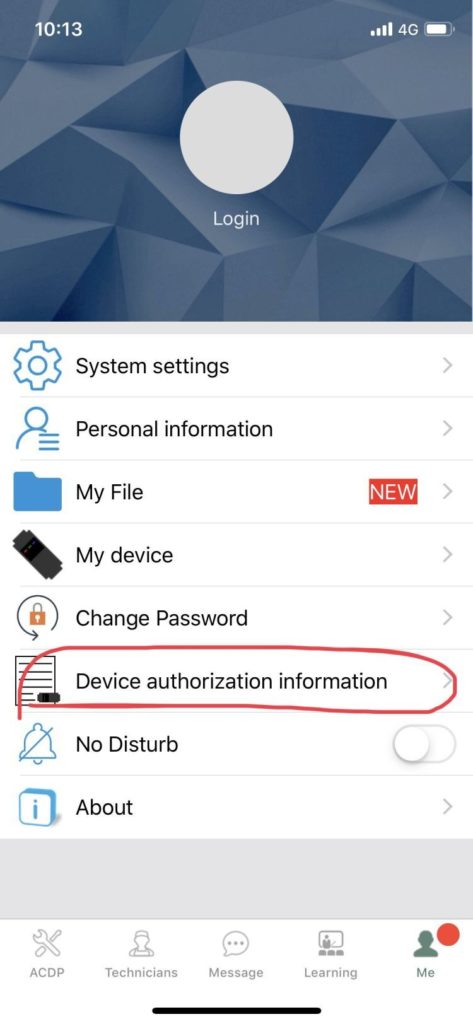
If you have the issue, just login the app and go to me, then device authorization information

2

Then refresh, and your authorization will come back and work

3

Yanhua ACDP :http://www.carobd.de/producttags/yanhua-mini-acdp.html

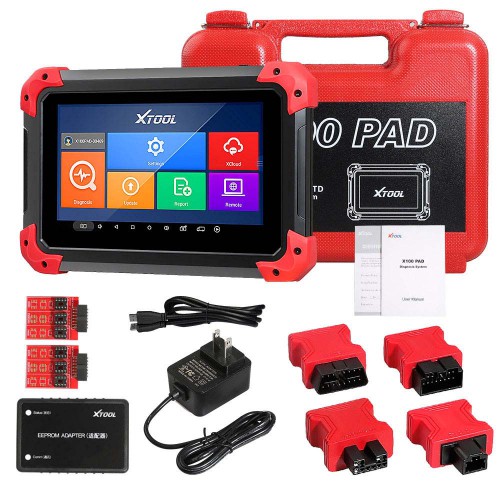
[Big Sale UK Ship No Tax] XTOOL X100 PAD X 100 Auto Car Key Programmer

Kindly Note: does not support Indian cars; it does not support Proton and Produa
Highlights of X100 PAD

1. Language: English, French, German, Norwegian, Russian, Persian, Arabic, Polish, Portuguese,Hindi

(English is by default, if you need other language, please provide the serial number to us, we will add authorization to you)

2. Vehicle Coverage: 
Asia: Toyota, Lexus, Honda, Acura, Mazda, Nissan, Infiniti, Mitsubishi, Subaru, Suzuki, Kia, Hyundai, Daewoo, SSANGYONG, Proton, etc.
Europe: Audi, VW, Skoda, Seat, Porsche, Opel, Citroen, Peugeot, Jaguar, Land Rover, Lincoln, Renault, etc.
America: GM, Cadillac, Buick, Chrysler, Ford, etc.
China: Great Wall, Chery, Brilliance-auto, Geely, LIFAN, HAFEI, CHANGAN, LANDWIND, BYD, BYD , JAC, etc.

3.Free Update for 2 Years

4. It puts the VCI box into the tablet. The two-in-one, the communication is more stable.

5. XTOOL X100 PAD Functions: 
Key programming
Oil Reset/Engine oil light reset
Odometer Adjustment
Tire Pressure Warning Light Reset (Manual Operation)
Timing belt light reset (Manual Operation)
EPB Electrical Parking Brake Adaptation
TPS Throttle Body Adaptation
Steering Angle Calibration
Battery Reset
PIN Code Reading
Hexadecimal editor (WinHex)
OBDII Diagnosis
Support the latest vehicles with CAN BUS and UDS protocol
Update via WIFI (always equip your device with the latest software)
More…
Only 354EUR with Free Shipping. No Need Wait, Shop Now!!!
19082115664440787812

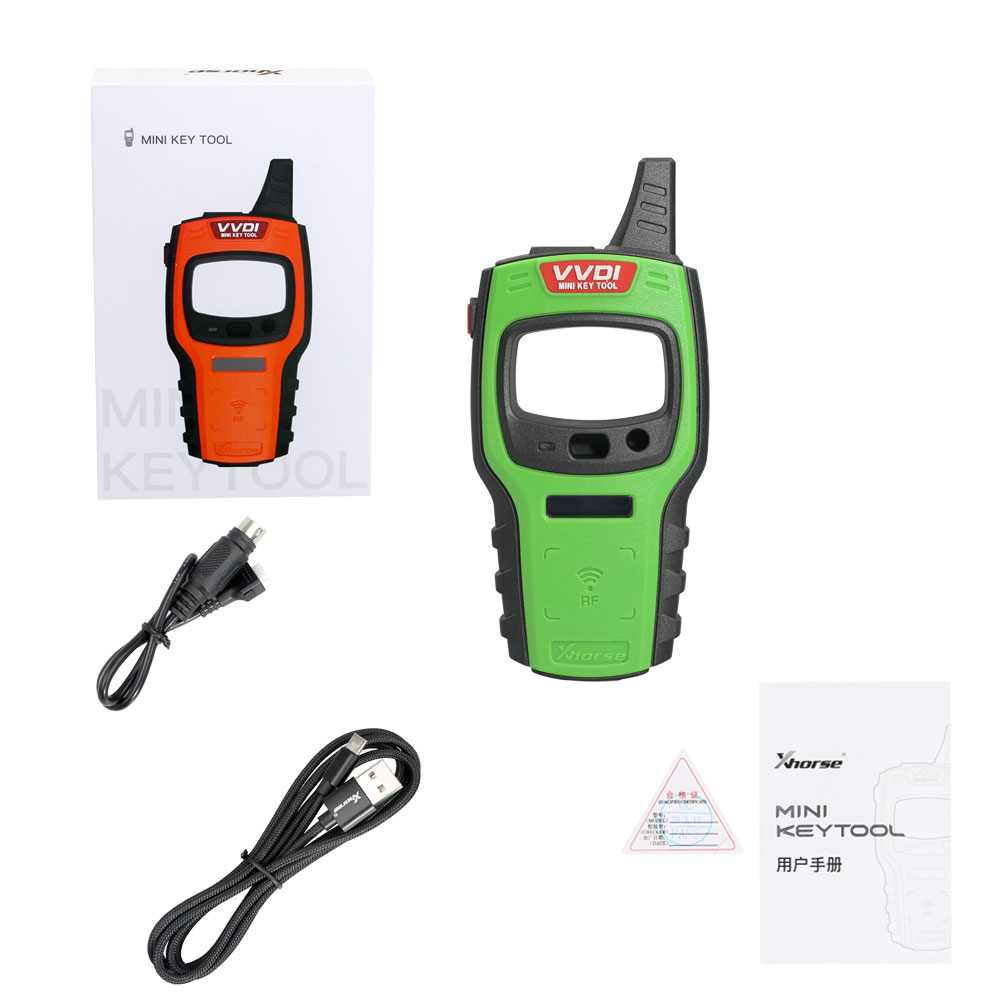
Xhorse VVDI Mini Key Tool user manual: All info here

Xhorse VVDI Mini Key Tool all FAQs here including version /Area, language, color, update, price, comparison with VVDI Key Tool, how to use with IOS/Android etc.

Generally speaking, VVDI key tool functions – renew remote function = VVDI Mini Key Tool.

VVDI Mini Key Tool share as the same APP as VVDI key tool and Condor Dolphin.

1

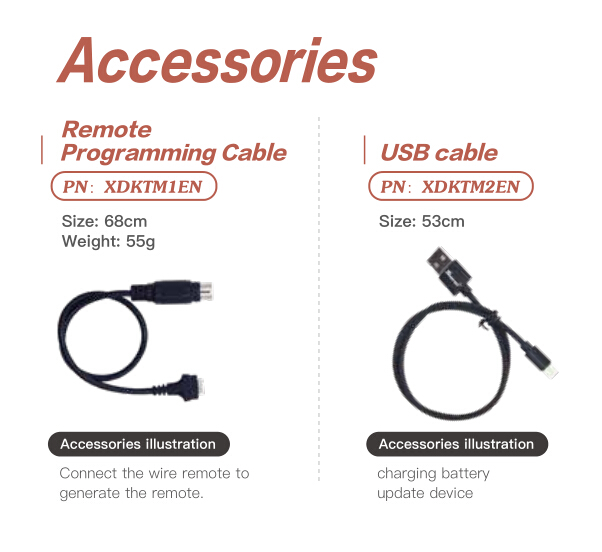
VVDI mini key tool parts and accessories:

2

1.version /Area

carobd.de is available with US and European version.

2.Language:

English

Polish

Thai

Hindi

Chinese

xhorse-vvdi-mini-key-tool-programmer-pic-1

3.Color:

Orange

Green

Red


4.Update

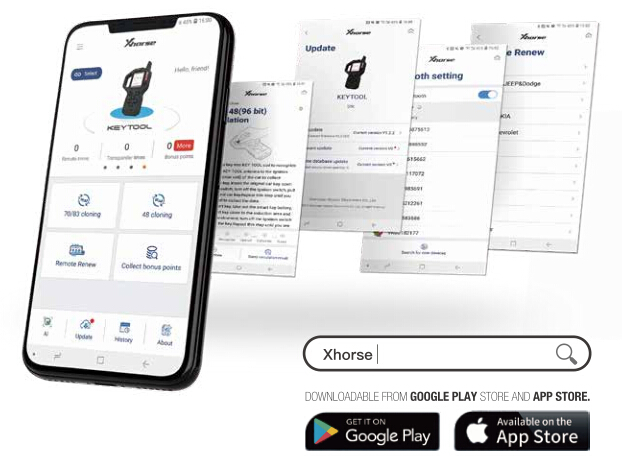
Use “Google Play store” and “App Store” to search “Xhrose“.

Install and update the newest version of vvdi mini key tool.

3

5.Price:

VVDI mini key tool is 50USD -80USD cheaper than VVDI key tool.

6.Xhorse VVDI Mini Key Tool Vs VVI key tool

1)VVDI key tool functions – renew remote function = VVDI Mini Key Tool.

VVDI Mini Key Tool functionalities:

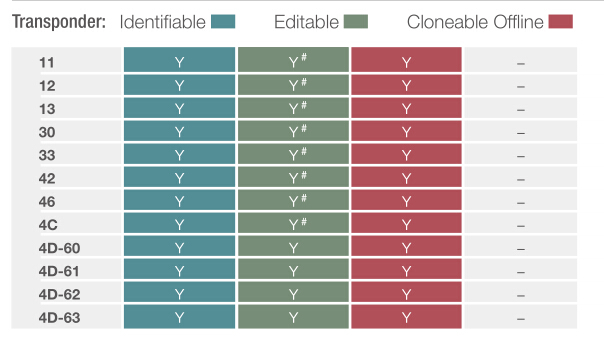
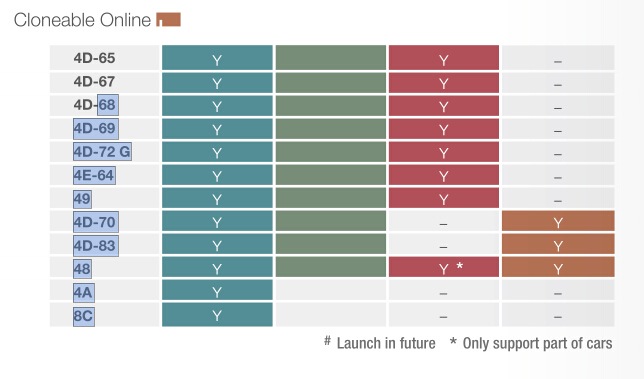
Transponder Editing &Cloning

Detect most immobilizer transponder, edit and clone common transponder in the market.

Transponder Generating

Support TP transponder & parts of special transponder more than 700 vehicle

models, reduce the stock of transponders efficiently.

9

10

Remote Cloning

Support the HCS/Fixed code cloning, support non-HCS rolling code cloning, support

PT22XX, LX918, HT6P20, VD5026, AX5326, HT12X fixed code editing.

Garage Remote Generating

Supporting more than 100 types.
Remote Generate

Support 128 brands, over 2000 vehicle models. Generate more abundant and
thorough key pictures, transponder types, key blanks and remote matching data.

Frequency Test

Support the power test within the range of 300-450MHz.

Toyota H transponder

Activate Toyota H transponder generation function

2) VVDI Mini Key Tool shares as the same APP as VVDI key tool and Condor Dolphin.

Use “Google Play store” and “App Store” to search “Xhrose“, then install to use.

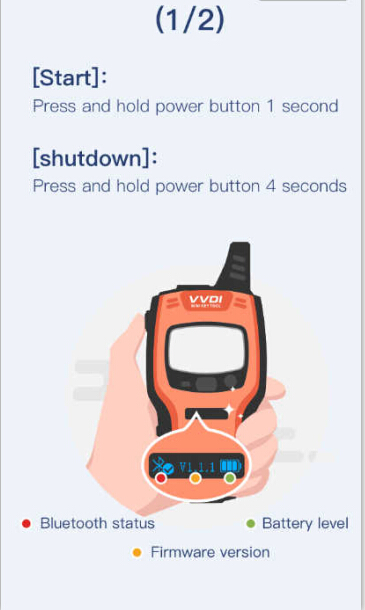
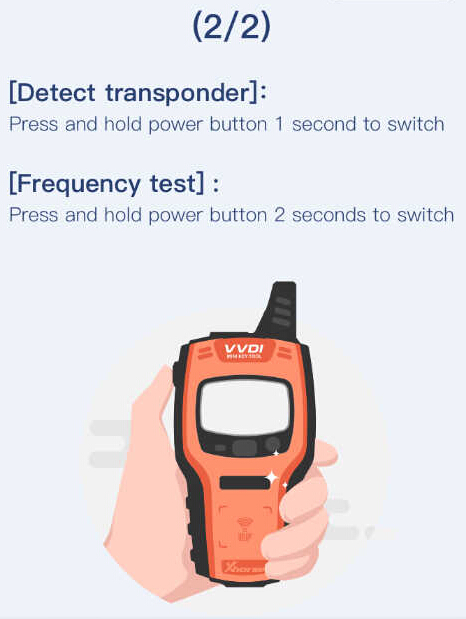
When launch the APP, it will give two images on how to use VVDI mini key tool for the first time.

Start: Press and hold power button 1 second.

Shutdown: Press and hold power button 4 seconds.

The machine comes with Bluetooth Status button and Battery level button as well as firmware version.

Detect transponder

Press and hold power button 1 second to stitch.

Frequency test: press and hold power button 2 seconds to switch.

13

14

VVDI Mini Key Tool new APP:

15

Mini Key tool operation menu:

Vehicle remote

Garage remote

Remote clone

Transponder clone

Generate transponder

Special function

VVDI Key tool New APP menu:

Vehicle remote

Garage remote

Remote clone

Remote renew

Transponder clone

Generate transponder

Collect bonus points

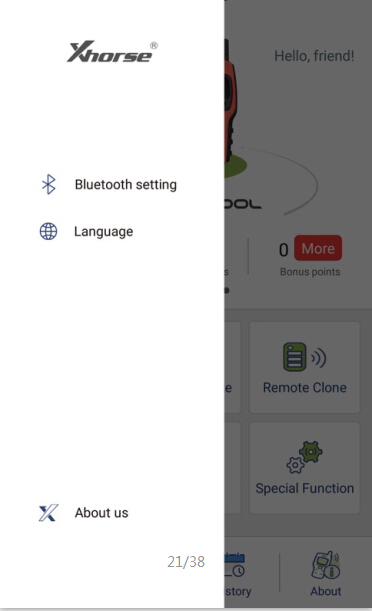
Xhorse New APP settings: Bluetooth setting, Language and About us.

Bluetooth: Turn on Bluetooth (to connect vvdi key tool ,vvdi mini key tool, Dolphin);

APP Language: Chinese and English so far.

16

3) VVDI key tool: with bigger screen (2.4″), it can work alone except the online function such as 46 4D offline copy, and it can perform online functions by connecting to the phone.

VVDI Mini key tool: most functions is completed via phone, it has smaller screen (0.91″)

4) VVDI Mini key tool comes with big-capacity battery.

Here comes VVDI mini key tool parameters:

OLED Size: 0.91 ”
Extra Power: 5V/1A
Usage Time: >10 Hour
Product Size: 140×64.5×23.5mm
Weight: 86g
Charge Current: 650mA
Battery Capacity: 8 00mAh
Battery Voltage: 3.6-4.2V
OLED resolution: 128*32

Here comes VVDI key tool parameters:

OLED Size: 2.4″
Extra Power: 5V/1A
Usage Time: >10 Hour
Product Size: 108x6194x28mm
Weight: 229g
Charge Current: 1A
Battery Capacity: 150Ah
Power: 600mW

Battery Voltage: 3.6-4.2V

OLED resolution: 320*240

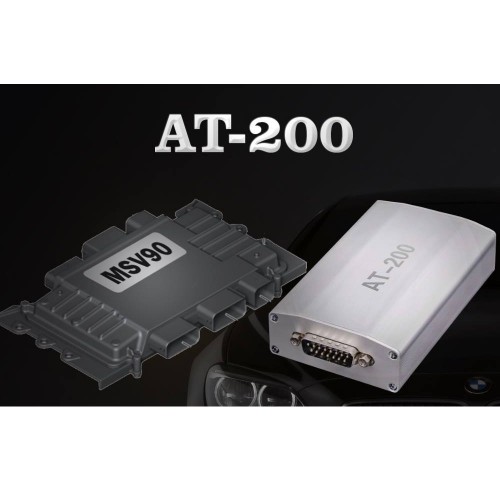
2019 CGDI BMW AT-200 ECU Programmer & OBD ISN code reader

BMW AT-200 ECU Programmer & OBD ISN code reader, imported product at cheaper price.

1.BMW ECU data read and write, clone (necessary for BMW ECU repair)
Effectively solve the second-hand ECU matching problem after the damage of the BMW ECU control unit. With CGDI BMW AT200, it can directly read the original car computer data and then clone it, it can read and write on almost all ECU types: MSV90 MSD85 MSD87 N20 N55 B38 B48 etc Engine clone.

Successfully made up the market for BMW ECU reading and writing equipment, saving high equipment costs

2.BMW IMMO ISN code reading via OBD(Necessary for car locksmith)
Can quickly solve the problem of data collection of BMW all keys lost, read and write without dismantling, which is more stable and more efficient.

If you want to program new key for BMW 3 Series, 5 Series, 7 Series , X5, X6, GT535, etc with six-cylinder engine, you must OBD read ISN code to program the key.

Can work with: Yanhua Digimaster3, CGDI BMW, VVDI, AP etc to program keys.

Save money: the same price of similar equipment is very expensive, around 60000USD.

This imported BMW AT200 is stable, high effective and easy-to-use because it passed through strict quality inspection.

Mercedes 271, Audi, Volkswagen 06J computer will be added in the next updates.

19040515544545226137

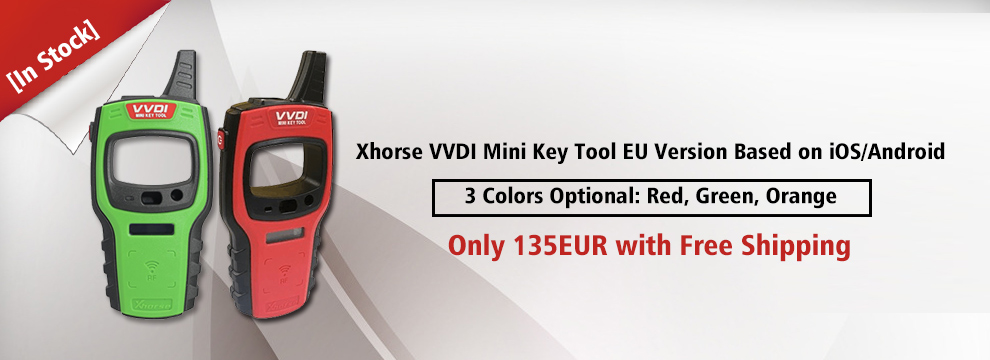
[In Stock]Xhorse VVDI Mini Key Tool EU Version Based on iOS/Android

Mini Key Tool Function Introduction:

Transponder Editing&Cloning
Detect most immobilizer transponder, edit and clone common transponder in the market

Transponder Generating
Support TP transponder & parts of special transponder more than 700 vehicle models, reduce the stock of transponders efficiently.

Remote Cloning
Support the HCS/Fixed code cloning, support non-HCS rolling code cloning, support PT22XX, LX918, HT6P20, VD5026, AX5326, HT12X fixed code editing.

Frequency Test
Support the power test within the range of 300-450Mhz

Remote Generate
Support 128 brands, over 2000 vehicle models. Generate more abundant and thorough key pictures, transponder types, key blanks and remote matching data.

Toyota H transponder
Activate Toyota H transponder generation function.


VVDI Mini Keytool VS VVDI KEY TOOL:

Similarities:

VVDI Mini Key Tool and VVDI KEYTOOL are the same in the aspect of remote and chip generation & copy.
Differences:

1. VVDI KEY TOOL can work alone, it can separately complete all functions except the online function such as 46 4D offline copy,
and it can perform online functions by connecting to the phone.

KEYTOOL has more functions than Mini key tool such as remote renew functions.

VVDI key tool supports Bluetooth.

VVDI key tool comes with big-capacity battery

2. VVDI mini keytool comes with no battery and no Bluetooth. Only after connecting to the phone can it works fine.


032904

How to use CGDI BMW programmer to do all key lost for BMW CAS3+?

BMW CAS3+ All Key Lost Programming by CGDI BMW

What You Need?

CGDI BMW MSV80 Programmer

CG100 Prog III

Procedures:

Step 1:Read ECU EEPROM

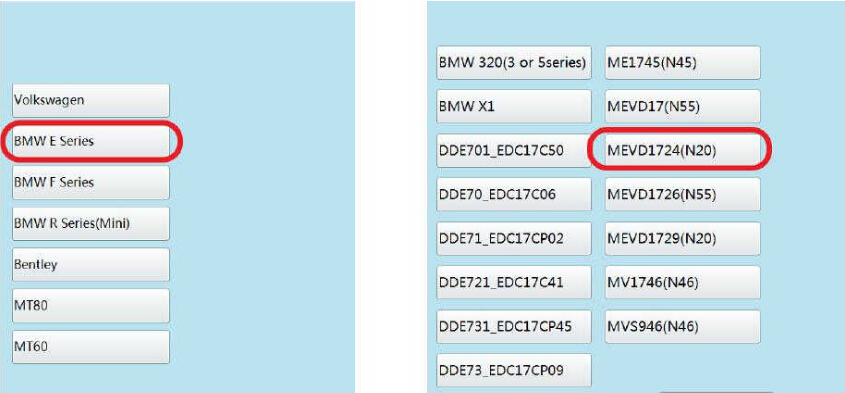
Run CG100 software,enter menu to select “ECU”

how-to-use-cgdi-bmw-programmer-to-do-all-key-lost-for-bmw-cas3-1

Select “BMW E Series”à”MEVD1724(N20)”

how-to-use-cgdi-bmw-programmer-to-do-all-key-lost-for-bmw-cas3-2

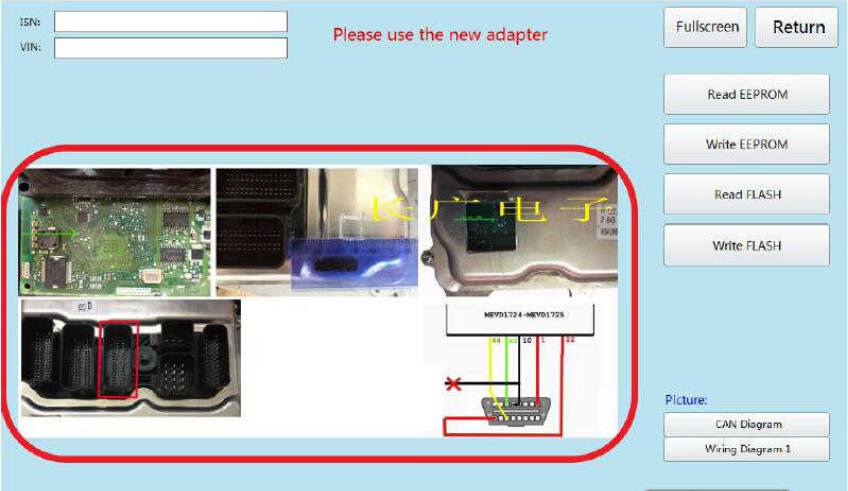
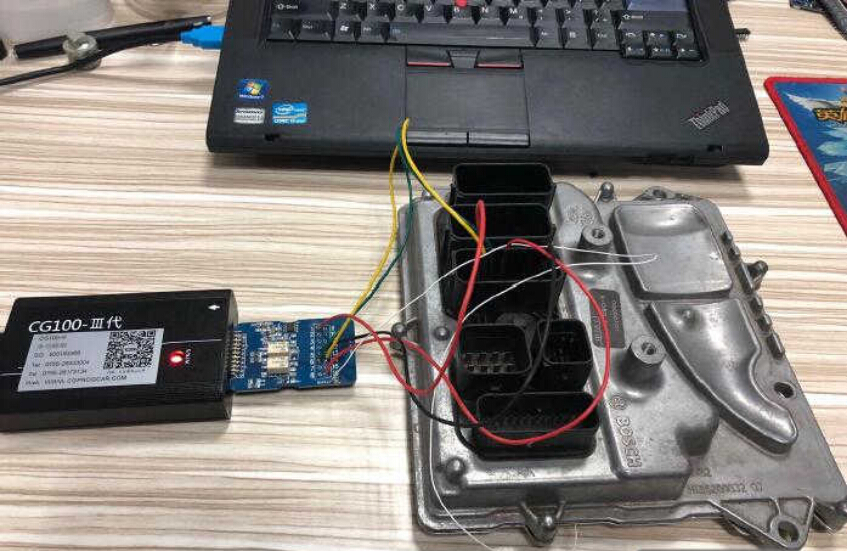
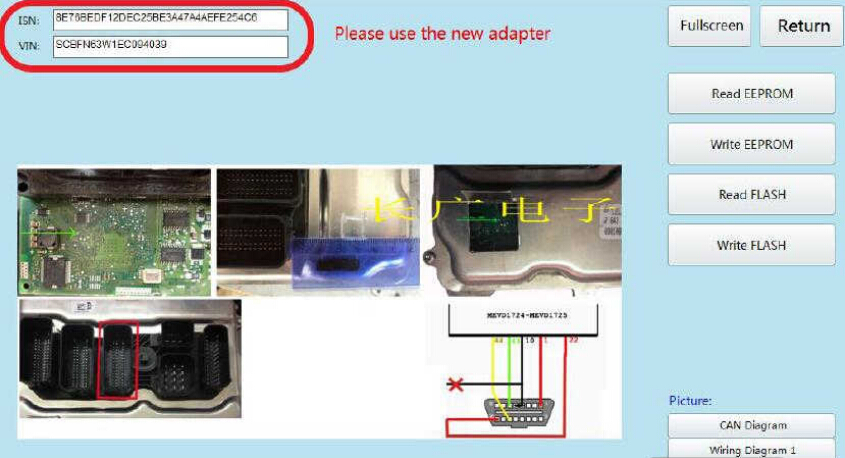
After then CG100 software will show the wire connection diagram as below,you need to build the connection according to the diagram.

how-to-use-cgdi-bmw-programmer-to-do-all-key-lost-for-bmw-cas3-3

how-to-use-cgdi-bmw-programmer-to-do-all-key-lost-for-bmw-cas3-4

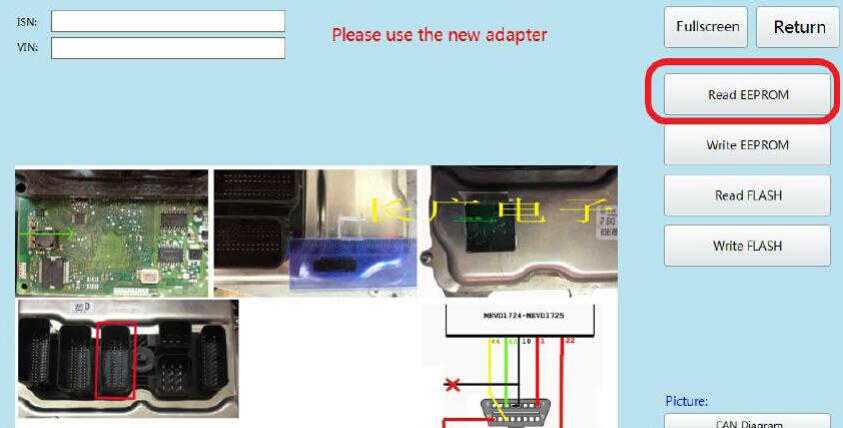
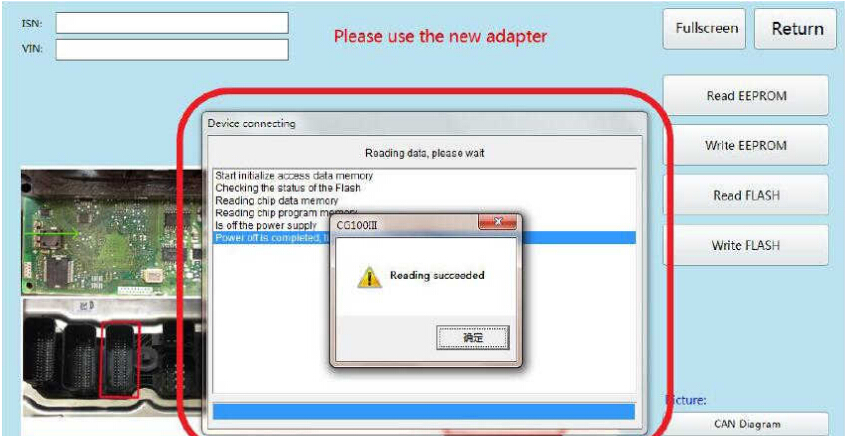
Click “Read EEPROM”

how-to-use-cgdi-bmw-programmer-to-do-all-key-lost-for-bmw-cas3-5

After data reading successfully,save the EEPROM data on your laptop.

how-to-use-cgdi-bmw-programmer-to-do-all-key-lost-for-bmw-cas3-6

Now you can see the ISN and VIN here:

how-to-use-cgdi-bmw-programmer-to-do-all-key-lost-for-bmw-cas3-7

Step 2:CGDI BMW Programming Key

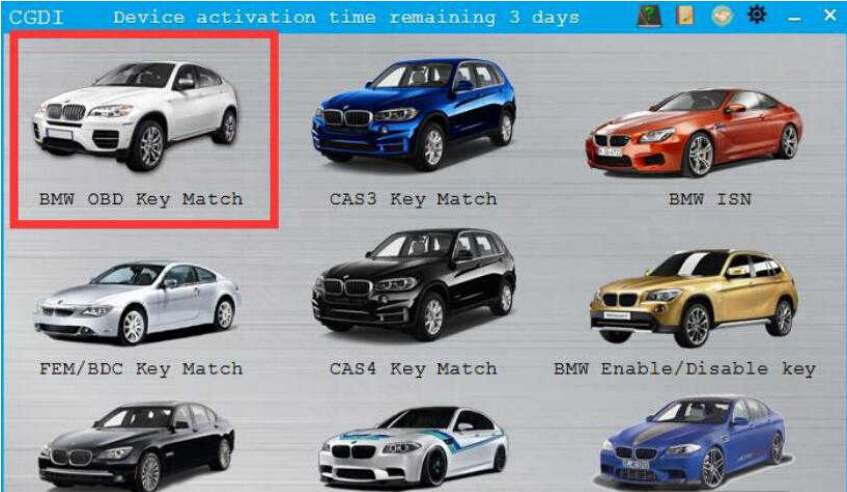
Connect CGDI BMW Programmer to vehicle by OBD port,then select “BMW OBD Key Match”

how-to-use-cgdi-bmw-programmer-to-do-all-key-lost-for-bmw-cas3-9

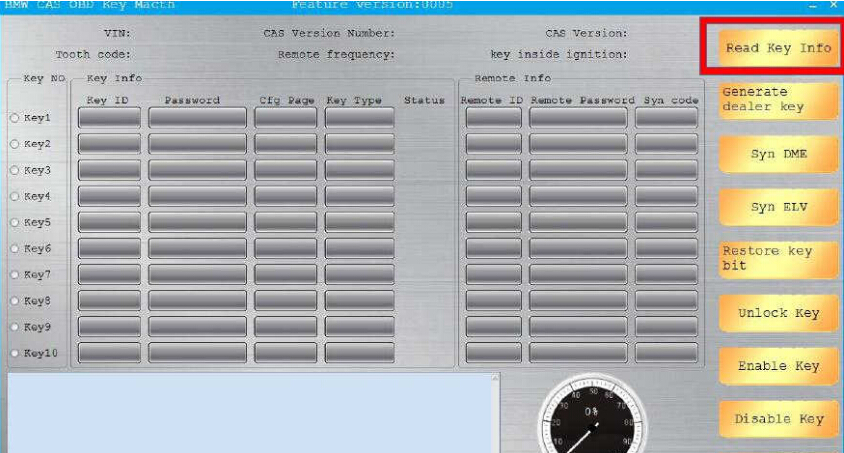
Click “Read Key info”

how-to-use-cgdi-bmw-programmer-to-do-all-key-lost-for-bmw-cas3-10

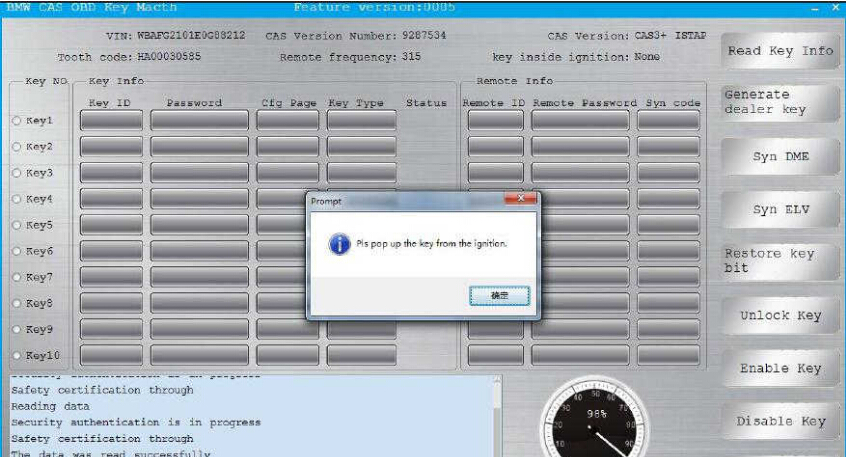
Pull out the key from the ignition when it prompt you as below massage

how-to-use-cgdi-bmw-programmer-to-do-all-key-lost-for-bmw-cas3-11

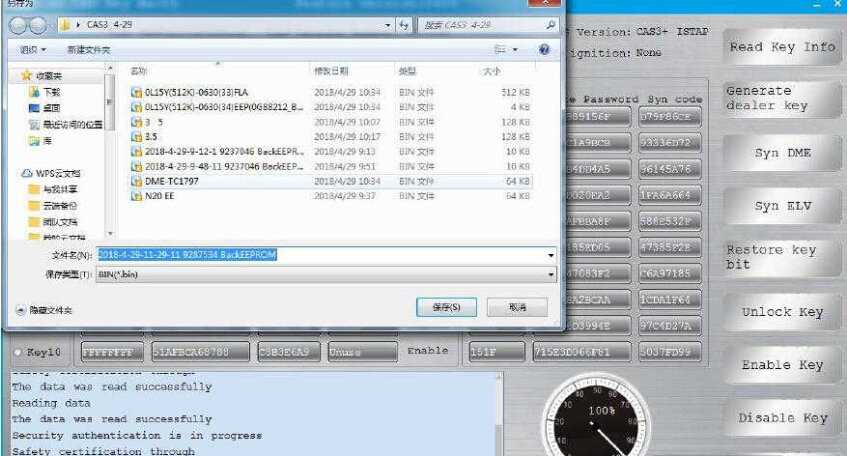
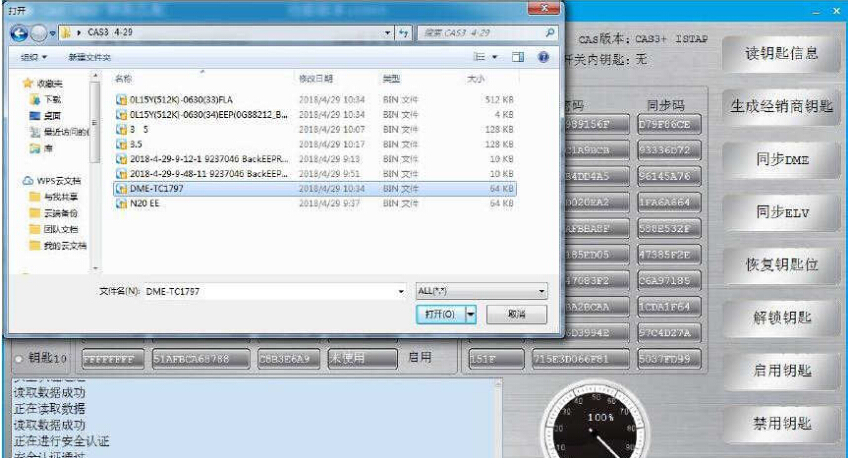
Then save the data file

how-to-use-cgdi-bmw-programmer-to-do-all-key-lost-for-bmw-cas3-12

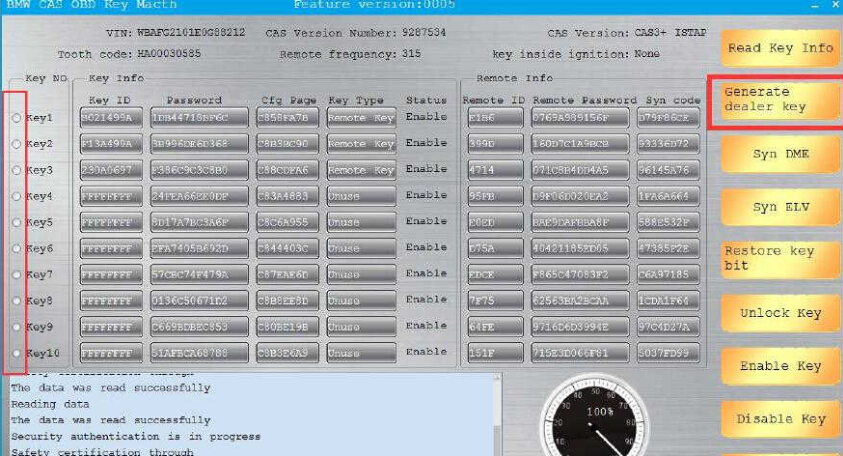
Select the key position to program and then click “Generate dealer key ” to continue

how-to-use-cgdi-bmw-programmer-to-do-all-key-lost-for-bmw-cas3-13

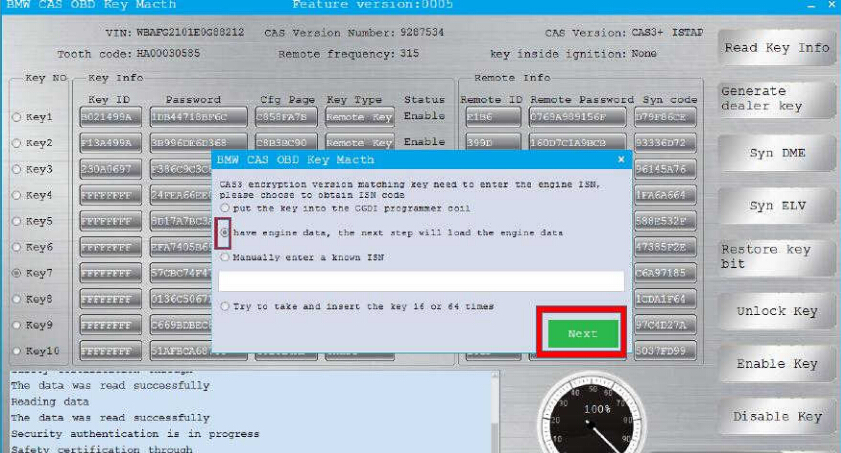
Now,here it will prompt you to enter ISN

Select “have engine data,the next step will load the engine data”

how-to-use-cgdi-bmw-programmer-to-do-all-key-lost-for-bmw-cas3-14

Load the engine data read out the CG100 in step 1

how-to-use-cgdi-bmw-programmer-to-do-all-key-lost-for-bmw-cas3-15

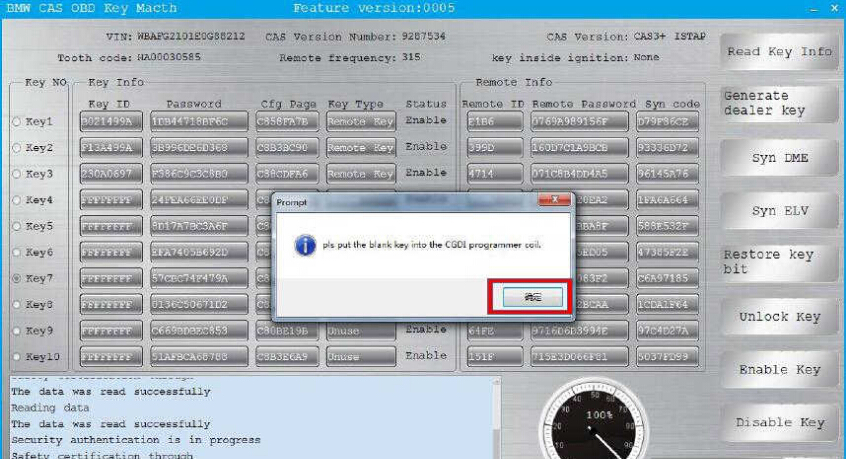
Put the new blank key into the CGDI BMW coil,then click “OK” to continue

how-to-use-cgdi-bmw-programmer-to-do-all-key-lost-for-bmw-cas3-16

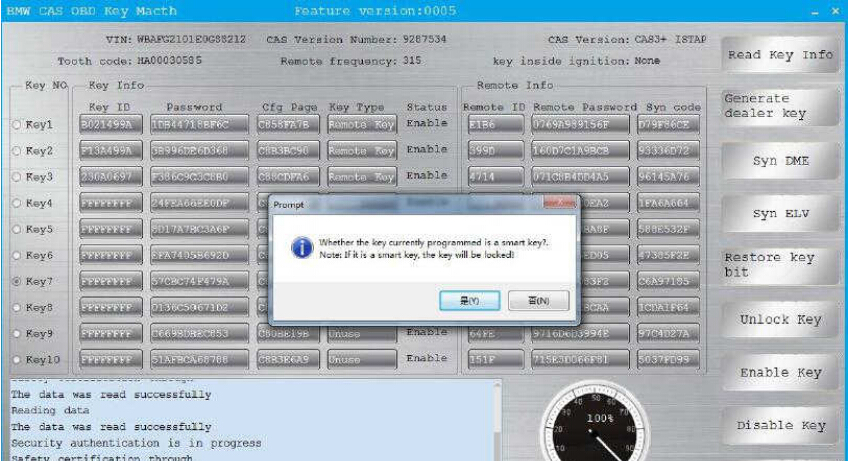
It will prompt you that “Whether the key currently programmed is a smart key”

Note:If it is a smart key,the key will be locked.

Click “No” to continue

how-to-use-cgdi-bmw-programmer-to-do-all-key-lost-for-bmw-cas3-17

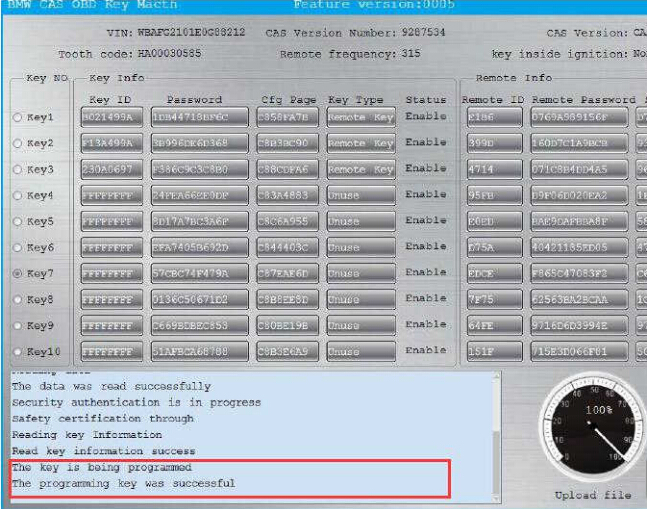
Wait a second minute,it will show the programming key was successfully

how-to-use-cgdi-bmw-programmer-to-do-all-key-lost-for-bmw-cas3-18

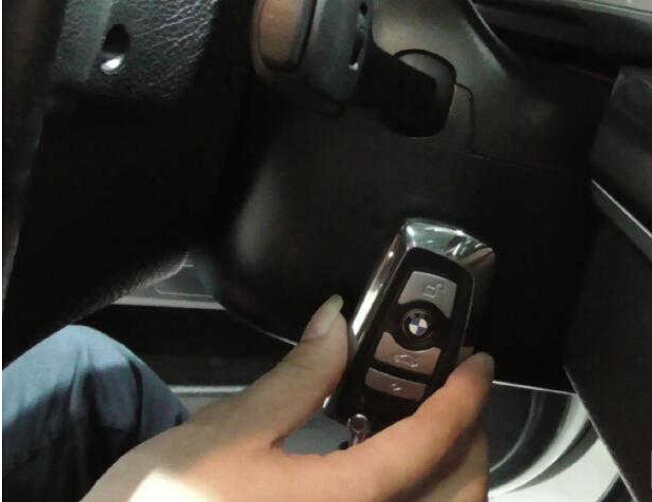
After learning,it can be used normally.

how-to-use-cgdi-bmw-programmer-to-do-all-key-lost-for-bmw-cas3-19

Done!

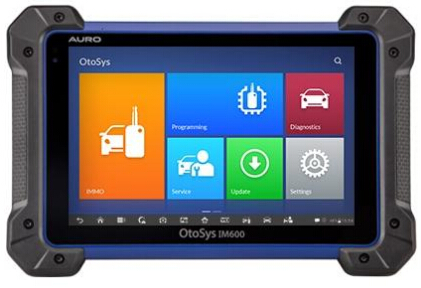
AURO OtoSys IM600 Questions and Answers

Here are questions and answers of AURO OtoSys IM600 key programming tool, which helps you out.

auro-otosys-im600-diagnostic-key-programming-tool-1

Look here:

Q: Is this IM600 any good? Pros and cons?

A: For diagnosis and programming of some modules this is perfect

Works very well in that module programming. to schedule keys still missing

Q: Is it different between Auro OtoSys IM100 and IM600 in immobilizer functions?

A: Main difference lies in Mercedes, VW, Audi software

Software is Same but differ hardware. IM100 use UP200. IM600 use UP400.

Up200 doesn’t allow for eeprom and use of breakout leads through the custom pinouts.

Q: Does it have bi directional controls?

A: Not the im100

The im600 has full bi-directional controls active test special functions

Q: Hello guys, where did you get you IM600?

A: I bought it on www.carobd.de . That’s good.

Q: A question to the lads on this page before my company buys this machine Im600 what cars have you successfully done a key for?

A: 2007 Nissan titan, 2007 Chrysler Sebring, 2008 Volkswagen, 2010 Nissan, 2000-2012 ford and a few others

Q: Can someone post the full details of AURO OTOSYS IM600 ?

check official website http://www.aurodiag.com/aurocms/product1/702.jhtml

Q: 2010 Chrysler Town and Country…major fail which is surprising since so many other China tools work

A: Pin code reading is not available yet 🙁 I was able to do a 2010 Jeep G Cherokee, when I used the 820 to pull the pin

Q: I just purchased Im600 but I dt know may be I still need Pin Code Caculator, such as ICC or CWP?

A: Looks like it doesn’t pull pin codes.

Q: Does anyone know how to add key BMW E90 with CAS module by IM600?

A: Wait for the update. Tried a bmw and Benz this weekend. Couldn’t do much. I think the next update is June

Q: Does the IM 600 provide Benz IMMO?
I don’t see it in list of immo program.

A: It’s a future update.

Q: Does the IM600 support add key Toyota G and H chip & all keys lost ?

A: Yes.

Q: When can we see Mercedes bmw and more vw audi software immo coming out? the suspense is killing me

A: Engineers are working hard on the software development now, plan to finish some software on August or September. We will keep pushing them. Thank you very much for your feedback!

Q: Does Auro Sys IM600 do mercedes al keys lost????

A: Nope. The future update will add Benz. but now vvdi mb should work good

Q: Can the im600 pull a pin code 02 jeep liberty?

A: No

Q: Can I have the same function of BMW in ACDP if I have an Im600?

A: IM600 for BMW FEM/ BDC only, not for CAS and EWS

So, Yanhua ACDP will be better

Q: I just got an IM600. Can someone confirm. it will not program Ford keys?

A: Currently it will not program them under immo. There is some stuff under diagnostics. The update for them is in a month or so

Edit to update: Auro Im600 Ford Immo added!

Q: I’m yet to be impressed with my Auro IM100, it has no Ford immo, and can’t do 2013 corolla all key lost.

A: Ford IMMO has been updated on 05.2018; pls kindly register your IM100 and go to Update page to download the software, thank you!

More FAQs of Auro IM600 will be updated here…

How to Get Verification Code to Activate Yanhua Mini ACDP?

We have a customer asking how to get the verification code to activate the Yanhua Mini ACDP key programmer. Here’s the step-by-step guide to connect and activate ACDP device.

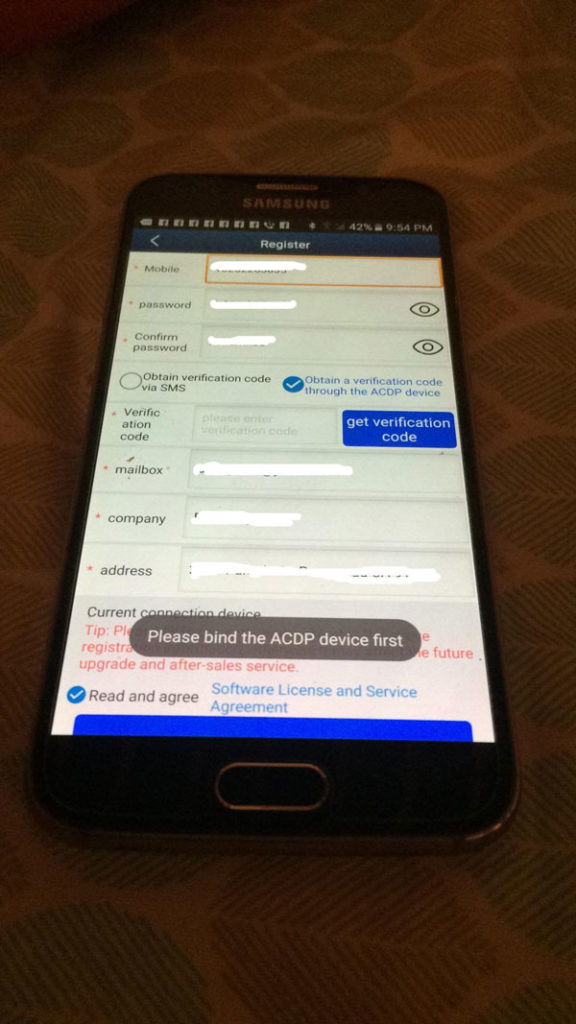
Register interface on Android system. Prompt to bind your device first.

yanhua-mini-acdp-key-programming-master-full-package-1

Step 1: Connect/Bind ACDP with mobile phone
How to connect Yanhua ACDP with your mobile phone/bind device with your phone?

yanhua-mini-acdp-key-programming-master-full-package-2

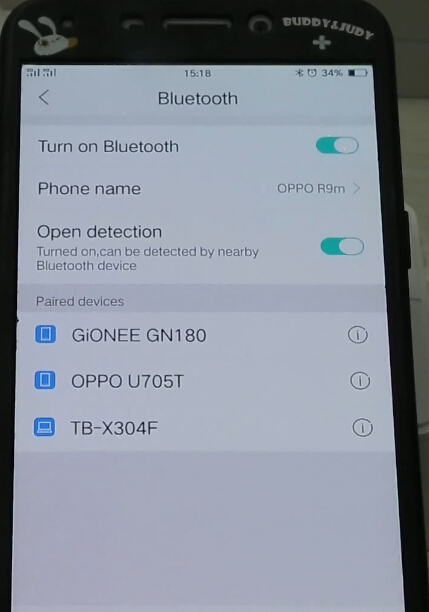
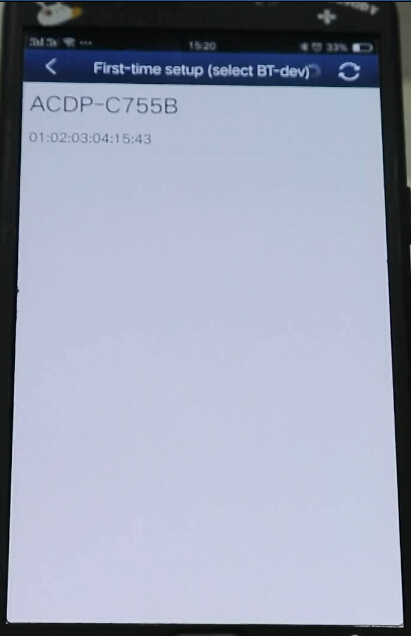
Turn on Bluetooth in order to search ACDP Bluetooth (BUT DON’T PAIR BLUETOOTH)

yanhua-mini-acdp-key-programming-master-full-package-3

yanhua-mini-acdp-key-programming-master-full-package-4

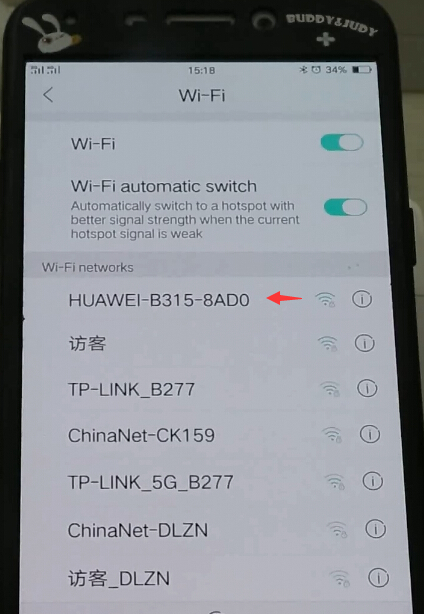
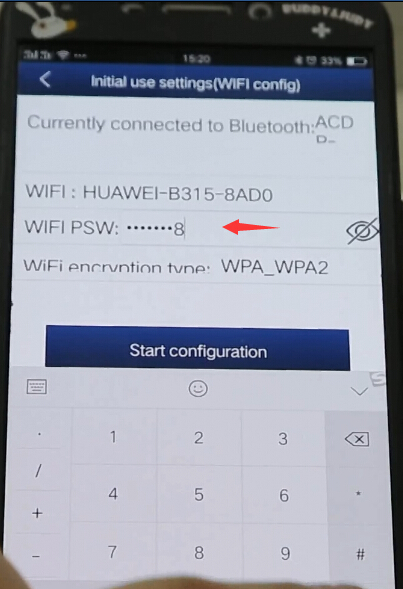
Turn on WiFi and search available WiFi with a better signal

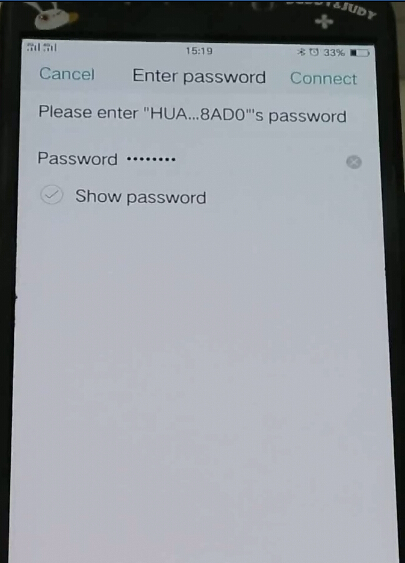
Then enter WiFi password to connect

yanhua-mini-acdp-key-programming-master-full-package-5

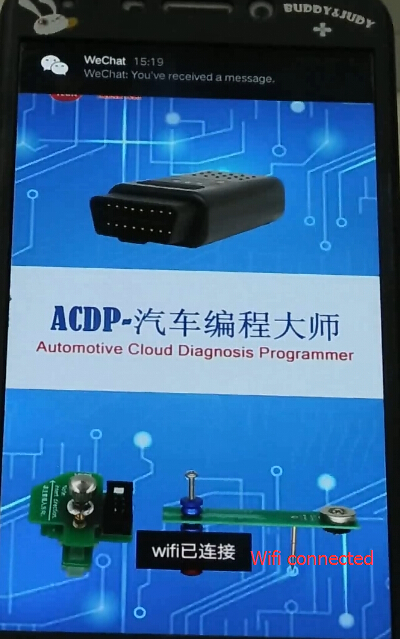
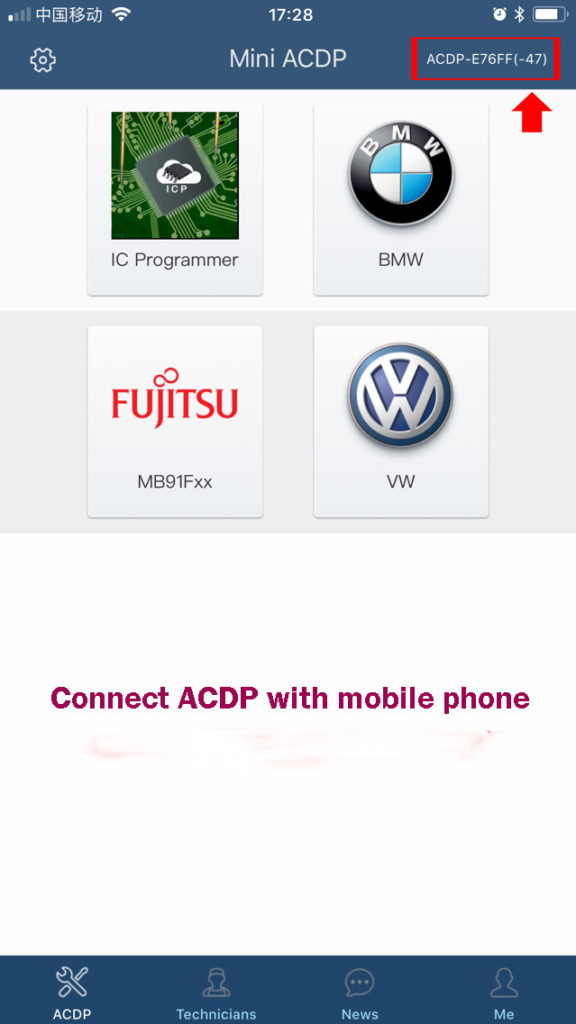
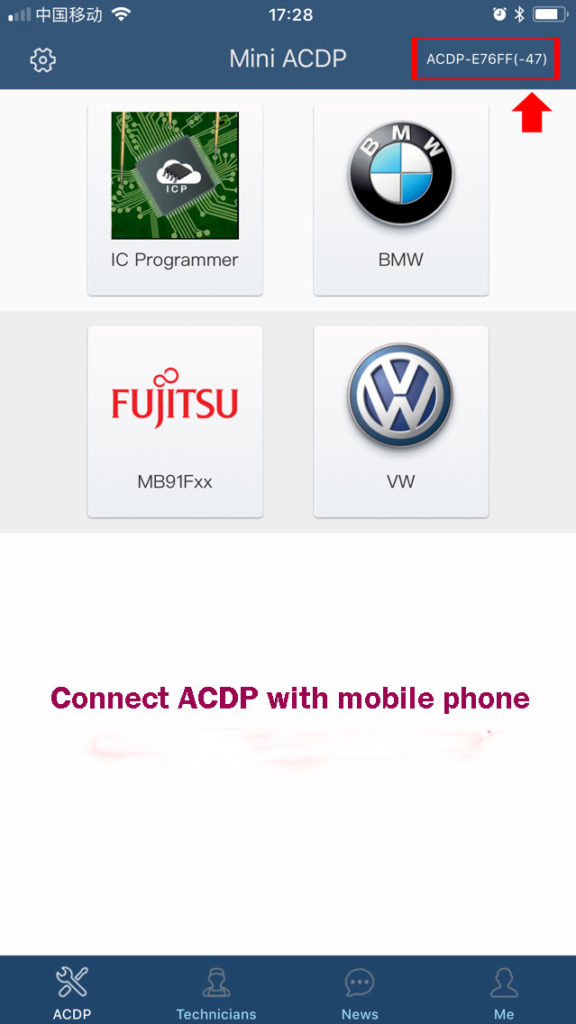
Open Mini ACDP app

yanhua-mini-acdp-key-programming-master-full-package-6

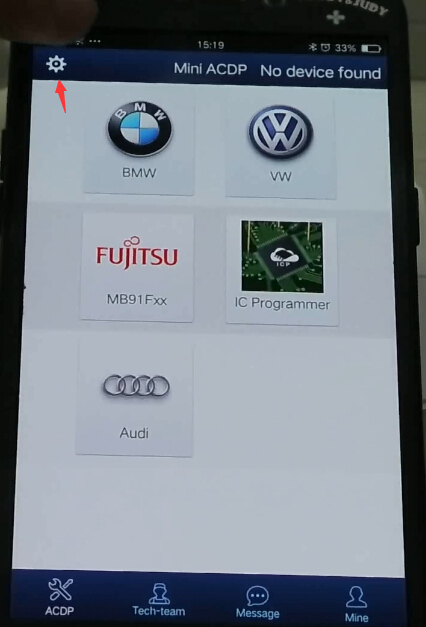
Click on Setting icon

yanhua-mini-acdp-key-programming-master-full-package-7

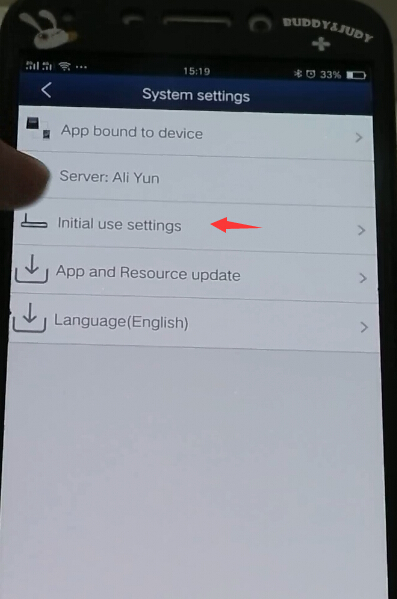
Select “Initial use settings”

yanhua-mini-acdp-key-programming-master-full-package-8

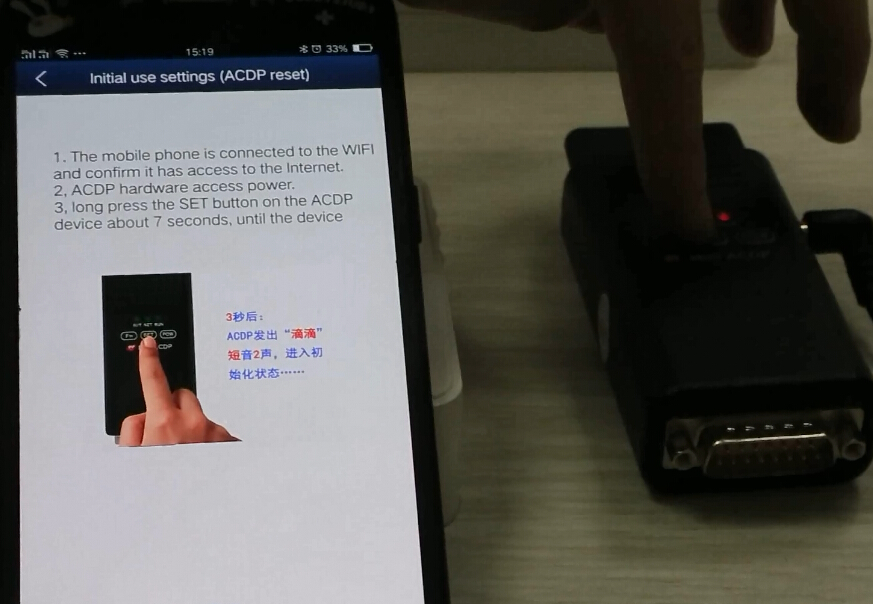
Follow 3 steps to bind device:

1.The mobile phone is connected to the WIFI and confirm it has access to the Internet

2. ACDP hardware access to power supply

3.Long press the SET button on the ACDP main unit about 7 seconds until the device all indicators turn on

yanhua-mini-acdp-key-programming-master-full-package-9

yanhua-mini-acdp-key-programming-master-full-package-10

Select ACDP option and enter password to pair

yanhua-mini-acdp-key-programming-master-full-package-12

Select device to bind

yanhua-mini-acdp-key-programming-master-full-package-13

Mini ACDP is bound to mobile phone.

Step 2: Register Yanhua Mini ACDP
Take iOS operating system as an example:

yanhua-mini-acdp-key-programming-master-full-package-13

yanhua-mini-acdp-key-programming-master-full-package-14

yanhua-mini-acdp-key-programming-master-full-package-15

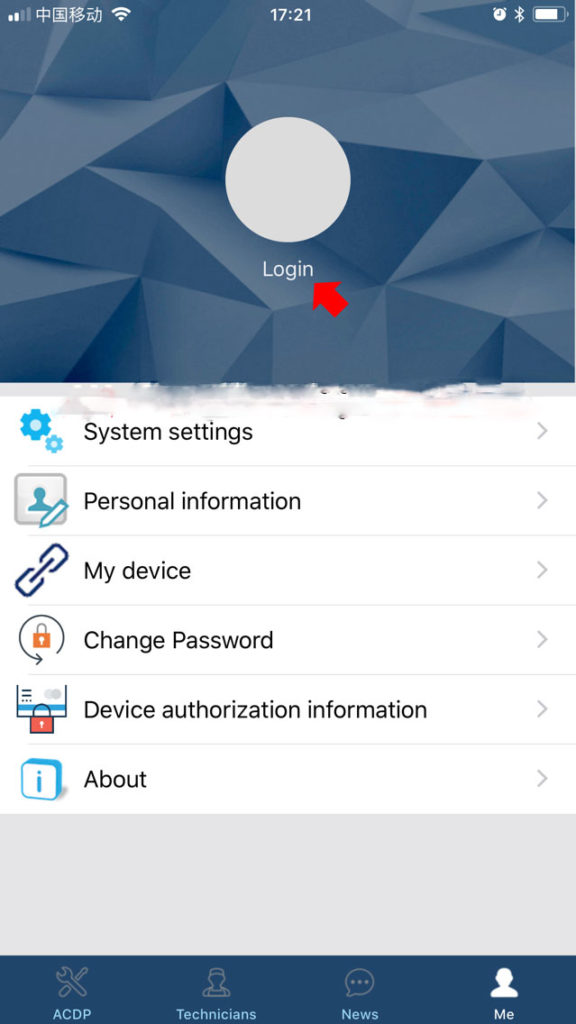
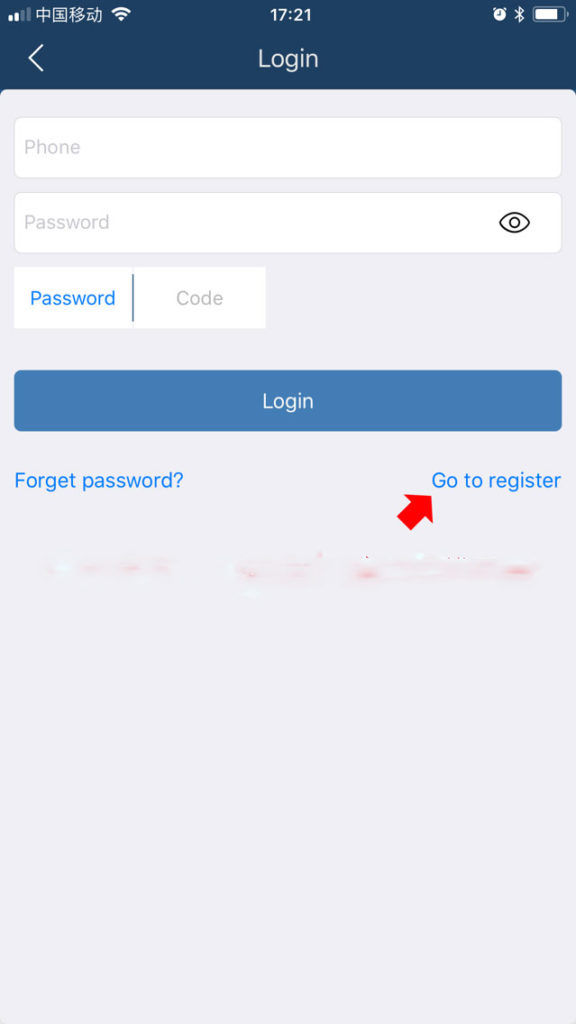
Click on Login ->Go to register

yanhua-mini-acdp-key-programming-master-full-package-16

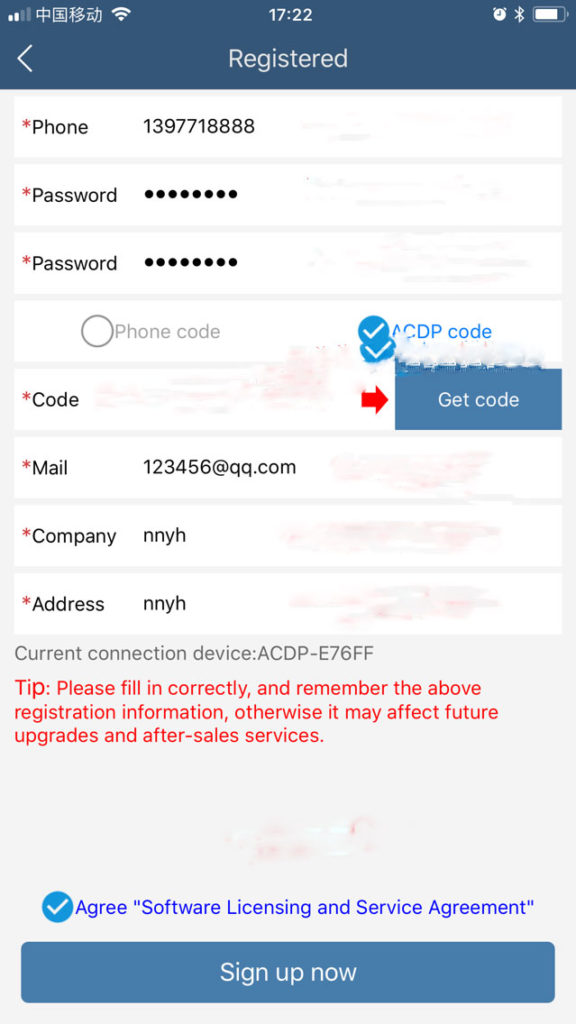
Please complete the registration information, phone number, password, email, address etc

yanhua-mini-acdp-key-programming-master-full-package-17


Select get verification code via ACDP device (if you have bound device with phone) or Phone.

If select via ACDP device, it will automatically fill in the blank


Registration completed. Now you can use the key programmer.