Archives

How to use CGDI BMW programmer to do all key lost for BMW CAS3+?

BMW CAS3+ All Key Lost Programming by CGDI BMW

What You Need?

CGDI BMW MSV80 Programmer

CG100 Prog III

Procedures:

Step 1:Read ECU EEPROM

Run CG100 software,enter menu to select “ECU”

how-to-use-cgdi-bmw-programmer-to-do-all-key-lost-for-bmw-cas3-1

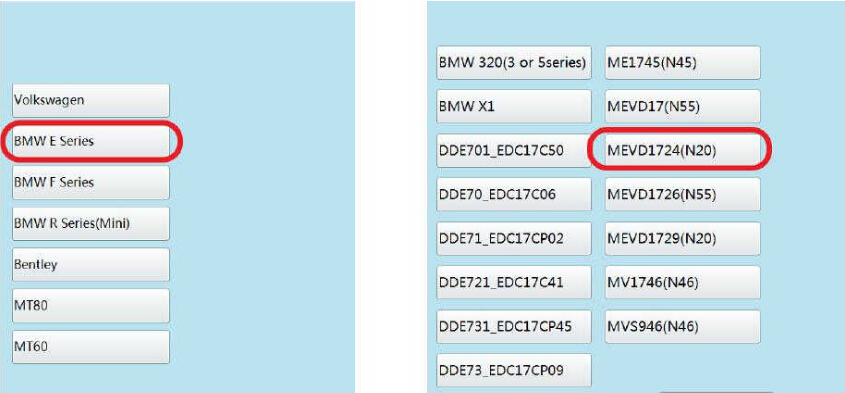
Select “BMW E Series”à”MEVD1724(N20)”

how-to-use-cgdi-bmw-programmer-to-do-all-key-lost-for-bmw-cas3-2

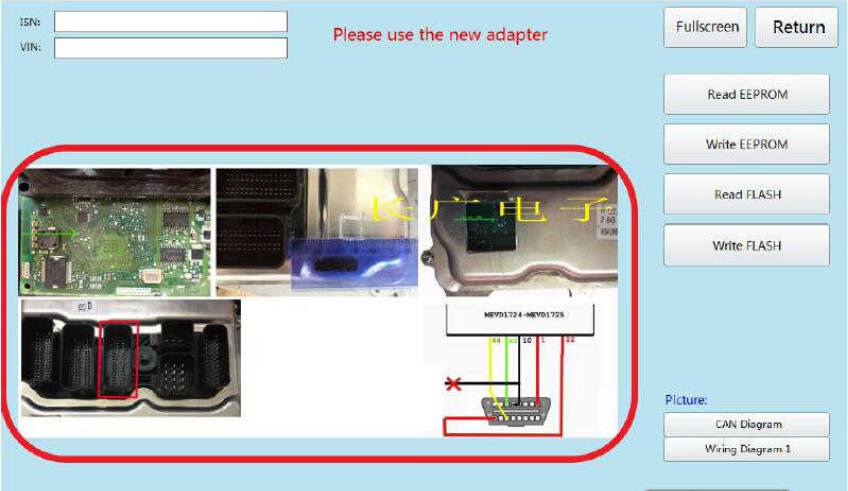
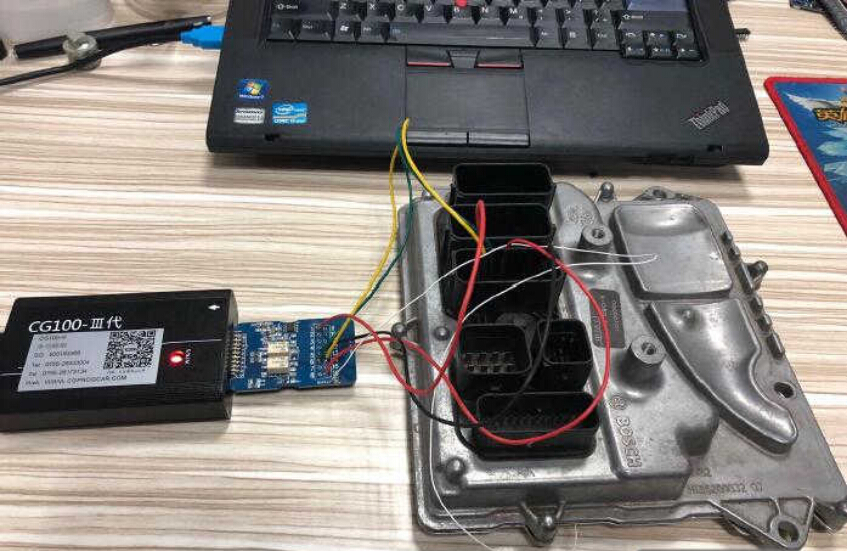
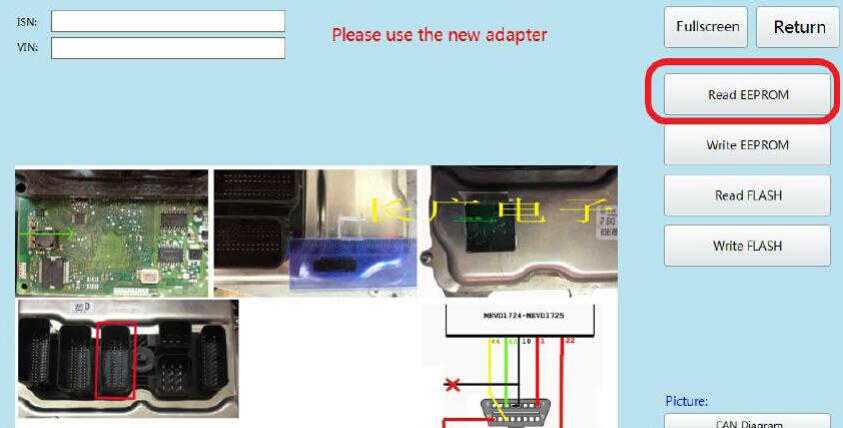
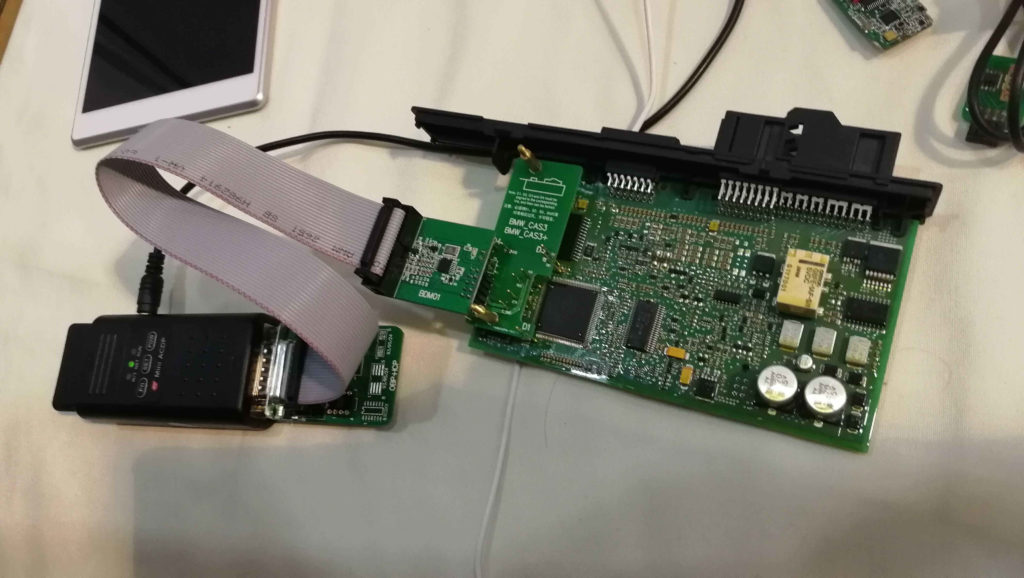
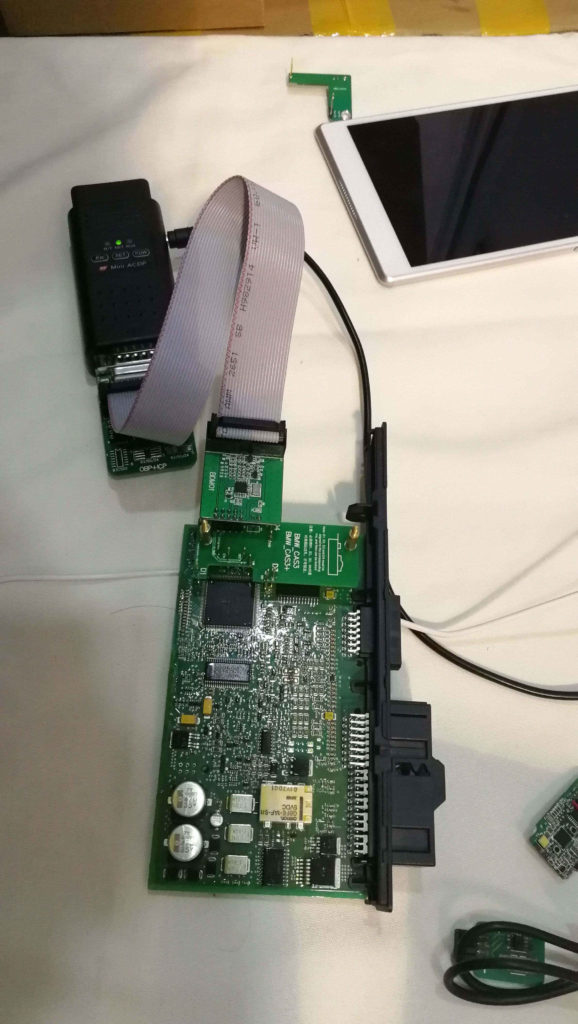
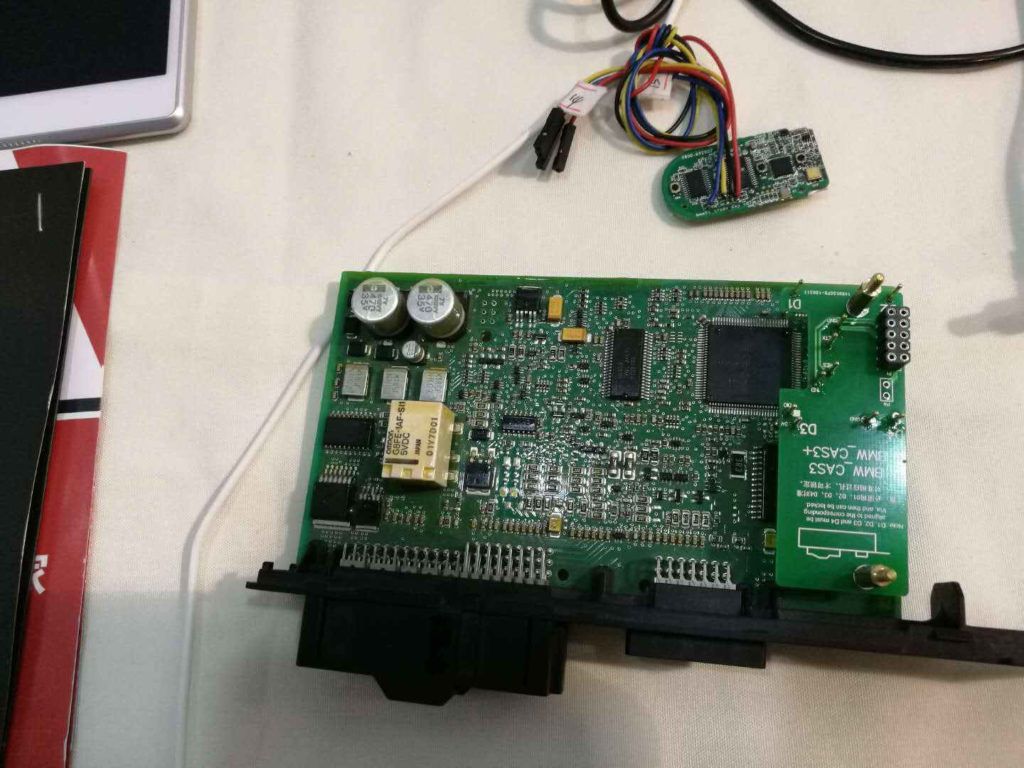
After then CG100 software will show the wire connection diagram as below,you need to build the connection according to the diagram.

how-to-use-cgdi-bmw-programmer-to-do-all-key-lost-for-bmw-cas3-3

how-to-use-cgdi-bmw-programmer-to-do-all-key-lost-for-bmw-cas3-4

Click “Read EEPROM”

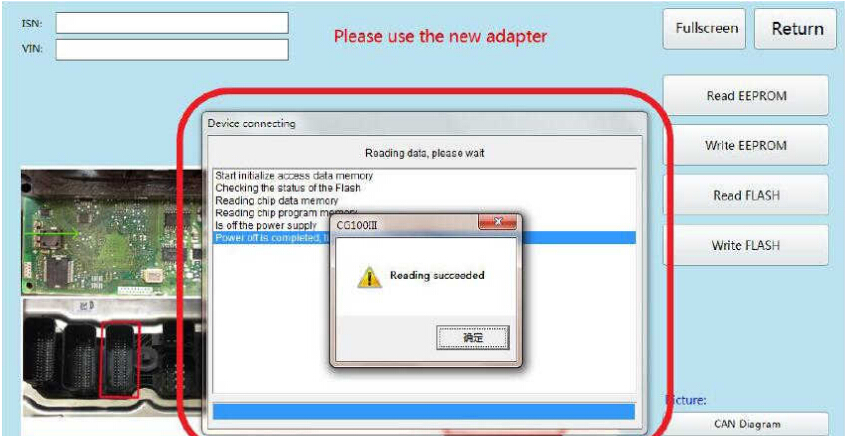
how-to-use-cgdi-bmw-programmer-to-do-all-key-lost-for-bmw-cas3-5

After data reading successfully,save the EEPROM data on your laptop.

how-to-use-cgdi-bmw-programmer-to-do-all-key-lost-for-bmw-cas3-6

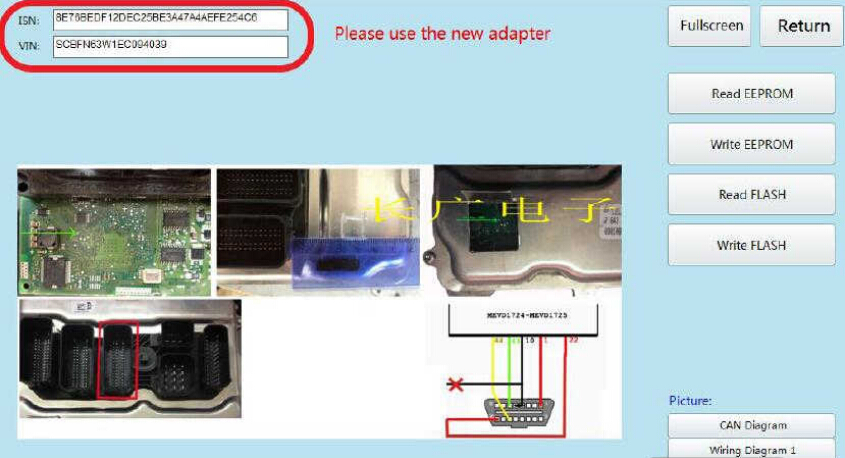
Now you can see the ISN and VIN here:

how-to-use-cgdi-bmw-programmer-to-do-all-key-lost-for-bmw-cas3-7

Step 2:CGDI BMW Programming Key

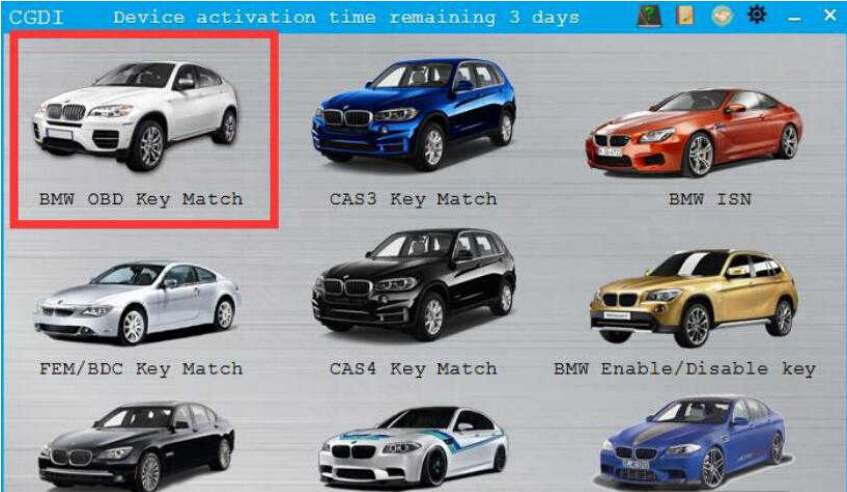
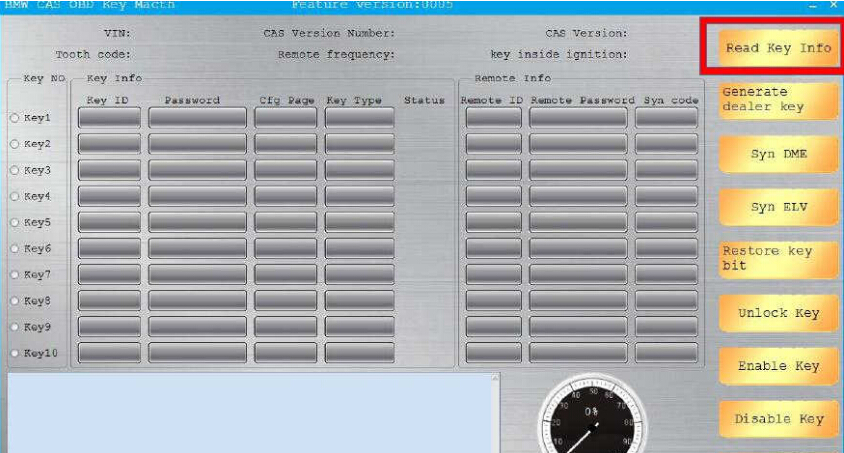
Connect CGDI BMW Programmer to vehicle by OBD port,then select “BMW OBD Key Match”

how-to-use-cgdi-bmw-programmer-to-do-all-key-lost-for-bmw-cas3-9

Click “Read Key info”

how-to-use-cgdi-bmw-programmer-to-do-all-key-lost-for-bmw-cas3-10

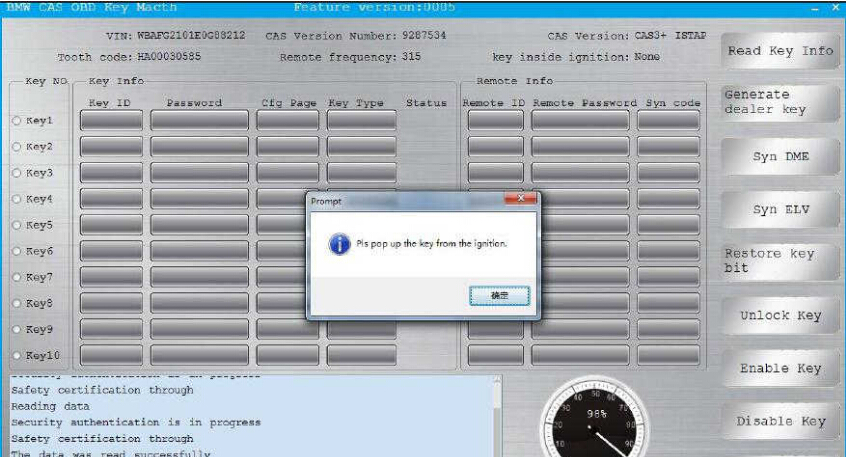
Pull out the key from the ignition when it prompt you as below massage

how-to-use-cgdi-bmw-programmer-to-do-all-key-lost-for-bmw-cas3-11

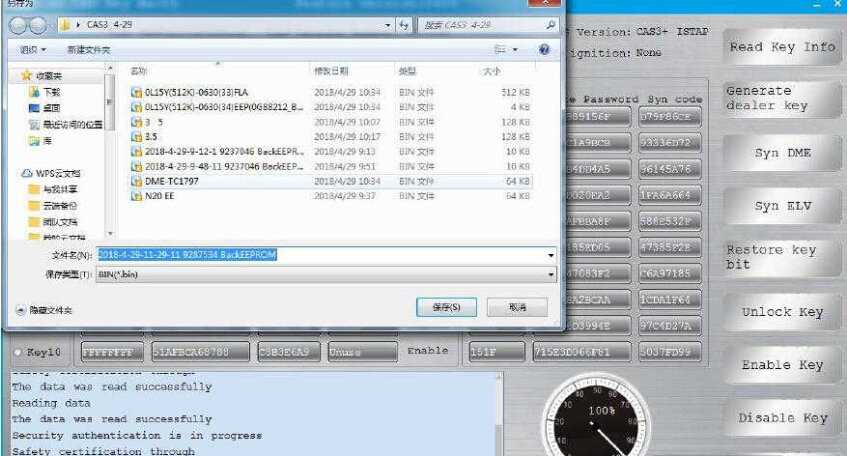
Then save the data file

how-to-use-cgdi-bmw-programmer-to-do-all-key-lost-for-bmw-cas3-12

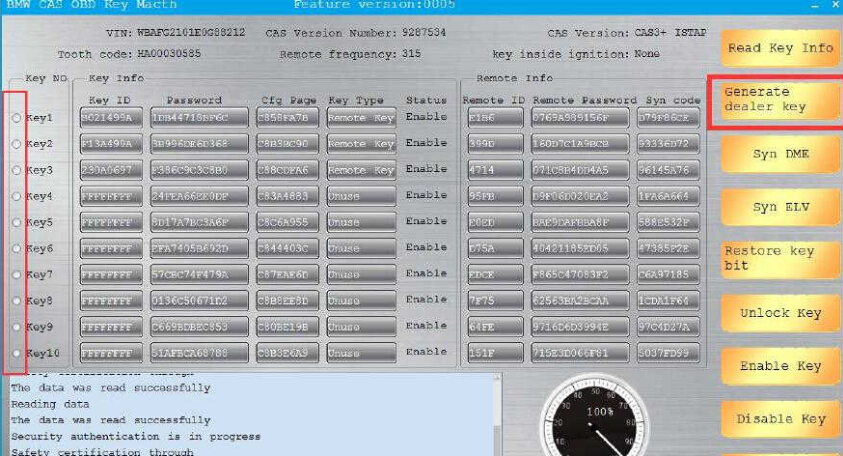
Select the key position to program and then click “Generate dealer key ” to continue

how-to-use-cgdi-bmw-programmer-to-do-all-key-lost-for-bmw-cas3-13

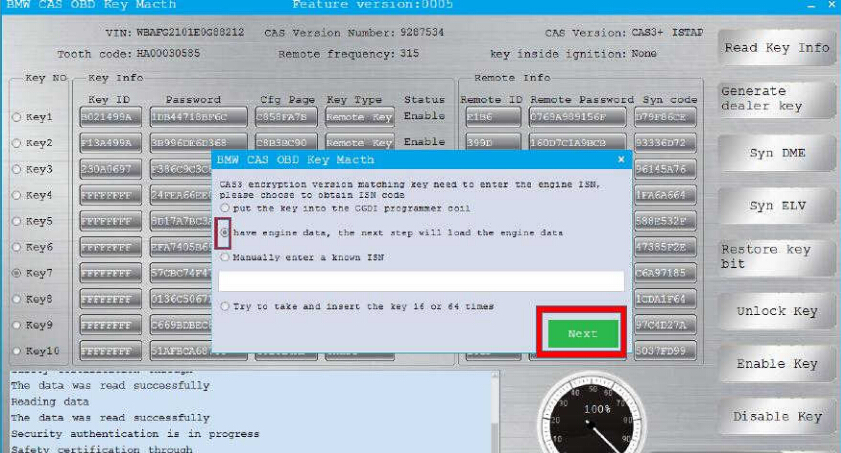
Now,here it will prompt you to enter ISN

Select “have engine data,the next step will load the engine data”

how-to-use-cgdi-bmw-programmer-to-do-all-key-lost-for-bmw-cas3-14

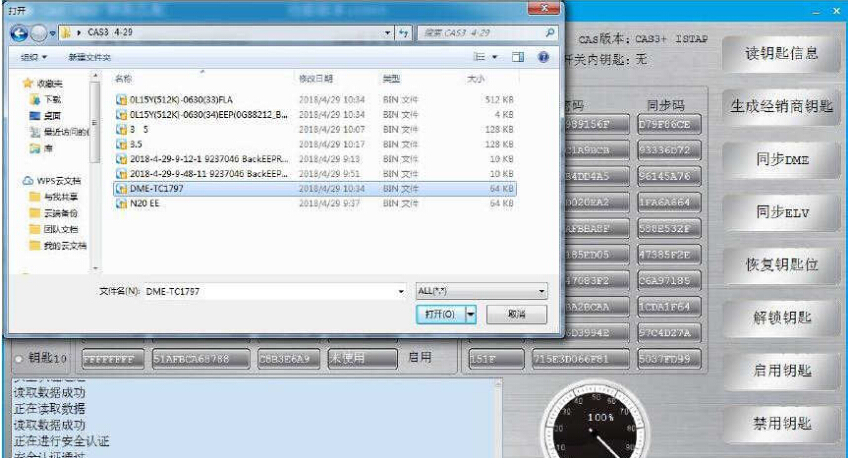
Load the engine data read out the CG100 in step 1

how-to-use-cgdi-bmw-programmer-to-do-all-key-lost-for-bmw-cas3-15

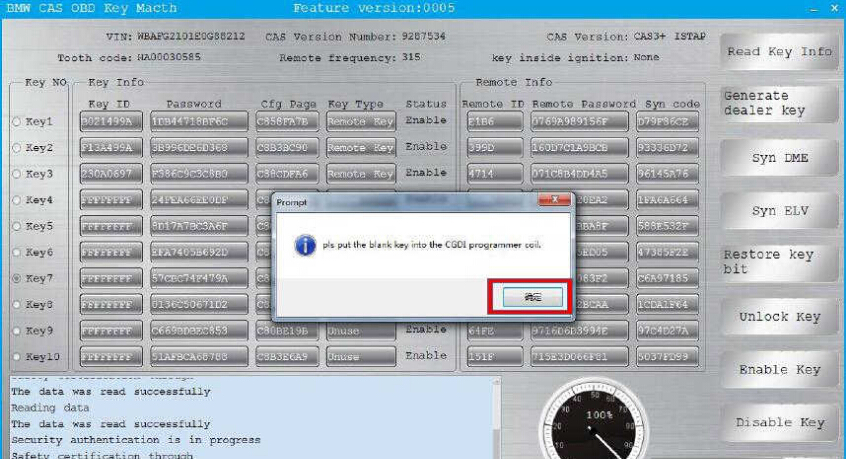
Put the new blank key into the CGDI BMW coil,then click “OK” to continue

how-to-use-cgdi-bmw-programmer-to-do-all-key-lost-for-bmw-cas3-16

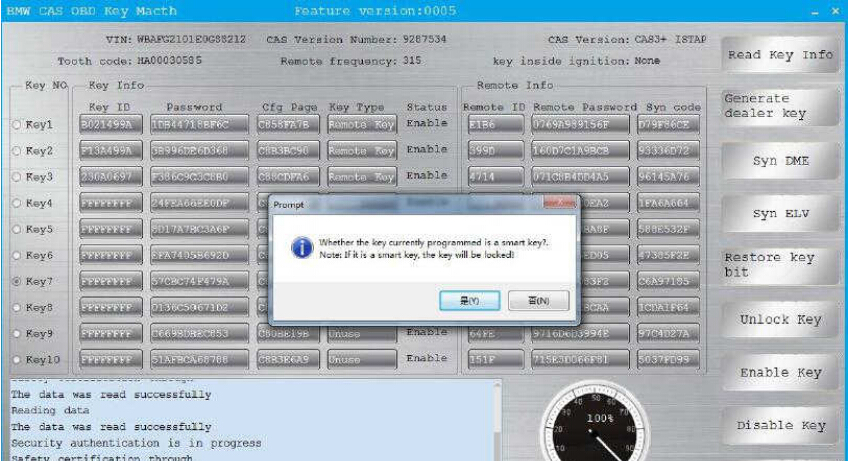
It will prompt you that “Whether the key currently programmed is a smart key”

Note:If it is a smart key,the key will be locked.

Click “No” to continue

how-to-use-cgdi-bmw-programmer-to-do-all-key-lost-for-bmw-cas3-17

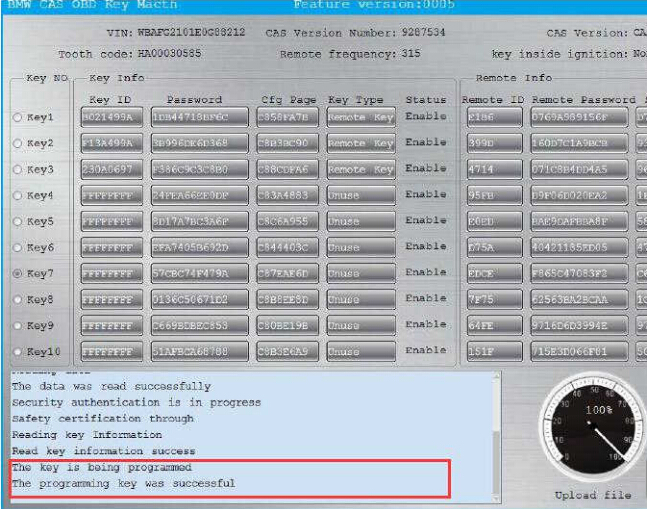
Wait a second minute,it will show the programming key was successfully

how-to-use-cgdi-bmw-programmer-to-do-all-key-lost-for-bmw-cas3-18

After learning,it can be used normally.

how-to-use-cgdi-bmw-programmer-to-do-all-key-lost-for-bmw-cas3-19

Done!

AURO OtoSys IM600 Questions and Answers

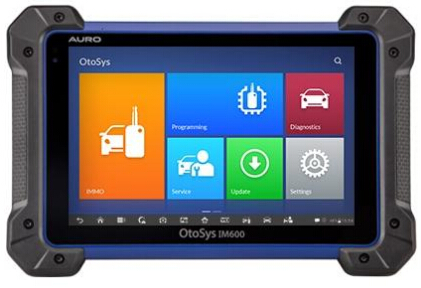
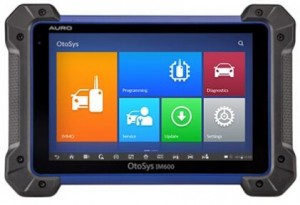
Here are questions and answers of AURO OtoSys IM600 key programming tool, which helps you out.
auro-otosys-im600-diagnostic-key-programming-tool-1

Look here:

Q: Is this IM600 any good? Pros and cons?

A: For diagnosis and programming of some modules this is perfect

Works very well in that module programming. to schedule keys still missing

Q: Is it different between Auro OtoSys IM100 and IM600 in immobilizer functions?

A: Main difference lies in Mercedes, VW, Audi software

Software is Same but differ hardware. IM100 use UP200. IM600 use UP400.

Up200 doesn’t allow for eeprom and use of breakout leads through the custom pinouts.

Q: Does it have bi directional controls?

A: Not the im100

The im600 has full bi-directional controls active test special functions

Q: Hello guys, where did you get you IM600?

A: I bought it on www.carobd.de . That’s good.

Q: A question to the lads on this page before my company buys this machine Im600 what cars have you successfully done a key for?

A: 2007 Nissan titan, 2007 Chrysler Sebring, 2008 Volkswagen, 2010 Nissan, 2000-2012 ford and a few others

Q: Can someone post the full details of AURO OTOSYS IM600 ?

check official website http://www.aurodiag.com/aurocms/product1/702.jhtml

Q: 2010 Chrysler Town and Country…major fail which is surprising since so many other China tools work

A: Pin code reading is not available yet 🙁 I was able to do a 2010 Jeep G Cherokee, when I used the 820 to pull the pin

Q: I just purchased Im600 but I dt know may be I still need Pin Code Caculator, such as ICC or CWP?

A: Looks like it doesn’t pull pin codes.

Q: Does anyone know how to add key BMW E90 with CAS module by IM600?

A: Wait for the update. Tried a bmw and Benz this weekend. Couldn’t do much. I think the next update is June

Q: Does the IM 600 provide Benz IMMO?
I don’t see it in list of immo program.

A: It’s a future update.

Q: Does the IM600 support add key Toyota G and H chip & all keys lost ?

A: Yes.

Q: When can we see Mercedes bmw and more vw audi software immo coming out? the suspense is killing me

A: Engineers are working hard on the software development now, plan to finish some software on August or September. We will keep pushing them. Thank you very much for your feedback!

Q: Does Auro Sys IM600 do mercedes al keys lost????

A: Nope. The future update will add Benz. but now vvdi mb should work good

Q: Can the im600 pull a pin code 02 jeep liberty?

A: No

Q: Can I have the same function of BMW in ACDP if I have an Im600?

A: IM600 for BMW FEM/ BDC only, not for CAS and EWS

So, Yanhua ACDP will be better

Q: I just got an IM600. Can someone confirm. it will not program Ford keys?

A: Currently it will not program them under immo. There is some stuff under diagnostics. The update for them is in a month or so

Edit to update: Auro Im600 Ford Immo added!

Q: I’m yet to be impressed with my Auro IM100, it has no Ford immo, and can’t do 2013 corolla all key lost.

A: Ford IMMO has been updated on 05.2018; pls kindly register your IM100 and go to Update page to download the software, thank you!

More FAQs of Auro IM600 will be updated here…

How to Get Verification Code to Activate Yanhua Mini ACDP?

We have a customer asking how to get the verification code to activate the Yanhua Mini ACDP key programmer. Here’s the step-by-step guide to connect and activate ACDP device.

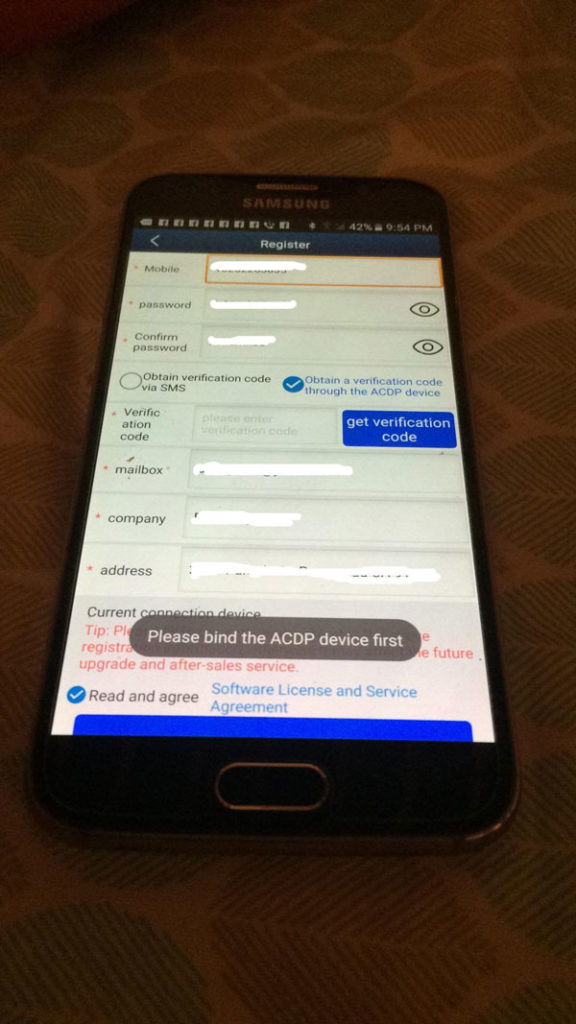
Register interface on Android system. Prompt to bind your device first.

yanhua-mini-acdp-key-programming-master-full-package-1

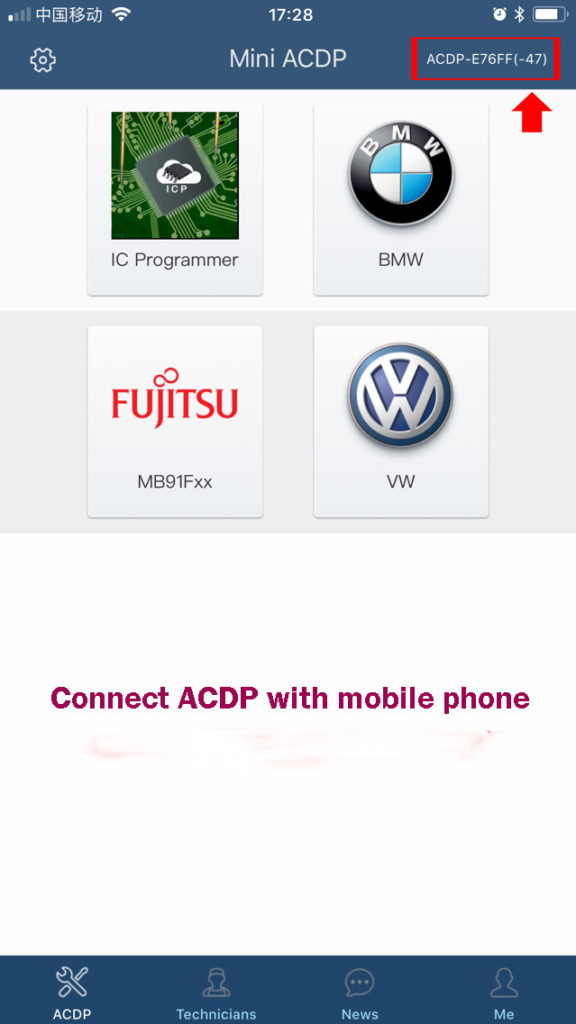
Step 1: Connect/Bind ACDP with mobile phone
How to connect Yanhua ACDP with your mobile phone/bind device with your phone?

yanhua-mini-acdp-key-programming-master-full-package-2

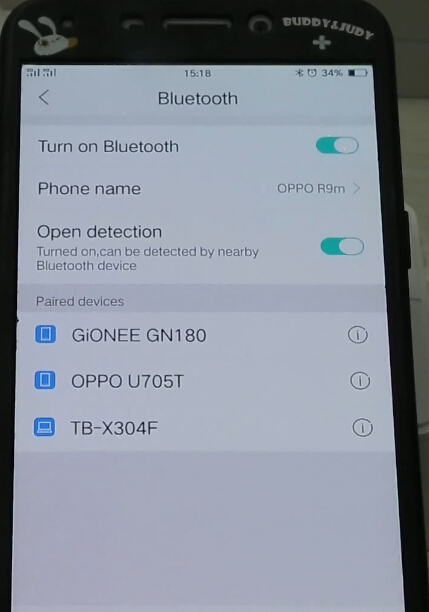
Turn on Bluetooth in order to search ACDP Bluetooth (BUT DON’T PAIR BLUETOOTH)

yanhua-mini-acdp-key-programming-master-full-package-3

yanhua-mini-acdp-key-programming-master-full-package-4

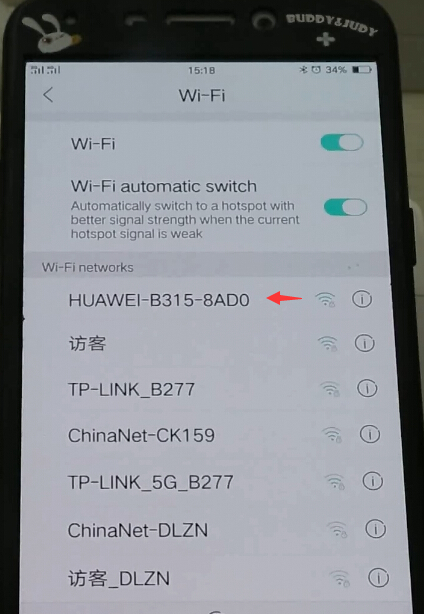
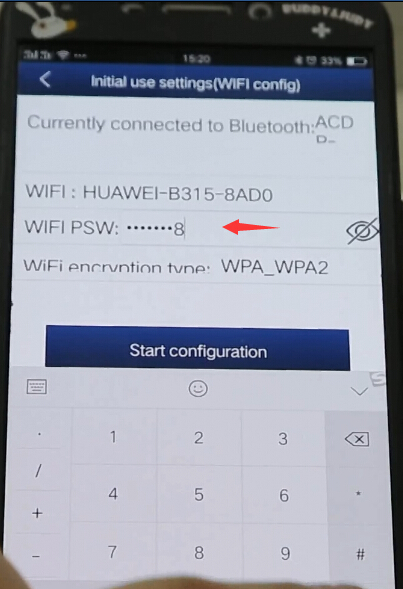
Turn on WiFi and search available WiFi with a better signal

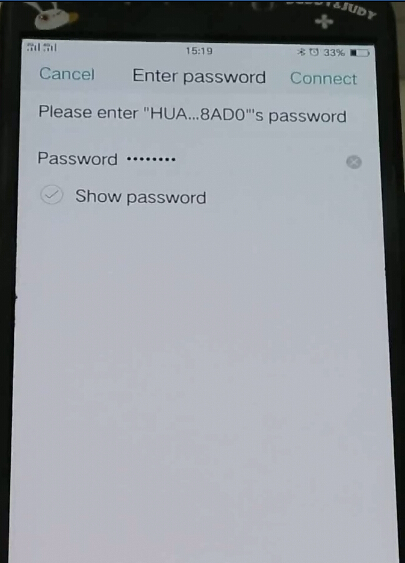
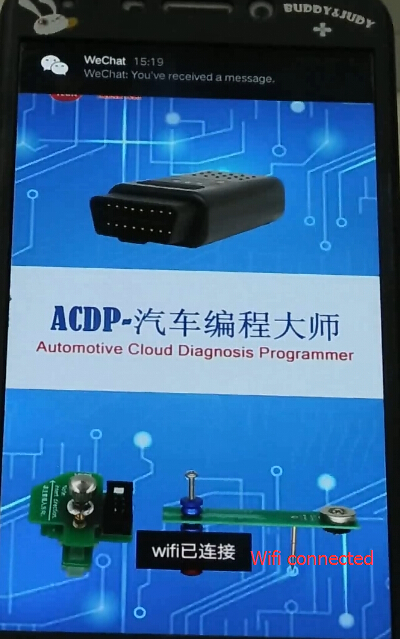
Then enter WiFi password to connect

yanhua-mini-acdp-key-programming-master-full-package-5

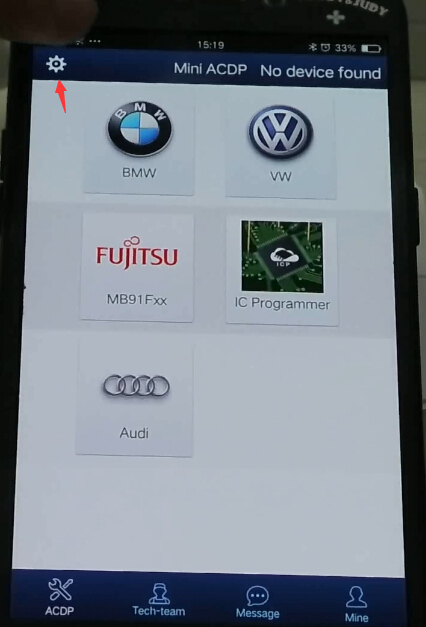
Open Mini ACDP app

yanhua-mini-acdp-key-programming-master-full-package-6

Click on Setting icon

yanhua-mini-acdp-key-programming-master-full-package-7

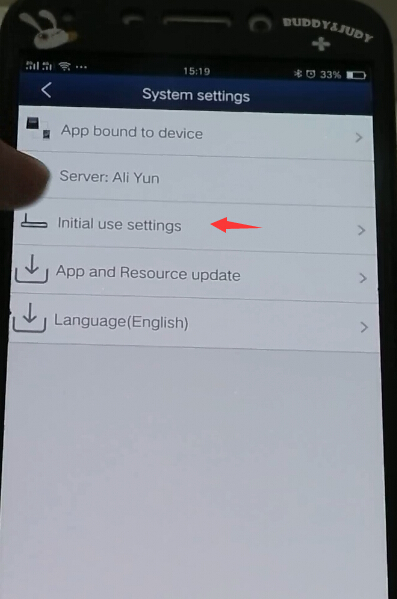
Select “Initial use settings”

yanhua-mini-acdp-key-programming-master-full-package-8

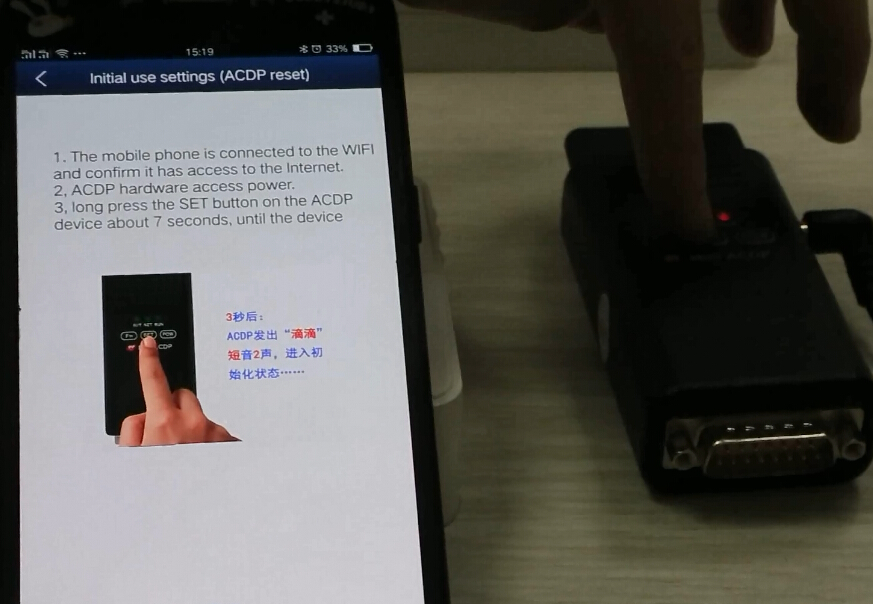
Follow 3 steps to bind device:

1.The mobile phone is connected to the WIFI and confirm it has access to the Internet

2. ACDP hardware access to power supply

3.Long press the SET button on the ACDP main unit about 7 seconds until the device all indicators turn on

yanhua-mini-acdp-key-programming-master-full-package-9

yanhua-mini-acdp-key-programming-master-full-package-10

Select ACDP option and enter password to pair

yanhua-mini-acdp-key-programming-master-full-package-12

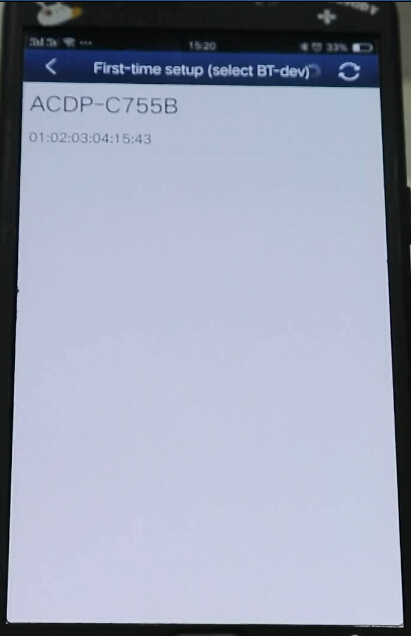
Select device to bind

yanhua-mini-acdp-key-programming-master-full-package-13

Mini ACDP is bound to mobile phone.

Step 2: Register Yanhua Mini ACDP
Take iOS operating system as an example:

yanhua-mini-acdp-key-programming-master-full-package-13

yanhua-mini-acdp-key-programming-master-full-package-14

yanhua-mini-acdp-key-programming-master-full-package-15

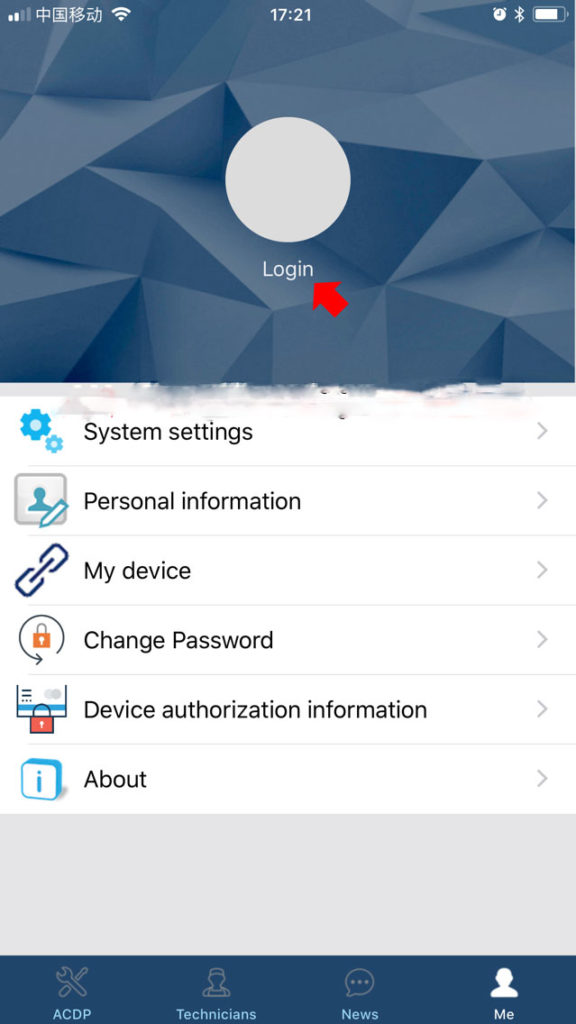
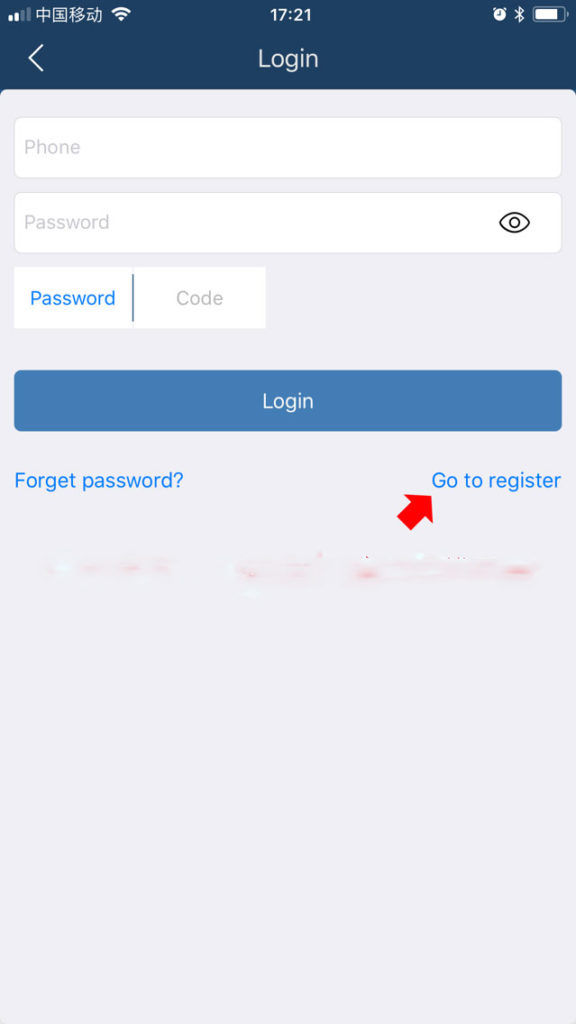
Click on Login ->Go to register

yanhua-mini-acdp-key-programming-master-full-package-16

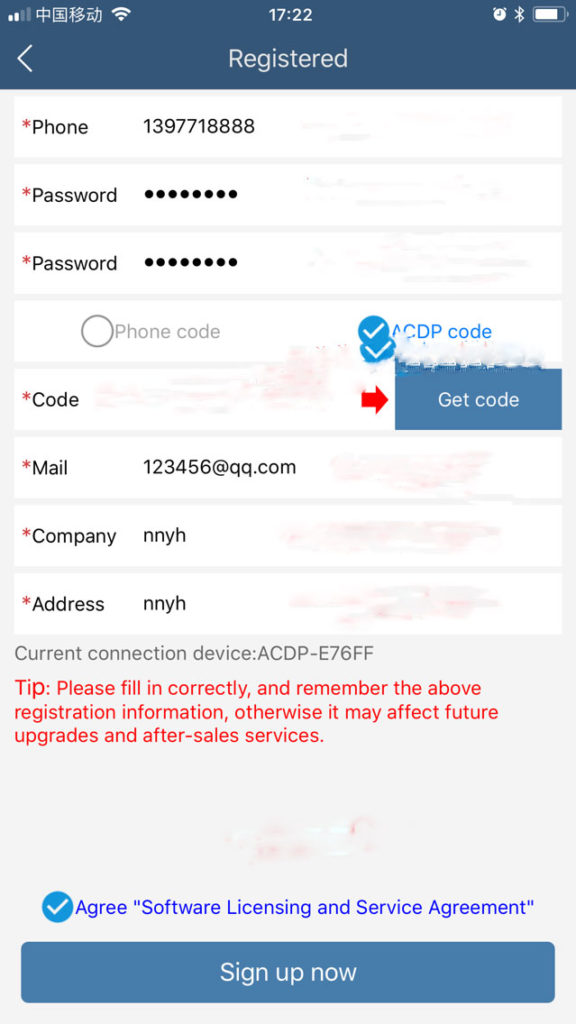
Please complete the registration information, phone number, password, email, address etc

yanhua-mini-acdp-key-programming-master-full-package-17


Select get verification code via ACDP device (if you have bound device with phone) or Phone.

If select via ACDP device, it will automatically fill in the blank


Registration completed. Now you can use the key programmer.

CG Pro 9S12 programmer new adapters for you choose

CG Pro 9S12 programmer adds many new adapter for you choose as you like.

Here we go for details incl. functions and adapter image.

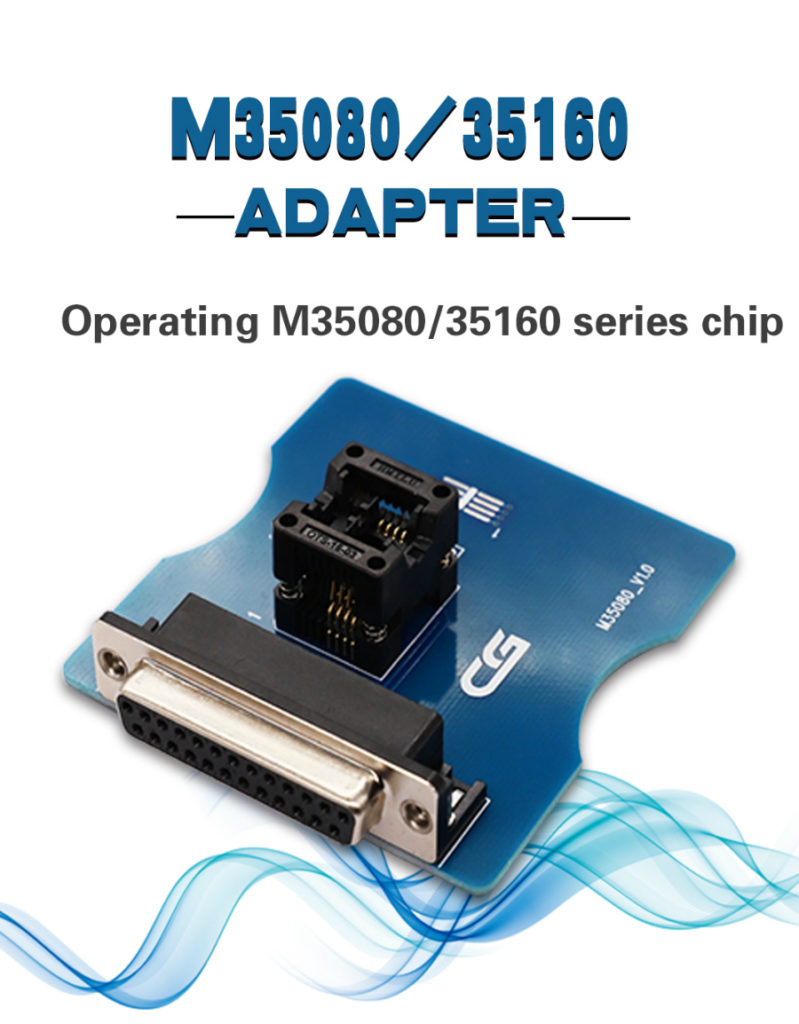
SK238-2:35080/35160 adapter for CG Pro 9S12

Used to operate M35080/35160 series chip

cg-pro-9s12-freescale-programmer-1

SRC: xxxxxx

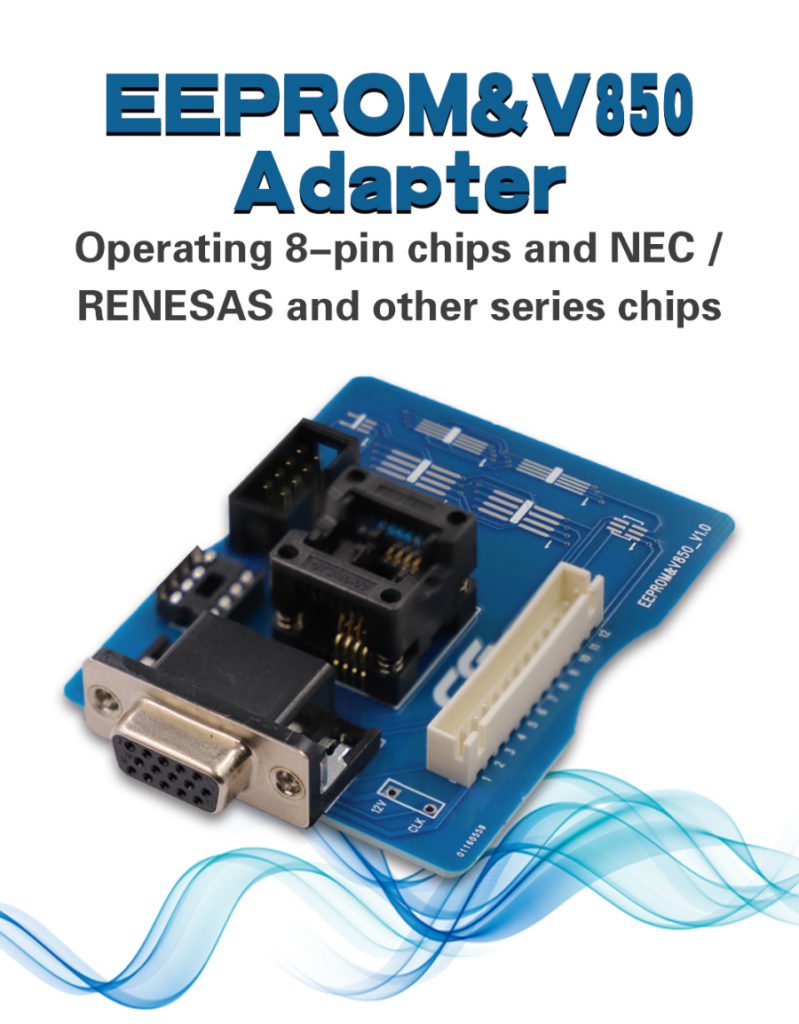
SK238-3. EEPROM & V850 adapter for CG Pro 9S12

Used to do 8pin chip and NEC/ Renesas series chip

cg-pro-9s12-freescale-programmer-2

SRC: xxxxxx

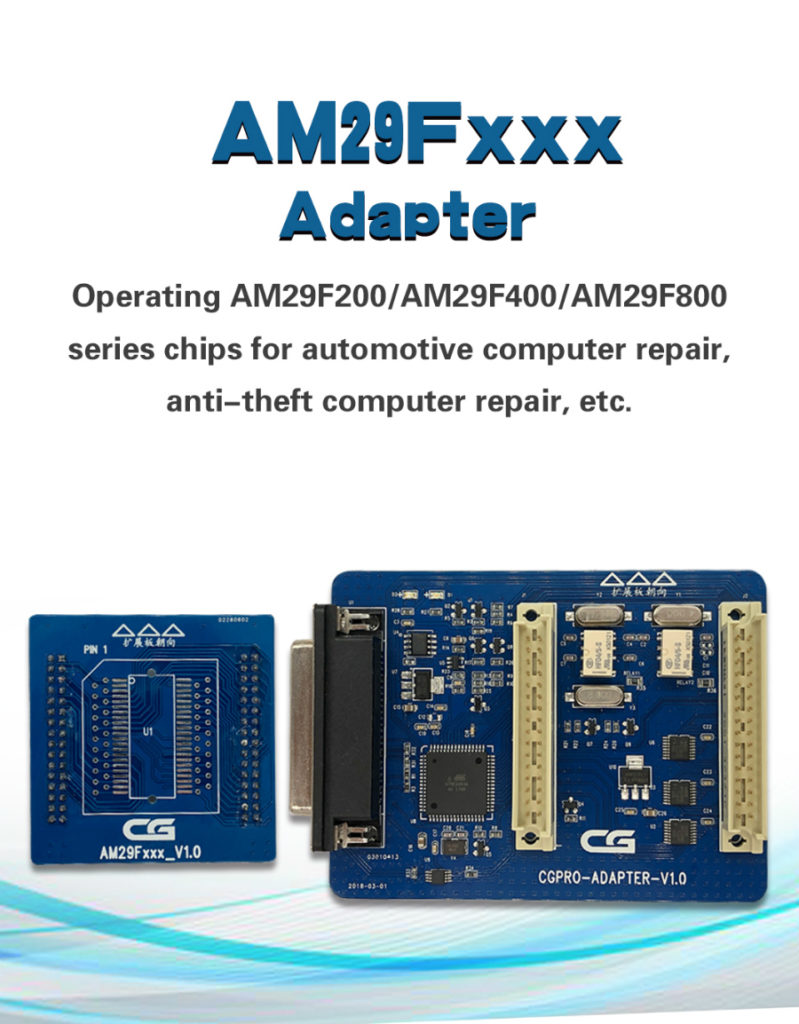
SK238-4. AM29FXXX adapter for CG Pro 9S12

Used to do AM29F200/AM29F400/AM29F800 series chip.

For ECU repair, Immobilizer repair etc.

cg-pro-9s12-freescale-programmer-3

SRC: xxxxxx

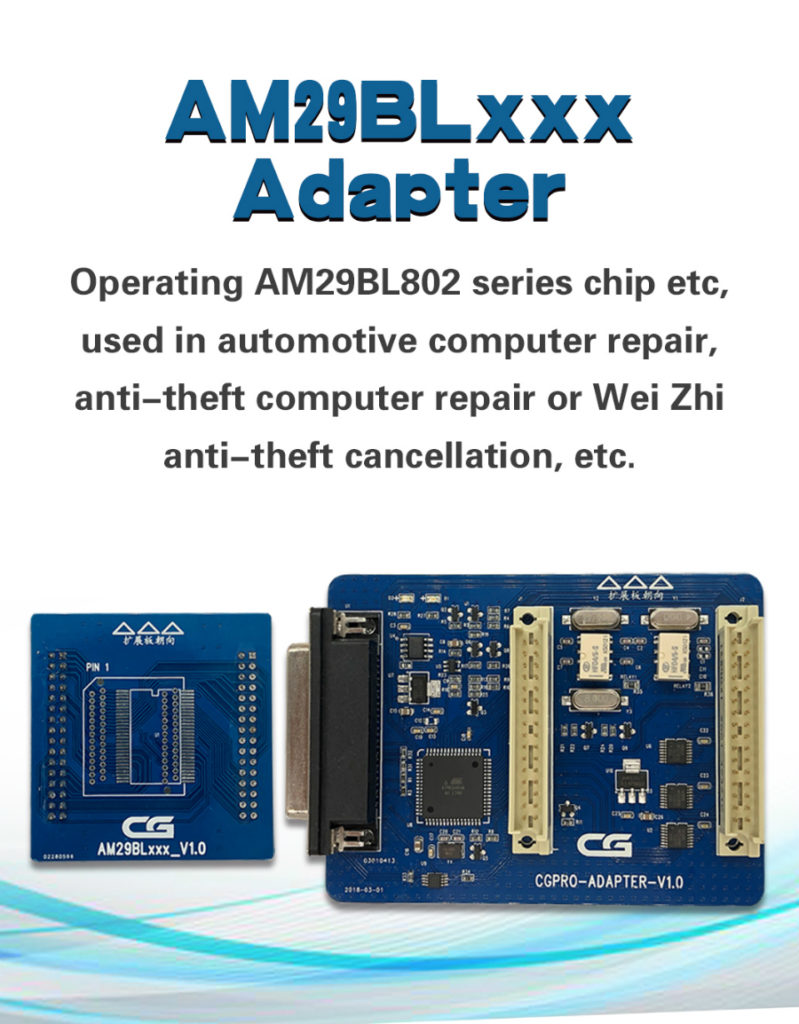
SK238-5. AM29BLxxx adapter for CG Pro 9S12

Used to do AM29BL802 series chip

Used for ECU repair, Immobilizer repair or Weizhi immobilizer cancel etc.

cg-pro-9s12-freescale-programmer-4

SRC: xxxxxx

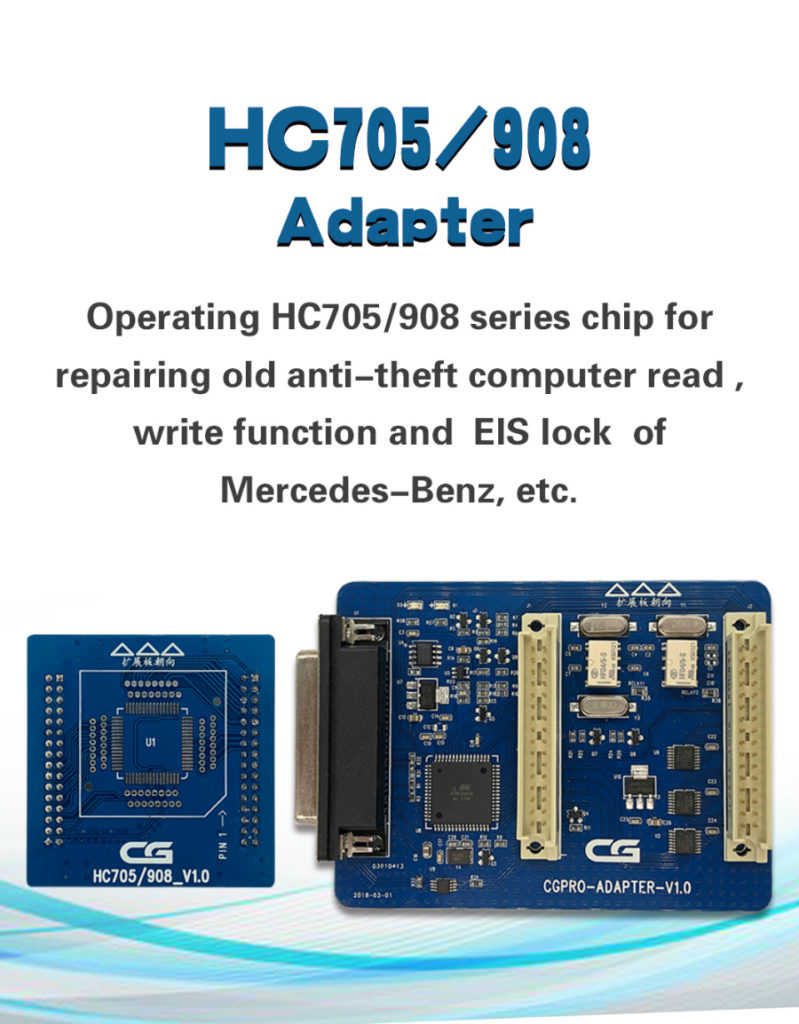
SK238-6: HC705 /908 adapter for CG Pro 9S12

Used to do HC705 /908 series chip.

Used for old Mercedes Benz Immobilizer reading & writing, Benz EIS repair etc.

cg-pro-9s12-freescale-programmer-5

SRC: xxxxxx

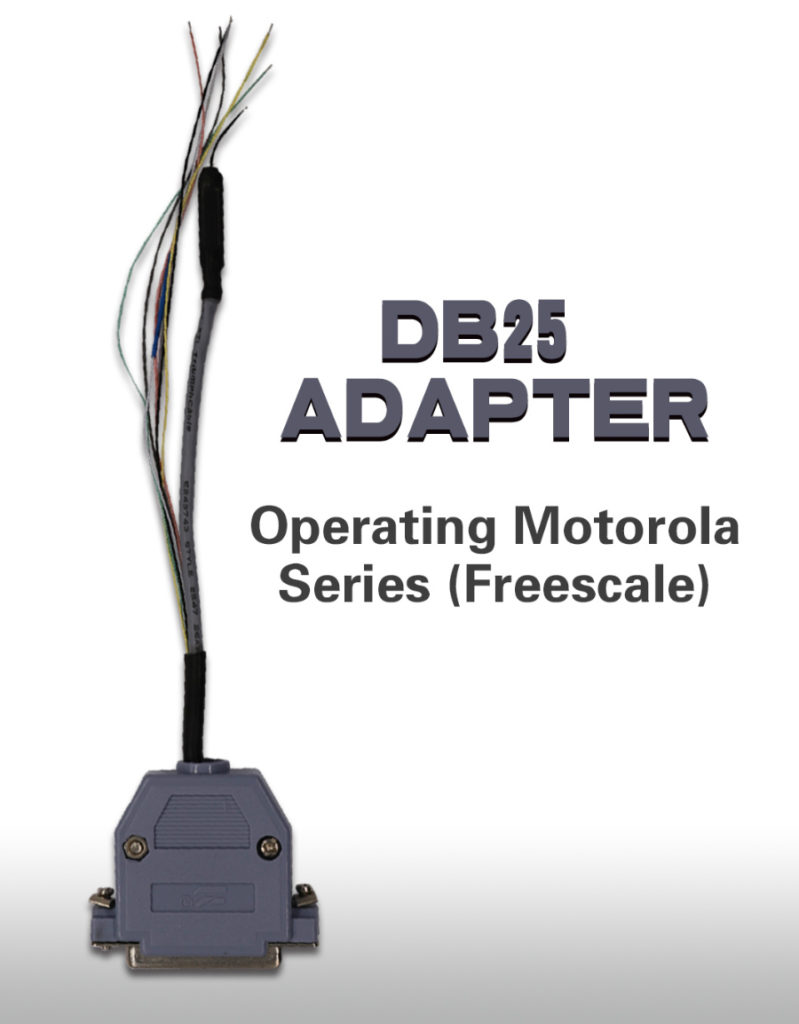
SK238-7: DB25 adapter for CG Pro 9S12

Used to do Motorola series (Freescale) without soldering.

cg-pro-9s12-freescale-programmer-6

SRC: xxxxxx

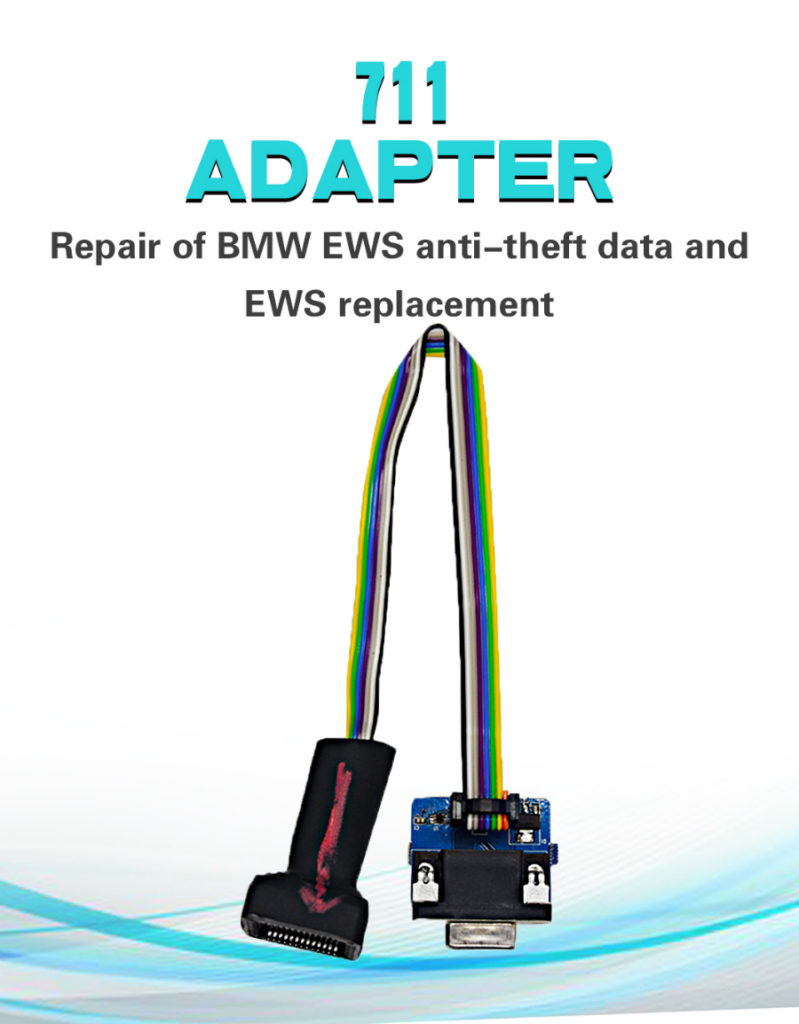
SK238-8: 711 adapter for CG Pro 9s12

Repair BMW EWS data and EWS change.

cg-pro-9s12-freescale-programmer-7

SRC: xxxxxx

SK238-9: 12P welding cable for CG Pro 9S12

Used to do NEC-Renesas series without soldering

cg-pro-9s12-freescale-programmer-8

SRC: xxxxxx

All of the above adapters are designed to work together with CG PRO 9S12 programmer.

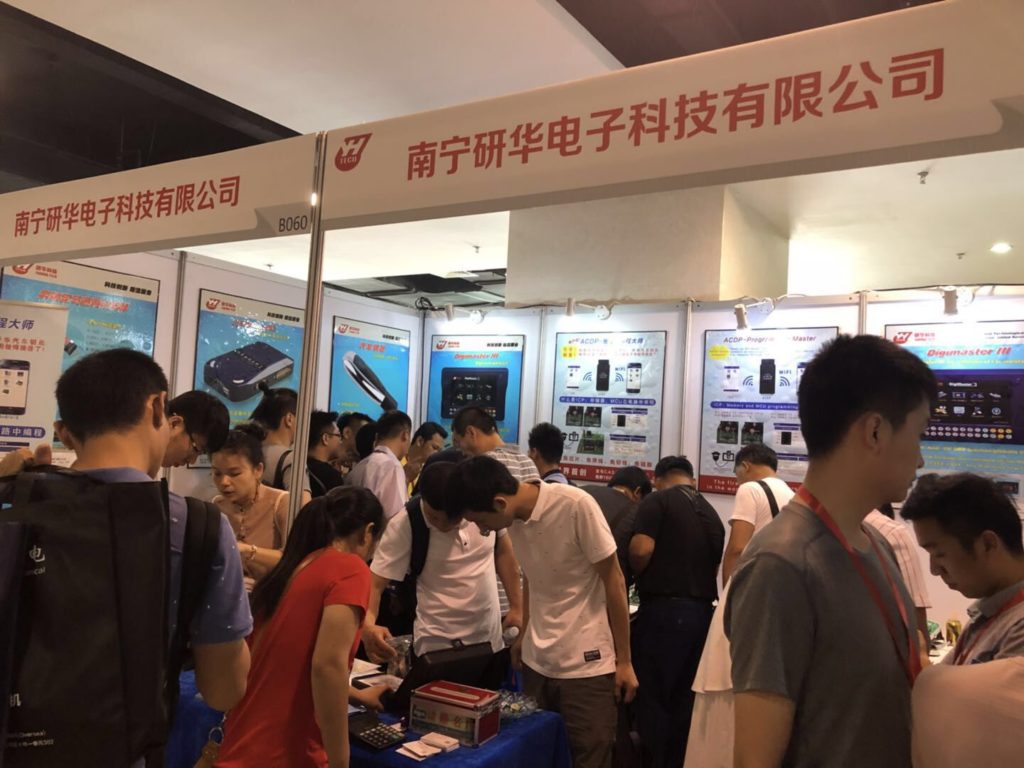
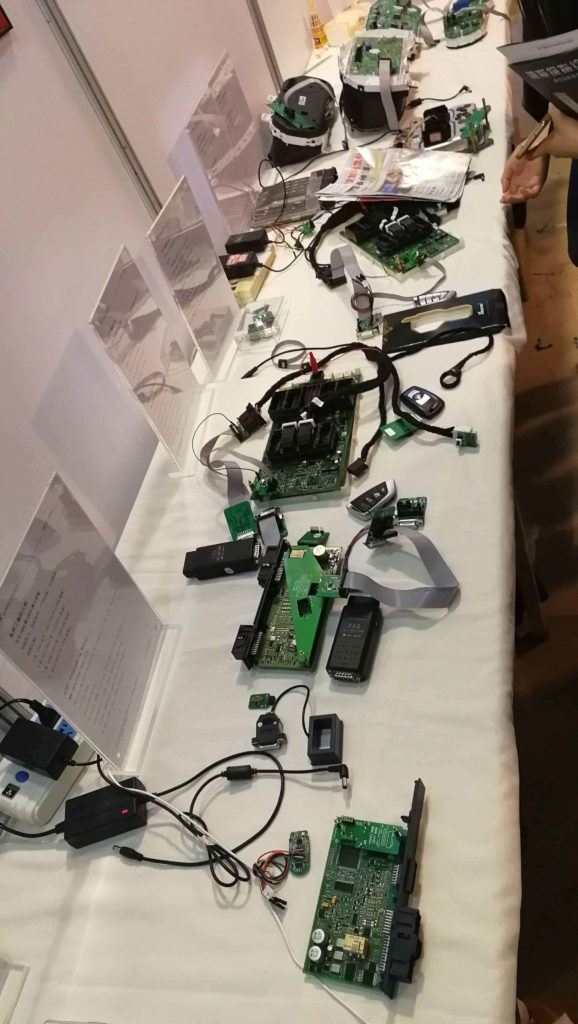
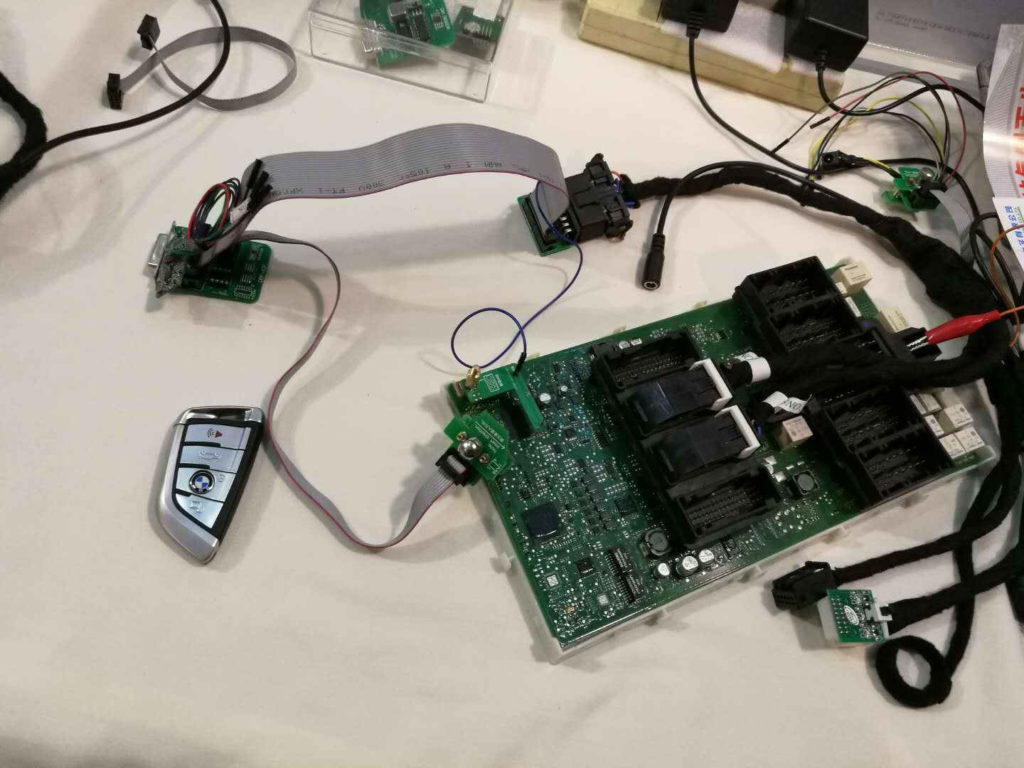
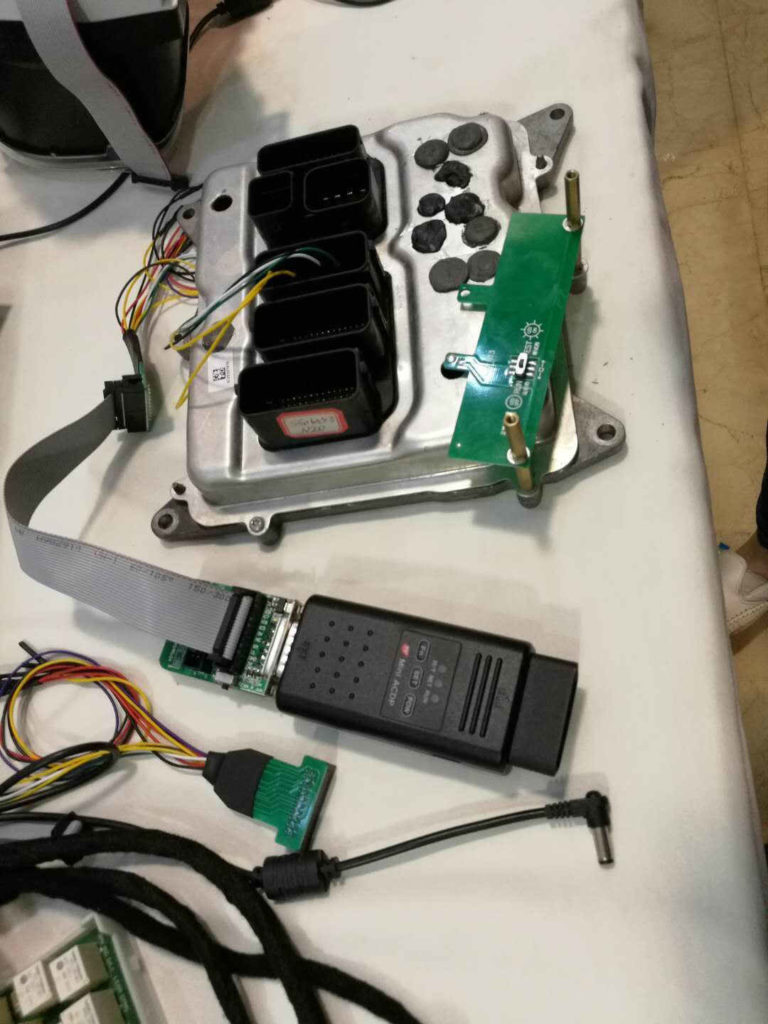
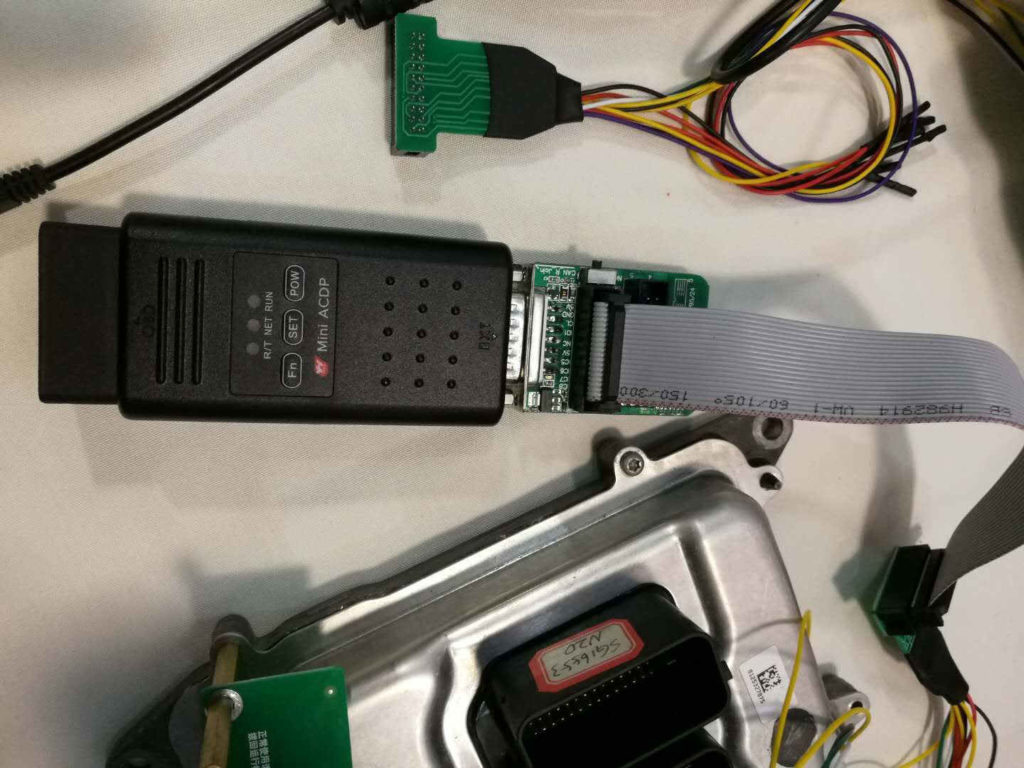
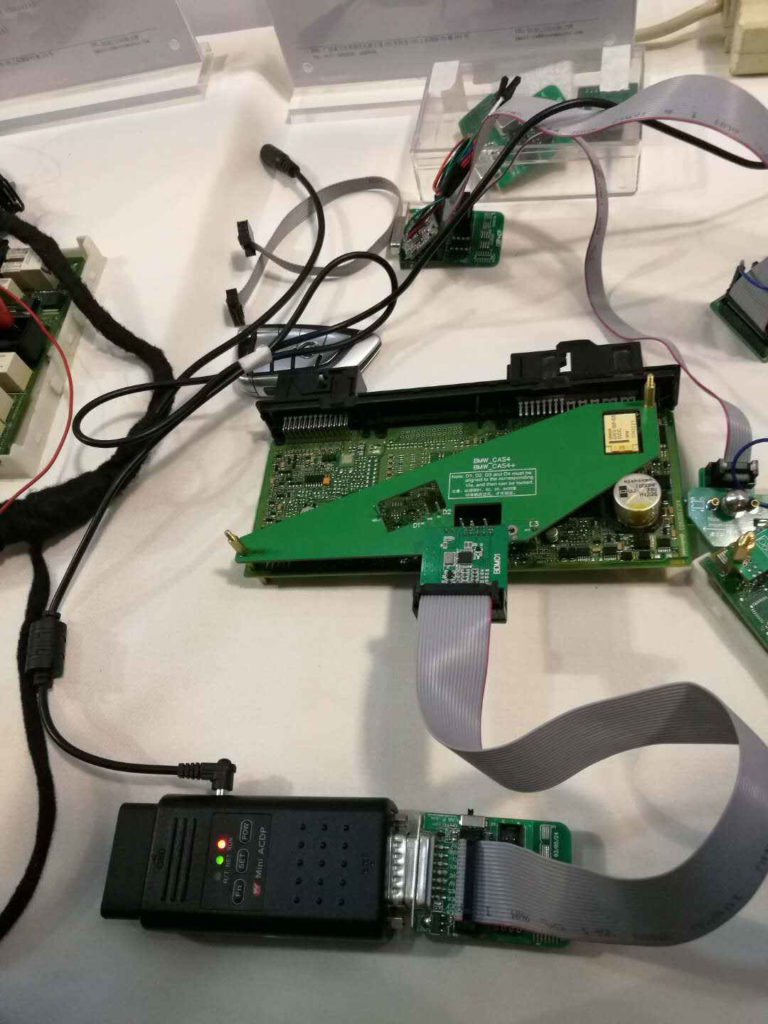
Yanhua Mini ACDP exhibit in 2018 5.18 Chinese locksmith Annual meeting

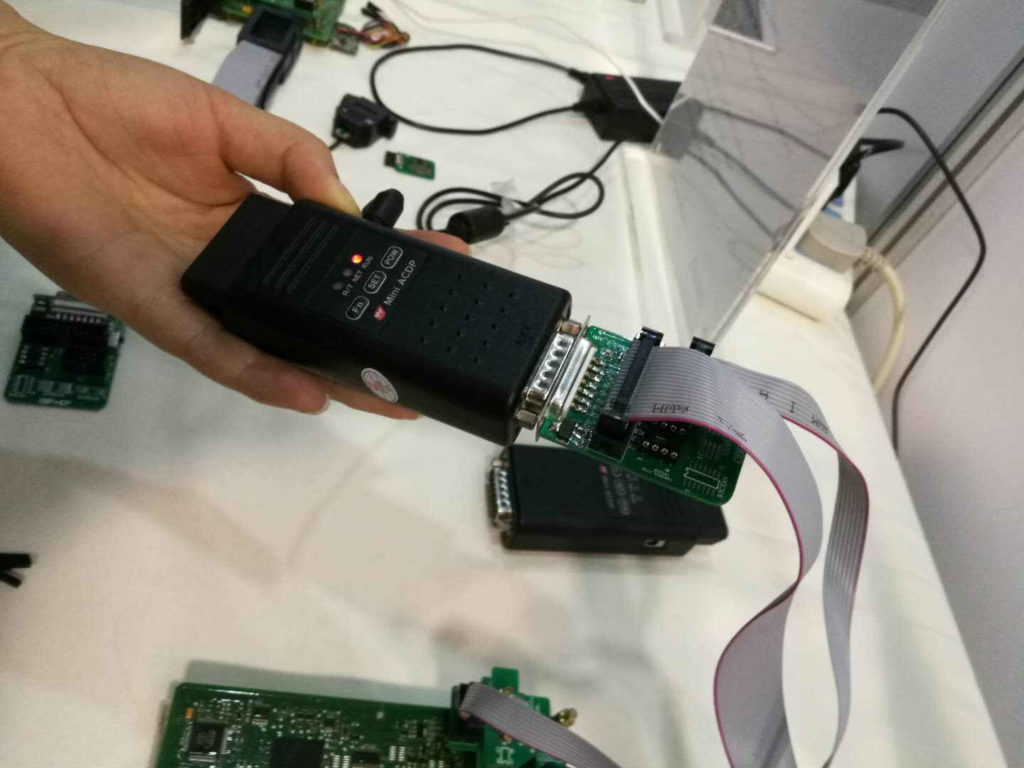
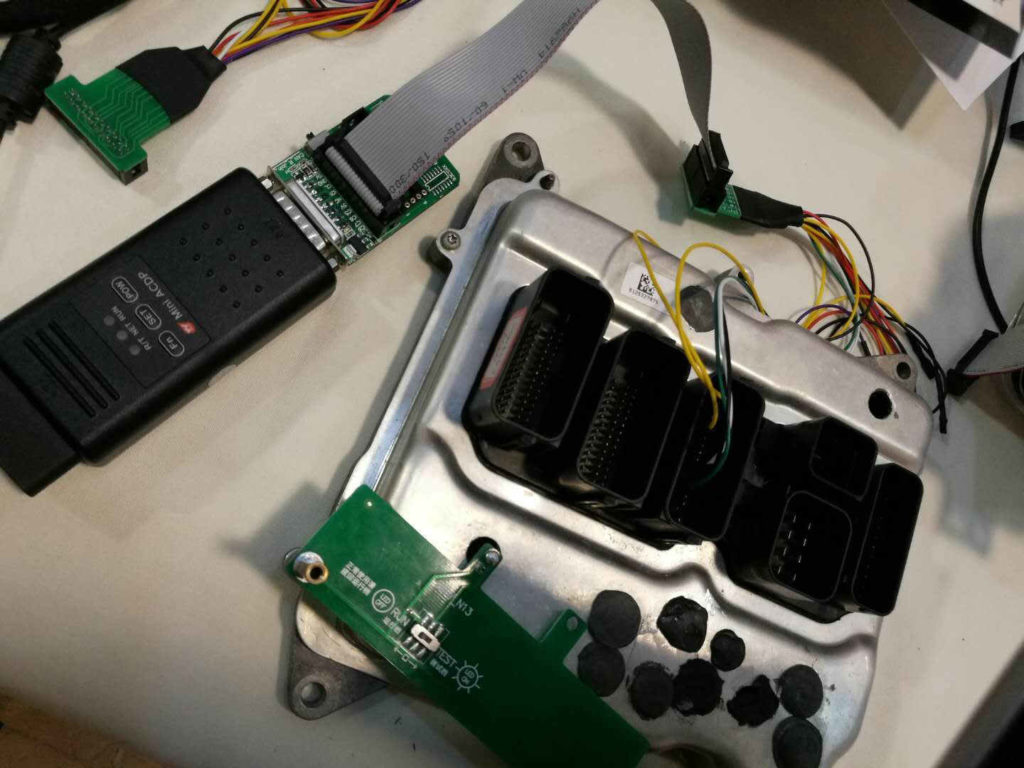
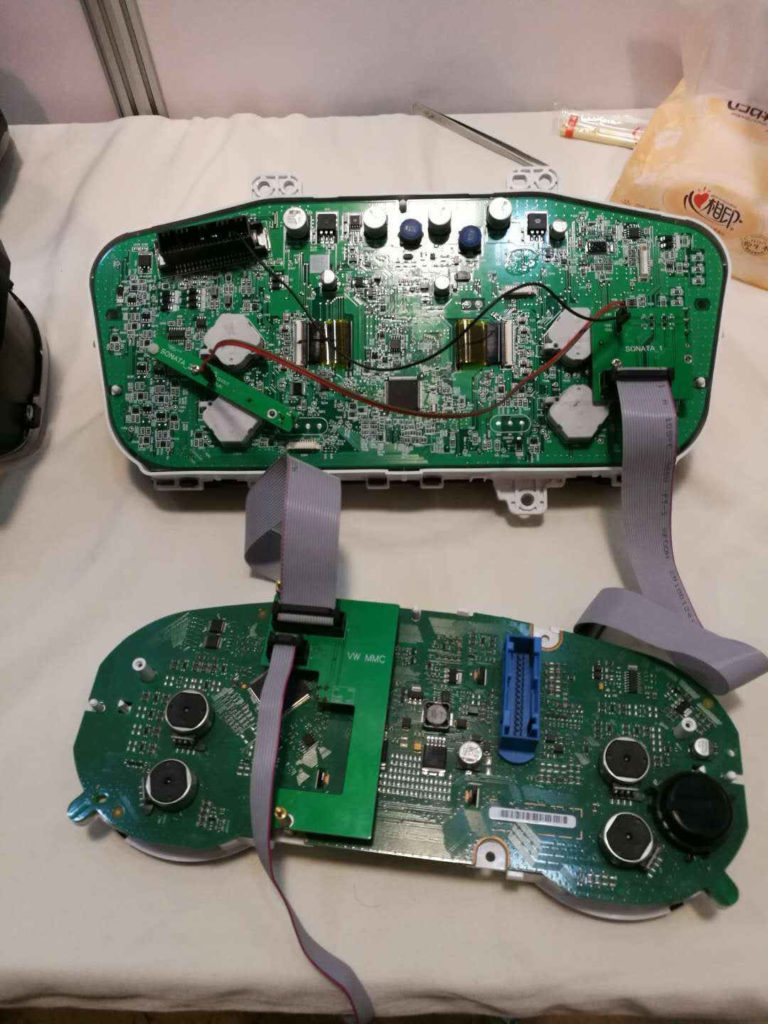
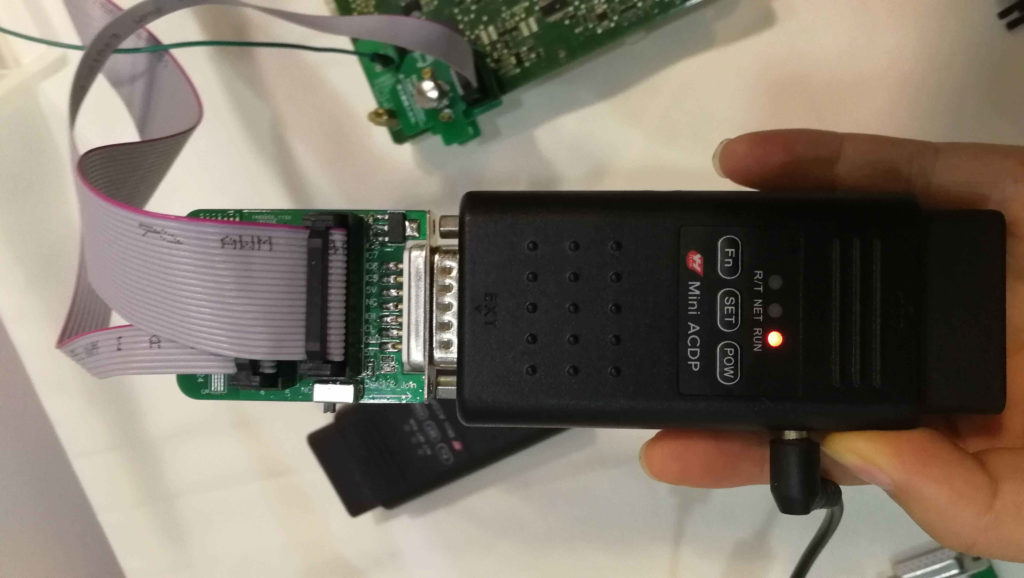
Yanhua Mini ACDP, the newest representative work of Nanning Yanhua Electronic Technology Co.,Ltd, exhibit 2018 5.18 Chinese locksmith Annual meeting.

yanhua-mini-acdp-programming-master-1

So far, Yanhua Mini ACDP can work with mobile phone of IOS and Android, before scan the QR code and download it, the user need to open the wifi.

You can see from these images, locksmith don’t need to remove chip, soldering, cut the line and lift the pin. ACDP features in OBD programming, Memory and MCU programming In Circuits and MCU programming in Circuits. Also it will display the connection status.

yanhua-mini-acdp-programming-master-2

yanhua-mini-acdp-programming-master-3

yanhua-mini-acdp-programming-master-5

yanhua-mini-acdp-programming-master-6

yanhua-mini-acdp-programming-master-7

yanhua-mini-acdp-programming-master-8

yanhua-mini-acdp-programming-master-9

yanhua-mini-acdp-programming-master-10

yanhua-mini-acdp-programming-master-11

yanhua-mini-acdp-programming-master-12

yanhua-mini-acdp-programming-master-13

yanhua-mini-acdp-programming-master-13

yanhua-mini-acdp-programming-master-14

yanhua-mini-acdp-programming-master-15

yanhua-mini-acdp-programming-master-16

yanhua-mini-acdp-programming-master-17

yanhua-mini-acdp-programming-master-18

yanhua-mini-acdp-programming-master-19

yanhua-mini-acdp-programming-master-20

yanhua-mini-acdp-programming-master-21yanhua-mini-acdp-programming-master-22

yanhua-mini-acdp-programming-master-23

yanhua-mini-acdp-programming-master-24

yanhua-mini-acdp-programming-master-25

yanhua-mini-acdp-programming-master-26

yanhua-mini-acdp-programming-master-27

yanhua-mini-acdp-programming-master-28

yanhua-mini-acdp-programming-master-29

BMW X3 2004 EWS4 Key Programming by VVDI2

Here, you will learn how to program a new X3 2004 key and do eeprom job with Xhorse vvdi (VVDI2 and VVDI-Prog)

Q: Can i make a x series key with the vvdi2 and how? (it’s x3 2004)

A: Yes …it is ews4 (eeprom job )

Q: Taking the ecu out?

A: Not the ecu …taking immo box out …its a white box under the steering wheel same size as a pack of cigs.

Q: Do i need any adapter for that?

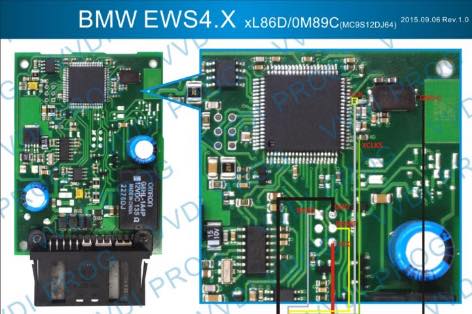
A: you just need open vvdi prog ,select ews4 and will show you the connections….solder it and you are good to read it

Q: And does it give you a key code like the cas’s

A: no , is it your first isn’t it?

Q: yes it is. Is this what i need?

vvdi-prog-programmer-1

A: thats not for ews4…VVDI prog have its own EWS4 adapter, so does the AK90

I mean there is ews4 incircuit connect by vvdi prog. Look here:

Q: how is the procedure

A: Put the ESW4 module in the adapter and lock it

vvdi-prog-programmer-2

To solder

vvdi-prog-programmer-3

ID48 96 bit cloning, which device to buy?

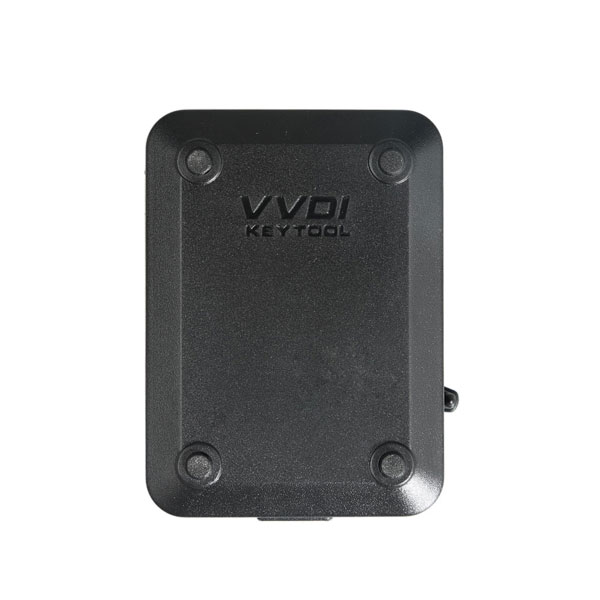
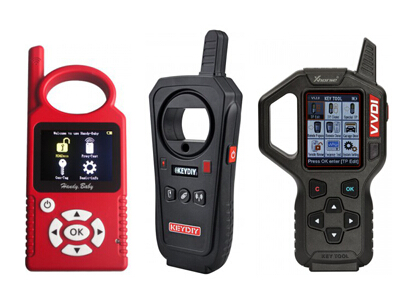
Someone tried id48 96 bit cloning? Just thinking which device to buy. Does KEYDIY KD-X2 or VVDI KEY TOOL?

cbay-hand-held-auto-key-programmer-1

VVDI key tool you need tokens for id48 96 bit cloning , tokens are 6.7EUR each .Handy baby now use tokens for 96 bit as well which are a lot dearer .

speaking to KD-X2 Transponder and Remote copier, they haven’t made the decision yet on tokens or how much tokens will be for 96 bit id48 .

Keyline use no tokens but the gkm chips are £15 .

Silca use no tokens and silca 48 currently around 25.5EUR(10pcs) for the id48 chip ( rumours of their about to go up in price )
both above clone in just a few minutes and token free .

xhorse vvdi key tool tokens are 6.7EUR plus cost of chip

handy baby cheap chip but expensive token
at the end of the day its the speed to clone , the cost to clone and the chip price that will dictate the best tool , the token and chip prices may make silca and keyline competative as token free and very fast and reliable , time will tell.

the cost of the machine is not a factor , the cost of consumables ie tokens and chips is far more important , as a decent saving to produce the chip will soon negate the cost of the kit , once all consumable prices are known then it becomes easier to decide on best machine .

i have silca , keyline and handy baby options already , i have a kdx-2 on way to test for a uk distributor , soon id48 will be just another key to clone . with silca about to release ford 80 bit cloning im sure the rest will have it too in no time .

Xhorse VVDI PROG latest software version V4.7.0 update and Free downlode

VVDI PROG latest software version V4.7.0 update

Good News: VVDI PROG now in stock in our UK warehouse, fast delivery, no tax

————————————-
v4.7.0 (2018-04-27)
* This version DON’t need update firmware
* Fix some bugs
+ Add VVDI PROG USER MUNUAL 4.7.0 version in Doc folder
+ Add MSP430F1222, MSP430F1122, MSP430F1132, MSP430F133, MSP430F135, MSP430F147, MSP430F1471, MSP430F148, MSP430F1481,
MSP430F149, MSP430F1491, MSP430F155, MSP430F156, MSP430F157, MSP430F167, MSP430F168, MSP430F169, MSP430F1610, MSP430F1611,
MSP430F1612, MSP430F233, MSP430F235, MSP430F249, MSP430F2491, MSP430F247, MSP430F2471, MSP430F248, MSP430F2481, MSP430F2410,
MSP430F435, MSP430F4351, MSP430F436, MSP430F4361, MSP430F437, MSP430F4371, MSP430F447, MSP430F448, MSP430F4481, MSP430F449,
MSP430F4491 options in ->
+ Add R7F701542, R7F701543, R7F701544, R7F701545, R7F701546, R7F701547, R7F701548, R7F701549, R7F701552, R7F701553, R7F701557,
R7F701560, R7F701561, R7F701562, R7F701563, R7F701564, R7F701565, R7F701566, R7F701567, R7F701568, R7F701569, R7F701572, R7F701573,
R7F701577, R7F701580, R7F701581, R7F701582, R7F701583, R7F701586, R7F701587, R7F701589, R7F701597, R7F701602, R7F701603, R7F701610,
R7F701611, R7F701612, R7F701613, R7F701620, R7F701621, R7F701622, R7F701623 options in ->
+ Add CS75-BODY-COMPUTER option in ->
+ Add IMMO(MSP430F1232) option in->
+ Add EULOVE(2014) option in ->
+ Add GOD-ANGEL(2015) option in ->
+ Add NU-NING(STM8S105C) option in ->
+ Add AB12CL(R7F701A033) option in ->
+ Add A205-CHASSIS option in ->
+ Add VIAGGIO(D70F3628) option in ->
+ Add POWER-AMPLIFIER option in ->

download link:

https://mega.nz/#!y0ozBSyC!I2BAD9xzyATyfzFc894vPZRlkzG4CNEXCuqpXaovYF8

password:123456


vvdi-prog-programmer-1

Xhorse VVDI MB Tool Renew Mercedes W211 ECU CR3.xx

How to use VVDI MB tool key programmer to renew Mercedes W211 ecu Cr3.xx?

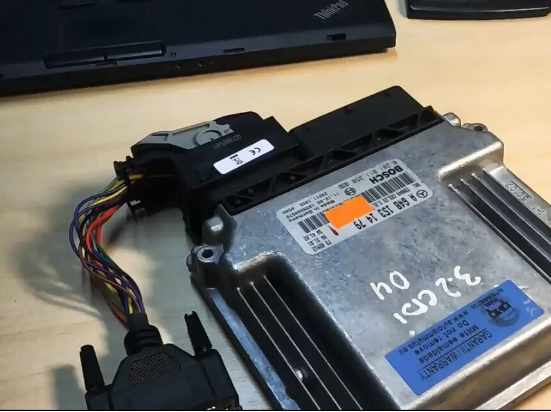
1.Connect ECU with VVDI MB BAG Tool and CR3.xx adapter

vvdi-mb-tool-1

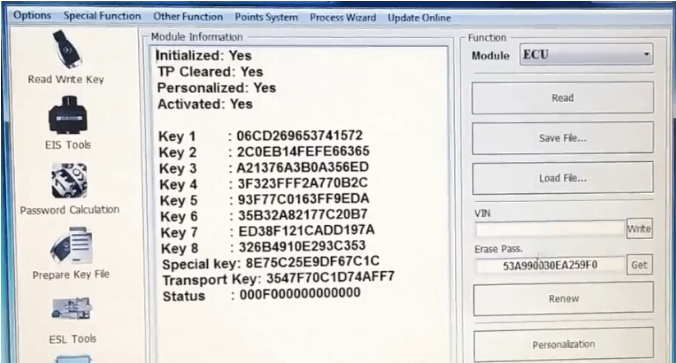
2. Open VVDI MB software

3.Select Renew ECU/Gearbox

vvdi-mb-tool-2

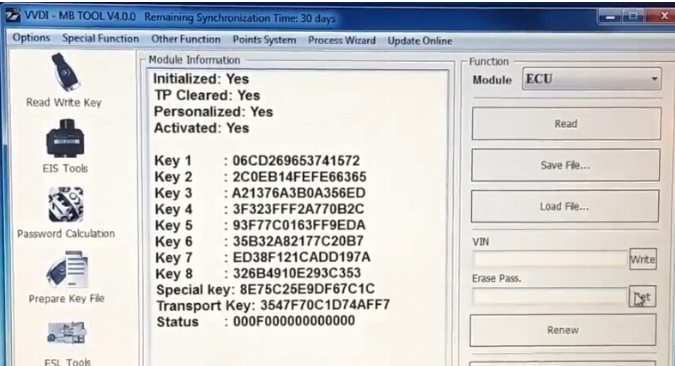
Read ECU information

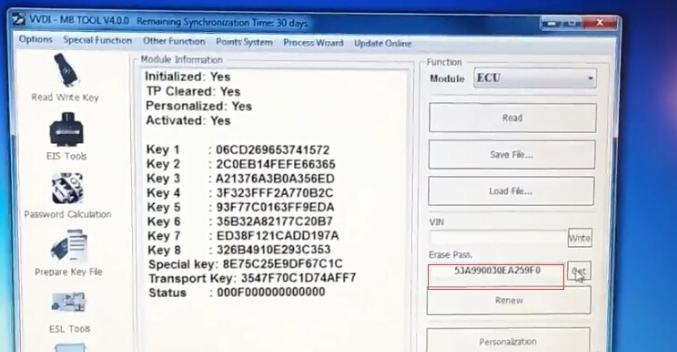
3.Press Get button to calculate erase password online

vvdi-mb-tool-3

vvdi-mb-tool-4

4. Save the eeprom data

vvdi-mb-tool-6


5. Click on Renew Button

vvdi-mb-tool-6

Erase target unit success

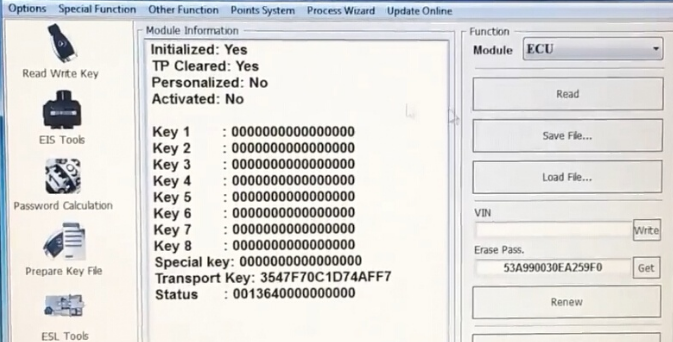
6. Read ECU information again

vvdi-mb-tool-7

VVDI MB BGA Tool Renew W211 ECU success.