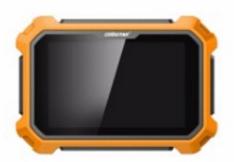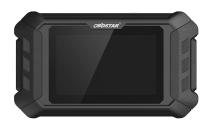
OBDSTAR X300 Pro4 IMMO car list (from Europe Japan Korea America China)

OBDSTAR X300 Pro4 is a dedicated OBD key programmer for all makes from Europe Japan Korea America China etc , it can add new key, can program new keys when all keys lost no matter what remote key or smart key.
OBDSTAR X300 Pro4 can’t program key on: Super Luxury car makes incl. Lamborghini, Maserati, Ferrari, Bentley, Alfa Romeo, Abarth etc. for BMW, Benz key programming (vvdi or cgdi is the best).

OBDSTAR X300 Pro 4 Programmer Support Car Models List:

Serial No.:
No. Region Brand No. Region Brand No. Region Brand
1 Europe BMW 28 America FORD 53 China HONGQI
2 BENZ 29 CHRYSLER 54 HUANGHAI
3 BORGWARD 30 GM 55 JAC
4 PEUGEOT/CITROEN/DS 31 China BAIC 56 JIABAO
5 DACIA 32 BESTURN 57 JMC
6 FIAT 33 BISU 58 LIFAN
7 JAGUAR 34 BRILLIANCE 59 LUFENG
8 LANCIA 35 BYD 60 LUXGEN
9 LANDROVER 36 CHANGAN 61 MAXUS
10 OPEL 37 CHANGHE 62 QNLOTUS
11 PORSCHE 38 CHERY 63 QOROS
12 RENAULT 39 COWIN 64 ROEWE
13 SMARTSMART 40 DFFENGSHEN 65 SGMW
14 VOLVO 41 DFFG 66 SWM
15 IVECO 42 DFLIUZHOU 67 SOUEAST
16 VW/AUDI/SKODA/SEAT 43 ENRANGER 68 TJFAW
17 Japan HONDA 44 FOTON 69 TRAUM
18 ISUZU 45 GEELY 70 TRUMPCHI
19 MAZDA 46 GREATWALL 71 XENIA
20 MITSUBISHI 47 HAFEI 72 YEMA
21 NISSAN 48 HANTENG 73 ZD
22 SUBARU 49 HAWTAI 74 ZHONGXING
23 SUZUKI 50 HIMIKO 75 ZOTYE
24 TOYOTA/LEXUS 51 ZZNISSAN 76 ZZMAZDA
25 Korea HYUNDAI 52 HNMAZDA 77 CHANGFENG
26 KIA
27 SANGYONG


OBDSTAR X300 Pro4 official site: http://www.obdstar.com/, for detailed supported car models, just open this site, click on “Carlist” -> “Function List” -> “IMMOBILISER”.


OBDSTAR X300 Pro 4 Programmer Specifications:

Operation System:                Android5.1.1
CPU:                                      RK3128 quad-core,ARM Cortex A7@1.2Ghz
Battery:                                 2600Ma lithium ion
Extension Memory Card:      32G Micro SD(TF) card supported
Storage Capacity:                 16GB
LCD:                                      5.0 inch
LCD Resolution:                    800*600
Touch Screen:                       Capacitive touch screen
WiFi:                                      Supported
Working Temperatures:        -20℃~55℃(14℉~131℉)
Storage Temperature:           -20℃~70℃(-4℉~158℉)
Weight:                                 About 700g
Dimension:                           140mm*89mm*18mm


OBDSTAR X300 Pro4 price: €849  free shipping


Comparison between X300 PRO 4 and X300 DP PAD PLUS:

 Function Prouduct Photo
X300DP Plus X300 Pro 4 Remark
   
Available Or Not
Software
(Immo)
Programming Keys       √       √
Erase Keys       √       √
Programming Remote       √       √
Read Key Numbers       √       √
Pincode Reading       √       √
EEPROM Chip Read       √       √
OBDII Diagnosis       √       √
Cluster Calibration       √       ×
Diagnosis       √       ×
ECU Clone       √       ×
ECU Programming       √       ×
Oil Service Reset       √       ×
Other Special Functions       √       ×
RT100 Remote       √       ×
Luxury Models Coverage       √       × not support Lamborghini/
Maserati/
Ferrari/
Bentley/
Alfa Romeo/Abarth
 Specification Opration System Android5.1.1 Android5.1.1
Camera supported       ×
CPU Exynos4418 Dual Core ARM Cortex
A9 1.4GHz
RK3128 quad-core,
ARM Cortex A7@1.2Ghz
Battery 3700mA,
rechargeable polymer lithium battery
2600Ma lithium ion
Extension Memory Card 32G Micro SD(TF) card supported 32G Micro SD(TF) card supported
Storage Capacity 32GB 16GB
LCD 8.0 inch 5.0 inch
LCD resolution 1280*800 800*600
Touch screen Capacitive touch screen Capacitive touch screen
Wi-Fi supported supported
Working Temperature -10℃~55℃(14℉~131℉) -20℃~55℃(14℉~131℉)
Storage Temperature -20℃~70℃(-4℉~158℉) -20℃~70℃(-4℉~158℉)
Weight about 1.0kg about 700g
Dimension 254mm*174mm*35mm 140mm*89mm*18mm
Accessory    

2019100813206683


(Solved) Yanhua Mini ACDP lost all authorization after software update

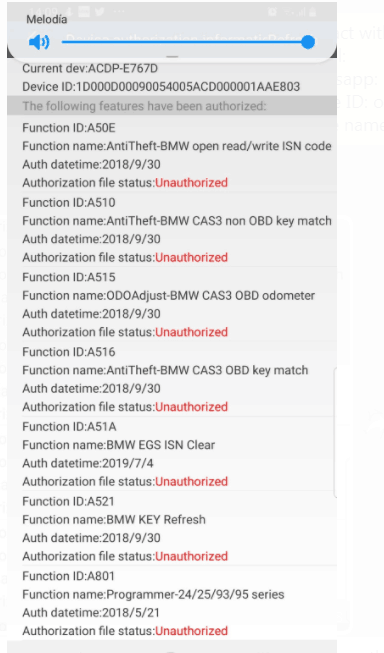
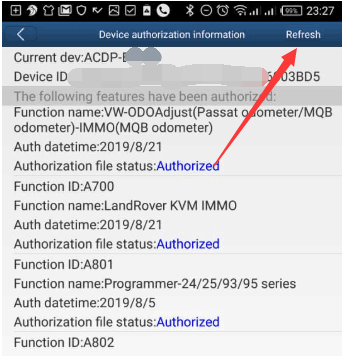
This is a tip for those cannot see authorization after ACDP update.

img: ACDP doesn’t have any authorization after software update

1

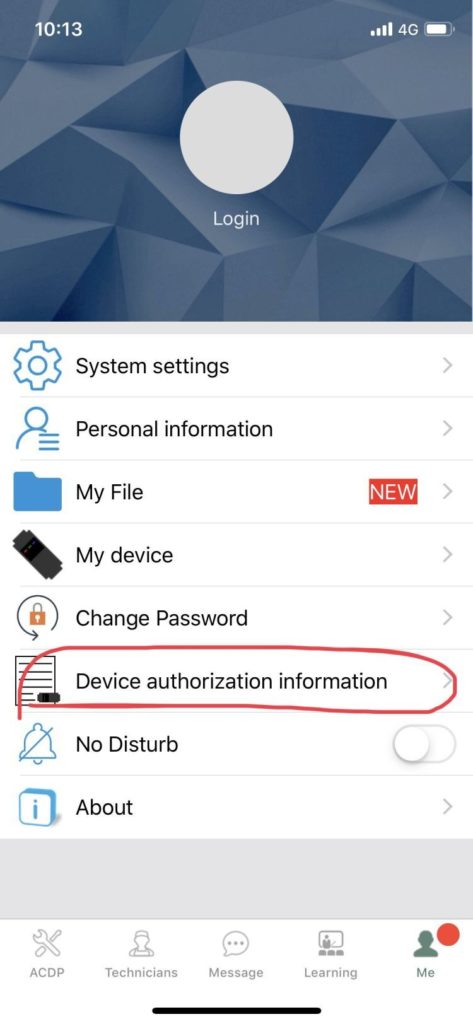
If you have the issue, just login the app and go to me, then device authorization information

2

Then refresh, and your authorization will come back and work

3

Yanhua ACDP :http://www.carobd.de/producttags/yanhua-mini-acdp.html

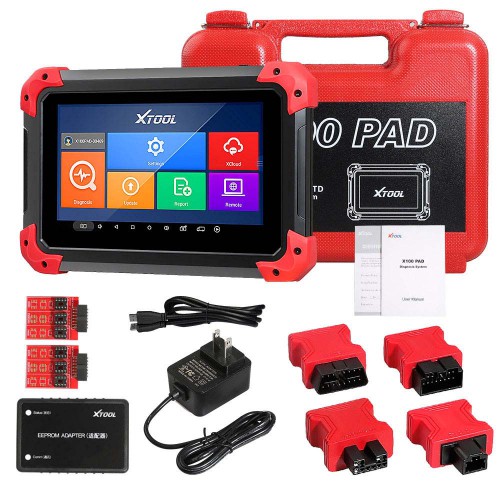
[Big Sale UK Ship No Tax] XTOOL X100 PAD X 100 Auto Car Key Programmer

Kindly Note: does not support Indian cars; it does not support Proton and Produa
Highlights of X100 PAD

1. Language: English, French, German, Norwegian, Russian, Persian, Arabic, Polish, Portuguese,Hindi

(English is by default, if you need other language, please provide the serial number to us, we will add authorization to you)

2. Vehicle Coverage: 
Asia: Toyota, Lexus, Honda, Acura, Mazda, Nissan, Infiniti, Mitsubishi, Subaru, Suzuki, Kia, Hyundai, Daewoo, SSANGYONG, Proton, etc.
Europe: Audi, VW, Skoda, Seat, Porsche, Opel, Citroen, Peugeot, Jaguar, Land Rover, Lincoln, Renault, etc.
America: GM, Cadillac, Buick, Chrysler, Ford, etc.
China: Great Wall, Chery, Brilliance-auto, Geely, LIFAN, HAFEI, CHANGAN, LANDWIND, BYD, BYD , JAC, etc.

3.Free Update for 2 Years

4. It puts the VCI box into the tablet. The two-in-one, the communication is more stable.

5. XTOOL X100 PAD Functions: 
Key programming
Oil Reset/Engine oil light reset
Odometer Adjustment
Tire Pressure Warning Light Reset (Manual Operation)
Timing belt light reset (Manual Operation)
EPB Electrical Parking Brake Adaptation
TPS Throttle Body Adaptation
Steering Angle Calibration
Battery Reset
PIN Code Reading
Hexadecimal editor (WinHex)
OBDII Diagnosis
Support the latest vehicles with CAN BUS and UDS protocol
Update via WIFI (always equip your device with the latest software)
More…
Only 354EUR with Free Shipping. No Need Wait, Shop Now!!!
19082115664440787812

Xhorse VVDI Mini Key Tool user manual: All info here

Xhorse VVDI Mini Key Tool all FAQs here including version /Area, language, color, update, price, comparison with VVDI Key Tool, how to use with IOS/Android etc.

Generally speaking, VVDI key tool functions – renew remote function = VVDI Mini Key Tool.

VVDI Mini Key Tool share as the same APP as VVDI key tool and Condor Dolphin.

1

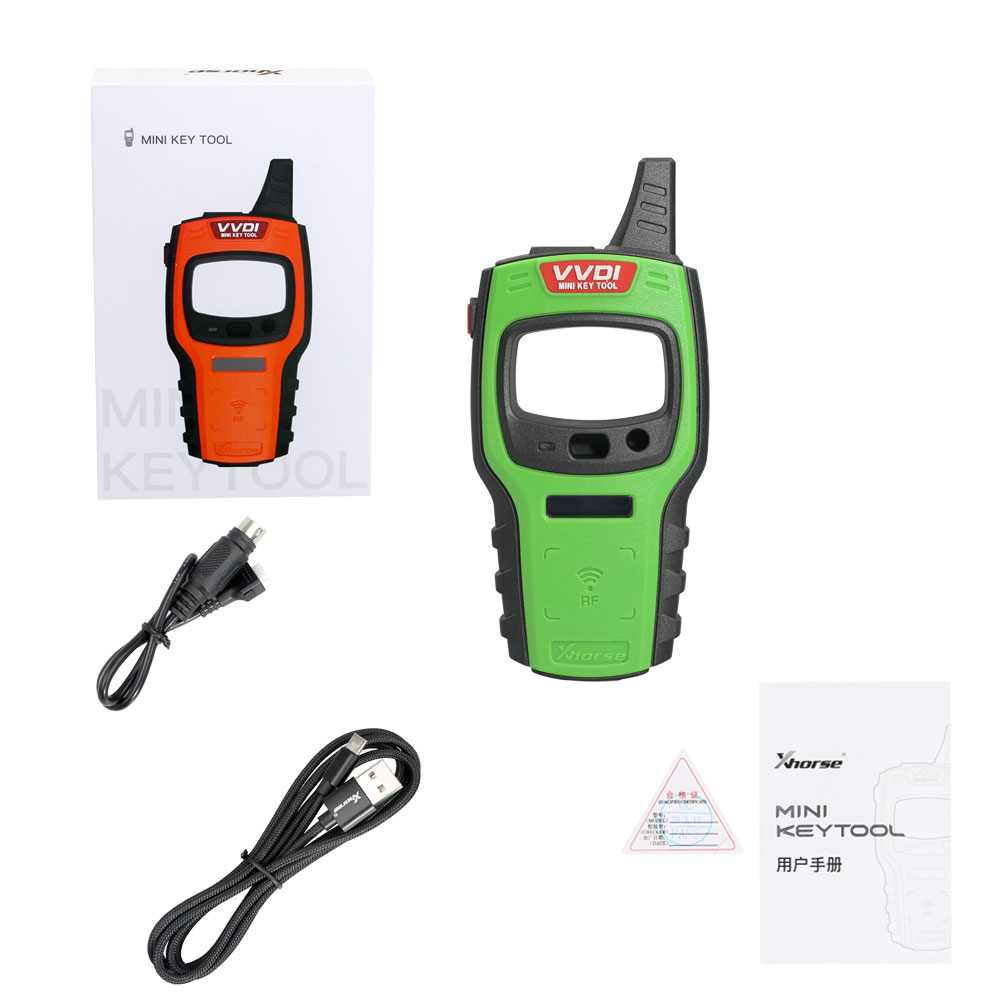
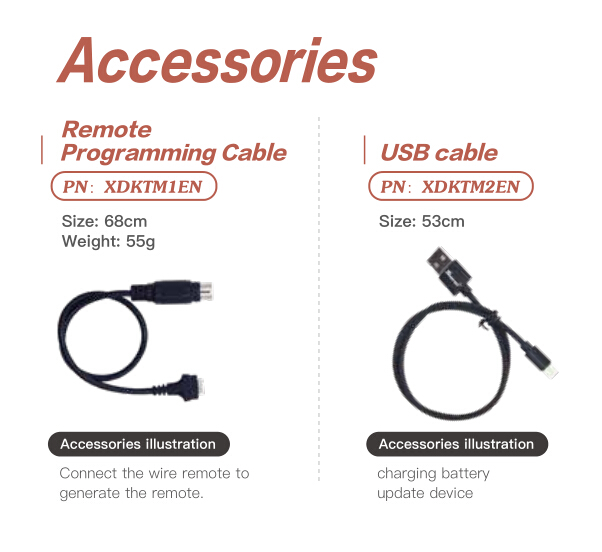
VVDI mini key tool parts and accessories:

2

1.version /Area

carobd.de is available with US and European version.

2.Language:

English

Polish

Thai

Hindi

Chinese

xhorse-vvdi-mini-key-tool-programmer-pic-1

3.Color:

Orange

Green

Red


4.Update

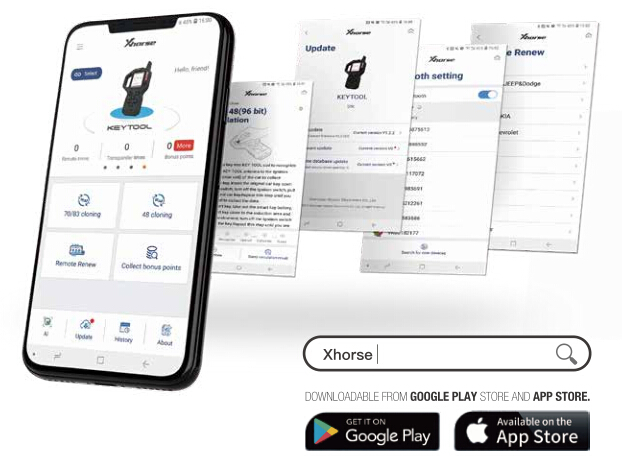
Use “Google Play store” and “App Store” to search “Xhrose“.

Install and update the newest version of vvdi mini key tool.

3

5.Price:

VVDI mini key tool is 50USD -80USD cheaper than VVDI key tool.

6.Xhorse VVDI Mini Key Tool Vs VVI key tool

1)VVDI key tool functions – renew remote function = VVDI Mini Key Tool.

VVDI Mini Key Tool functionalities:

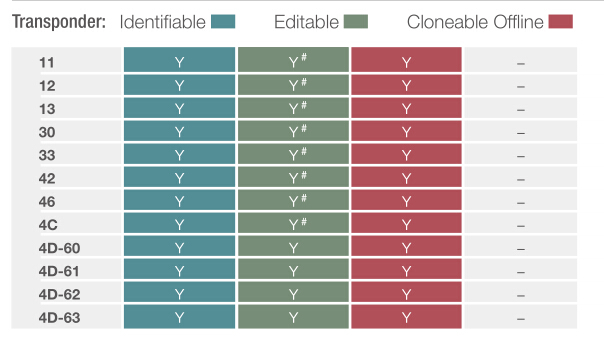
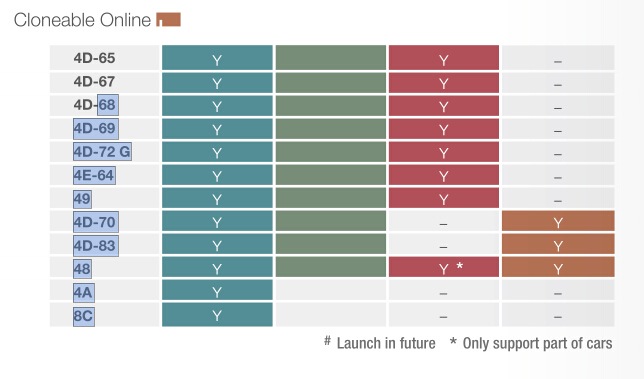
Transponder Editing &Cloning

Detect most immobilizer transponder, edit and clone common transponder in the market.

Transponder Generating

Support TP transponder & parts of special transponder more than 700 vehicle

models, reduce the stock of transponders efficiently.

9

10

Remote Cloning

Support the HCS/Fixed code cloning, support non-HCS rolling code cloning, support

PT22XX, LX918, HT6P20, VD5026, AX5326, HT12X fixed code editing.

Garage Remote Generating

Supporting more than 100 types.

Remote Generate

Support 128 brands, over 2000 vehicle models. Generate more abundant and

thorough key pictures, transponder types, key blanks and remote matching data.

Frequency Test

Support the power test within the range of 300-450MHz.

Toyota H transponder

Activate Toyota H transponder generation function

2) VVDI Mini Key Tool shares as the same APP as VVDI key tool and Condor Dolphin.

Use “Google Play store” and “App Store” to search “Xhrose“, then install to use.

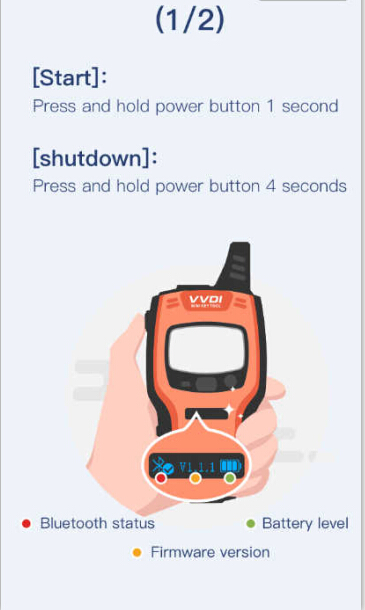
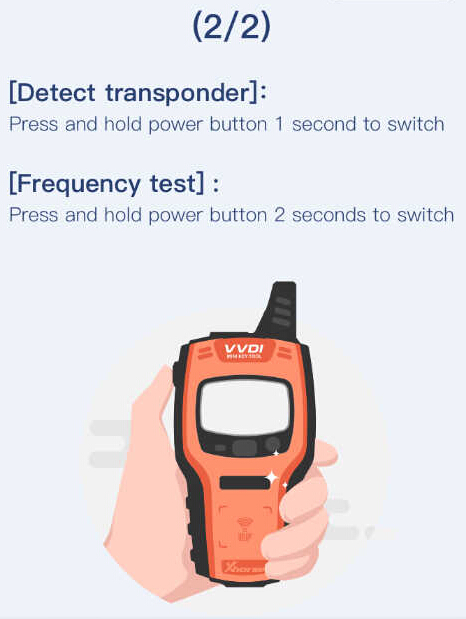
When launch the APP, it will give two images on how to use VVDI mini key tool for the first time.

Start: Press and hold power button 1 second.

Shutdown: Press and hold power button 4 seconds.

The machine comes with Bluetooth Status button and Battery level button as well as firmware version.

Detect transponder

Press and hold power button 1 second to stitch.

Frequency test: press and hold power button 2 seconds to switch.

13

14

VVDI Mini Key Tool new APP:

15

Mini Key tool operation menu:

Vehicle remote

Garage remote

Remote clone

Transponder clone

Generate transponder

Special function

VVDI Key tool New APP menu:

Vehicle remote

Garage remote

Remote clone

Remote renew

Transponder clone

Generate transponder

Collect bonus points

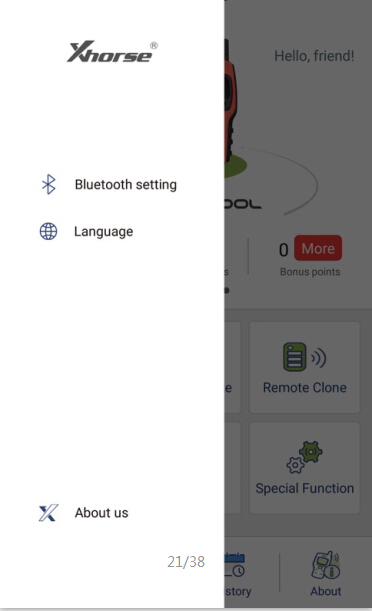
Xhorse New APP settings: Bluetooth setting, Language and About us.

Bluetooth: Turn on Bluetooth (to connect vvdi key tool ,vvdi mini key tool, Dolphin);

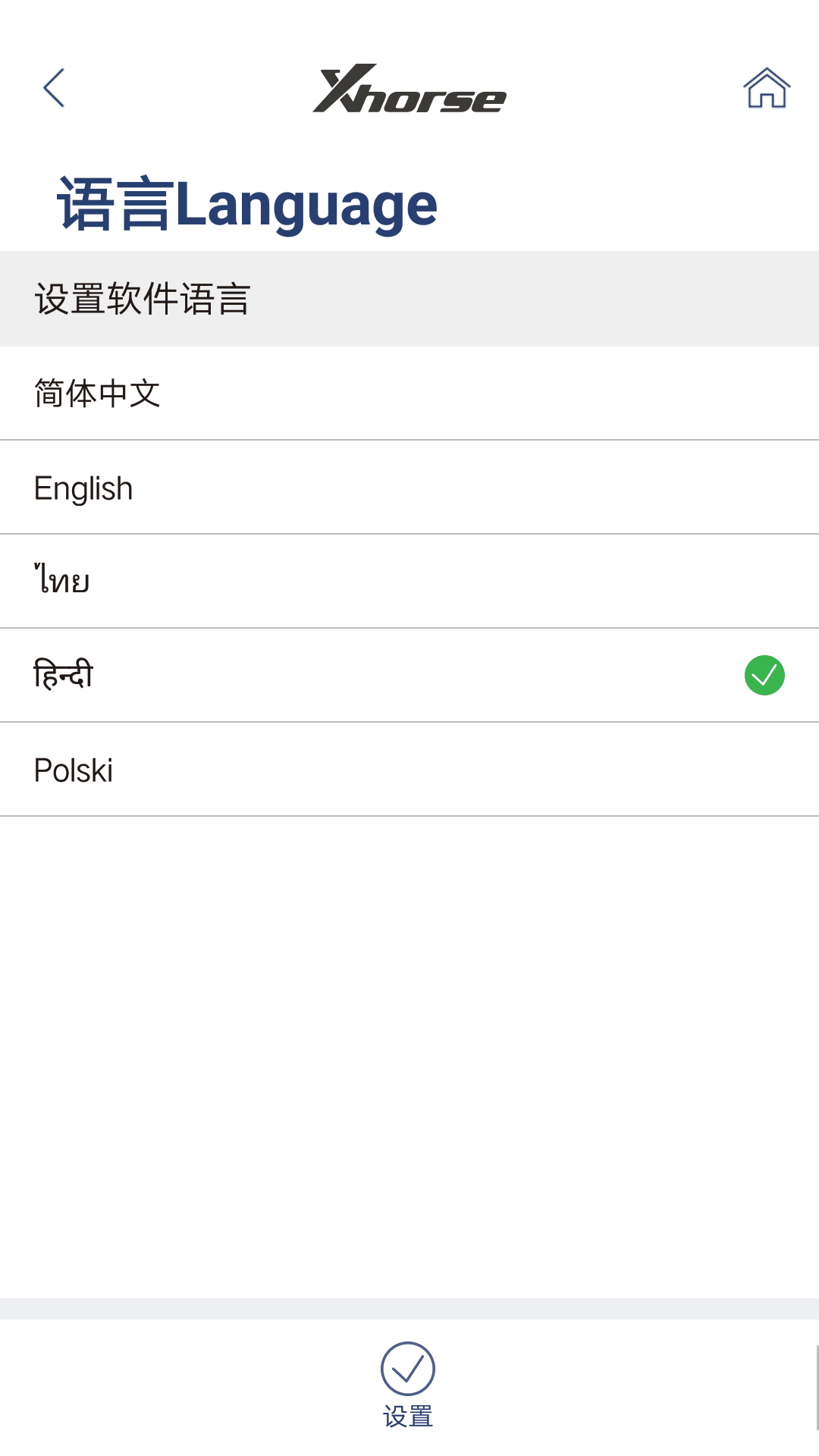
APP Language: Chinese and English so far.

16

3) VVDI key tool: with bigger screen (2.4″), it can work alone except the online function such as 46 4D offline copy, and it can perform online functions by connecting to the phone.

VVDI Mini key tool: most functions is completed via phone, it has smaller screen (0.91″)

4) VVDI Mini key tool comes with big-capacity battery.

Here comes VVDI mini key tool parameters:

OLED Size: 0.91 ”
Extra Power: 5V/1A
Usage Time: >10 Hour
Product Size: 140×64.5×23.5mm
Weight: 86g
Charge Current: 650mA
Battery Capacity: 8 00mAh
Battery Voltage: 3.6-4.2V
OLED resolution: 128*32

Here comes VVDI key tool parameters:

OLED Size: 2.4″
Extra Power: 5V/1A
Usage Time: >10 Hour
Product Size: 108x6194x28mm
Weight: 229g
Charge Current: 1A
Battery Capacity: 150Ah
Power: 600mW

Battery Voltage: 3.6-4.2V

OLED resolution: 320*240

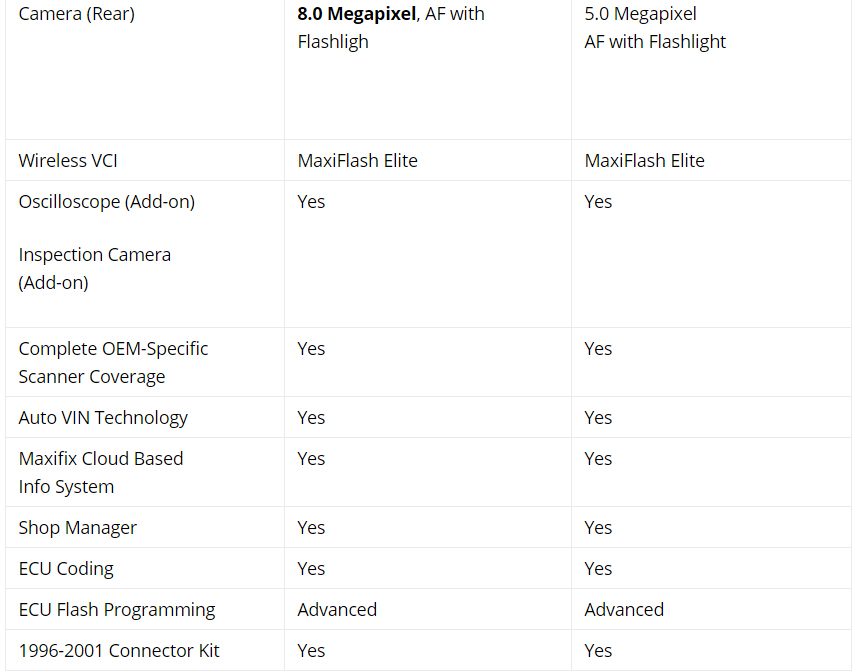
Autel MaxiCOM MK908P is better than MaxiSYS MS908P?

Question: Should I buy an Autel MK908P instead of MS908P Autel?

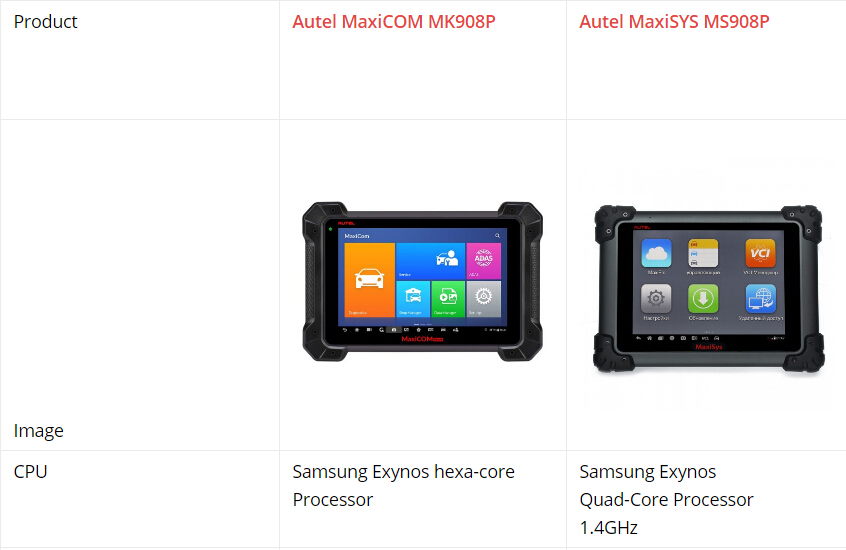
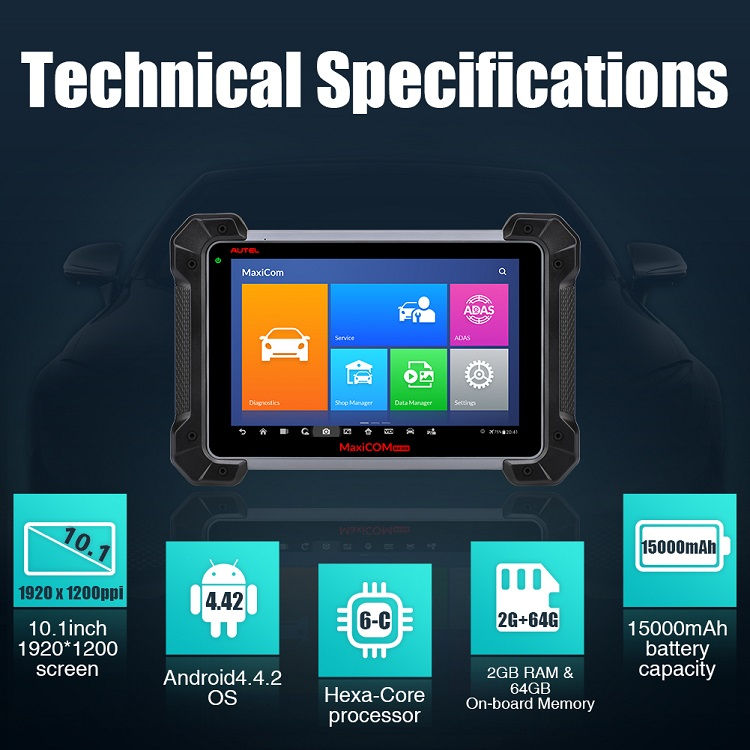
Answer: Autel MK908P is much better in hardware. Will run faster and much more stable.

Pls read the chart for details


1

2

3

4

Conclusion:

Autel MK908P wins!

What is Autel MK908P:

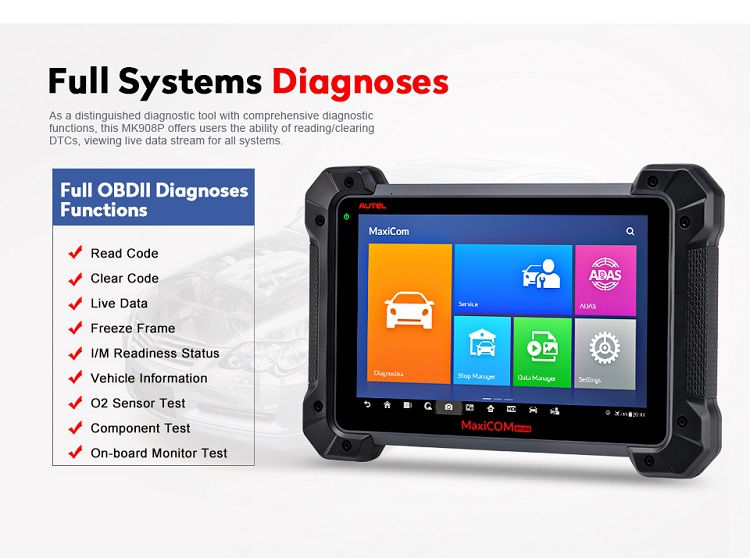
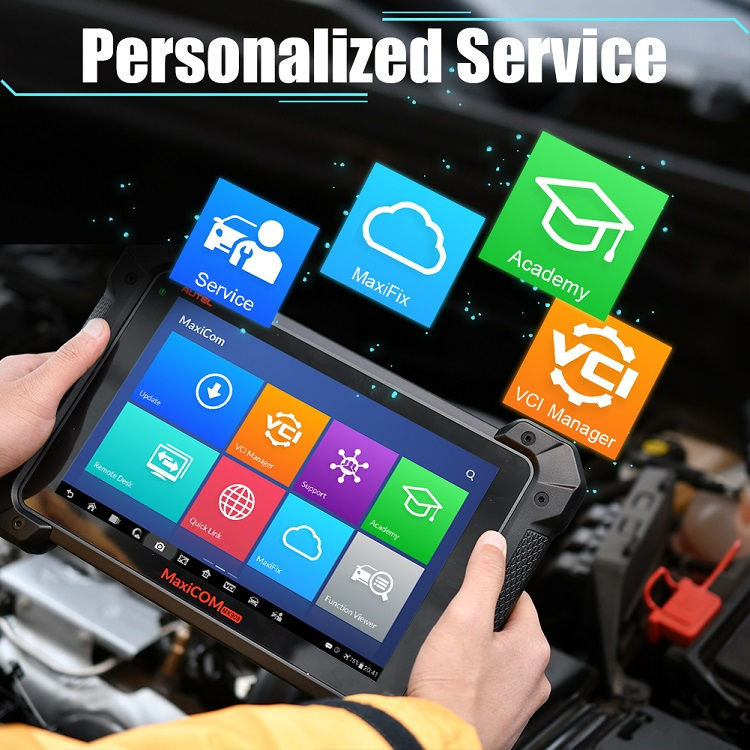
The MaxiCOM MK908P Diagnostic Platform is an evolutionary smart solution for specialized automotive diagnosis. Utilizing the powerful A7 quad-core 1.30GHz processor, and a 10.1-inch capacitive touch screen, combined with the best possible coverage of OE-level diagnostics, and based on the revolutionary multitask-capable Android Operating system, the MaxiCOM organizes information with test instrumentation to help you diagnose symptoms, codes, and customer complaints easily, quickly and efficiently.

Autel MK908P software language:

English, French, German, Italian, Spanish, Portuguese, Russian, Dutch, Polish, Japanese.

Autel MK908P Functions:

1. J2534 ECU Programming
The diagnostic tool comes with a J2534 ECU programming tool (also used as a VCI box) that is a SAE J2534-1 & -2 compliant pass-thru reprogramming interface device. Using the updated OEM software, it is capable of helping B-M-W and B-e-n-z users replace the existing software/firmware in the Electronic Control Units (ECU), program new ECUs and fix software-controlled drivability issues and emission issues. It supports BT and USB communications and can transmit vehicle data to the MaxiCOM display tablet with or without a physical connection.

2. There are 3 indicators on the J2534 ECU programming device
1) Vehicle LED – Flashes green when communicating with the vehicle’s system
2) Connection LED – Illuminates solid green when properly connected with the display tablet via the USB cable; Illuminates solid blue when connected with the display tablet via wireless (BT) connection
3) Power LED – Illuminates solid green when powered on: Flashes red when system failure occurs:
Illuminates amber automatically at power up when the device is performing self-test procedure

3. System Diagnostics
Simply accessing the diagnostic modes via AutoVin or Control Unit, and you’ re able to perform diagnosis over all the systems on the vehicle’ s ECU in order to locate fault systems and retrieve DTCs.
1) ECU Information – provides the retrieved ECU information in detail.
2) Read Codes – displays detailed information of DTC records retrieved from the vehicle control module.
3) Erase Codes – erases DTC records and other data from the ECM.
4) Live Data – retrieves and displays live data and parameters from the vehicle’ s ECU.
5) Active Test – provides specific subsystem and component tests.

5

4.Accesses the Special Functions
The diagnostic tool is specially designed with the Service section to provide you with quick access to the vehicle systems for various scheduled service and maintenance performances. It provides component adaptation or variant coding functions for custom configurations and also allows you to reprogram adaptive values for certain components after making repairs. The most commonly performed service functions include:
1) Oil Reset Service: Allows you to perform reset for the Engine Oil Life system, which calculates an optimal oil life change interval depend on the vehicle driving conditions and climate.
2) EPB Service: Helps maintain the electronic braking system safely and effectively, deactivating and activating the brake control system, assisting with brake fluid control, opening and closing brake pads, and setting brakes after disc or pad replacement, etc.
3) SAS Service: Allows you to perform calibration for the Steering Angle Sensor, which permanently stores the current steering wheel position as the straight-ahead position in the steering angle sensor EEPROM.
4) D-P-F Service: Allows you to carry out numerous functions to the Diesel Particulate Filter system.
5) TPMS Service: Allows you to quickly look up the tire sensor IDs from the vehicle’ s ECU, as well as to perform TPMS programming and reset procedures after tire sensors are replaced.
6) IMMO Service: Programs a new anti-theft key, and performs key matching when the ignition switch, the combined instrument panel, ECU, BCM, or the remote control battery is replaced.

5. Coding
The Coding function is used to re-flash the vehicle control modules, it allows you to update the computer software on the vehicle to the latest version, as well as to reprogram adaptive data for certain components after making repairs or replacements, providing ways for the issues of Drivability, Fuel Efficiency, Power Loss, Fault Codes, Durability of Mechanical Parts.

6

7

Autel MK908P vehicle list:

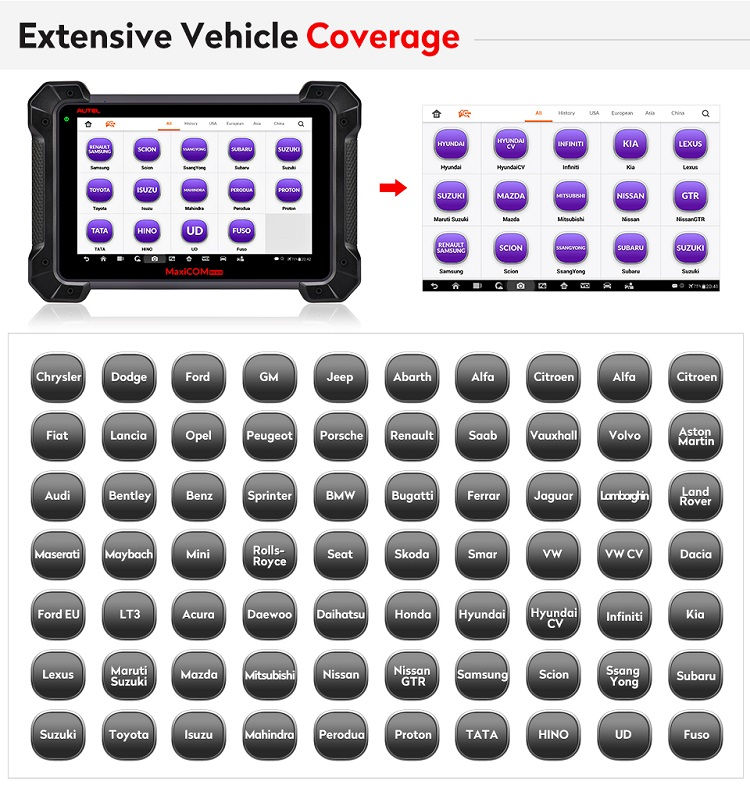
Chrysler, Dodge, Ford, GM, Jeep, Abarth, Alfa, Citroen, Fiat, Lancia, Opel, Peugeot, Porsche, Renault, Saab, Vauxhall, Volvo, Aston Martin, Audi, Bentley, Benz, Sprinter, BMW, Bugatti, Ferrari, Jaguar, Lamborghini, Land Rover, Maserati, Maybach, Mini, Rolls-Royce, Seat, Skoda, Smart, VW, VW CV, Dacia, Ford EU, LT3, Acura, Daewoo, Daihatsu, Honda, Hyundai, Hyundai CV, Infiniti, Kia, Lexus, Maruti Suzuki, Mazda, Mitsubishi, Nissan, Nissan GTR, Samsung, Scion, Ssang Yong, Subaru, Suzuki, Toyota, Isuzu, Mahindra, Perodua, Proton, TATA, HINO,UD, Fuso

8

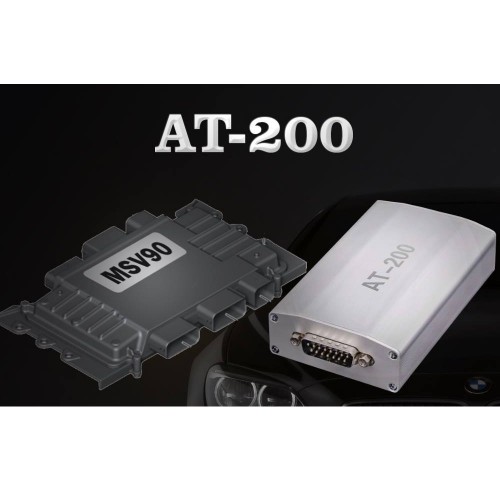
2019 CGDI BMW AT-200 ECU Programmer & OBD ISN code reader

BMW AT-200 ECU Programmer & OBD ISN code reader, imported product at cheaper price.

1.BMW ECU data read and write, clone (necessary for BMW ECU repair)
Effectively solve the second-hand ECU matching problem after the damage of the BMW ECU control unit. With CGDI BMW AT200, it can directly read the original car computer data and then clone it, it can read and write on almost all ECU types: MSV90 MSD85 MSD87 N20 N55 B38 B48 etc Engine clone.

Successfully made up the market for BMW ECU reading and writing equipment, saving high equipment costs

2.BMW IMMO ISN code reading via OBD(Necessary for car locksmith)
Can quickly solve the problem of data collection of BMW all keys lost, read and write without dismantling, which is more stable and more efficient.

If you want to program new key for BMW 3 Series, 5 Series, 7 Series , X5, X6, GT535, etc with six-cylinder engine, you must OBD read ISN code to program the key.

Can work with: Yanhua Digimaster3, CGDI BMW, VVDI, AP etc to program keys.

Save money: the same price of similar equipment is very expensive, around 60000USD.

This imported BMW AT200 is stable, high effective and easy-to-use because it passed through strict quality inspection.

Mercedes 271, Audi, Volkswagen 06J computer will be added in the next updates.

19040515544545226137

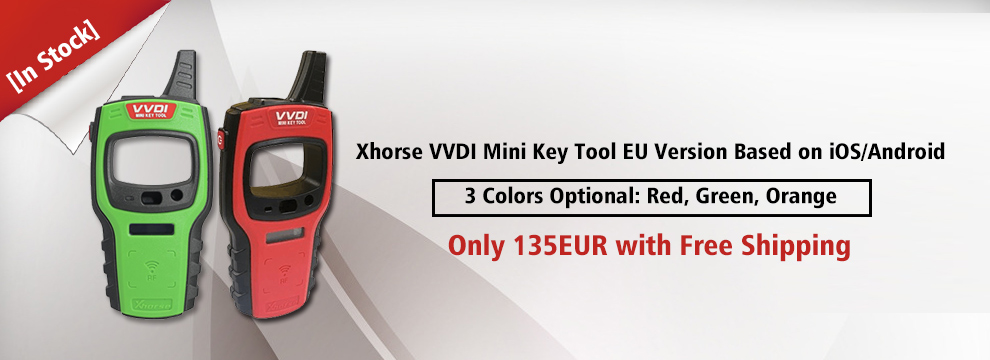
[In Stock]Xhorse VVDI Mini Key Tool EU Version Based on iOS/Android

Mini Key Tool Function Introduction:

Transponder Editing&Cloning
Detect most immobilizer transponder, edit and clone common transponder in the market

Transponder Generating
Support TP transponder & parts of special transponder more than 700 vehicle models, reduce the stock of transponders efficiently.

Remote Cloning
Support the HCS/Fixed code cloning, support non-HCS rolling code cloning, support PT22XX, LX918, HT6P20, VD5026, AX5326, HT12X fixed code editing.

Frequency Test
Support the power test within the range of 300-450Mhz

Remote Generate
Support 128 brands, over 2000 vehicle models. Generate more abundant and thorough key pictures, transponder types, key blanks and remote matching data.

Toyota H transponder
Activate Toyota H transponder generation function.


VVDI Mini Keytool VS VVDI KEY TOOL:

Similarities:

VVDI Mini Key Tool and VVDI KEYTOOL are the same in the aspect of remote and chip generation & copy.
Differences:

1. VVDI KEY TOOL can work alone, it can separately complete all functions except the online function such as 46 4D offline copy,
and it can perform online functions by connecting to the phone.

KEYTOOL has more functions than Mini key tool such as remote renew functions.

VVDI key tool supports Bluetooth.

VVDI key tool comes with big-capacity battery

2. VVDI mini keytool comes with no battery and no Bluetooth. Only after connecting to the phone can it works fine.


032904

How to use CGDI BMW programmer to do all key lost for BMW CAS3+?

BMW CAS3+ All Key Lost Programming by CGDI BMW

What You Need?

CGDI BMW MSV80 Programmer

CG100 Prog III

Procedures:

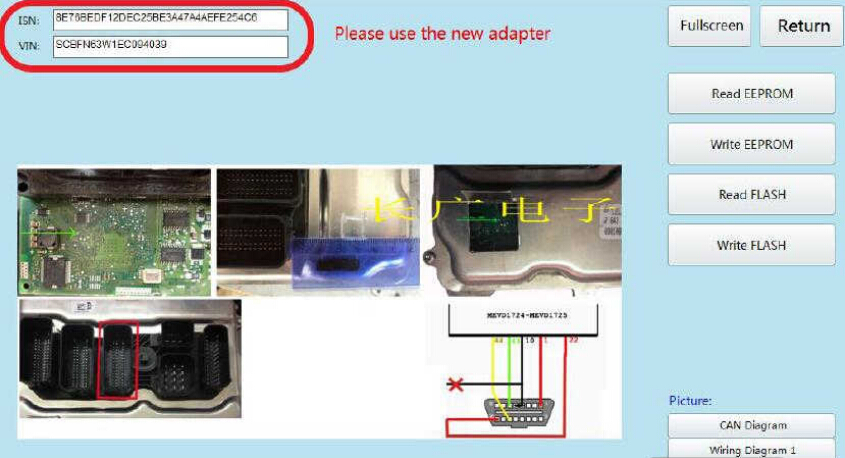
Step 1:Read ECU EEPROM

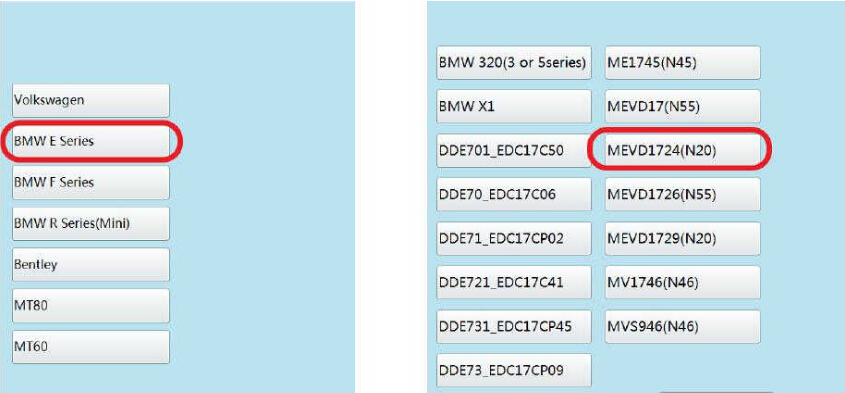
Run CG100 software,enter menu to select “ECU”

how-to-use-cgdi-bmw-programmer-to-do-all-key-lost-for-bmw-cas3-1

Select “BMW E Series”à”MEVD1724(N20)”

how-to-use-cgdi-bmw-programmer-to-do-all-key-lost-for-bmw-cas3-2

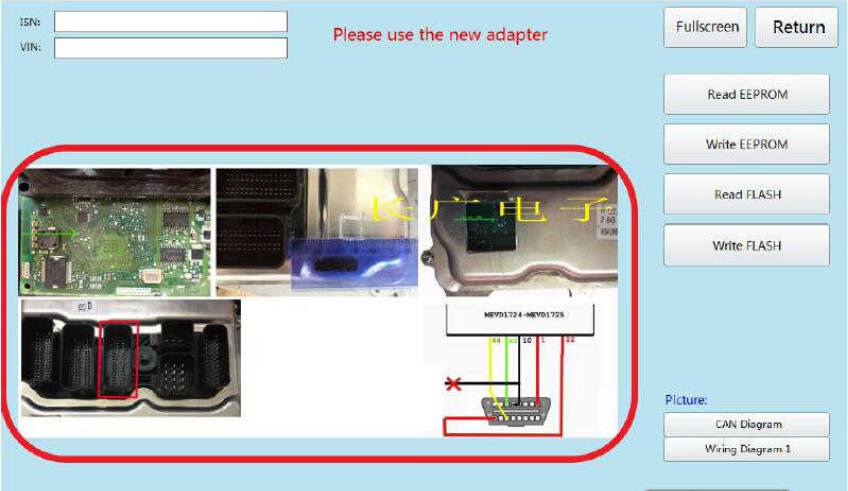
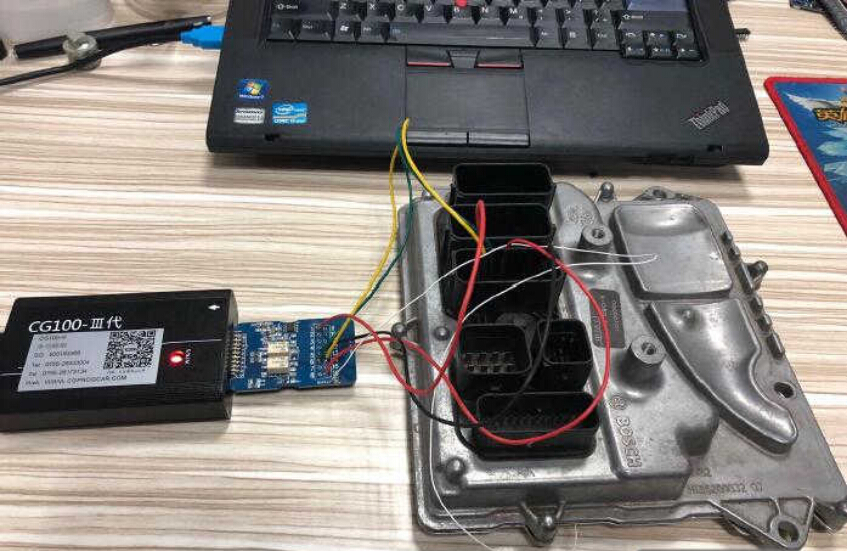
After then CG100 software will show the wire connection diagram as below,you need to build the connection according to the diagram.

how-to-use-cgdi-bmw-programmer-to-do-all-key-lost-for-bmw-cas3-3

how-to-use-cgdi-bmw-programmer-to-do-all-key-lost-for-bmw-cas3-4

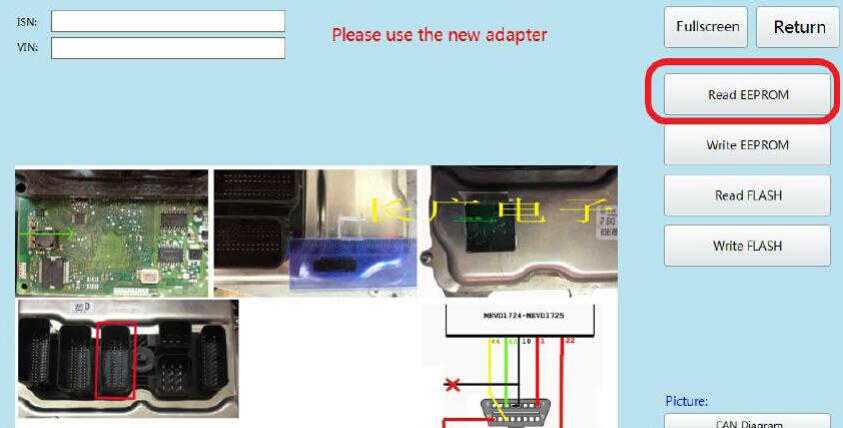
Click “Read EEPROM”

how-to-use-cgdi-bmw-programmer-to-do-all-key-lost-for-bmw-cas3-5

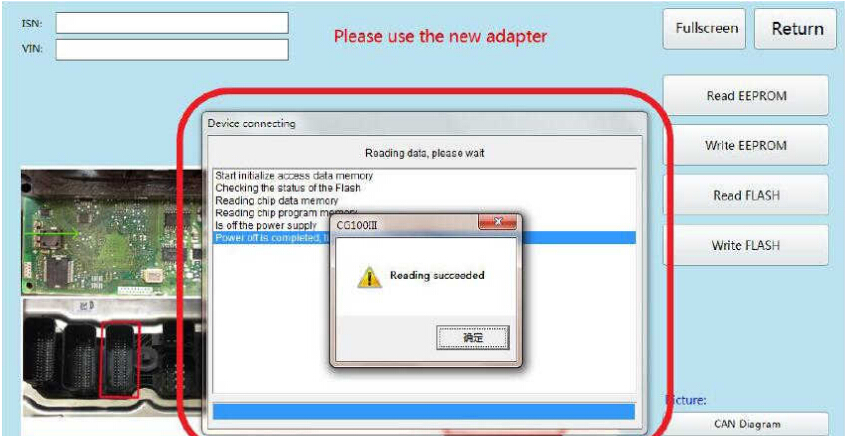
After data reading successfully,save the EEPROM data on your laptop.

how-to-use-cgdi-bmw-programmer-to-do-all-key-lost-for-bmw-cas3-6

Now you can see the ISN and VIN here:

how-to-use-cgdi-bmw-programmer-to-do-all-key-lost-for-bmw-cas3-7

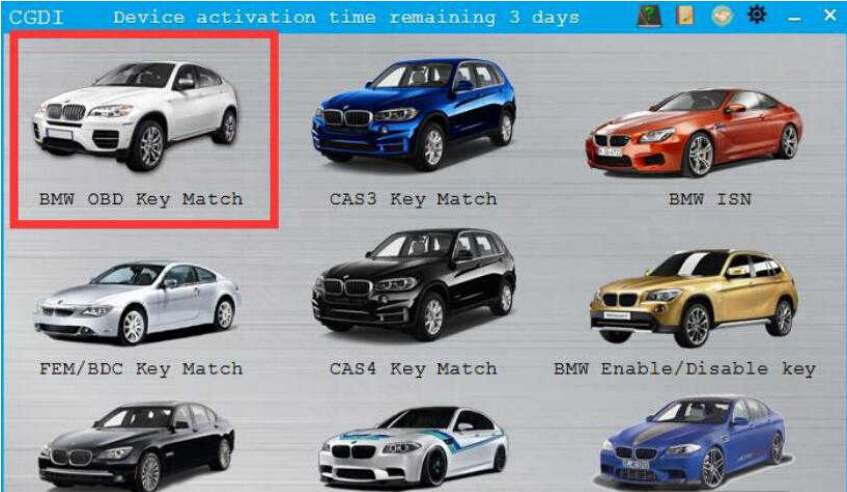
Step 2:CGDI BMW Programming Key

Connect CGDI BMW Programmer to vehicle by OBD port,then select “BMW OBD Key Match”

how-to-use-cgdi-bmw-programmer-to-do-all-key-lost-for-bmw-cas3-9

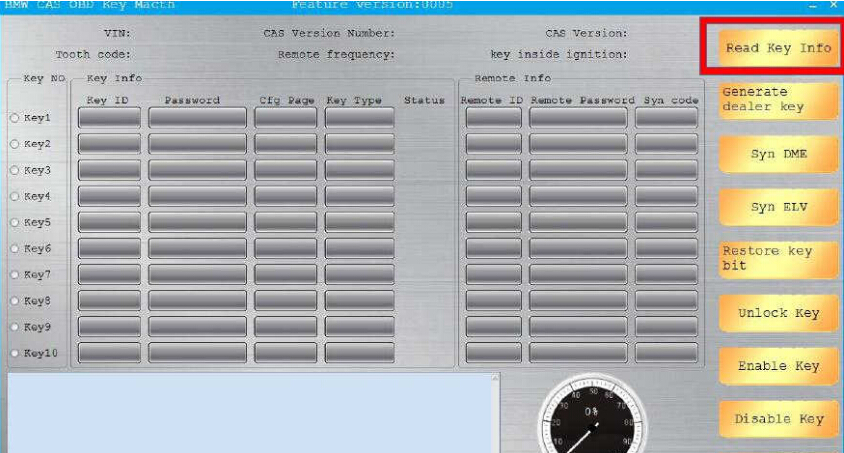
Click “Read Key info”

how-to-use-cgdi-bmw-programmer-to-do-all-key-lost-for-bmw-cas3-10

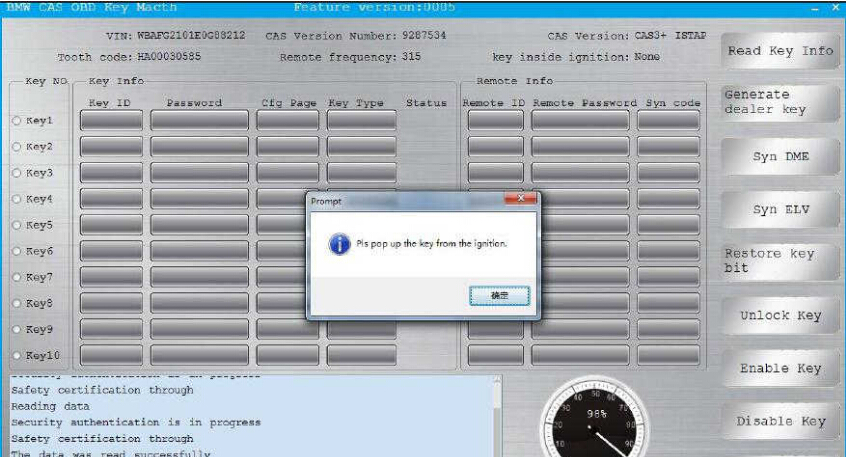
Pull out the key from the ignition when it prompt you as below massage

how-to-use-cgdi-bmw-programmer-to-do-all-key-lost-for-bmw-cas3-11

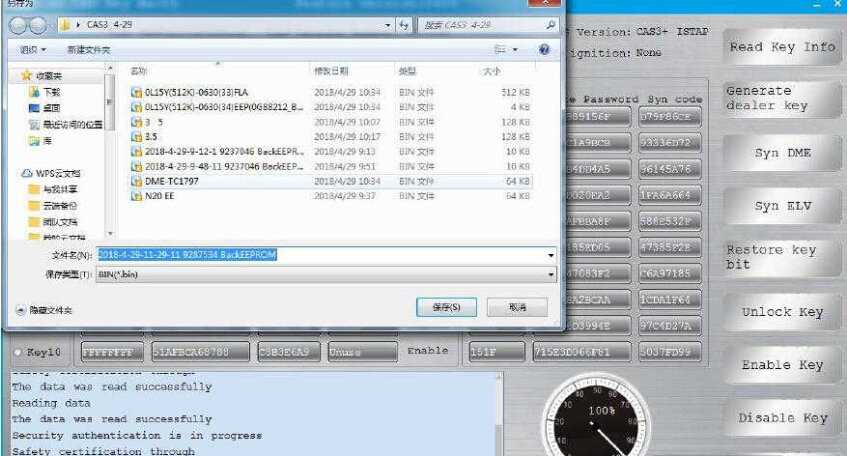
Then save the data file

how-to-use-cgdi-bmw-programmer-to-do-all-key-lost-for-bmw-cas3-12

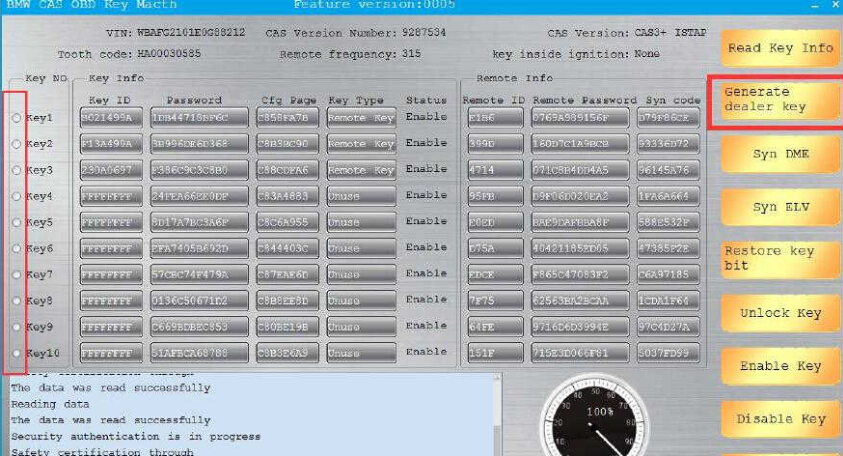
Select the key position to program and then click “Generate dealer key ” to continue

how-to-use-cgdi-bmw-programmer-to-do-all-key-lost-for-bmw-cas3-13

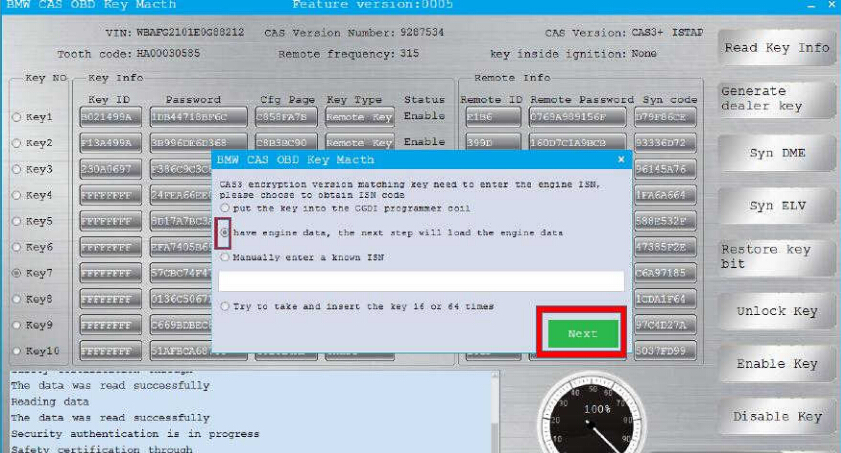
Now,here it will prompt you to enter ISN

Select “have engine data,the next step will load the engine data”

how-to-use-cgdi-bmw-programmer-to-do-all-key-lost-for-bmw-cas3-14

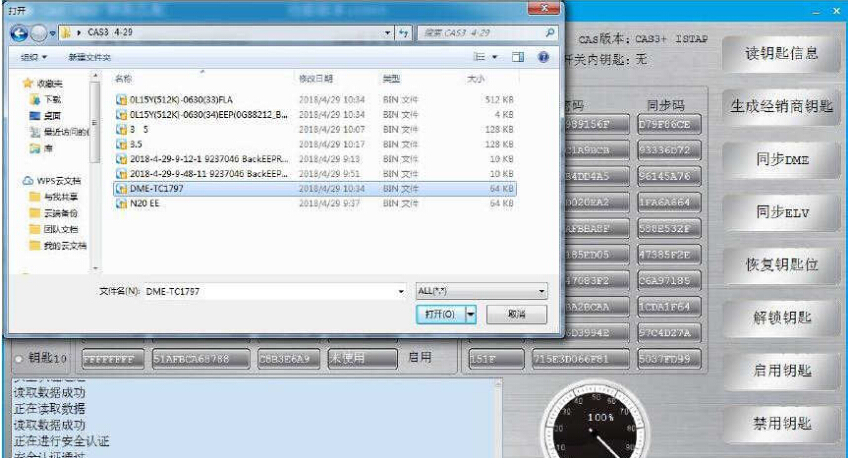
Load the engine data read out the CG100 in step 1

how-to-use-cgdi-bmw-programmer-to-do-all-key-lost-for-bmw-cas3-15

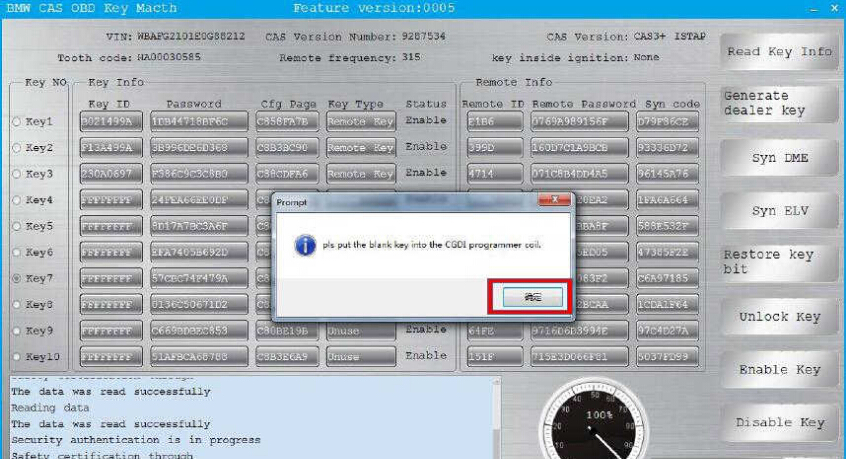
Put the new blank key into the CGDI BMW coil,then click “OK” to continue

how-to-use-cgdi-bmw-programmer-to-do-all-key-lost-for-bmw-cas3-16

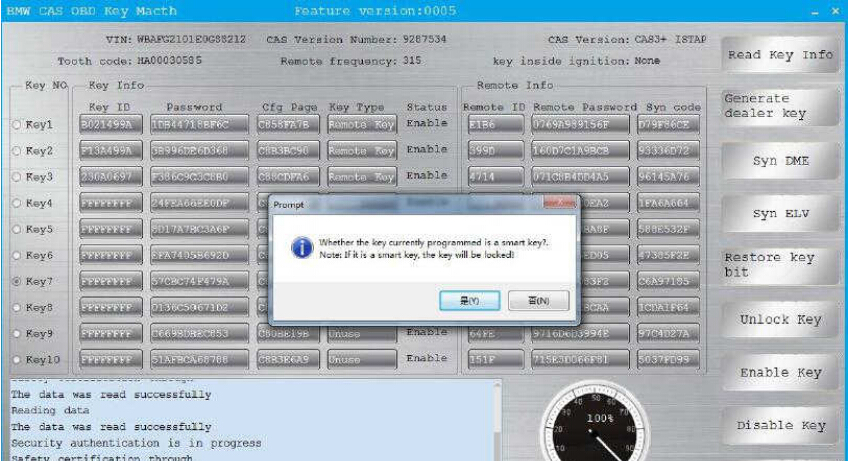
It will prompt you that “Whether the key currently programmed is a smart key”

Note:If it is a smart key,the key will be locked.

Click “No” to continue

how-to-use-cgdi-bmw-programmer-to-do-all-key-lost-for-bmw-cas3-17

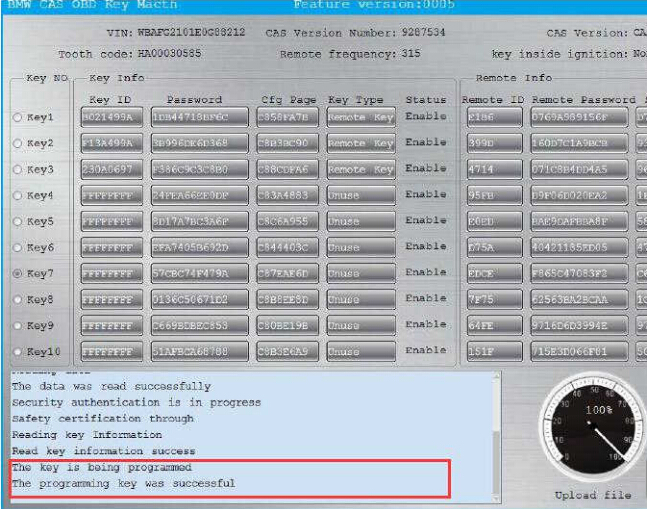
Wait a second minute,it will show the programming key was successfully

how-to-use-cgdi-bmw-programmer-to-do-all-key-lost-for-bmw-cas3-18

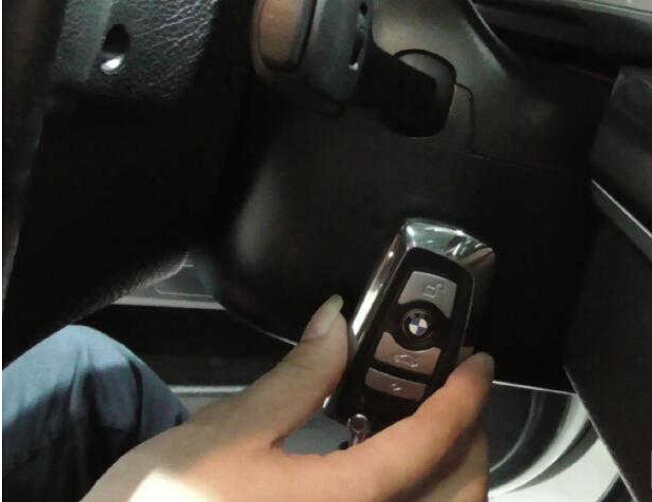
After learning,it can be used normally.

how-to-use-cgdi-bmw-programmer-to-do-all-key-lost-for-bmw-cas3-19

Done!

Land Rover & Jaguar JLR SDD VMware Images Download Free

Free Download Land Rover Jaguar SDD VMware:

Land Rover-Jaguar SDD VMware.
JLR SDD download: https://mega.nz/#!dFVF3CqD!wPsCBxQWmAhkgumPkqSCEImJ4GTDTiRc1vOXkDRgWi8

Activated, not tested with interface.

Please use Vmware 15 , when open first time click I moved.
VMware v15 download: https://mega.nz/#F!5Zsw0KLI!GI88kqwLmRJo8iiOA4i0FA

Latest vmware 15 pro with activation included.

Free for all.

The advantages are simply that you don’t have to spend hours installing on old past their prime laptops with dodgy batteries liable to die while your flashing something on your car. Also i have included Mongoose toolkit in the VM that will auto flash the correct firmware into your cable for the version of SDD your using.

These can be ran on any system that can also run Oracle’s Virtualbox. That includes Windows, OSX and Linux machines. You don’t need a particular beefy laptop either.

1.How to install

a. Install your version of Virtual-box. Virtual-box for Windows PC or OSX for Apple Mac
b. Go to file and Import Appliance and select one of the two images you downloaded
c. Sit back, maybe put the kettle on.
d. You can now if you want, right click on the image and create a clone. So you have a backup.
e. Double click the file that now appears called WinXPJLR 130 or WinXPJLR 138 (which ever one you used). It should now load up windows XP in a window

2. How to use JLR SDD in a VMware

a. You should now have a window running XP. If you are using Version 130. A black window will appear. That is the auto script to set the date and time to 01/08/2012 each time you start it. It needs that date for the password and account to work. Just click in the black box and press a key.
b. Any windows boxes that pop up to search for hardware. Just cancel. Its looking for the drivers of hardware you don’t have. Ignore.
c. Plug your mongoose into the car and the other end into the laptop. Turn the ignition of your car to position 2. Go to devices on the top of the image, USB and select the mongoose. Should be Drews!
d. Now one of two things will happen. It will automatically detect the mongoose and update the firmware on the device or not. If not then double click on the icon for Mongoose JLR Configuration.
You should see your mongoose in the white panel in the configuration menu. Select it and flash firmware.
(It will send the right firmware to be compatible with the version of SDD you are using. If you use a different version of SDD. It will flash whatever one you need)
e. Now if you want to you can change the resolution of the virtual XP just like normal windows. I have set it at a low 800×600 so it is compatible on everyone’s screen resolution. So right click on the window and adjust to your own laptops specifications. If you press RIGHT CONTROL BUTTON and C for scaled mode or RIGHT CONTROL BUTTON and F for full screen mode.
d. Now double click on JLR SDD. It should now load up Internet explorer (yes it is browser based!!). If it fails to load, close the browser and stop the application. Double click again Jaguar SDD, and it will load.
f. If you are confronted with the password screen only with Version 130. Which sometimes happens? It is below
(Also there is a password.txt on the VM images desktop with it)
USER ID – JLR9A8172
Password – L538X760
Then press identify
g. You should be now confronted with the vehicle identification number (VIN) screen. If read is greyed out. Then your mongoose is not talking to the car.
Is it plugged into the car and laptop?
Is the car ignition in position 2?
Did the mongoose configuration tool flash the firmware?
Did you activate USB in the image?
If you followed all my steps to the vehicle identification number (VIN) screen. The read option should be coloured. Select it and it will retrieve your VIN, and then you’re on your own adventurer!

Good to know: it’s risky!!!

For sake of security, tested SDD is your way to go.

JLR SDD diagnostics & programming – tested OK!

http://www.carobd.de/wholesale/jlr-sdd2-diagnose-and-programming-tool.html

JLR SDD diagnostics – tested OK!

http://www.carobd.de/wholesale/jlr-mangoose-sdd-pro-v139-jaguar-and-land-rover.html

JLR SDD online programming – tested OK!

http://www.carobd.de/wholesale/jlr-doip-vci-sdd-pathfinder-interface-for-jaguar-land-rover.html