www.carode.de is doing March promotion.
Storewide Default Discount 6% Off
Shop Now, Save more

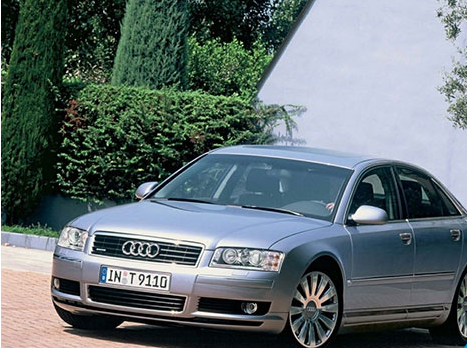
Digiprog 3 v4.94 odometer correction tool how to use for Audi A8 (2003-). Here are notes for you all, of Tacho meter value
Audi A8 (2003-)
Diagnostic connection is located in the cabin
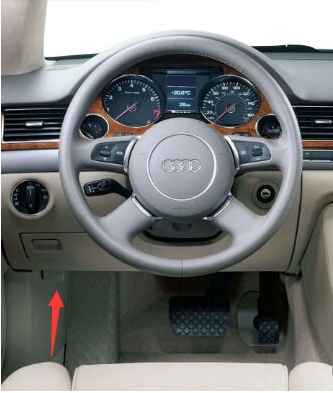
Connect Diagnosis Port with DP3 cable of Plug 16
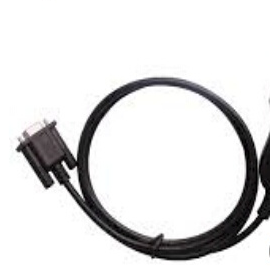
Ignition on
Connect the DigiProg 3 main unit to Plug 16
The DigiProg needs no separate electricity supply; it is supplied via the diagnosis port
Follow DigiProg3 v4.94 instruction and change KM

Enter KM value and confirm Entry
Audi A8 mileage correction completed!
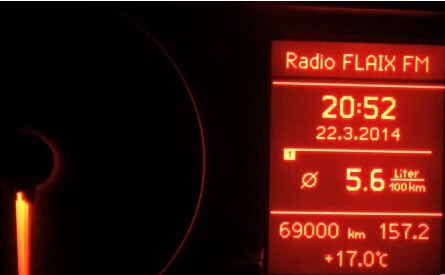
Before:
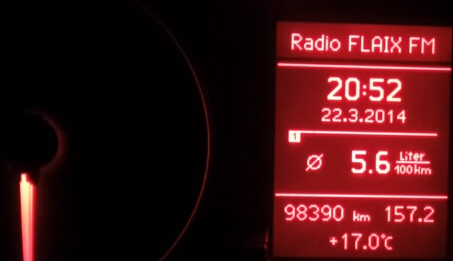
After:
Job’s done!
Note: If error message “Access denied” pops up, pls. choose:
PKW/LKW-Audi-A8-2003-(4E) 1. Flash Cxxx/
Dxxx
Confirm with Hook
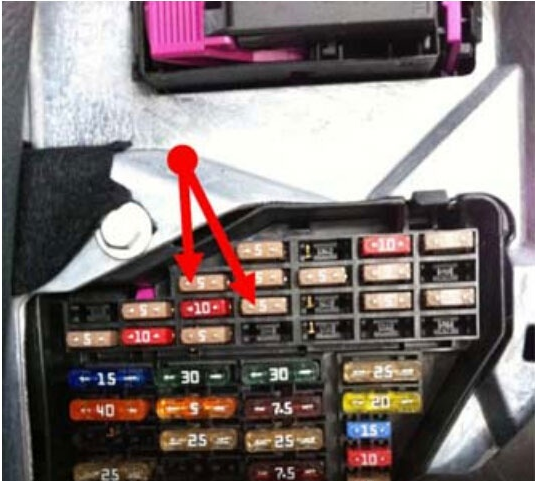
Remove fuse 5 + 10
Wait approx. 5 seconds
Reinstall fuse
if tacho meter is dark
Switch Ignition on and off
Choose program:
PKW/LKW– Audi—A8-2003-(4E) Diag
Enter KM value and confirm Entry.
Here are customer feedback and FAQs on the Super SBB2 full activation key programmer, mileage programmer, Oil/service Reset/TPMS/EPS/BMS Handheld OBD2 scanner.
“This is very latest tool can do OBD mileage and keys on 2016 Range Rover, 2015 Ford Ranger etc. Also does keys when all keys lost on most including Focus ST keyless etc, and electronic handbrake etc. What a star a great piece of kit for all”— comment from Jim.
Test Photo attached below:
The function menu
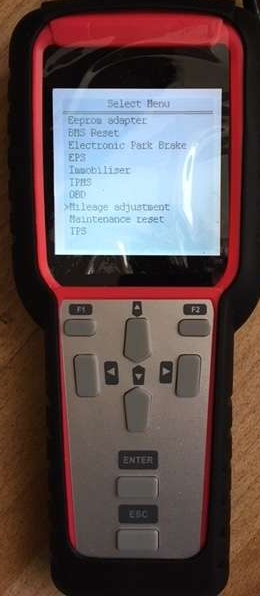
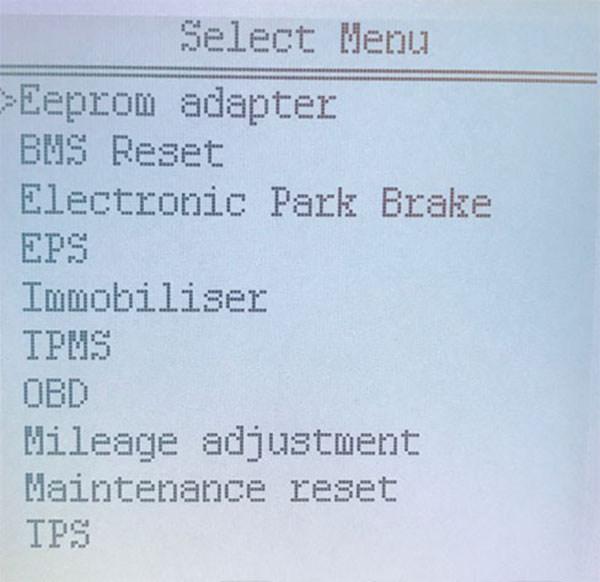
mileage correction cars, i see Porsche, Proton, Renault …
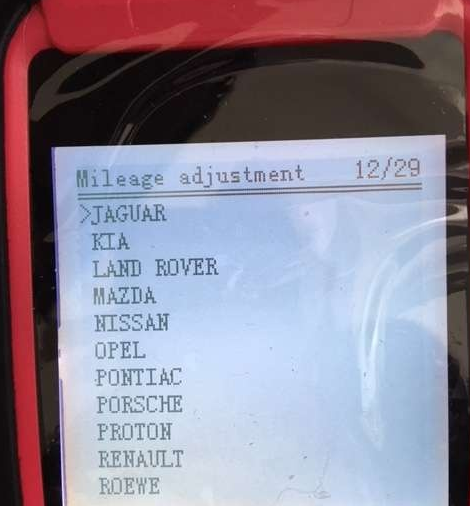
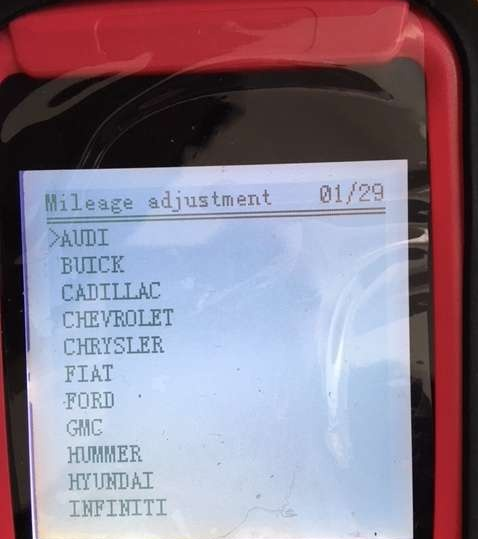
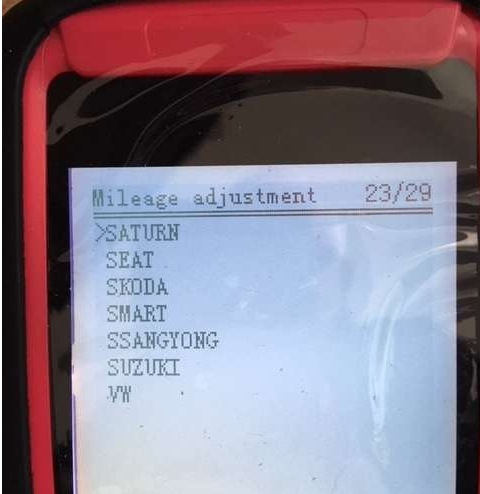
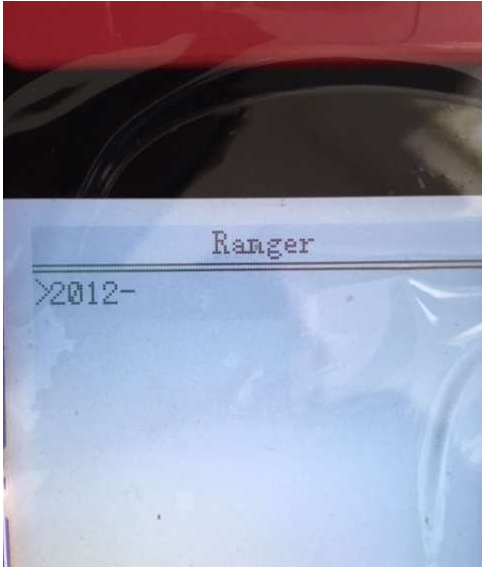
Ranger
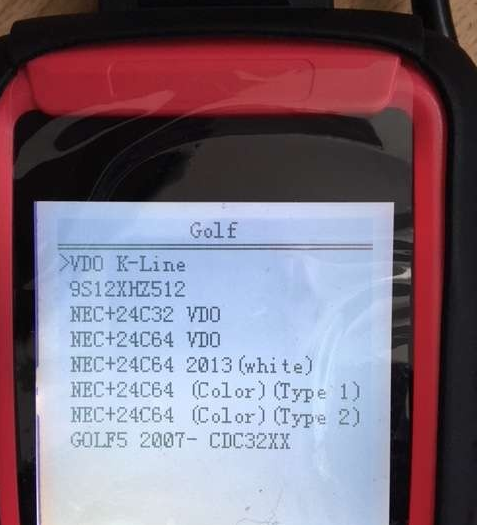
supports Golf 9S12XHZ512, NEC+24C32 VDO, NEC+24C64 VDO odometer correction
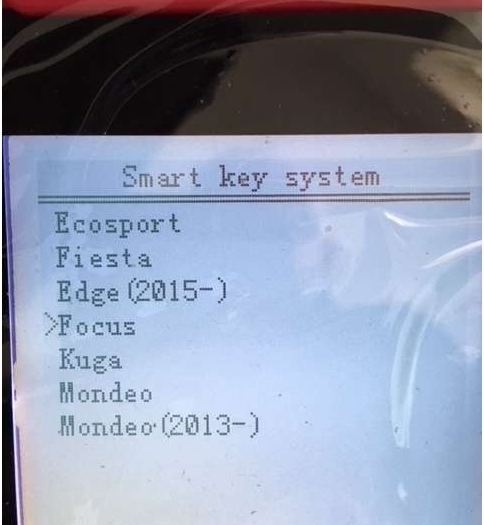
Ford smart key system

Super SBB2 Key Programmer FAQ:
Q: 2014 range rover vogue supercharged OBD correction ?
A: Yes, SBB2 works on this model.
Q: Will it work on Nissan sentra?
A: Yes. it works.
Q: Does it support Spanish?
A: Sorry, only English is supported.
Q: Can i update software online?
A: Sorry, the SBB2 cannot be updated.
Q: What is the usb dongle used for?
A: The USB dongle is used to connect TF card with computer.
SUPER SBB2 Key Programmer Vehicle Coverage:
Immobiliser: ACURA, AUDI, BAIC, BESTURN, BRILLIANE, BYD, CHANGAN, CHANGHE, CHERY, CHRYSLER, CITROEN, DFLZ, DFPV, DS, FORD, GEELY, GM, GREATWALL, HAFEI, HAIMA, HAWTAI Motor, HONDA, HONGQI, HUAPU, HYUNDAI, INFINITI, JAC, JAGUAR, KIA, LANDROVER, LEXUS, LIFAN, LINCOLN, LUFENG, MAZDA, MG, MITSUBISHI, NISSAN, OPEL, PEUGEOT, PORSCHE, RENAULT, ROEWE, SAIC ENGLANG, SEAT, SKODA, SMART, SSANGYONG, SUBARU, SUZUKI, TOYOTA, VW, YOUNGLOTUS, ZZMAZDA, ZZNISSAN;
OBDII: OBDII V20.80 for diagnose
BMS REEST: V18.13
Electronic Park Brak: V22.71
TPMS: V19.20
TPS: V27.66
Odometer: AUDI, VW, BENZ, Chrysler, Ford, GM, Porsche, Skoda, Seat
And the more cars’ software will be released.
This article focus on the topic of adding new key and programming new key(all key lost) for Ford Mustang by Lonsdor K518 Programmer.

Vehicle info:
Ford Mustang 2016
Chip type:common 4D63
Remote frequency:433Hz
Key blank:38
OBD port location:Under steering wheel
Procedures:
1 Adding smart key
Turn off the ignition,and open the driver side door then close.

The Lonsdor K518 will read out the vehicle info,include keys amount,authorized code.
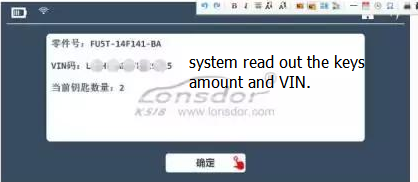
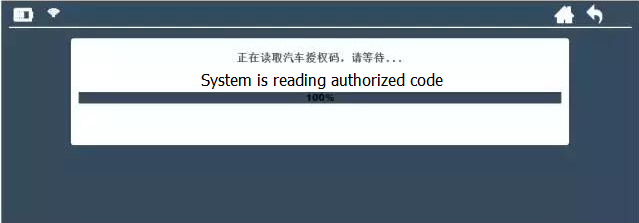
Reading authorized code.
Please insert the smart key into the card slot(Inducing fields),press start button.
Location of Inducing fields:
1 Beside the armrest box
2 Inside water cup holder
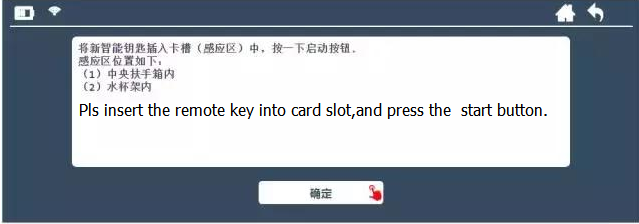
Then the system will add the key into the immobilizer system automatically.

2 Smart key all key lost
This operation is similar as adding smart key.You need pay attention,for all key lost function,you need at least two keys to program.
Turn off the ignition,and open the driver side door then close.
The Lonsdor K518 will read out the vehicle info,include keys amount,authorized code.
Please insert the smart key into the card slot(Inducing fields),press start button.
Location of Inducing fields:
1 Beside the armrest box
2 Inside water cup holder
After first key programming complete,insert second key into card slot to continue.
Then K518 will show the programmed keys,it suggest that programming complete.
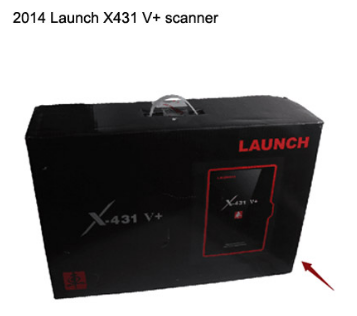
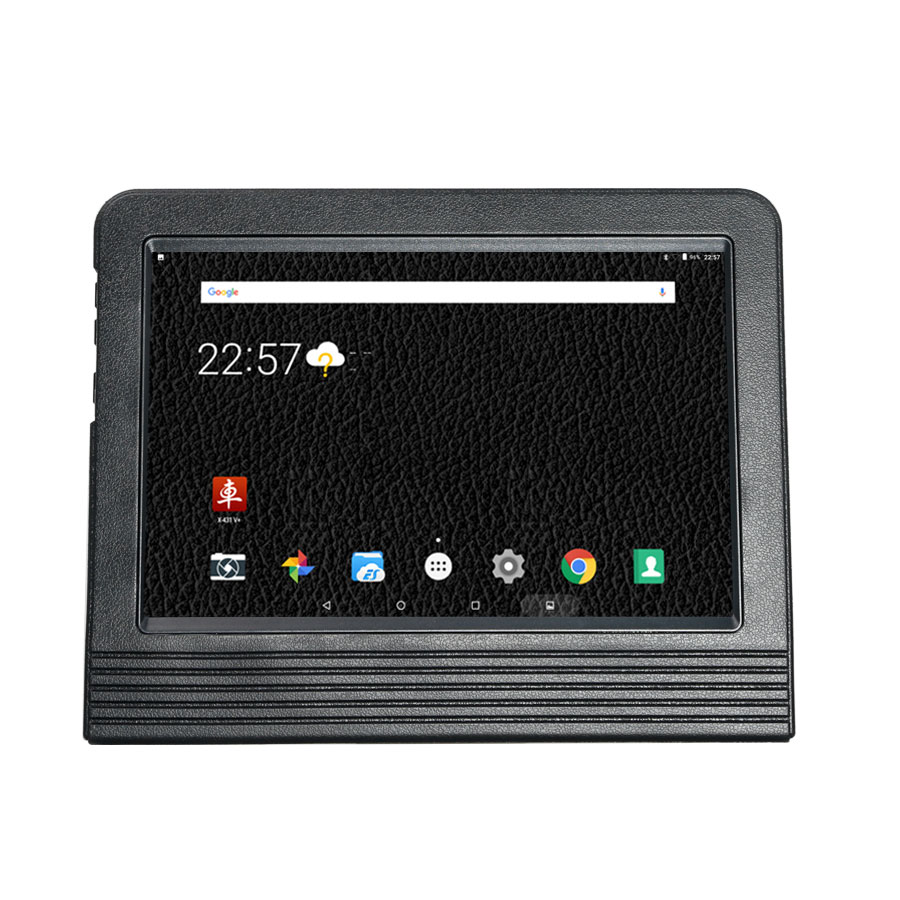
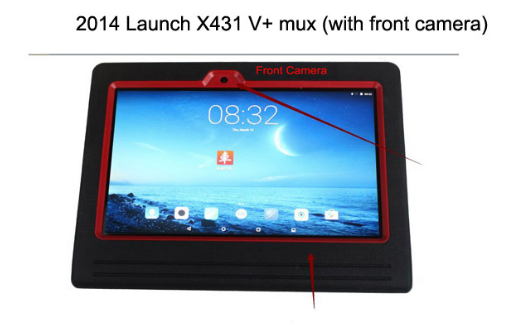
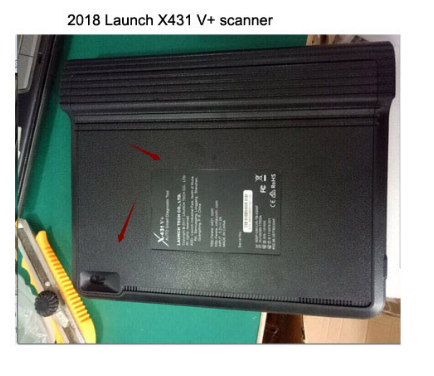
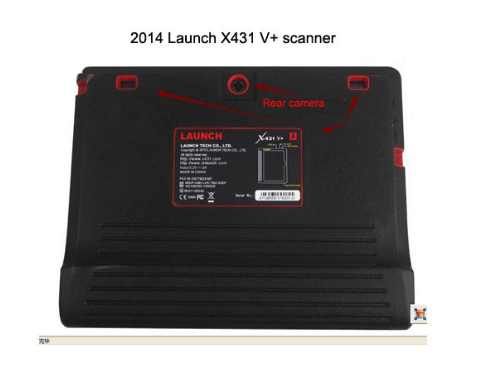
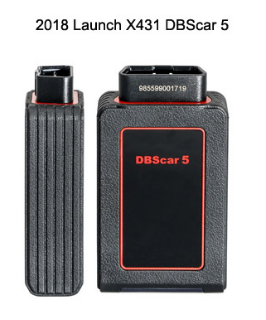
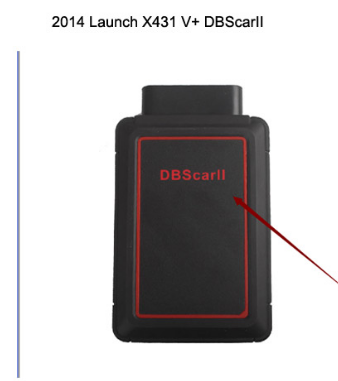
The big difference between 2018 Launch X431 V+ and 2014 Version is the outlook design i.e package box color, front camera, rear camera, DBSCARII outlook, etc.
Here we go for details.
2018 Launch X431 V+full package looks like this:
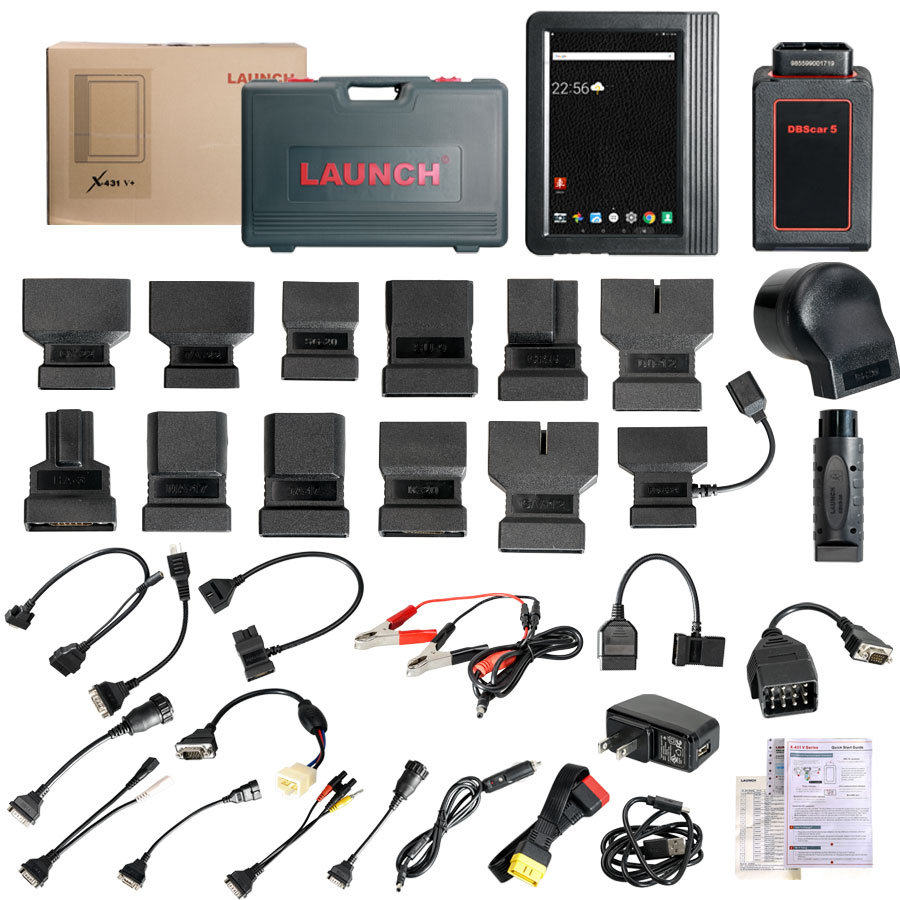
2018 Launch X431 V+package color is white not Black.

2018 Launch X431 V+Mux has no front camera
2018 Launch X431 V+Mux back comes without rear camera.
2018 Launch X431 V+DBSCAR5 and 2014Launch X431 V+ DBSCARII
For more 2018 Launch X431 V+ update, browse:
http://www.carobd.de/wholesale/launch-x431-v-wifi-bluetooth-global-version-full-system-scanner.html
Lonsdor K518ISE pin code reading coverage on Renault, Citroen & Peugeot:
for Renault pin code coverage, the Renal system has fixed pin code to choose, Renault Immobilizer System 2 only for Renault Koleos after 2011 year which needs to remove the immo;
for Citroen and Peugeot pin code coverage, the old type is not supported, for example, 206 and 207.
Lonsdor K518ISE Renault coverage:
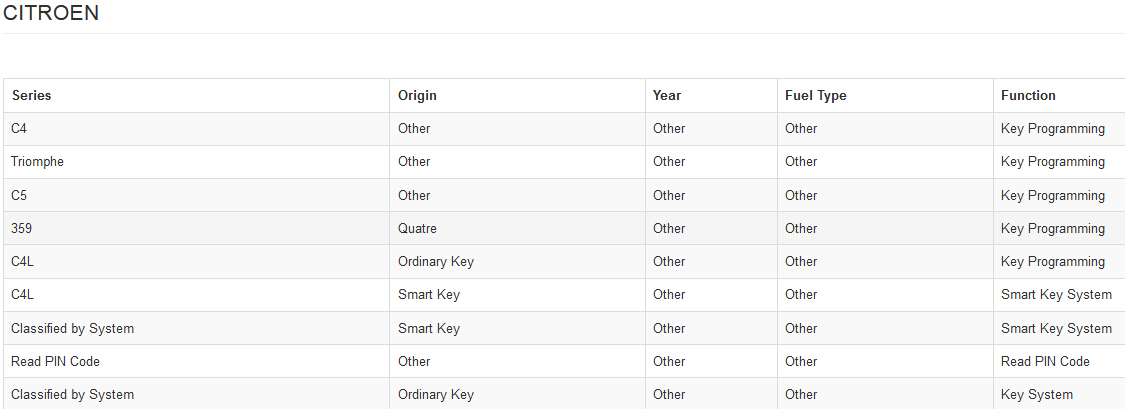
Lonsdor K518ISE Citroen coverage:

Lonsdor K518ISE Peugeot coverage:

The above coverage is for reference, any questions click on www.carobd.de and click Live Support to get instant reply, or contact email at Sales@CarOBD.de for best price.
How to install john deere service advisor 4.2.005 with the February 2016 data base disks on a machine with win 10 64bit.
1/you must have enough disk space to download the full set of February 2016 data base (52Gb); it comes with seven iso images and the SA4.0 image and a February 2015 update which you don’t need and of course the activator.
2/use an iso mounter software to mount the SA4.0 image to a virtual drive.
3/browse to the setup file in your virtual drive and run it as administrator
follow the steps (it will prompt for a username and password use those of your windows user account if you’re under 7-8 or 10 windows version)
it will take a while! don’t turn off the computer and don’t worry about the incompatibility messages that windows will show you during the installation process specially for the SQL 2005 server installation.
4/after completing the installation of the SA4.0 reboot the computer and set back the system time to mars 2016.
5/mount the first iso image of the data discs to a virtual drive, browse the sauce folder and run setup file as administrator; wait for it to complete the installation it will launch the SA 4.2.005 at this step you may have a message that the SA 4.2.005 is not capable of launching the search engine don’t worry close it and go to task manager (ctr+alt+sup)
click on services and look for the LightweightIDOL service if it’s stopped than run it.
6/run the activator as administrator and activate the service advisor; don’t use the prolongation tool at this step!.
7/now go to the task manager again and look for the SAupdater service and disable it.
8/re-open the service advisor, click the accept button for the license agreement, and configure the path for the data access you can use the mapping for a virtual drive choice to map each data disc image to a virtual drive it will take more than an hour to load all the data disk.
it will ask you for scheduling the update choose the end of the week and create the task.
9/Now close the SA, use the activator again but this time just use the prolongation tool choose 9000 days or whatever you want.
10/Look for the task scheduler and run it, choose the SAupdate task and modify the time for the task to begin to 2030 or whatever you want.
11/reboot the computer and set back the time machine to the actual time, launch SA and everything must work ok.
if you have any trouble than you messed something just clean up and reinstall.
-Thanks to @sami.zaltni (MH forum)
Where to buy john deere service advisor 4.2.005?
You could get it on www.carobd.de.
Contact email at Sales@CarOBD.deto order john deere service advisor 4.2.005, this version is already tried on WIN7 32bit successfully, try Win10 64bit at your own luck.

Here you could own john deere service advisor 4.0 CCE 2.8 CF at best price:
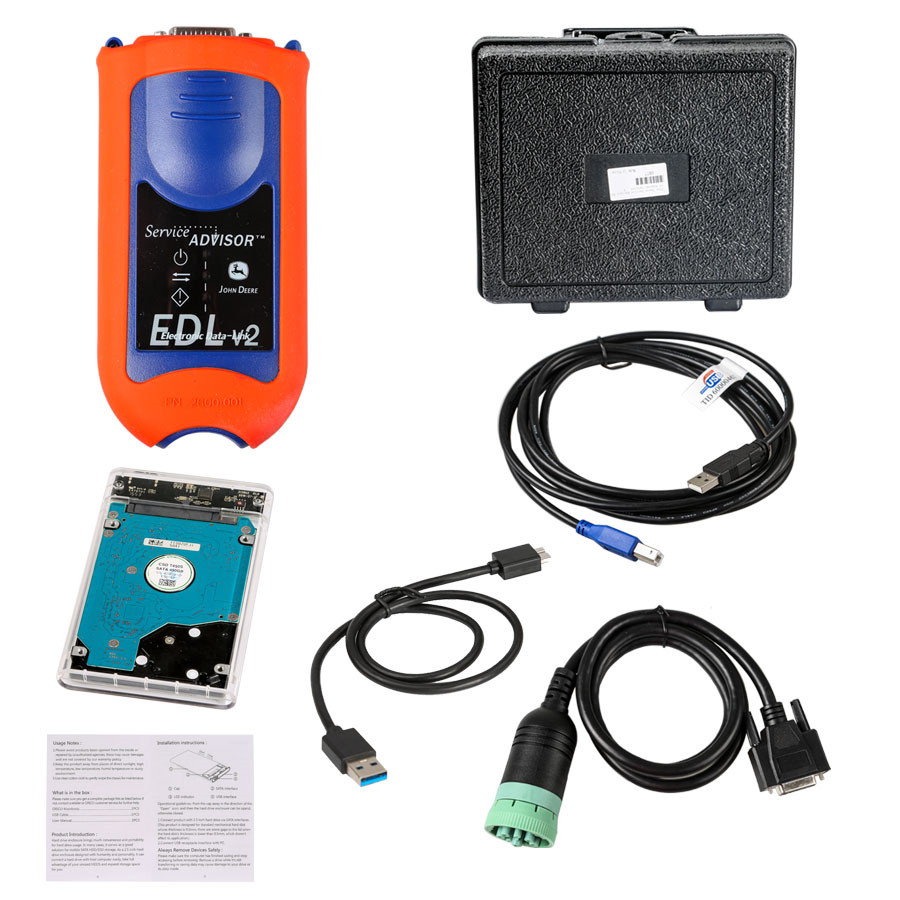
http://www.carobd.de/wholesale/john-deere-service-advisor-edl-v2-diagnostic-kit.html
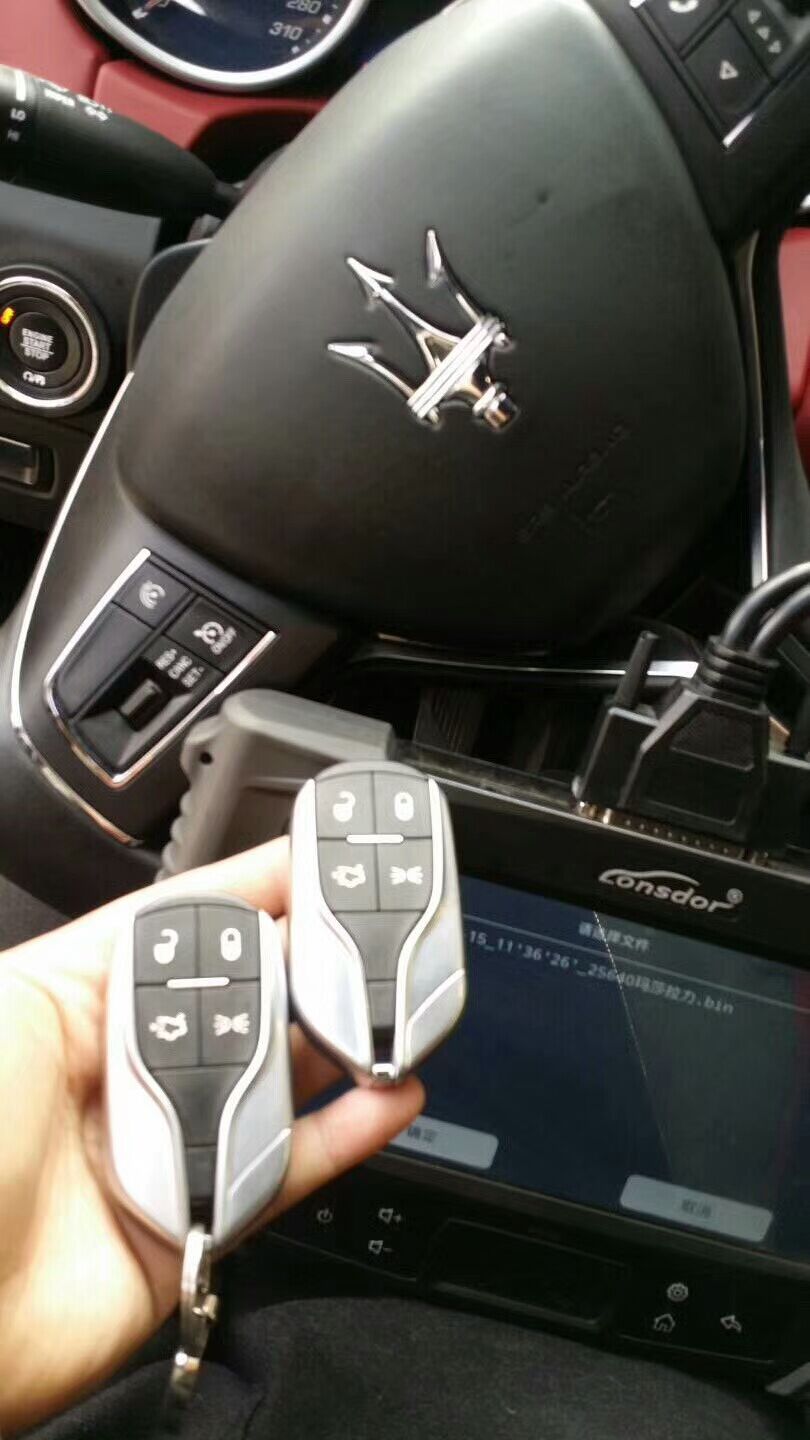
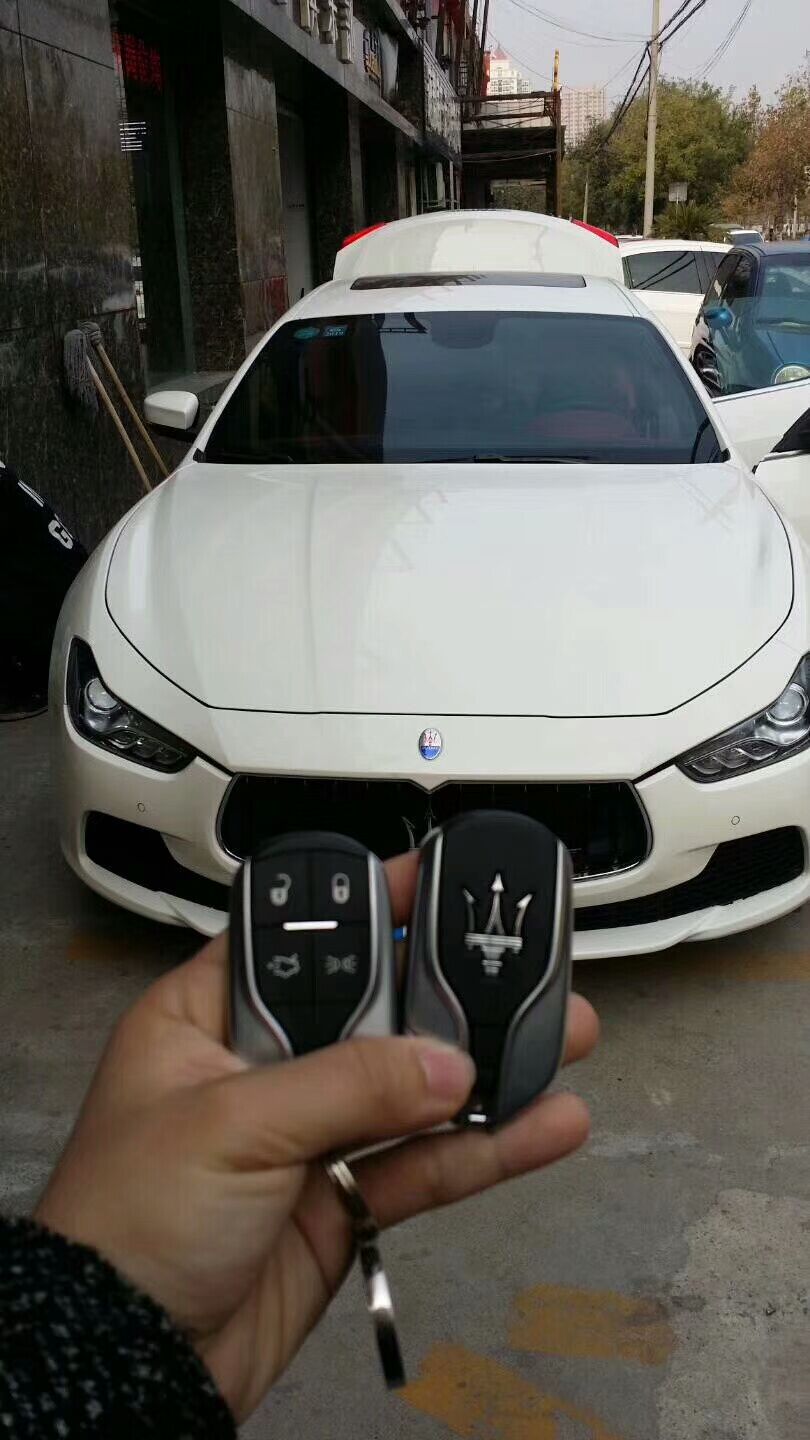
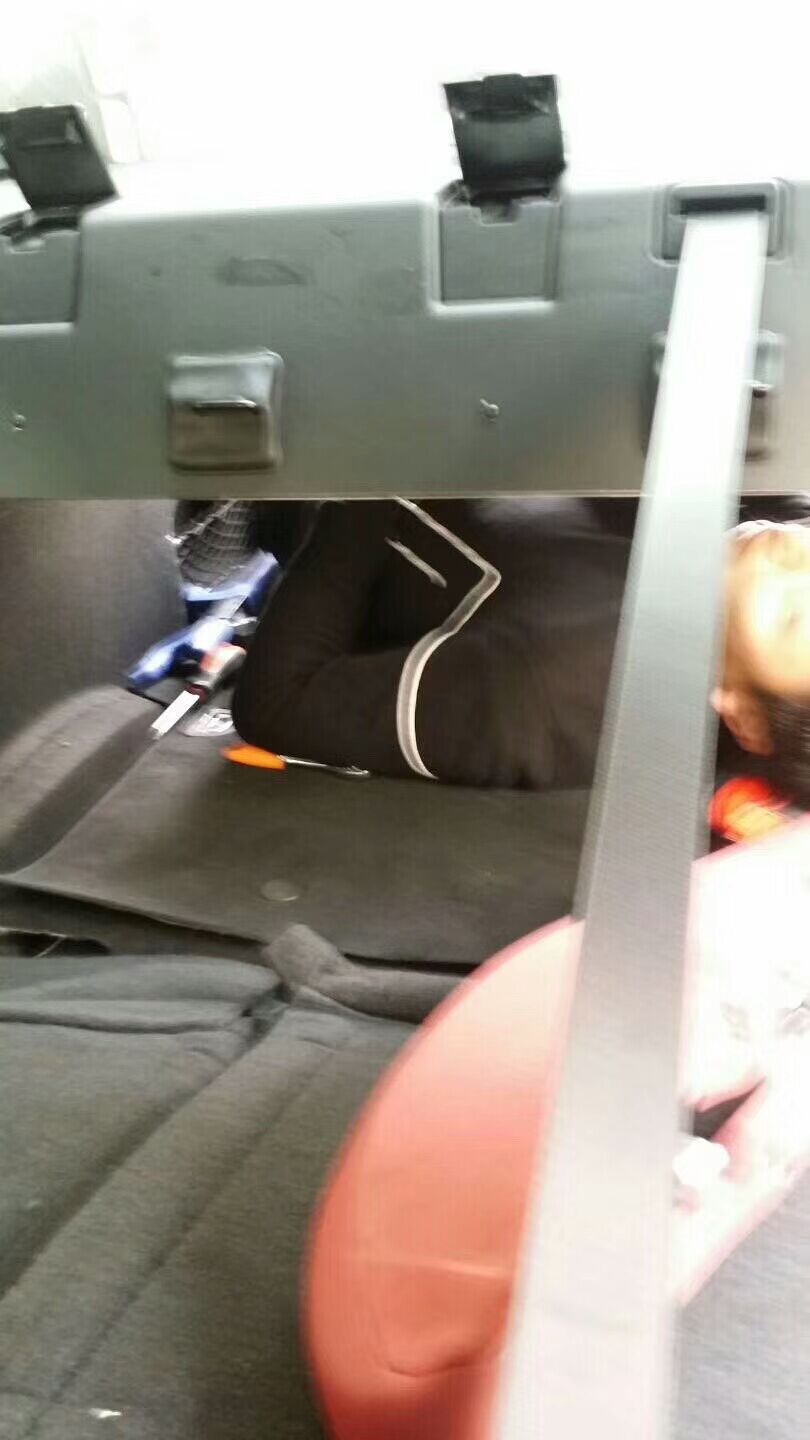
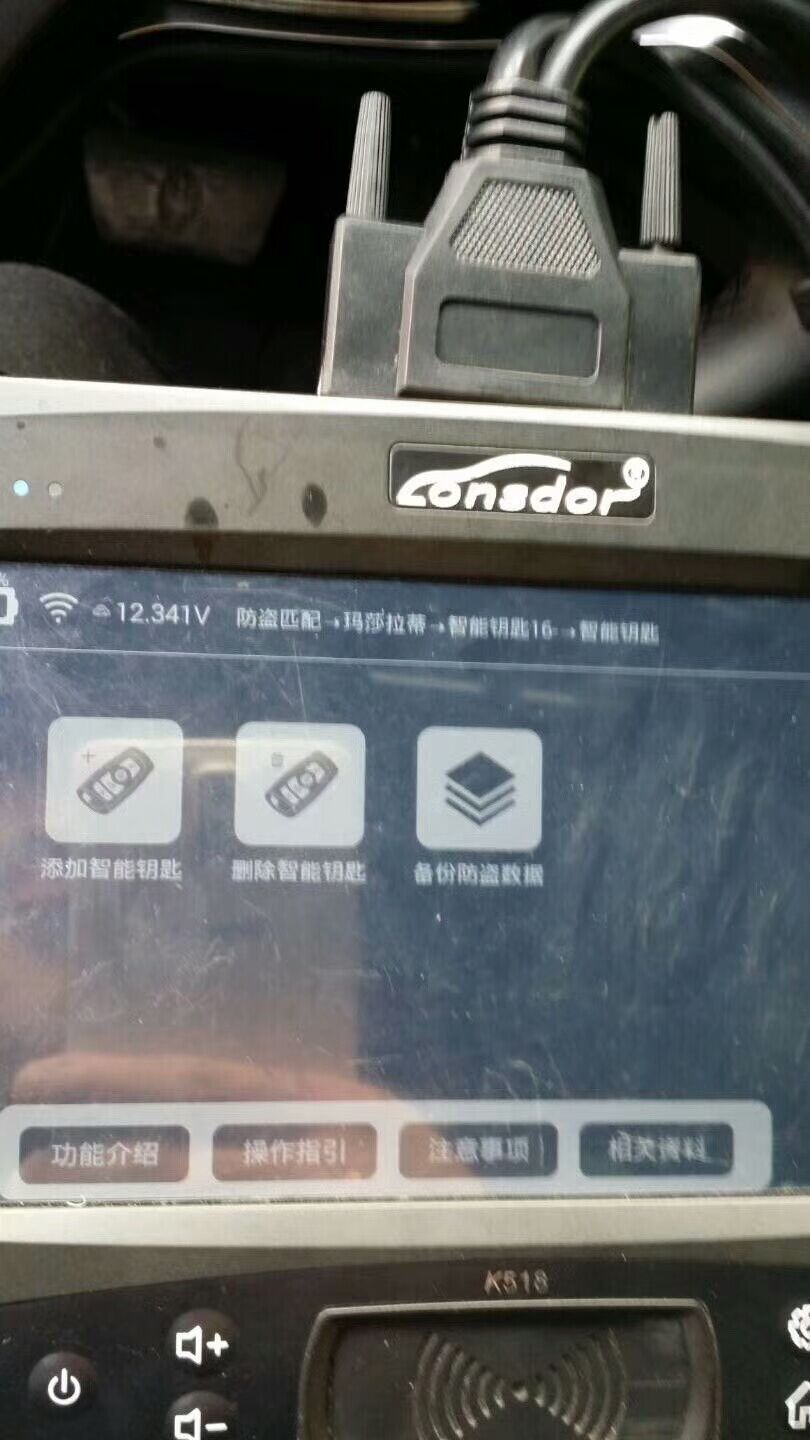
Today Lonsdor Engineers use K518 to add smart key on Maserati Ghibli 2017 with success.
Pictures mean a lot.


The product is on promotion:
http://www.carobd.de/wholesale/lonsdor-k518ise-key-programmer.html
Benz Monster updated software V2.0.0.0 on 11th Nov 2017:
add content:
1.Calculate the erase password function (including the engine computer, ISM computer, EGS computer, ELV)
2.Calculate the key to enable the password function (you can directly use the disable key)
3.Erase the lock function (support CAN protocol, K-line protocol)
4. write lock data function
5.Write frame number function
6.Activate the lock function
7.Clear the TP protection function
8.Calculate the key current track code function
9.Add to determine whether the dealer lock
10.Fix problems that can cause the program to crash under certain conditions
11.Optimization part pop-up prompt box to enhance the stability of the program
12.increase some tips, the operation experience more accurate
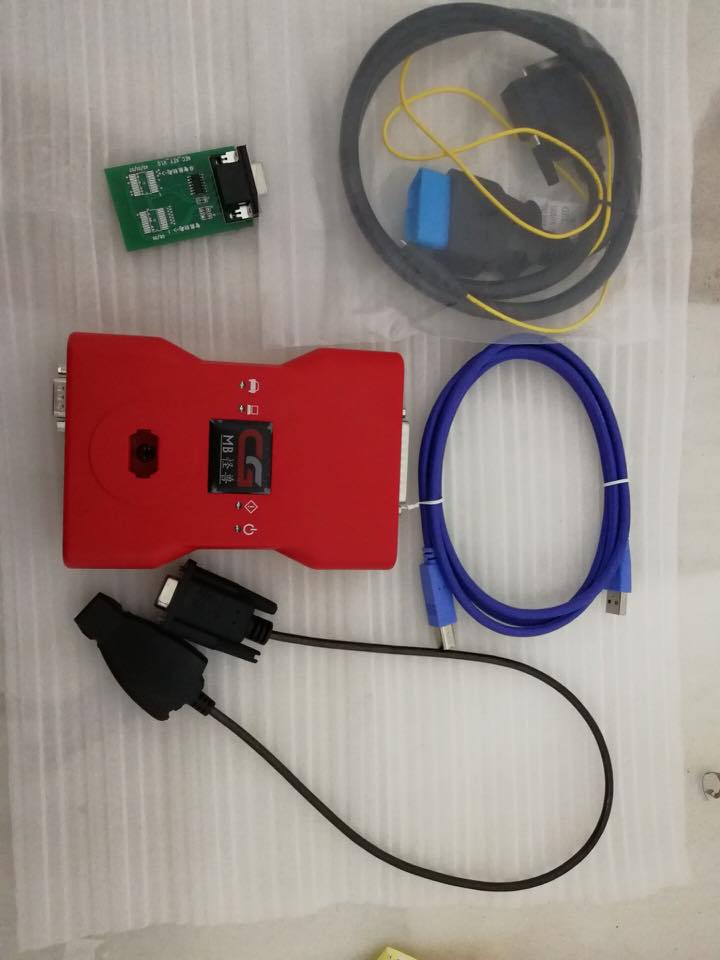
CGDI Prog MB Aliexpress or Amazon?
It’s up to you, if you have a trustworthy supplier to trade with, that’s nice. If not, recommend you goes through a sales site who claims their CGDI Prog MB is original with after-sales service.
CGDI Prog MB for sale on our site:
http://www.carobd.de/wholesale/cgdi-prog-mb-benz-key-programmer.html
VVDI2 vs ZED FULL what tool is better for VAG and BMW key programming?
Look here:
: I have Zed-Full and to be honest it’s a bit of a disappointment. Slow bringing out anything new on the VAG front. Older A3’s and TT’s never seems to be able to read the pin when other tools do fine. Not great on newer Marelli dash especially doesn’t like the one in the VW UP. Never manages to read any CAS modules by OBD (used to ok but hasn’t successfully read a single one for months) on top of that it’s expensive to run.
I’m about to order VVDI2 (Would have updated my AVDI but not going to be forced into dealing with KAP)
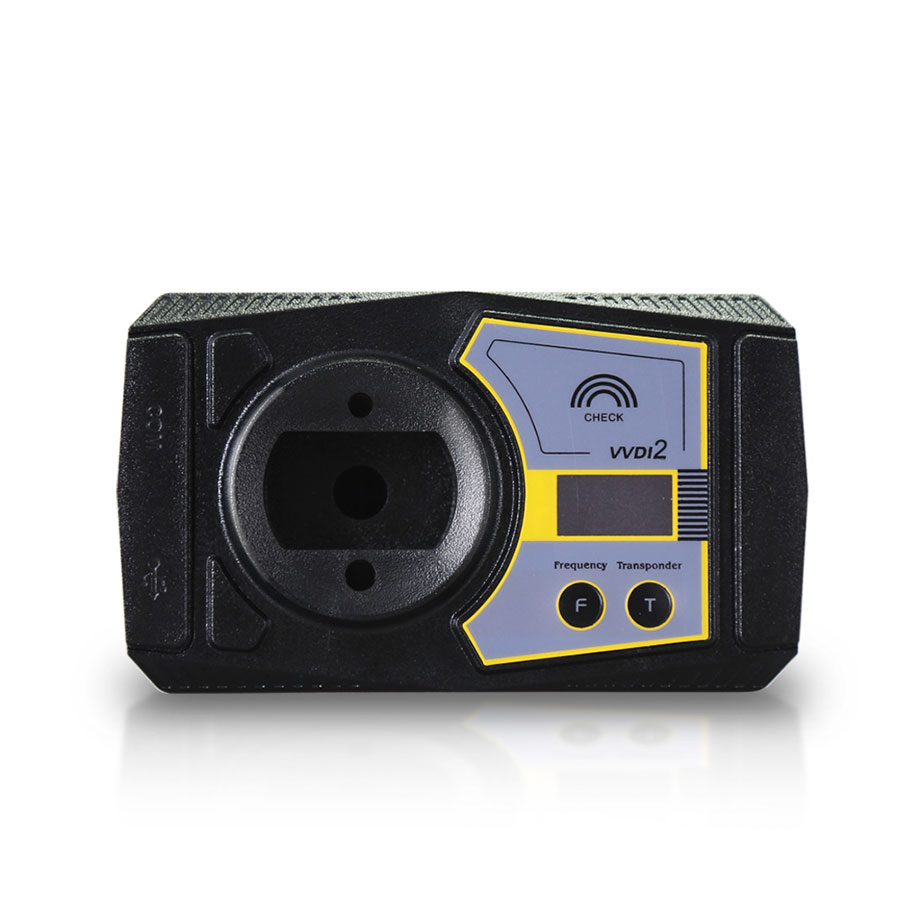
Reply 2: i have vvdi2 and zed full. for vag and bmw vvdi2 is best for me
zed full is good too for other marks
Reply 3: I had Zedfull for almost two years.
The day I bought it was happy day that week.
The day I sold it out was happiest day in my life .
VAG mostly if I couldn’t do with other tools Zedfull also cannot (PIN CODE).
Pretty expensive device for using indeed on tokens. Learn key for Passat B5 can cost about 25 – 30 tokens if procedure go okay (example),
pin code 20 + 5 or 10 for learning. Almost 20 years old car.
Hah chinese 100$ cost device can do the job with blink. These cars should be there for free for the price device cost.
VAG immo 4 chinese ID48 cannot learn but tokens take. Support says: “Use original or zedfull ID48” .
Basically support not very good, they reply sometimes . If you loose some tokens because the device CANNOT or wrong transponder you never gain them back but the claim before buy was different.
Did not try BMW when you see how many tokens they want – 50 tokens (about 35$) for key. What do you think for try?
Mitsubishi smart key cannot add, chinese device learn key with blink.
This device is for dummies… click there … click here .. done. For begginers maybe good but not for professionals.
I was disappointed with the device and support.
Reply 4: I have both, vvdi2 is better, ZED FULL always delay with their softwares and updates compared with other tools.
Reply 5: i agree. also have a zedfull, in bmw is my only option (have a tcode pro but dont buy bmw modules). made a few bmw, a x5 and x6 by obd and work fine, and a mini too. in vag is not very updated, sometimes in vw brazil have a few issues, for ex: trying to make a all key lost 2015 voyage, read pin ok, and tell me wait 15 min for security, then make weird config and dashboard say key 2-6, dont accept more keys, try again, wait another 15min, and again, i want 2 key and zedfull put 6 in programming. tcode make ok in the first attempt
Reply 6: if you need good tool for BMW CAS/MB EZS (read and write MB IR key), buy xhorse vvdi2. it makes keys over OBD (90% of VAG and BMW can be done by OBD in VVDI2) and includes all the VVDI functions
In summary,
If you looking only for VAG + BMW , then VVDI2 and VVDI prog is way to go. No need any other tool. In VVDI2 you have also programmer similar to Tango that you can make keys buy dump, but 90% of VAG and BMW can be done by OBD in VVDI2.
VVDI programmer don’t have OBD it’s only for bench programming.
Good for CAS4, FRM, EZS, EWS4 and many more.
VVDI2 BMW + OBD Authorization Service
VVDI2 BMW CAS4+ Authorization Service
VVDI2 BMW FEM/BDC Authorization Service