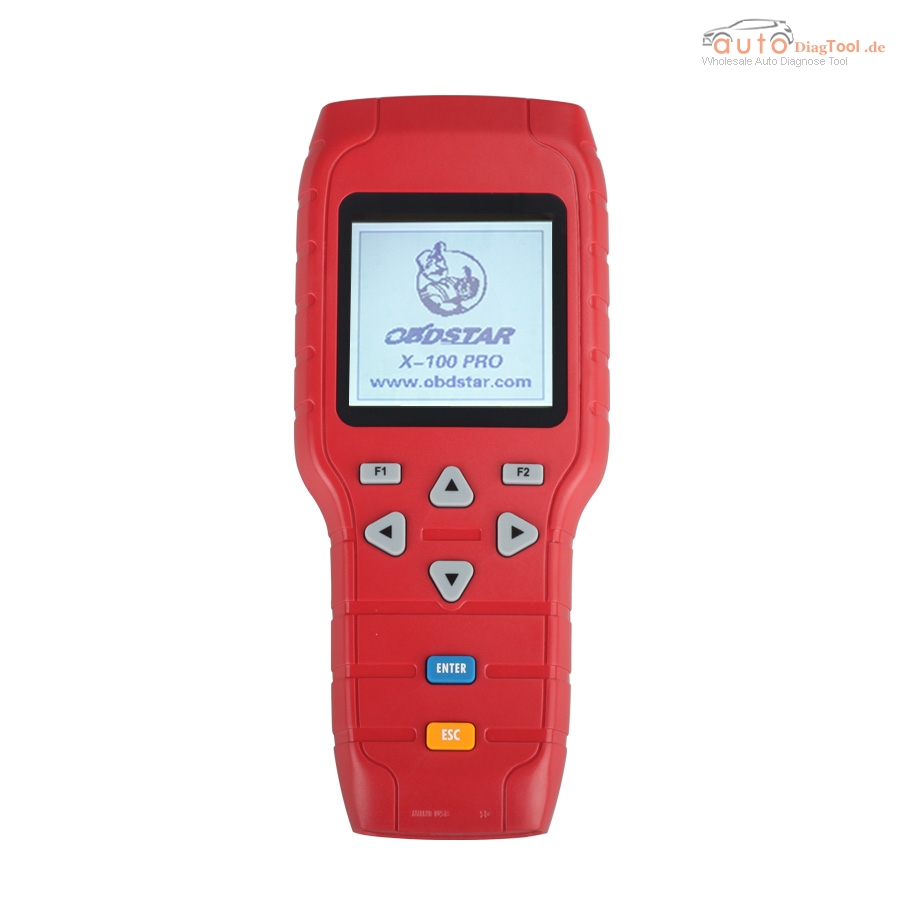
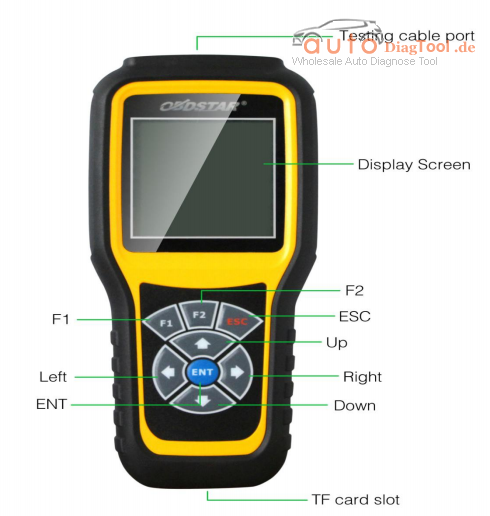
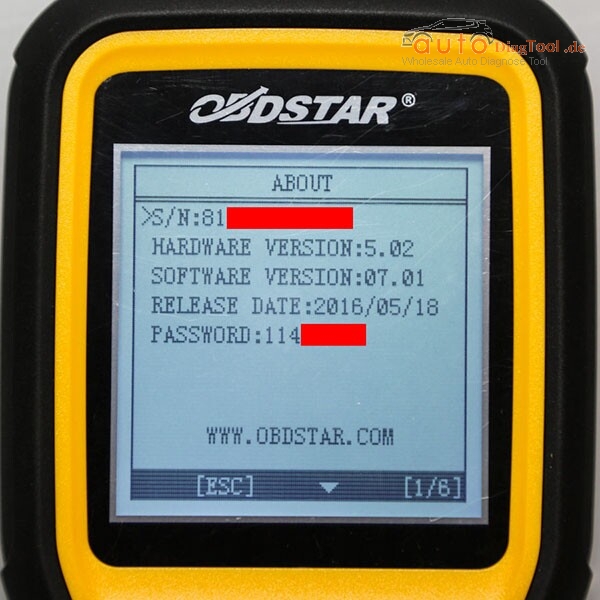
OBDSTAR X-100 PRO Auto Key Programmer Car Model List

Here are all the Key programming successfully vehicle models that carobd.de engineers have tested with OBDSTAR X100 Pro auto key programmer.

x-100-pro-auto-key-programmer-c-d-type-blog-1

Key Programming Models tested OK:

Insignia 2011 read security code + program keys Ok
just make key for ford focus 2011 on 80 bit transposnder 10 min job done
Astra J 2011 X100 Pro from OBDSTAR pull pin OK
Audi A4 1998 pin read.OK
Arosa 2003 immo2 pin code No
Corsa b 1.0/1.2 pin read no,several cars,pin read by Carprog and next by X100
Corsa c 1.0/1.2 pin read no,2 cars,pin read by Carprog and next by X100
Chevrolet cruze 2013,2012 pin reading Ok,program key and remote Ok,mileage Ok.
Dodge Journey various models pin reading and key learning Ok.
Kia rio 2012.Read pin-OK,Program new key-OK
Nissan Primera P11 2000.Chip 4D(ID60)-Key programming-OK(need PIN).
Honda early model with 3pin connector Ok.
Nissan Versa 2015 and 2016 read bcm,calculate pin and smart key learning OK.
Nissan Xterran 2007,reading BCM code,calculating PIN,re-adapting used key,OK.
Hyundai Elantra 2010 key learning and neutralize ecm OK.
Ford Mondeo 2013 smart key* EU OK
Ford Ecosport 2013 facelift program key OK.
Ford Fiesta 2014 facelift program key OK.
Ford Focus 2010 incode bypass and program key OK.
Ford Focus 2012 key programming-OK.
Ford FOcus 2007 pin reading OK and key coding but you need to go online to calculate pin code.
Fabia 1.4 16v 2002 pin read from dash,ok.
Golf 4 1997 1.6 pin read ok.
Honda Jazz 1.2 2004 pin code no.
Mazda 6 2012 smart key OK transponder and remote.
Mazda 2.3.6 ok
Polo 2008 d pin read OK keys and remotes ok
Passat 2002 1.9 tdi pin read from dash,OK.
Peugeot 206 2003 1.4 add new key and remote,Ok U need pin code.
Touran 2007 d pin read ok.

OBDSTAR X-100 Pro Failed Key Programming Models:
Ibiza 2015 failed
AUDI A3 2011 not work,advise you can do it with VVDI,VVDI2.
Hyundai Verna Fludic 2015 petrol but no communication with X-100(20th November,2015)
98 beetle not OK,(22nd November,2015)
Subaru impreza 2006 not work
Hyundai I-20 no read pin code
Peugeot 307 can not read pin code for and there is no remote programming.
Note:
All models above tested with OBDSTAR X-100 Pro mot Xtool X100 Pro.

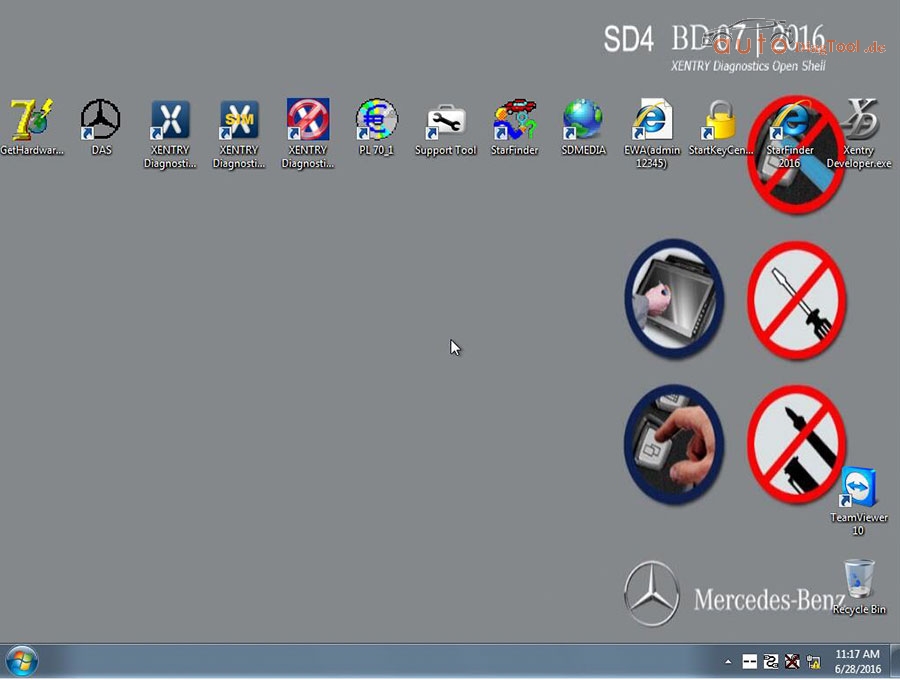
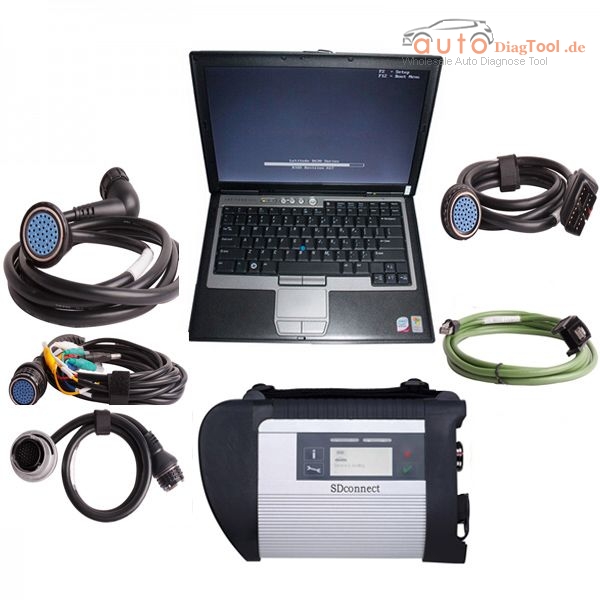
The newest software for MB SD C4

New 256GB SSD 2016.7 MB SD Connect Compact C4 Software DELL D630 Format
256GB Complete New SSD, High quality!
Latest software version: V2016.7
Support Windows 7/8 system.

New 256GB SSD 2016.7 MB SD Connect Compact C4 Software DELL D630 Format

Top reasons to choose SSD(Update to 2016.07 version WIN7 32bit OS):

20167-mb-sd-connect-4-software-ssd-1

V2016.7 SD C4 software works with MB SD Connect Compact C4, support latest Mercedes Benz car and truck models. The new generation Mercedes Benz diagnostic equipment Star Diagnosis compact 4 is the latest one on market for all current and new coming MB vehicles.

Please Note: WIN7 do not support HHT-WIN! Software newer version than V2015.12 do not support HHT-WIN!

Software languages: English, Croatian, Czech, Danish, Dutch, Finish, French, German, Greek, Hungarian, Italian, Japanese, Korean, Polish, Portuguese, Romanian, Russian, Spanish, Swedish & Turkish, Chinese

V2016.7 MB SD C4 Software FUNCTIONS

1.1989~up to now Car, Bus, Truck, Sprint, Smart ;
2.All electric system Diagnostic;(Do not include flash code)
3.reading trouble code
4.erasing trouble code
5.live-data
6.adaptation
7.component testing
8.maintenance
9.information consultation
10.component location diagram
11.wiring diagram


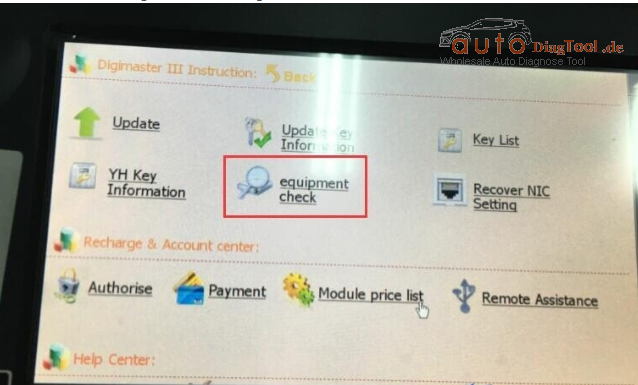
How to do Digimaster 3 Self-Check ?

How to do c selfcheck (equipment check) ?

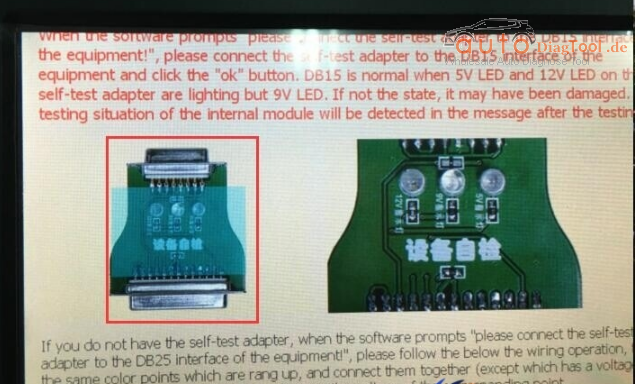
When the software prompts “please connect the self-test adaper to the DB15 interface to the equipment!”, please connect the self-test adapter to the DB15 interface of the equipment and click the “ok” button.
DB15 is normal when 5V LED and 12V LED on the self-test adapter are lighting but 9V LED.
If not the state, it may have been damaged. The testing situation of the internal module will be detected in the message after the testing.

digimaster-iii-blog-1
If you do not have the self-test adapter, when the software prompts “please connect the self-test adapter to the DB25 interface of the equipment,” please follow the below the wiring operation, it’s the same color points which are rang up,
and connect them together (except which has a voltage identifies), then use a multimeter to measure the voltage of the corresponding point.

digimaster-iii-blog-2

How to use OBDSTAR X300M OBDII Scanner support Odometer Adjustment ?

X300M is another new odometer adjustment tool launched by OBDSTAR to replace OBDSTAR X100 Pro odometer + OBD. OBDSTAR 300M supports more vehicles brands and functions than X100 does, like odometer correction function.

obdstar-blog-1

X300m Configuration:
Standard configuration: Odometer adjustment + OBDII (All cars can be adjusted via OBD);

obdstar-x300m-odometer-tool-blog-2obdstar-x300m-odometer-tool-blog-3

obdstar-x300m-odometer-tool-blog-4obdstar-x300m-odometer-tool-blog-5
OBDSTAR X300M Mileage Programmer Vehicle Coverage:

AUDI/VW/SKODA/SEAT, BENTLEY, BENZ, BESTURN, CHRYSLER(CHRYSLER/DODGE/JEEP), CITROEN, FORD, FIAT, GEELY, GM(BUICK/CADILLAC/CHEVROLET/HUMMER), GMC, GREATWALL, HYUNDAI, INFINITI, JAGUAR, KIA, LANDROVER, MAZDA, MITSUBISHI, NISSAN, OPEL, PEUGEOT, PORSCHE, PONTIAC, PROTON, RENAULT, ROEWE, SATURN, SMART, SSANGYONG, VOLVO etc.

OBDSTAR X300 M Features:
Multi-language environment can be applied in different countries and regions.
The main unit system adopts ARM high speed chip to keep it running fast, stable and anti-jamming.
Upgrade via TF card at any moment.
Modern design and high-definition screen realize the integration of automotive industry and electronic information technologies and make auto diagnosis and key programming easier, practical and economical. Integrity structure design makes it crack resistance, shock resistance and durable.
Industrial design ensures the tool work stably under tough environment, such as high and low temperatures.

How to Program Peugeot 408 New Key with Launch X431 V

Hereby the carobd.de engineer share how to do key programming for Peugeot 408 2013 with original Launch X431 V (X431 pro) and program immobilizer key to Peugeot requesting for pin code.

launch-x431-v-hksp183-blog-1

Model:

Peugeot 408 2013, VIN= *****3X48C13*****

Note:

– Prepare security code/pin code (usually under the spare key card, the last 4 letters after C9000000; if lost, ask the 4S store for help)

– No need a diagnostic tool when the high-frequency remote control synchronizes (key emission frequency is not the same), just press the scan tool and follow the screen instruction.

Step by step to add new keys with Launch X431 V Pro:

1 select Peugeot v42.92 or newer versions

2 select car-> 408-> 408(2010.01-2014.09)

3 select Diagnosis

4 select a system

5 select Embedded Systems Interface (BSI), then communicate with ECU for about 15s

6 the system prompt the menu will be different on different models

7 select Special Function

8 select Repair Kit

9 select Learning

10 Select Key Programming

11 enter the security codes to continue

(wrong security codes will stop the process)

Note: all keys should be programmed together

12 click OK and enter the pin code twice

13 Confirm pin code. Ready to program keys.

14 enter keys number (maxi:5)

Here, keys number: 2

15 turn ignition off

16 turn ignition on within 15 seconds

17 key programming success, and prompt that key programming complete, turn ignition off and take out the key

18 quickly insert the second key to program

19 turn ignition on within 15 seconds

20 key programming success, and prompt that key programming complete, turn ignition off and take out the key

21 click OK, and now programmed keys number: 2

22 Check handbarke Is applied and gear shift in position “P” (automotive transmission)/

gear shift in neutral position (manual transmission) before start the engine

23 remote control programming, follow menu instruction step by step strictly

24 remote control matching complete

25 test the remote control and use the key to start the engine

remote control and new keys are verified working…Done!

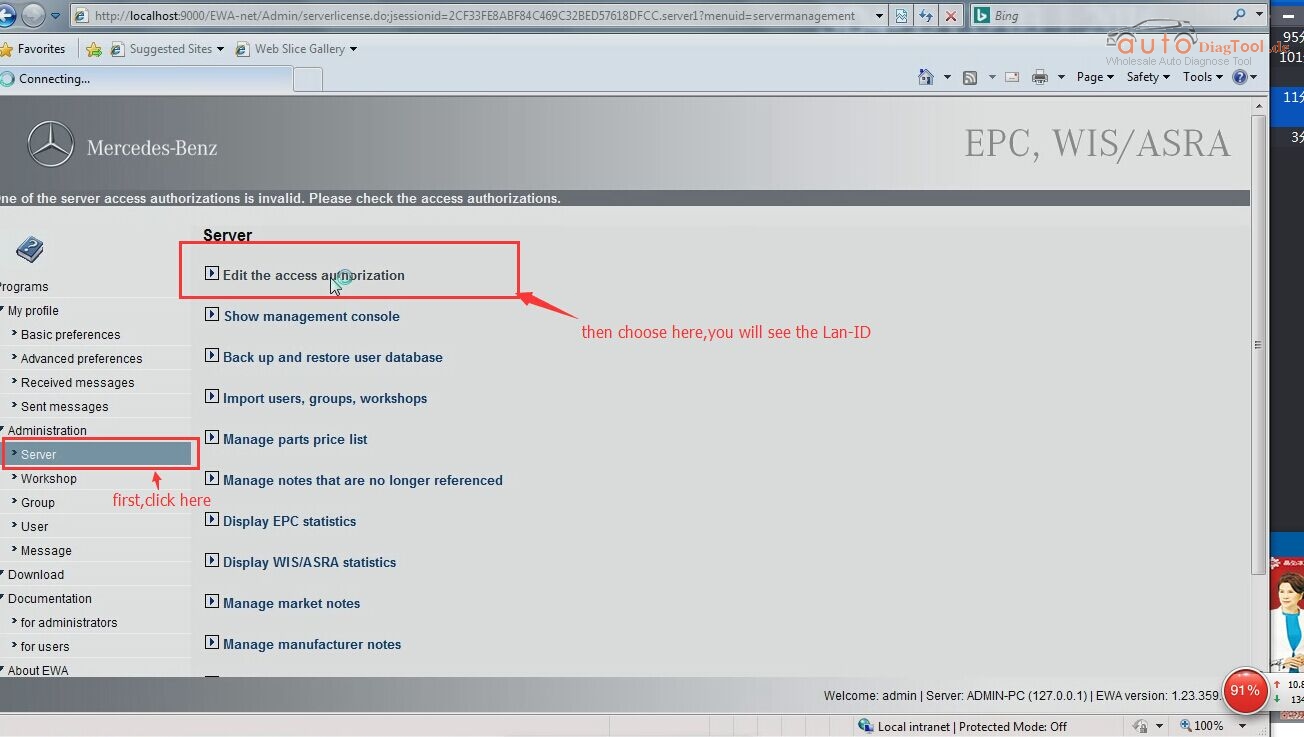
How to find the Lan-ID for MB SD C4?

V2016.05 MB SD Connect Compact 4 Star Diagnosis

MB SD Connect Compact 4 support reading out & erasing trouble code,reading the real-time data of sensor and actuator, coding and programming.
Also support wireless diagnose, support K line,CAN BUS and UDS protocol, with multi-language.

All of us know that when you receive the C4 device,it need provide the information to activate,so you need provide the ID to the sales,so they can activate for you.

the ID of information is below”

Hardware ID:

Lan-ID:

HW-ID:

APP-ID:

and the version of the software.

But so many customers send the Lan-ID is wrong,now i will show you the right way to find the Lan-ID:

Step one:

step-1

Step two:

step-2

Then you will find the right one Lan-ID.

If you don’t want activate by yourself,you can check this one,that we have already install the software for you,and you can used it immediately after receive the device.

pp03

Renault Can Clip V159 Newest Update and Installation

Renault CAN Clip V159 is designed to diagnose Renault car models including automatically test all Renault models’ computers, reporgramming, airbag test and other functions.Renault CAN Clip V153 Diagnostic Interface works on Renault cars 1996 to 2013, Engine automatic gear shifting, Air conditioning system, SRS, ABS, ASR, MPL, GM, IMMO, Keyzess GO system, OBD-I I and so on.


Renault CAN Clip V158 Update Features:

1 Software version: V159

2 Multi-language:English,German,Brazil,Danish,Spanish,Finnish,French,Italian,Norwegian,Dutch,Portuguese,Romania,Swedish

3 Best tool for renault
Renault can clip is best tool for Renault car from 1998-2015.It mainly do scan and diagnose.
It can do ENGINE, automatic gear shifting, Air conditioning system, SRS, ABS, ASR, MPL, GM, IMMO, KEYZESS GO system, OBD-I I and so on.

4 Free update in one year by link.

5 V146 software only can install on XP system,with no anti-virus software in.
If you don’t have XP system,please tell us,we can send you system cd with your order.


How to Install Renault Can Clip Newest Software V159?

Step 1 – install DAEMON Tools Lite

Insert CAN CLIP V159 disk E: and open it
Run DTLite application to instal
Accept the agreement
Select Free License
Then follow the screen instruction
DAEMON Tools Lite installtion success and runs automatically
Minimize it for later use

Step 2 – run Crack Renault Clip

Copy clip 159_0_2_0 in Clip 158 disk E: to local disk D:
Open folder Activation (Patch V3) in Clip 158 disk
Open Crack Renault Clip
Register Editor: click Yes
Click OK
Click OK
Open DAEMON Tools Lite
Add image: clip 159_0_2_0 in local disk D:
Click it for Mount
Minimize DAEMON Tools Lite
Close folder Activation (Patch V3)

Step 3 – install Clip 159

Open computer clip 159 disk F:
Run setup application
Click the lapto icon (First installation) in Clip V158 interface
Click “I accept … agreement” and click Next
Select country (if no, select OTHER COUNTRY) and click Next
Select language and click Next

Manufacturer: Renault. Click Next
Click Next to begin copying files
Then computer will rebot automatically
Finish Clip installation

Step 4 – Clip properties setup

Open clip properties on Desktop
Open file location
Cut RSRWin appliation in local disk C:/CLIP_X97/Lib/Application
Paste RSRWin appliation on Desktop
Replace RSRWin appliation in local disk C:/CLIP_X97/Lib/Application with RSRWin on CLIP 159 disk E:/Activation (Patch V3)

Close CLIP properties

Step 5 – register CLIP

Run RSRWin application in disk C:/
Accept the license and register Clip

Are you part of Renault Network? Select No
Enter the unlocking code with the picture guide Renault Clip Registeration Step 4 in the folder Activation (Patch V3)
then click Confirm
Registration successful: Click OK
Replace “RSRWin” in C:\CLIP_X91\Lib\Application with “RSRWin” on Desktop

Step 6 – Computer management

Automatically install driver software
Open computer management
Select Device manager->Bosch automotive service solution device-> 18-alliance vehicle communication interface
Close Computer management

Step 7 – open Renault can clip v159 software to start diagnosis

Disclaimer:
The new clip v159 only works with the following one pcb we sells.
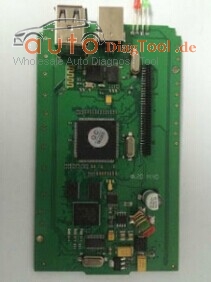
renault-can-clip-pcb-1renault-can-clip-pcb-2

MaxiSys MS908P do Mercedes Benz SCN Coding Successfully

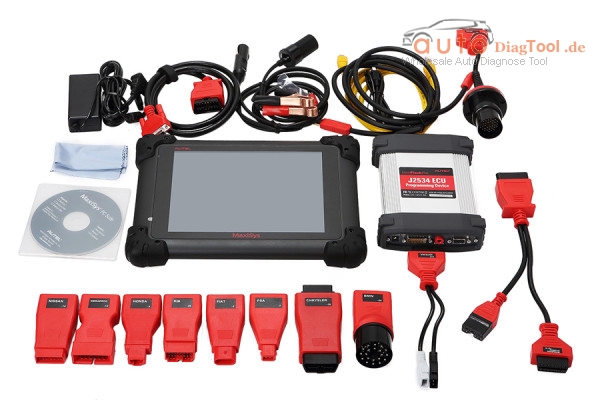
Autel MaxiSYS Pro MS908P Diagnostic can do online programming and compatible with a part of the original diagnostic software, print out recorded data anytime and anywhere with Wi-Fi technology. Recently Maxisys MS908P has been tested working on Mercedes Benz SCN Coding using together with with Autel MF2534 J2534 ECU MaxiFlash Pro.

autel-maxisys-pro-ms908p-with-wifi-blog-1

Here’s the step by step guide to do Benz SCN Coding with ms908p with J2534 ECU programmer .

1. Correctly connect Autel MS908P to J2534 ecu programming device and Mercedes

start MS908P

select Diagnosis

select Europe->Benz

2. Diagnostic program initializing…

select Automatic selection

turn ignition on

reading VIN…

acquire VIN info

select date of manufacturer: as of 12/2015

please select the steering

here, press button Right to select right-hand steering

confirm vehicle info

select Programming

system data loading…

diagnostic system initializing…

select ME-SFI-Gasoline engine control

diagnostic system initializing…

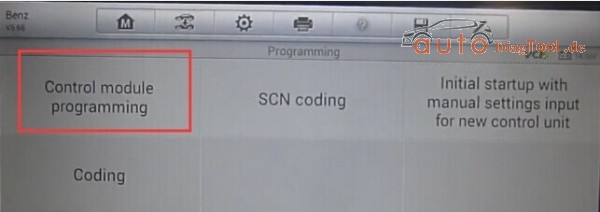
3. Select Control Module programming, but no newer control module software was found out

autel-maxisys-pro-ms908p-with-wifi-blog-2
Establishing vehicle communication…

Check network connection if it’s good

then go to SCN coding

Bluetooth is forced to stop

enter VIN as a 17-digit code

Two steps to perform SCN coding:

– step 1 Get SCN data from Server

– step 2 Perform SCN coding

4. Establishing vehicle communication

Checking network connection

Perform SCN coding completed.

Mercedes SCN coding sequence has been completed successfully with MS908P!

If you want a cheap professional Mercedes benz diagnostic programming tool to do mb star scn coding, you can choose MB SD C4 with newest hardware and software.

Then How to process this online coding service?

1. Place an order on our website for this online scn coding service.
2. Contact our online customer service or add our skype/msn/yahoo for us to process this online coding.
3. Prepare MB SD Star C4, car, laptop and teamviewer.
4. Choose the car model and programming system (eg, headlight XALWA-L)
5. Choose CONTROL unit adaptations
6. Choose offline program (CONTROL MODULE PROGRAMMING) then (SCN coding)
7. Give us teamviewer id and password.
8. Login server (DALMLER)
9. Login server and finish SCN coding automotively

Add New Model Software to Foxwell NT510 Scanner

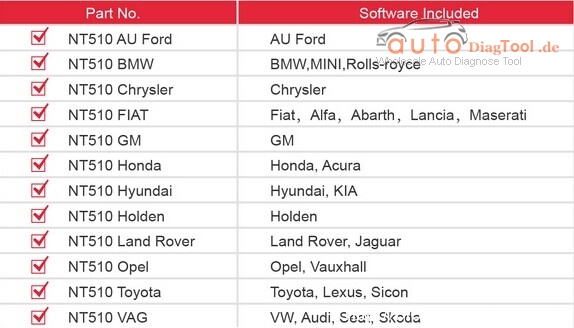
As NT510 only provide one software for free, for other software you have to buy alone. And it requires the software authorization service for NT510 scanner as well. Now there are following available models software for choose including:

Au Ford, BMW, Chrysler, Fiat, GM, Honda, Hyundai, Holden, Land Rover, Opel, Toyota and Vag.

How to get the software authorization for NT510 Multi-System Scanner ?

You can buy the software authorization service for NT510 scanner from here

http://www.carobd.de/wholesale/software-authorization-for-nt510-multi-system-scanner.html

foxwell-nt510-multi-system-scanner-blog-1
You only provide us your serial number when you place the order. If you want buy several software, just place server orders and select software model you need.

Attention:

Our NT510 shipped with default OBD2 software and does not contain any vehicle software, customer can download one software for free after they received the products.
Or you can provide us your serial number of NT510 and we help you combine to the software you need, all you need to do is update the device.