Archive | November 2026

Flex New Support for Bosch MG1CS042 and MD1CS012

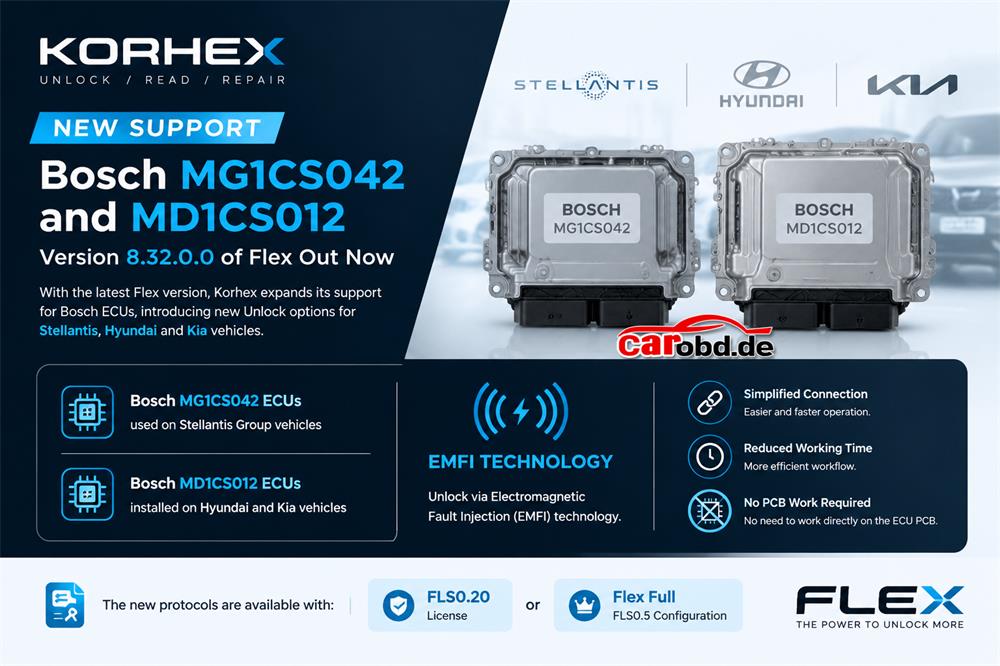
New Support for Bosch MG1CS042 and MD1CS012

Version 8.32.0.0 of Flex Out Now

With the latest Flex version, Korhex expands its support for Bosch ECUs, introducing new Unlock options for Stellantis, Hyundai and Kia vehicles.

Bosch MG1CS042 ECUs used on Stellantis Group vehicles and Bosch MD1CS012 ECUs installed on Hyundai and Kia vehicles can now also be unlocked using EMFI (Electromagnetic Fault Injection) technology.

This method simplifies connection operations and reduces working time, without the need to work directly on the ECU PCB.

The new protocols are available with an FLS0.20 license or a Flex Full FLS0.5 configuration.

OBDSTAR MAJOR SOFTWARE UPDATE โ€“ NOW AVAILABLE!

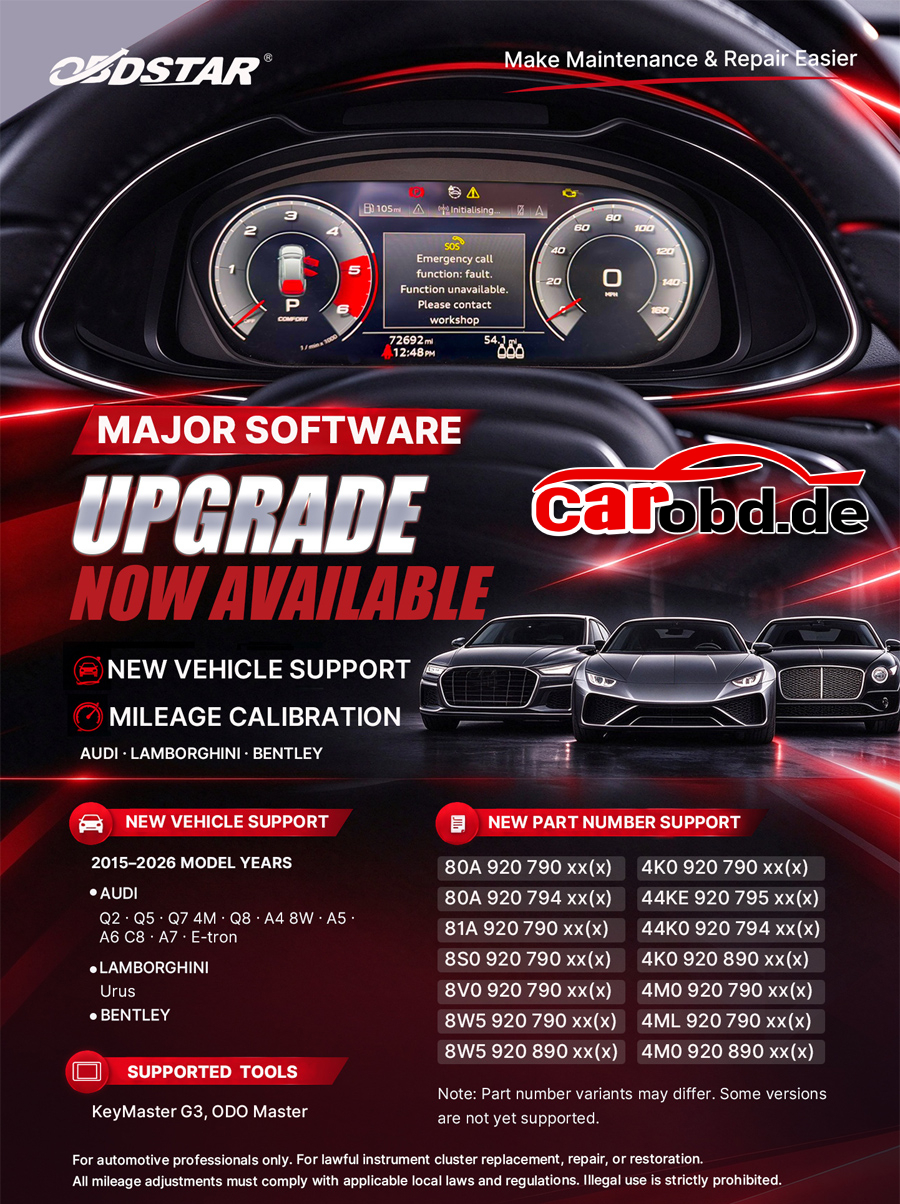
OBDSTAR MAJOR SOFTWARE UPDATE โ€“ NOW AVAILABLE!

What’s New?

Expanded Vehicle Coverage

Audi, Lamborghini Urus & Bentley

Supports selected 2015โ€“2026 model years

New Instrument Cluster Part Number Support

14 additional part number families

Expanded compatibility with selected Audi instrument clusters

Mileage Calibration Function

Enhanced instrument cluster service capabilities for lawful repair and replacement

Compatible Devices:

OBDSTAR X300 Classic G3

OBDSTAR ODO Master

Make Maintenance & Repair Easier!

MASSIVE AGRI, FORESTRY & HEAVY DUTY RELEASE: Bosch EDC17CV41 goes live via 100% OBD NR (Beta)!

A massive software update expanding our agricultural, forestry, construction and commercial truck coverage is now live on your equipment! The Bosch EDC17CV41 (Iveco / CNH) ECU is now supported via 100% OBD Normal Read (NR) in Beta mode on your AutoTuner Tool.
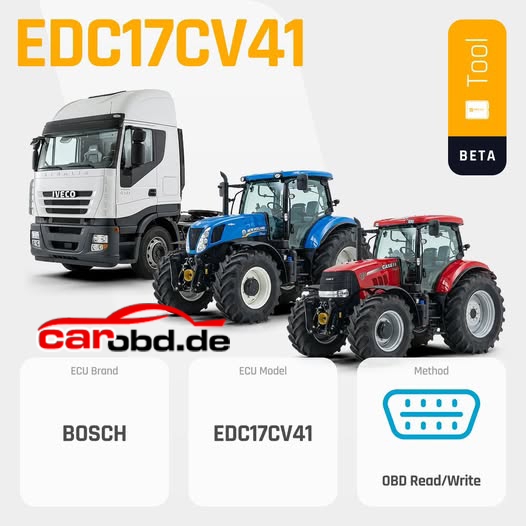
This release unlocks an extensive fleet powered by FPT / Iveco / CNH engines (from 4.5L to 15.9L and up to the 20.0L V8): Case IH, New Holland, Claas and Steyr tractors and combines, Tigercat and Logset heavy forestry equipment, Doosan excavators and wheel loaders, as well as Iveco commercial trucks (Eurocargo, Stralis and Trakker Cursor 13 Euro 5).

๐Ÿ’ก Protocol Highlights:
100% OBD Method: Read and write directly through the diagnostic port of the machine, no ECU removal required.
Required hardware: To connect directly through the diagnostic port of your machinery and equipment, this protocol requires the New Holland OBD cable.
Released in Beta: Your workshop feedback is valuable to help us keep improving this protocol.
๐Ÿšœ Supported Lineup (Bosch EDC17CV41):
1. Agricultural Machinery & Combines (CNH Group & Partners)
Case IH:
Tractors: Magnum (180 to 380, AFS & CVT), Puma (140 to 240, CVX & X), Maxxum (115 to 150, CVX), Optum (250 to 300 CVT), Steiger (370 to 620, Quadtrac & Rowtrac), Quadtrac (370 to 620), Farmall (100A, 130A, 140A)
Combines & Harvesting: Axial-Flow (5140, 6140, 7140, 7240, 8240, 8250, 9240, 9250), AF / AFX Series, Sugar Harvesters 8810
Sprayers & Floaters: Patriot (3240, 3340, 4440, 5550), Titan Series Floaters (3040 to 4540)
New Holland:
Tractors: T6 (T6.110 to T6.180), T7 (T7.165 to T7.315 HD), T8 (T8.320 to T8.435), T9 (T9.435 to T9.700), TS6 (TS6.120 to TS6.140)
Combines & Forage Harvesters: CR Series (CR 5.85 to CR 10.90), CX Elevation (CX 5.80 to CX 8.85), FR Series & New FR (FR 480 to FR 920 20.0L V8), TC 5.9, TX
Grape Harvesters & Special Machinery: Braud (9080N, 9090X), Speedrower, Sprayers SPF/SP, Stackcruiser
Claas: Arion (410 to 460 – 4.5L), Axion (800 to 870 – 6.7L, 950 – 8.7L)
Steyr: Profi (4135, 6145), CVT (6150, 6165), Terrus (6270)
Landini & McCormick: Landini Serie 7 & Powermax, McCormick X7.6 & X8 (VT-Drive)
Specialized Machinery & Harvesters: Agrifac (Condor 6.7L), Bourgoin (B680), Guaresi (G248, GS48), Grim, Kuhn, Italmix, Storti, Supertino, Gleaner
2. Forestry & Material Handling Equipment
Tigercat: Feller Bunchers (720G, 724G, 822D, 845D/E, 855D/E, LX830D), Skidders (602, 604E, 610E, 615E, 620E/H, 630E, 632E, 635E, C640E), Forwarders (1055C, 1075C, 1085C), Track Harvesters (875 Logger, 880D, H845D, H855D, LH845D, LH855D), Loaders T234 / 250D
Logset & Sampo Rosenlew: Logset Forwarders (4F, 5FP, 8F, 10F) & Harvesters (12H GTE Hybrid), Sampo Rosenlew FR28
Merlo & Dieci: Merlo Multifarmer, Turbofarmer (TF40.9, TF45.11, P65.14) & Roto 60.24, Dieci Pivot T80
John Deere Forestry: 1270G Harvester & W440 Combine
3. Heavy Trucks & Construction Equipment
Iveco Trucks: Stralis (Cursor 13 – 450 Euro 5), Trakker (Cursor 13 – 450 Euro 5), Eurocargo (6.7L 252/280)
Doosan (Earthmoving): Crawler and Wheel Excavators (DX140, DX170W, DX190W-3, DX225 LC-3, DX235 LC-7, DX300 LC-3, DX340 LC-5) & Wheel Loaders (DL200-5, DL250-5, DL280-5, DL300-5)
Isuzu Trucks: N-Series & NPR / NQR / NRR (3.0D)
๐Ÿงช We’re looking for your feedback
This protocol is currently released in Beta. Your workshop feedback on agricultural, forestry and construction machinery and Iveco trucks is valuable to help us keep improving it. Share your feedback.

Update your AutoTuner software today and lead the way in heavy-duty, agricultural and forestry calibration services!

THINKCAR ThinkDiag 2 vs. MUCAR MT200 Master

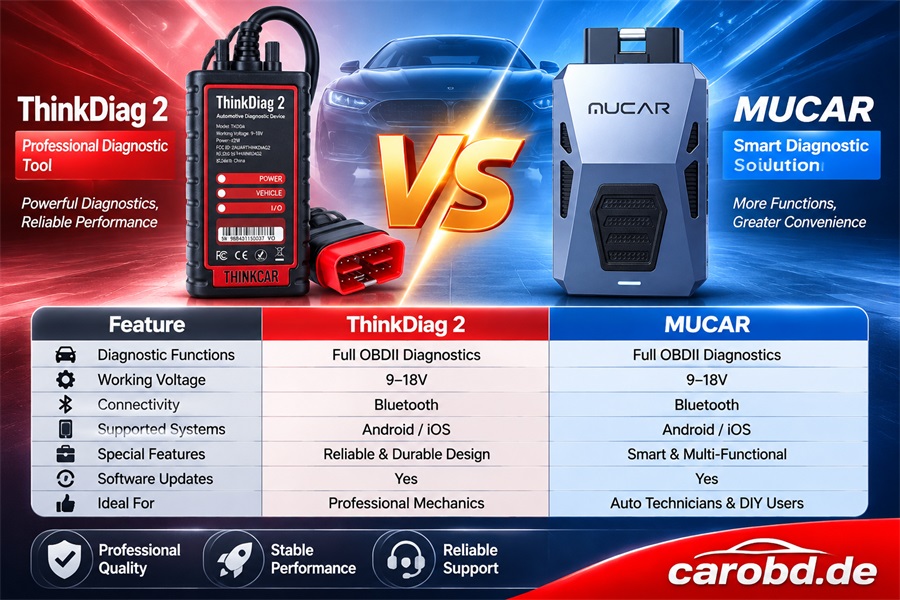
THINKCAR ThinkDiag 2 vs. MUCAR MT200 Master

Professional Diagnostic Tool Comparison for Carobd.de

1. Feature Comparison

Features THINKCAR ThinkDiag 2 MUCAR MT200 Master
Full-System Diagnostics  

Supported


Supported

Read / Clear Fault Codes Yes Yes
Live Data Stream Yes Yes
Bidirectional Control / Active Tests Yes Yes
ECU Coding Supported on selected vehicles Supported on selected vehicles
CAN-FD Supported Supported
J2534 Pass-Thru Not supported  

Supported

AI-Assisted Diagnostics Not a primary advertised feature Supported
Maintenance Functions 15+ functions 15 functions
FCA AutoAuth Supported Supported
Connection Bluetooth Bluetooth / USB for J2534
Operating Platform Android / iOS Mobile app; Windows PC for J2534
Software Updates Depends on software package First-year free updates advertised

Note: Actual functions depend on vehicle make, model, year, ECU compatibility, and software package. J2534 Pass-Thru requires a compatible Windows PC and may require separately purchased OEM software or subscriptions.

2. Software Language Comparison

Language ThinkDiag 2 MUCAR MT200 Master
English Supported Advertised as supported
German Supported Advertised as supported
French Supported Advertised as supported
Spanish Supported Advertised as supported
Italian Supported Advertised as supported
Portuguese Supported Advertised as supported
Russian Supported Advertised as supported
Japanese Supported Advertised as supported
Polish Supported Advertised as supported
Chinese Traditional Chinese supported Version confirmation recommended
Total Languages 15+ 22+ advertised

3. Which Customers Are These Tools Designed For?

THINKCAR ThinkDiag 2

Ideal for:

  • DIY car enthusiasts
  • Independent automotive technicians
  • Small repair shops
  • Users who prefer smartphone-based diagnostics
  • Users who need active tests and ECU coding

MUCAR MT200 Master

Ideal for:

  • Professional automotive technicians
  • ECU programming specialists
  • Independent repair workshops
  • Users who need J2534 Pass-Thru connectivity
  • Advanced users who need PC-based OEM software workflows and AI-assisted diagnostics

4. Key Differences at a Glance

ThinkDiag 2 MUCAR MT200 Master
Smartphone-focused diagnostic solution Advanced diagnostic solution with PC connectivity
Bluetooth-based operation Bluetooth and USB connectivity for J2534
Suitable for everyday diagnostics and repair functions Designed for more advanced diagnostic and programming workflows
Convenient for DIY users and independent technicians Particularly suitable for professional technicians and ECU specialists

5. Our Recommendation

Choose THINKCAR ThinkDiag 2 if you want a convenient Bluetooth diagnostic tool with comprehensive vehicle diagnostics, active tests, and maintenance functions through a smartphone.

Choose MUCAR MT200 Master if you need a more advanced diagnostic solution featuring J2534 Pass-Thru, PC connectivity, and ECU programming workflows.

Flex Update Hyundai Kia SIM2K-510 ECU by OBD (Exclusive Solution)

SIM2K-510 New Exclusive Solution is coming !

New protocol released in Magic MotorSport Flex software version 8.28.0.0 allowing techniancians to program kefico SIM2K-510 units in OBD, following a simple, fast, and more efficient procedure.

Connect, read, modify!

Just connect the OBD cable, down.oad the Virtual Read and start your modifications. If the Virtual Read is unavailable, perform a real read in OBD on Bench mode. The unit will unlock automatically.

Moreover, even CAN FD versions are now supported thanks to the new FLX4.4 adapter

Vehicles: Hyundai ‘ Kia

Working mode: OBD’ OBD on Bench

SOftware: Flex 8.28.0.0

Connection: ~30 seconds

Reading time: ~ 5minutes

Writing time: ~10 minutes

Memories : VR/Read/Write/Checksum Maps

License: FLS0.1M/S FLS0.5M/S

Mode 01 OBD
Connect, read and edit

A simple and fast procedure

01. Connect the OBD cable
02. Download the Virtual Read.
03. Make the changes you need.

Mode 02 OBD on Bench

On the bench, with a real read

When the Virtual Read is not available.

Use OBD on Bench mode to perform a real read of the ECU

Also supports CAN-FD versions.

For versions using CAN-FD communication, Requires the new CAN-FD FLX4.4 adapter

Some of the supported vehicles.

Hyundai Kona (I) OS (2017MY) 1.6L CRDI 16V MHEV 134HP

Hyundai Tucson (IV) NX4(2020MY) 1.6I CRDI 16V 114HP

Kia Ceed(III) CD(2018MY) 1.6L CRDI 16V 134HP

Kia Sportage (V) NQ5(2021MY) 1.6L CRDI 16V MHEV 134HP

Kia Stonic(I) YB(2017MY) 1.6L CRDI 16V 114HP


Before Working on a SIM2K-510, CHECK the car and disconnect.

any external alarm system connected to the CAN bus
any SCR/Adblue emulator connected to the CAN bus
any OEM multimedia system connected to the CAN bus
any other device connected to the CAN bus that is not original equipment of the car
if any of these devices is connected, communication breaks and the ECU is permanently bricked. It cannot be recovered

Other precautions

Use a stabilised power supply( about 13v). The unlock does not start below 12.5v
Never interrupt the unlock. The Flex asks for confirmation before starting.
Keep the internet connection active for the whole operation.
CAN-FD versions: writing requires the new CAN-FD adapter FLX4.4 . With a secure Gateway(SGW detected), connect directly to the ECU (OBD on Bench)