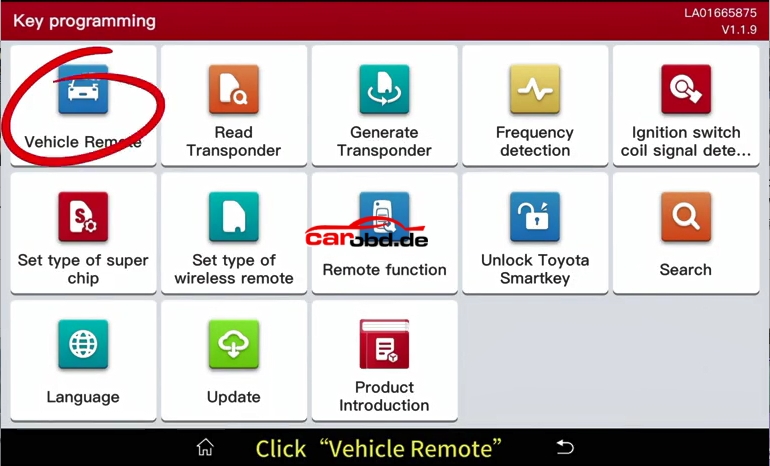
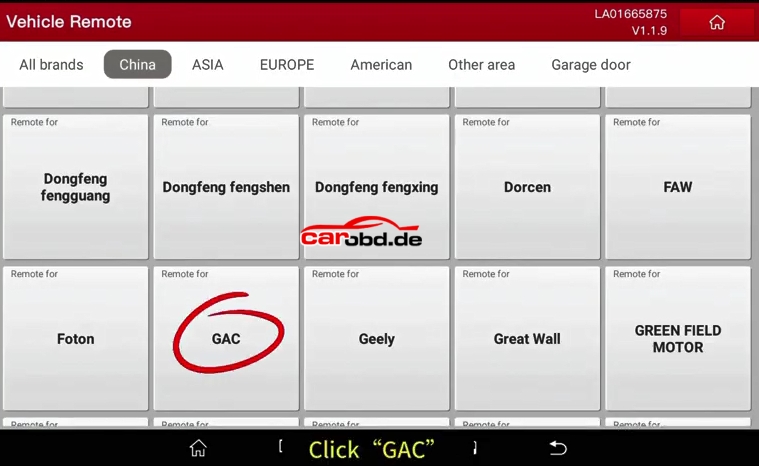
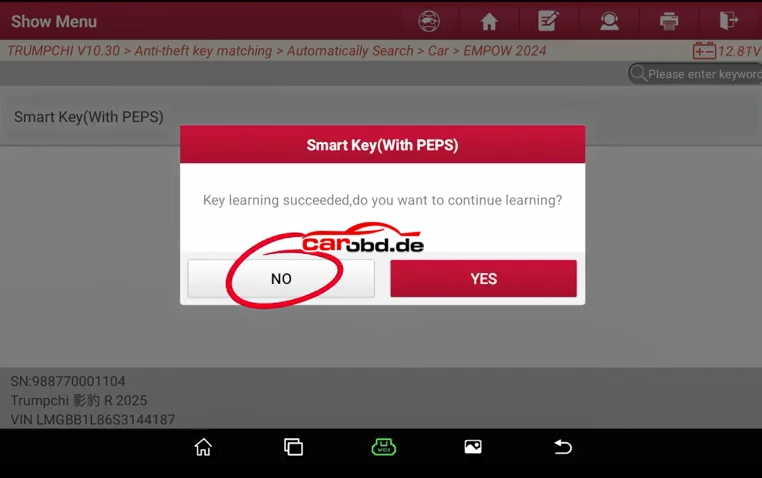
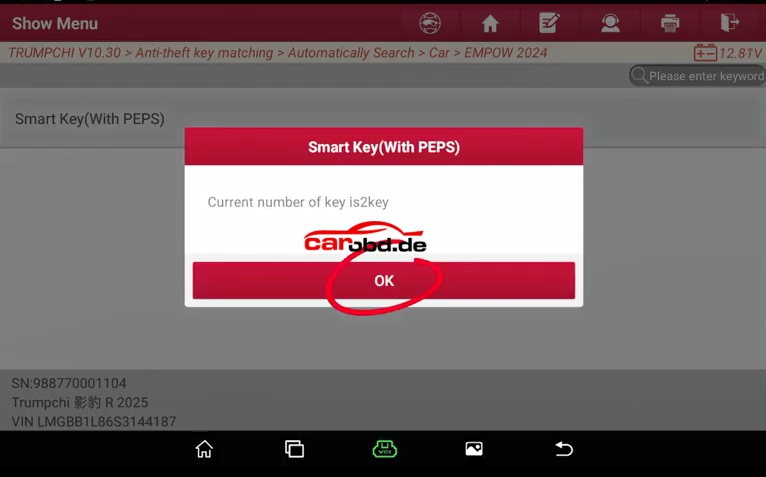
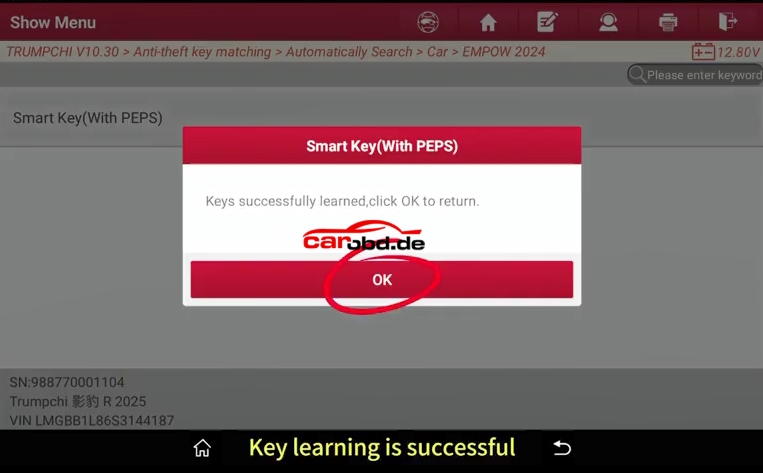
Use X-431 IMMO Elite and X-431 Key Programmer to realise the TrumpchiGA5 Smart key matching function
Preparation:
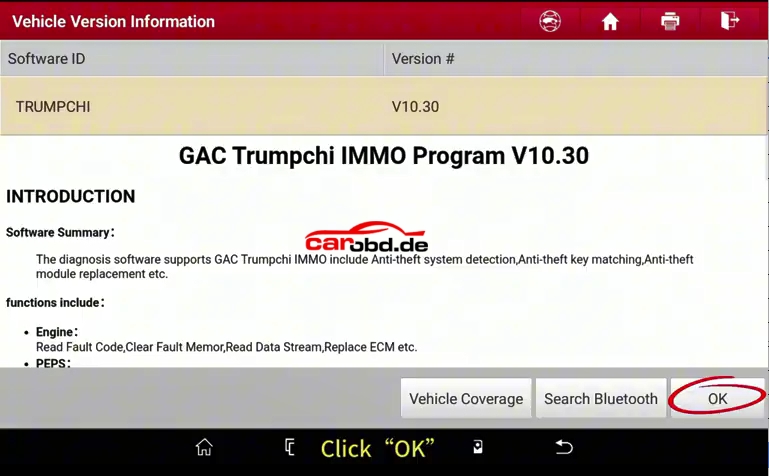
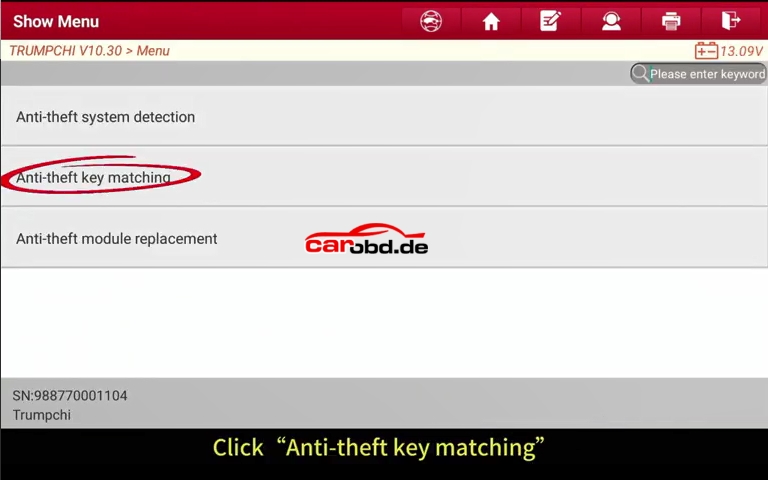
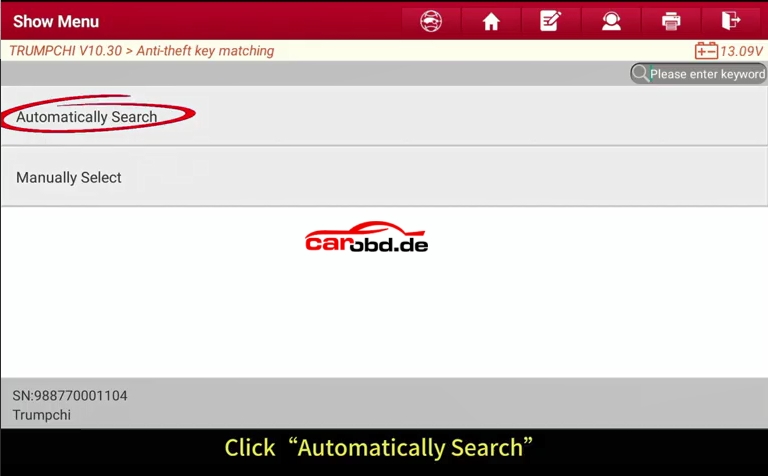
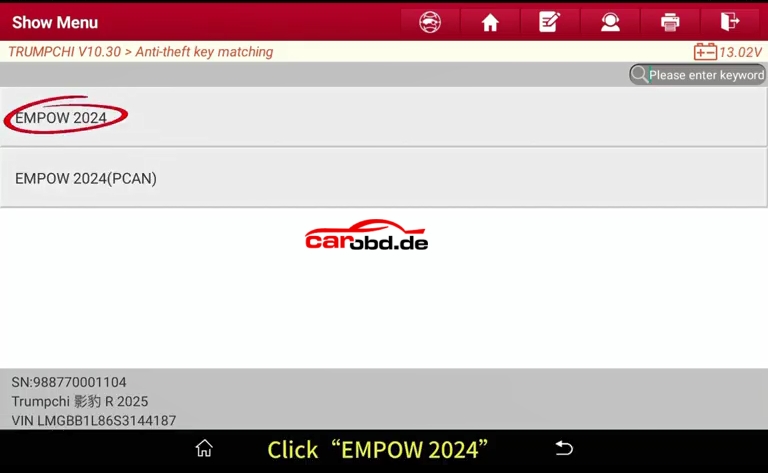
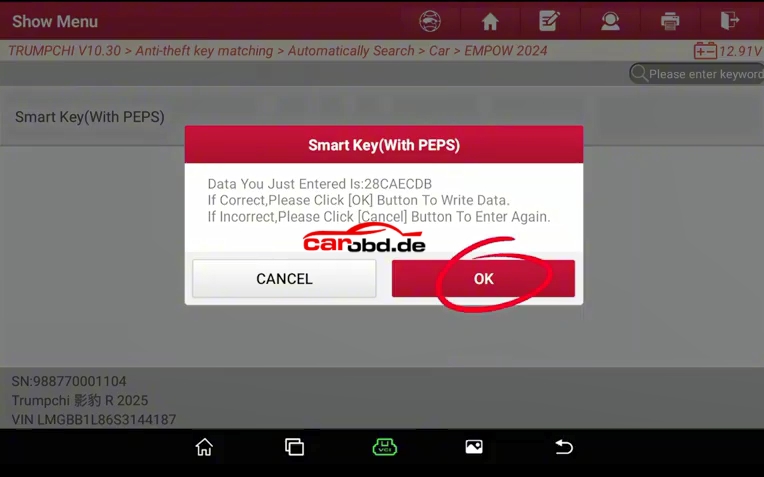
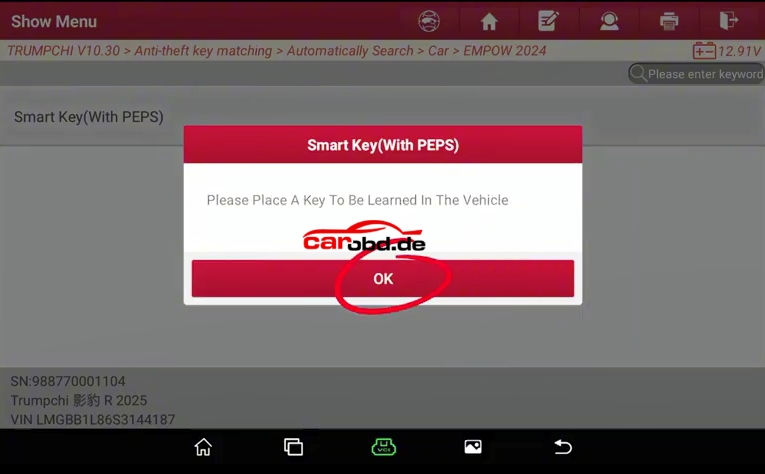
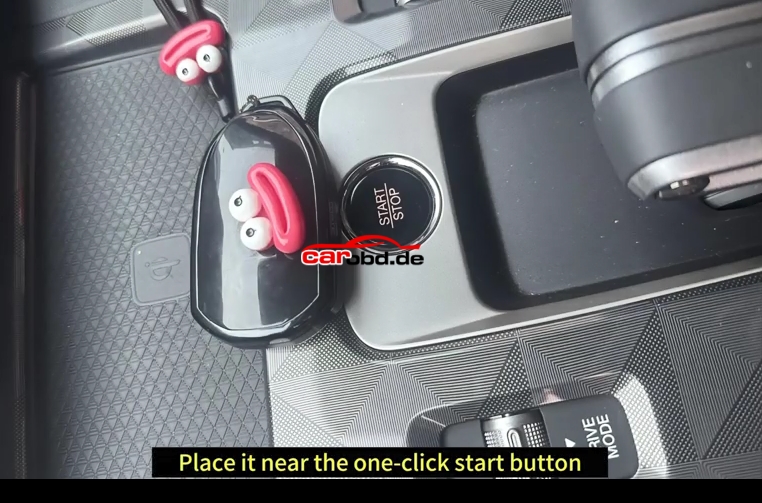
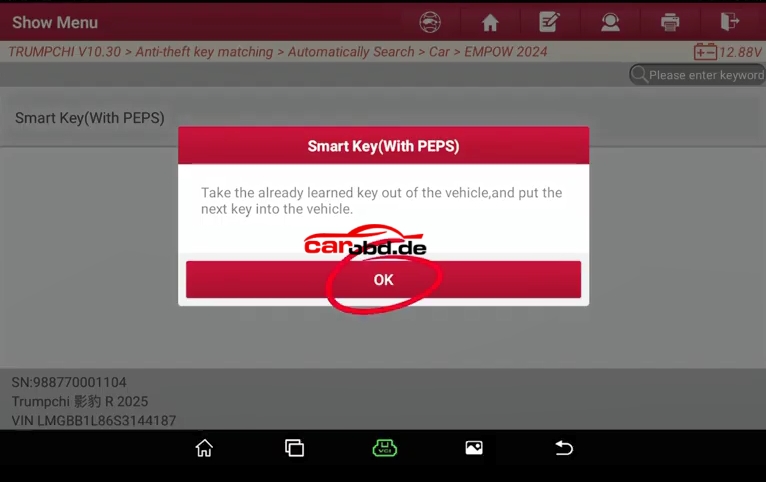
Here is the whole steps for key matching
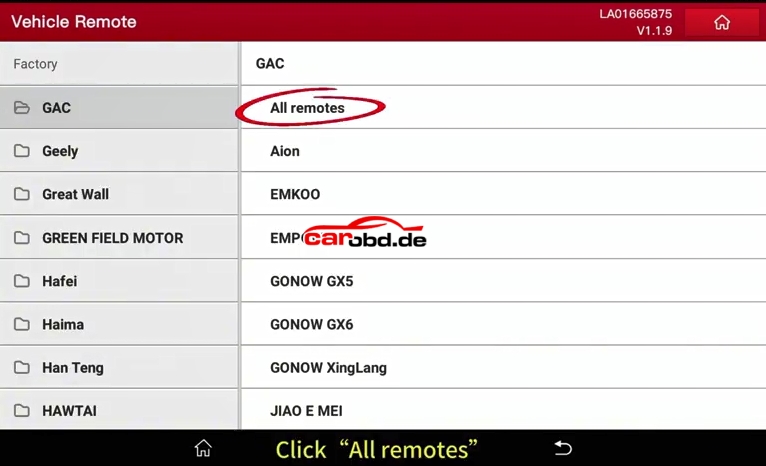
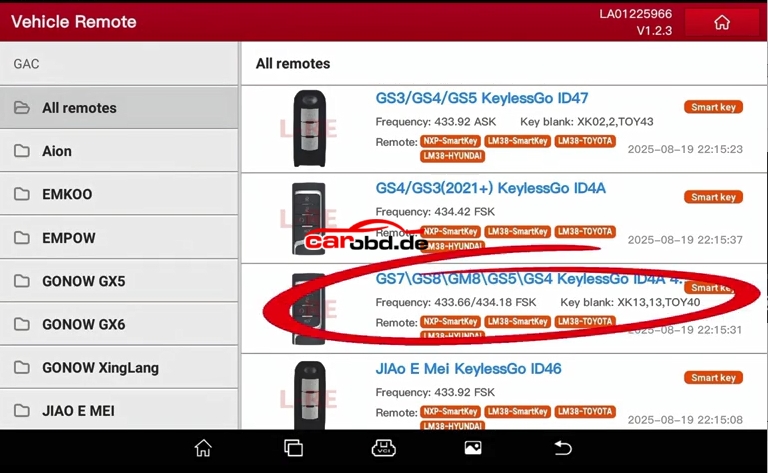
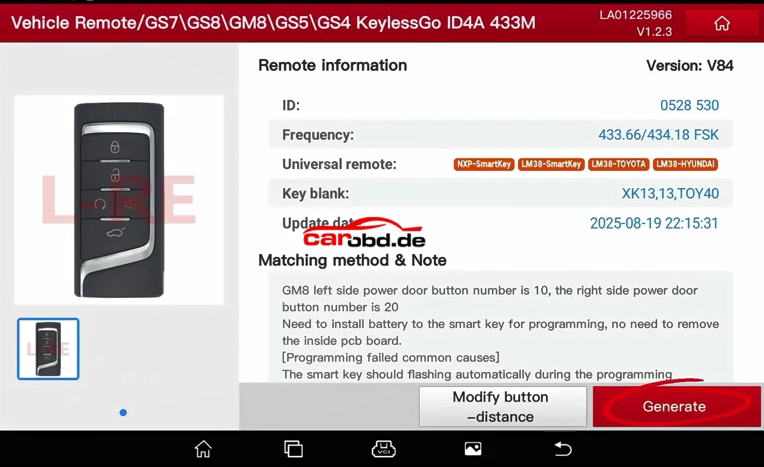
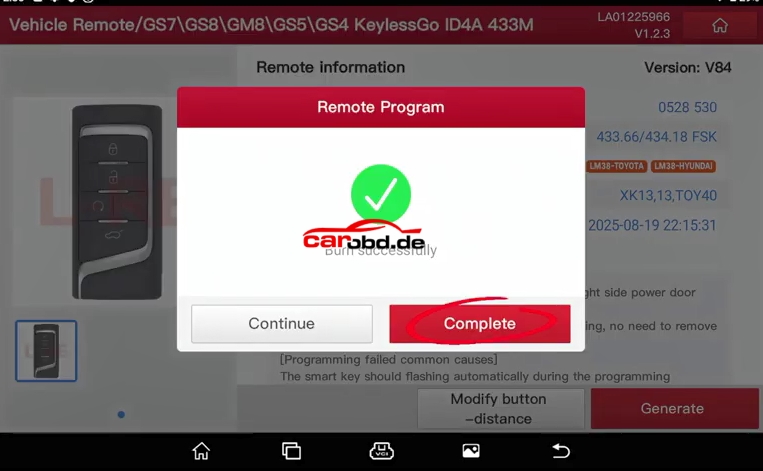
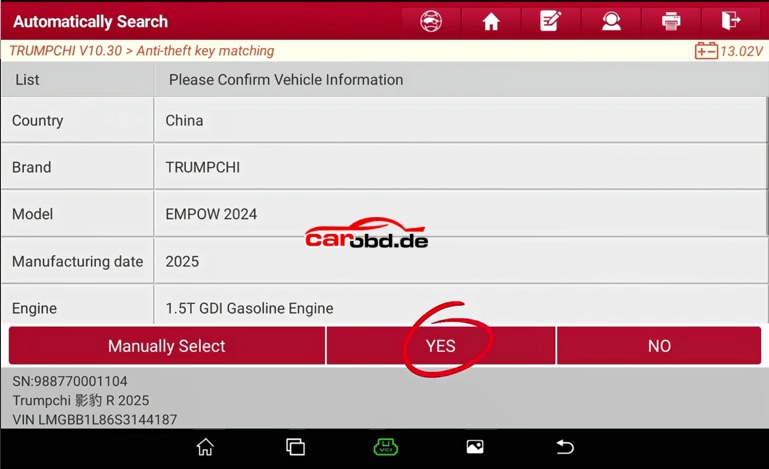
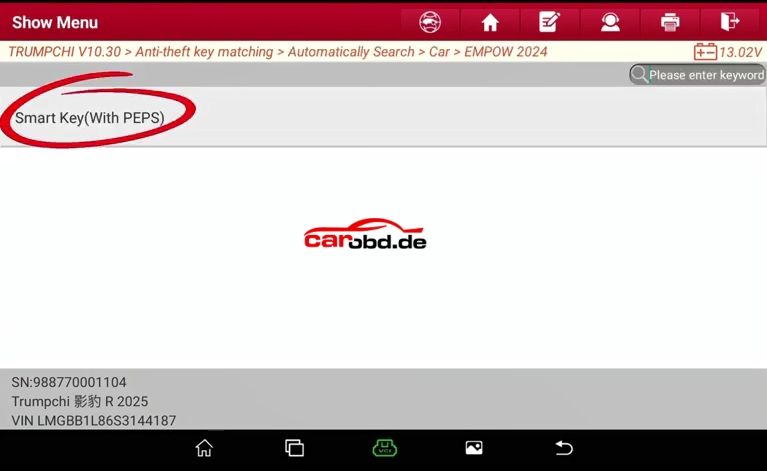
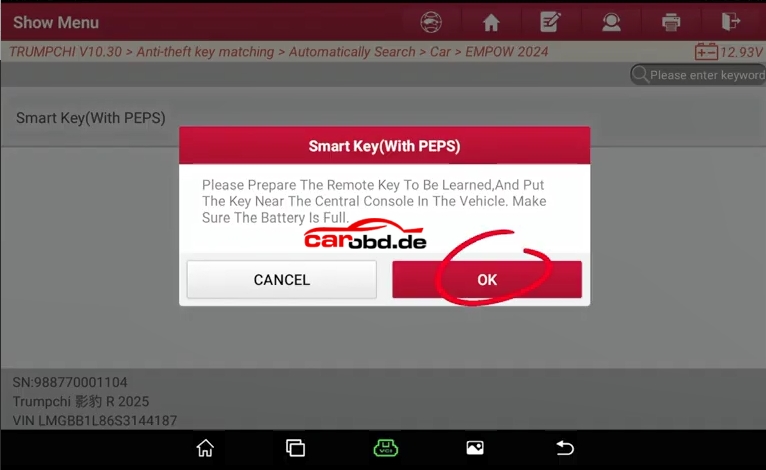
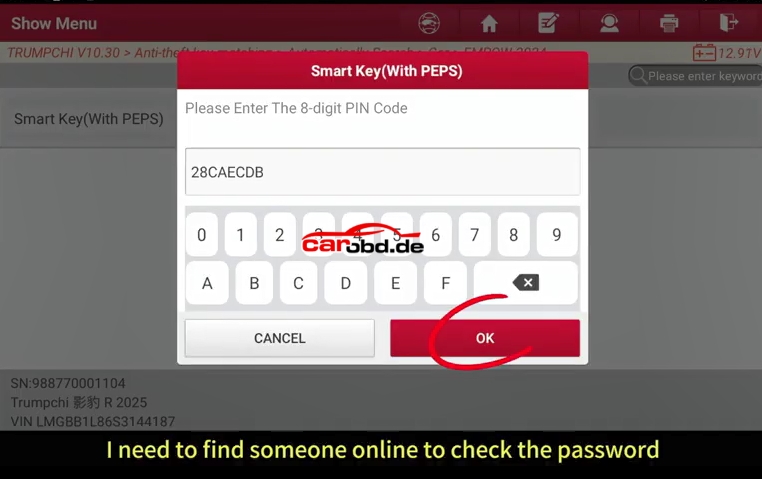
For more Technical Support,please contact
Whatsapp: +86 19947637411
Email: Sales@Carobd.de
Use X-431 IMMO Elite and X-431 Key Programmer to realise the TrumpchiGA5 Smart key matching function
Preparation:
Here is the whole steps for key matching
For more Technical Support,please contact
Whatsapp: +86 19947637411
Email: Sales@Carobd.de
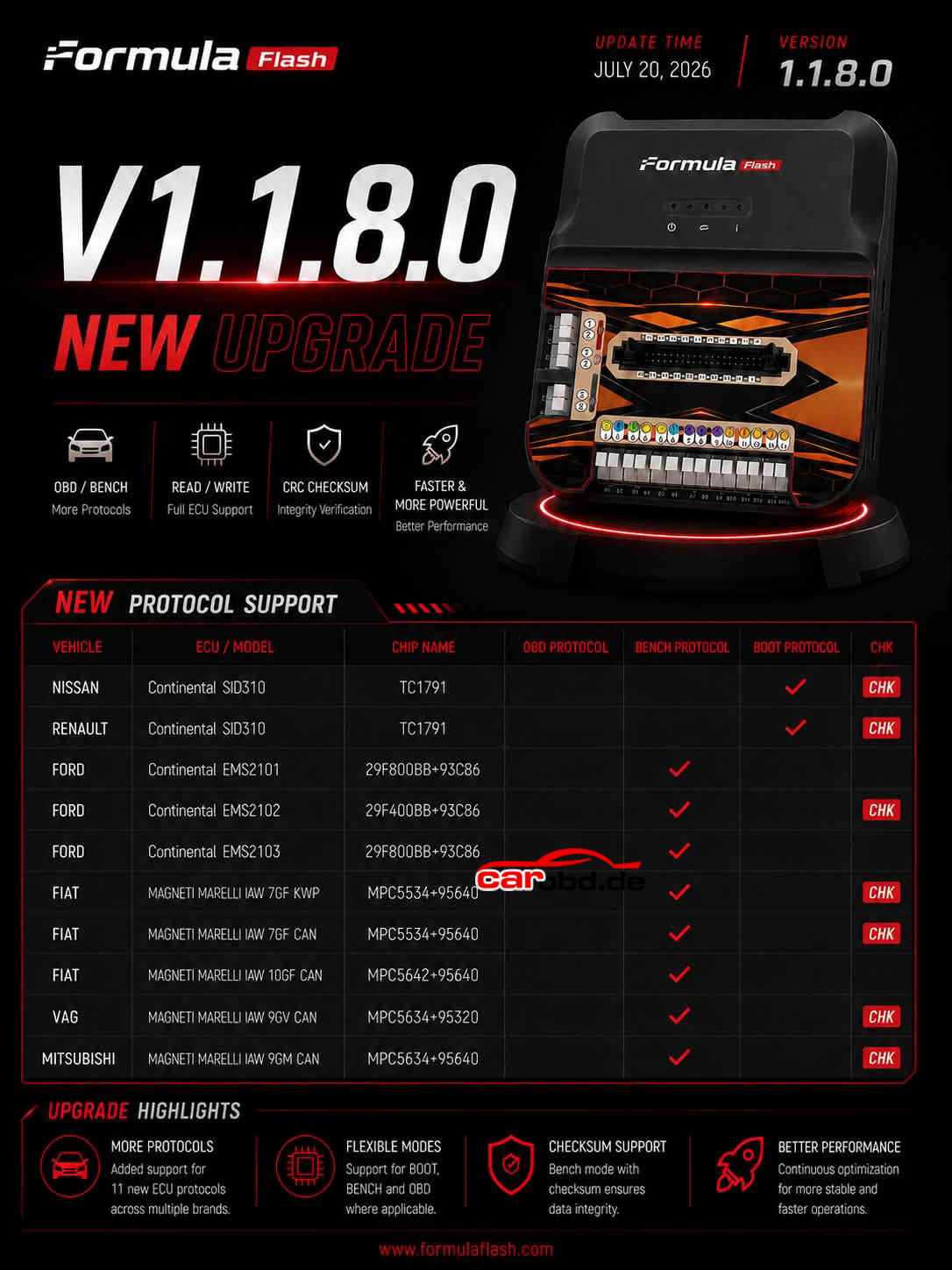
Formulaflash New Upeate V1.1.8.0 Coming Soon !
New Protocol Support
Nisan SID310
Renault SID310
Ford EMS2101
Fiat 7GF KWP/CAN
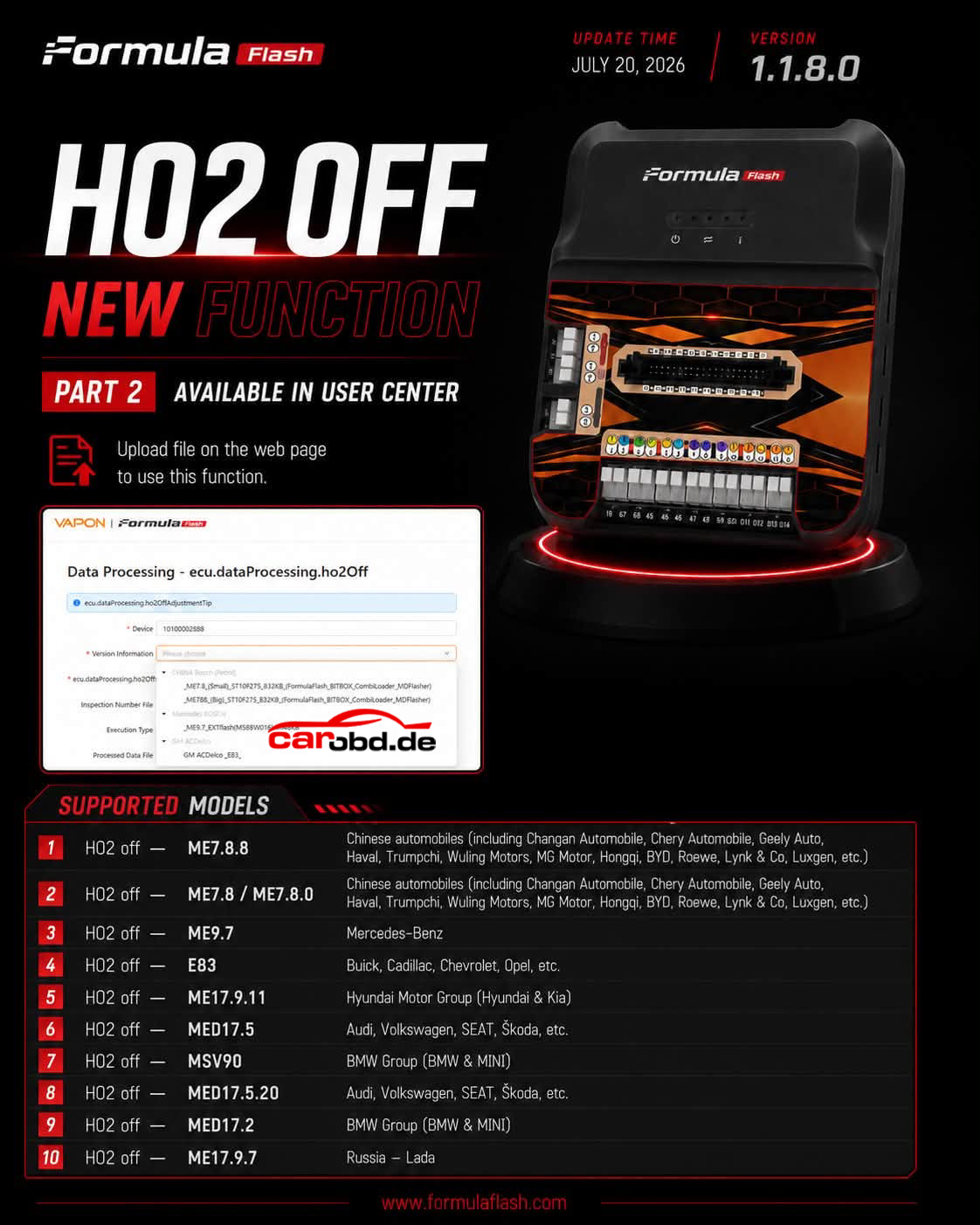
HO2 off ME 7.8.8
HO2 off ME9.7
HO2 off MED17.5.20
HO2 off ME17.9.7
RENAULT CLASSICS UPDATE: Sagem S2000 now live via OBD (BETA)! 🇫🇷🚗
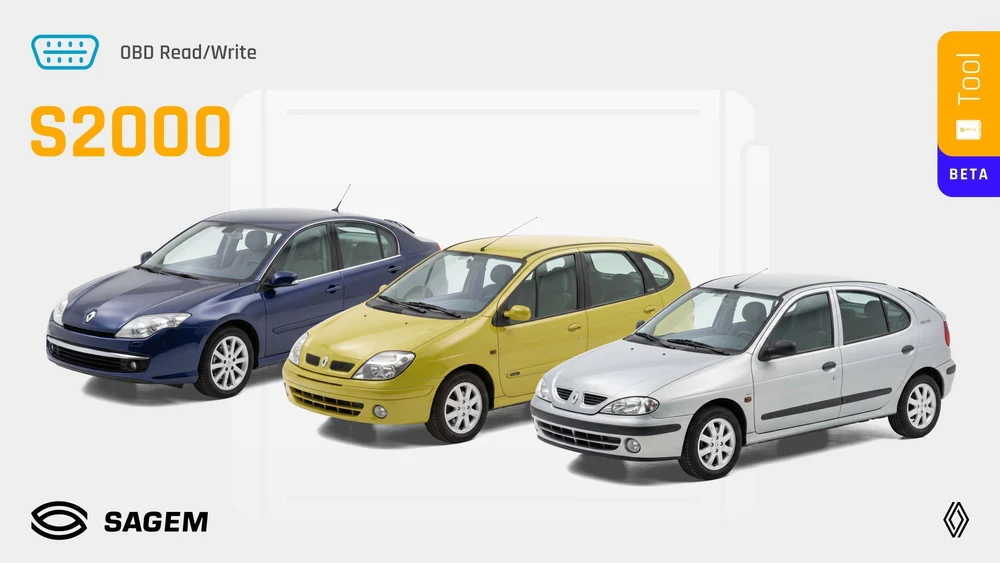
Time to support the ultimate daily drivers and French “Youngtimers”! The Sagem S2000 ECU, powering a massive amount of Renault vehicles from the 2000s, is now supported on your AutoTuner Tool.
The perfect opportunity to offer performance tuning or customized fueling upgrades on extremely popular engines, ranging from the eco-friendly 1.2L up to the punchy 2.0 Turbo! 📈🌿
Method: 100% OBD (Normal Read)
Status: BETA Protocol (we value your field feedback!)
Clean workflow: Plug into the OBD port, read, and flash.
Unmatched Fleet Coverage:
✅ Clio II, Twingo I, Kangoo I 🎒
✅ Megane II, Scenic II, Trafic II 🛠️
✅ Laguna (I, II, III), Espace IV, Vel Satis & the iconic Avantime! 🛸
Update your Tool software today and welcome a legendary generation of Renaults to your dyno! 🔌
The AT Team
Key Features:
⚙️ Type: Engine Control Unit (ECU)
🔌 Mode: OBD NR
🧩 Readout: Calibration
🖥️ MCU: C167
⏱️ Read time: 45sec
⏱️ Write time: 2min 30sec
✅ Checksums correction
Compatibility List*:
🚗 Renault Models: Avantime (2001) / Clio II (1998+) / Espace (2002) / Kangoo I (1997+) / Laguna (2001 – 2007) / Laguna I (1994+) / Laguna II (2001+) / Laguna III (2007+) / Latitude (2010) / Megane (2002) / Scenic (2003) / Trafic II (2001+) / Twingo I (2000+) / Vel Satis (2002)
🔧 Renault Engines: 1.2 / 1.2 8v / 1.2 16v / 1.4 / 1.4 16v / 1.6 / 1.6 8v / 1.6 16v / 1.8 16v / 1.8i 16v / 2.0 16v / 2.0T / 2.0T 16v
Good News to Customers
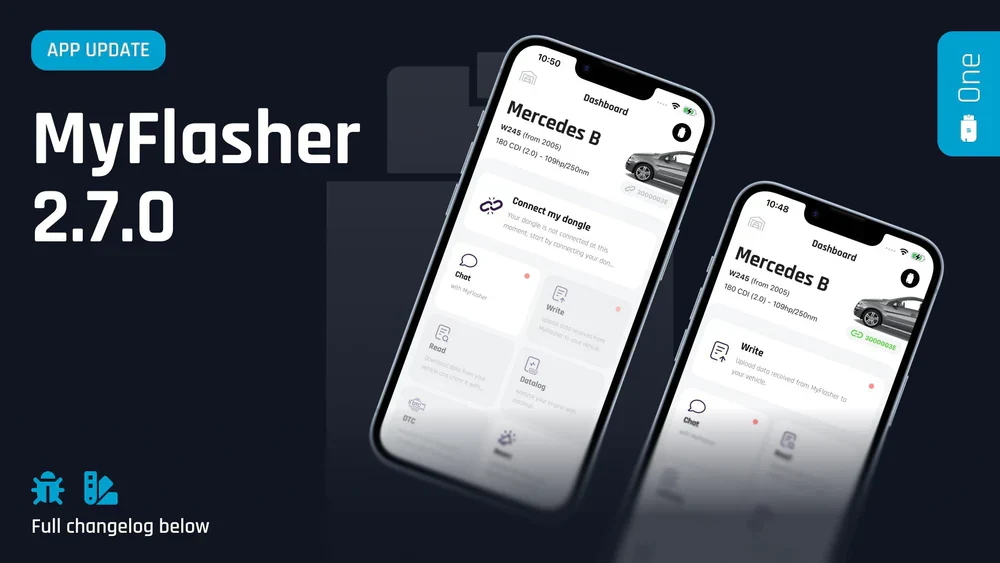
A fresh mobile experience has just landed to redefine how you use your mobile flasher! We are thrilled to introduce the latest major update to the MyFlasher app, the essential companion to your The One device. It has been carefully designed to make your daily tuning routine faster, cleaner, and more intuitive.
Here is a look at what’s waiting for you inside the new version:
🎛️ A Brand-New Dashboard
We have completely overhauled the MyFlasher home screen. It’s fresh, clear, and perfectly focused on keeping you locked into what matters most at the exact moment you plug into a vehicle. Packed with smart recommendations, it dynamically guides your next move to save you precious time during your mobile tuning sessions.
🇪🇸 ¡Bienvenido! & Benvenuto! 🇮🇹
Our global community of The One users is expanding! The app now fully supports Italian and Spanish. Simply head over to your settings and pick the language you’re most comfortable with.
🔍 iOS Text Size Support
Vehicle cabins and workshop environments demand good readability. MyFlasher now fully respects your system-wide iOS text size settings. Enjoy better visibility and a tailored layout that scales perfectly to your custom reading preferences.
⚠️ Technical Note: This update requires iOS 15.4 or later. Head over to the App Store right now to upgrade your MyFlasher mobile experience!
Category: Auto Locksmith / Odometer Correction / EEPROM Programming
Tag: YANHUA YH35XX, 35128WT, 35160WT, BMW Odometer Reset, EEPROM Programmer, Mileage Correction
Reading Time: 6 mins
For professional auto locksmiths and workshop technicians, mileage correction and EEPROM data recovery on modern BMW F/G series vehicles has always been a tricky task. Traditional programming tools often cause odometer red dot errors, data mismatch, ECU synchronization failures, or even permanent module damage after operation.
The YANHUA YH35XX Programmer + Simulator is a dedicated all-in-one solution designed for 35XX series EEPROM chips (35128WT / 35160WT / 35080). It perfectly solves common pain points in BMW odometer correction, supporting safe read-write, data modification, chip replacement and fault-free simulation. With zero red dot warning, no system errors and high data stability, it has become a must-have tool for BMW mileage adjustment and instrument cluster repair workshops.
Compared with ordinary EEPROM programmers, the YANHUA YH35XX combo tool has unique technical advantages in actual workshop operations:
– Full 35XX Chip Compatibility: Fully supports mainstream automotive EEPROM chips including 35128WT, 35160WT and 35080, covering most BMW F-series and partial G-series instrument clusters.
– No Red Dot, No Fault Code: Exclusive simulation technology ensures no odometer red dot alert after mileage correction, no ECU system error reports, and complete vehicle data synchronization.
– Solder-Free & Risk-Free Operation: Equipped with professional adapter board and solder-free clamp, no need for complex soldering, effectively avoiding chip burning and circuit board damage.
– Dual Programmer + Simulator Mode: Integrates EEPROM data reading/writing and offline simulation functions. It can simulate original chip operation during data modification to prevent module lock-up.
– Offline Data Recovery & Reset: Supports offline mileage reset, original data backup, faulty data repair and chip replacement adaptation, suitable for used car instrument calibration and broken cluster repair.
– Stable & Cost-Effective: No extra token fees, no hidden activation costs, with long-term firmware compatibility updates to adapt to new vehicle models.
The YH35XX tool combo is widely applicable to BMW models equipped with 35XX series EEPROM instrument chips:
– Compatible Chips: 35128WT, 35160WT, 35080
– Main Vehicle Models: BMW F10, F18, F30, F35, F20, F25, F26, F48, G-series partial clusters and other models with 35XX EEPROM odometer modules
– Main Functions: Odometer mileage correction, original EEPROM data read & write, faulty data reset, new chip adaptation, instrument cluster repair
Follow the standard workflow below to complete safe and error-free 35XX chip programming and mileage correction:
Step 1: Dismantle & Position the Original Chip
Remove the original 35128WT/35160WT EEPROM chip from the BMW instrument cluster. Place the chip stably on the dedicated YH35XX adapter board, confirm the positive and negative pin direction to avoid reverse connection damage.
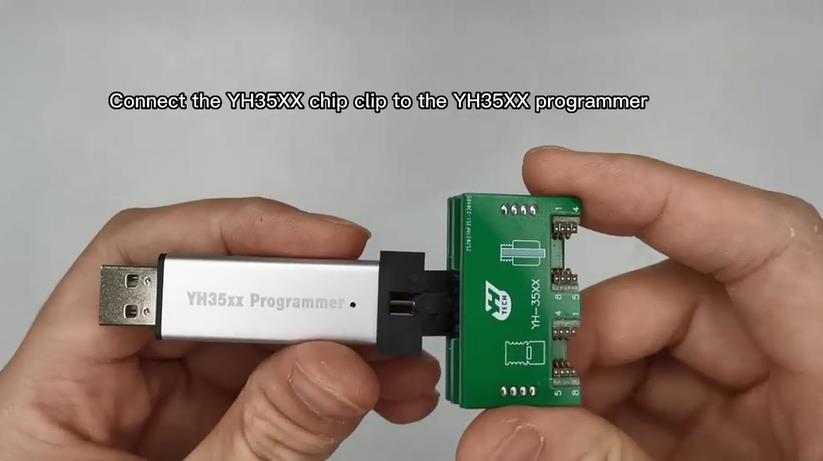
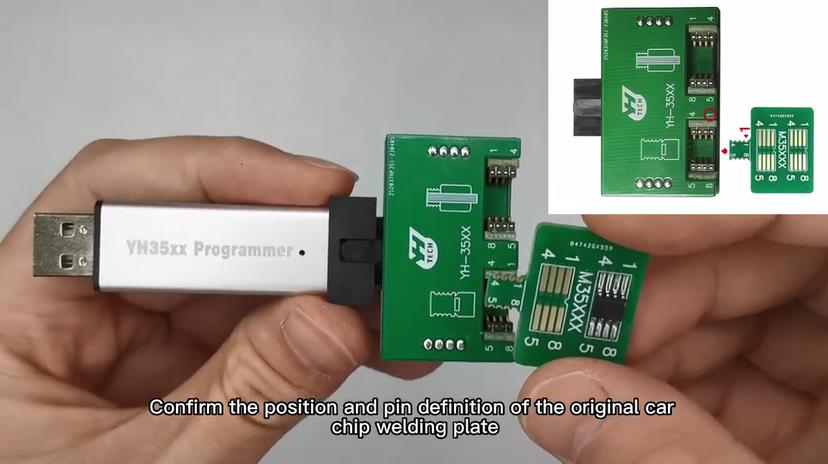
Step 2: Install Solder-Free Clamp & Connection
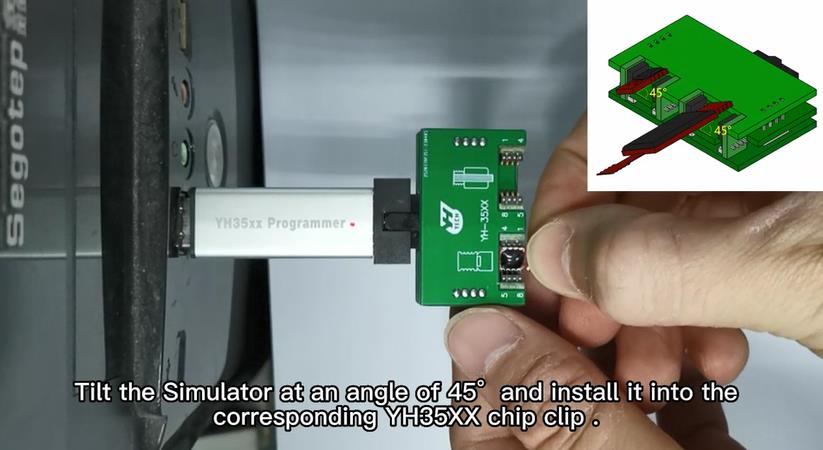
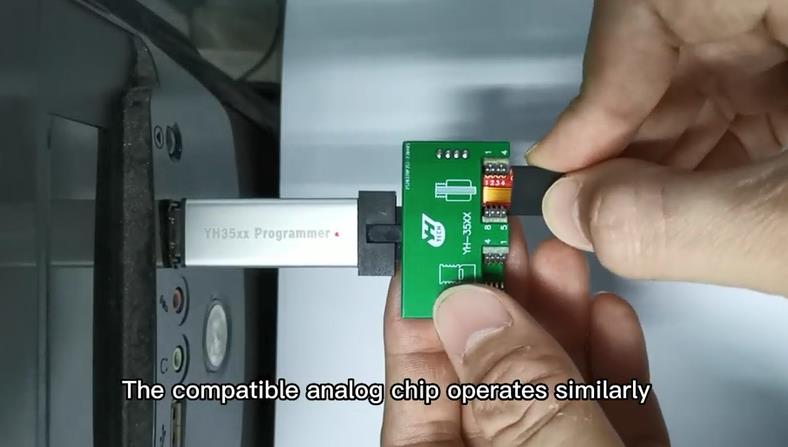
Fix the adapter board with a professional solder-free clamp to achieve full contact without soldering. Connect the adapter to the YANHUA YH35XX main programmer, and power on the device stably. Check the indicator light to confirm normal hardware connection.
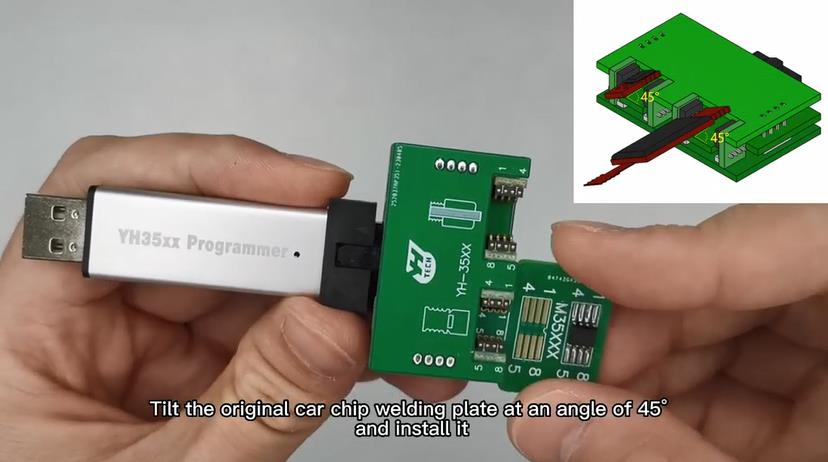
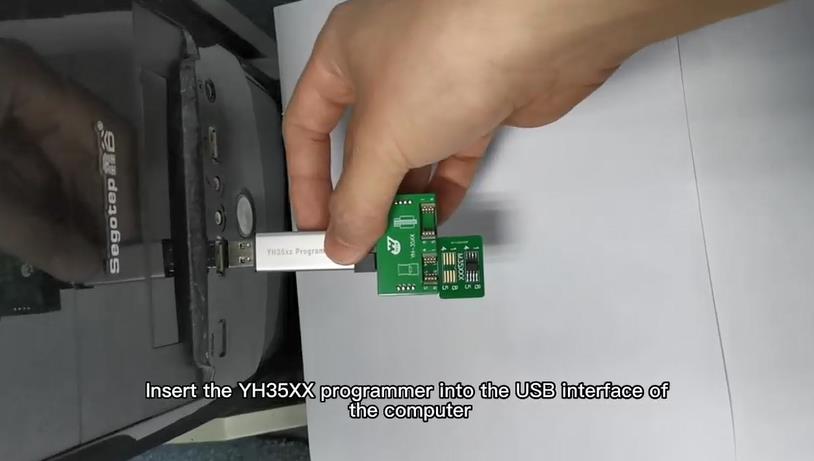
Step 3: Read Original EEPROM Data
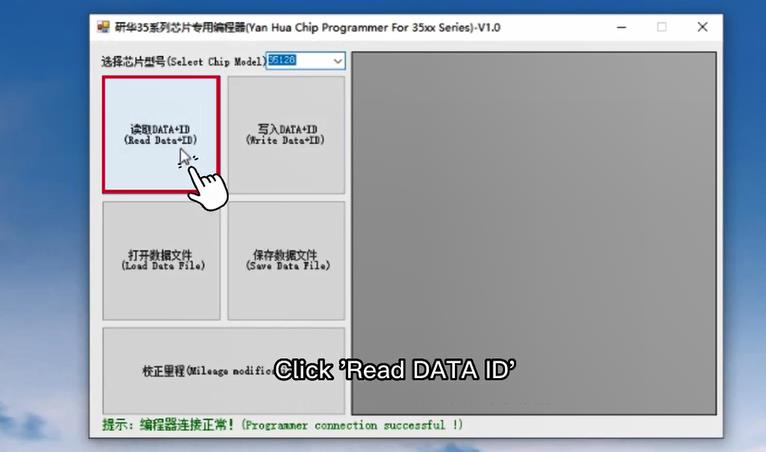
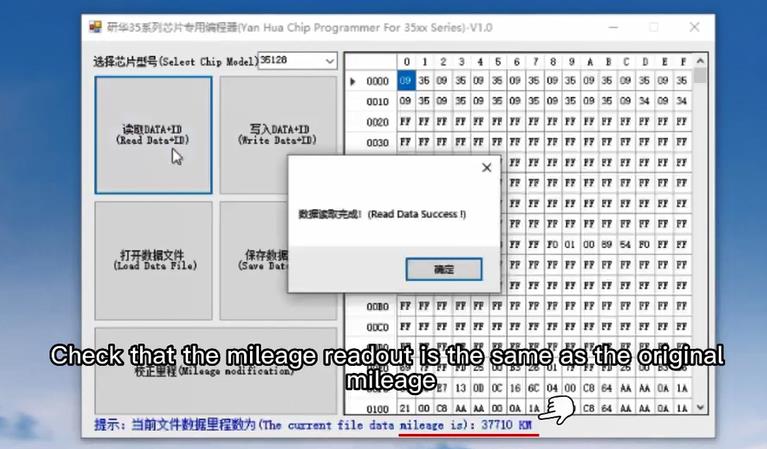
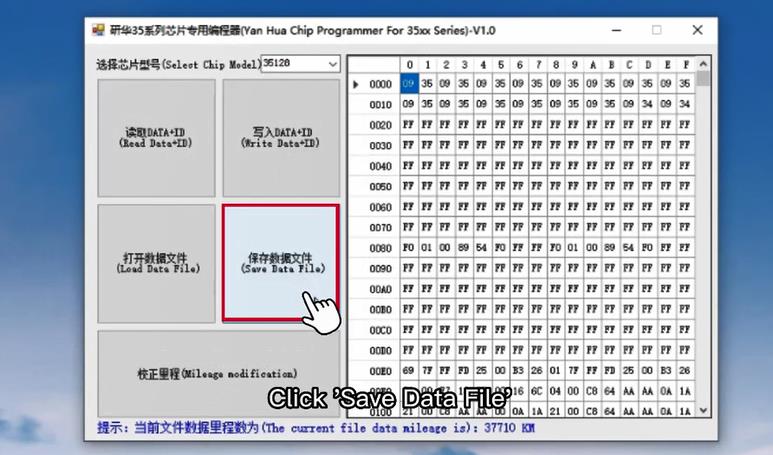
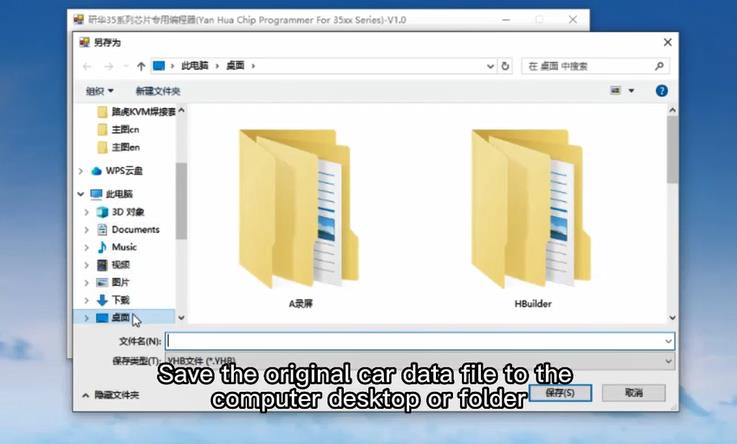
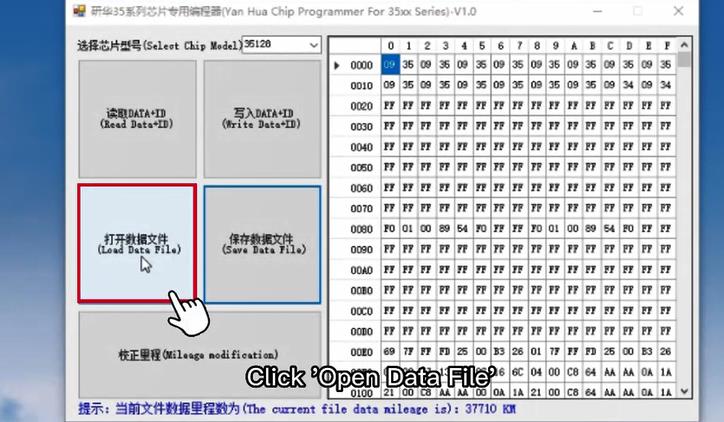
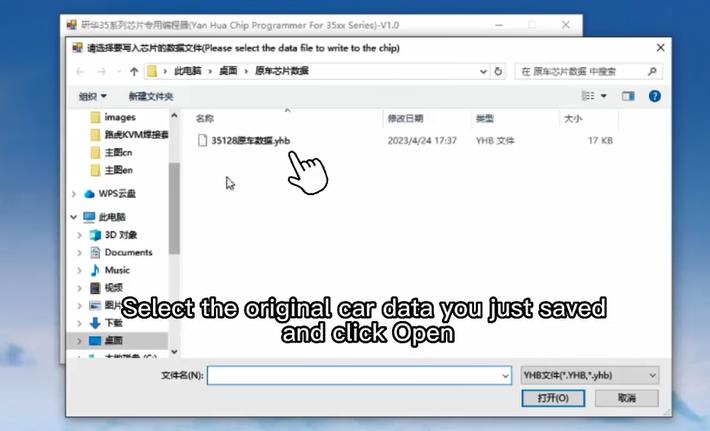
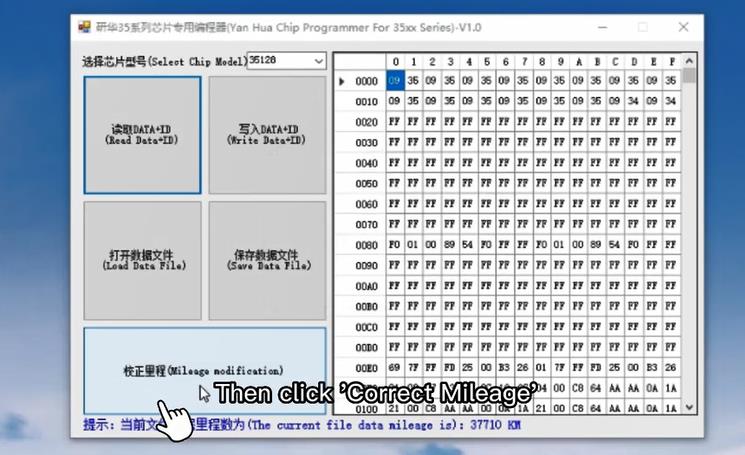
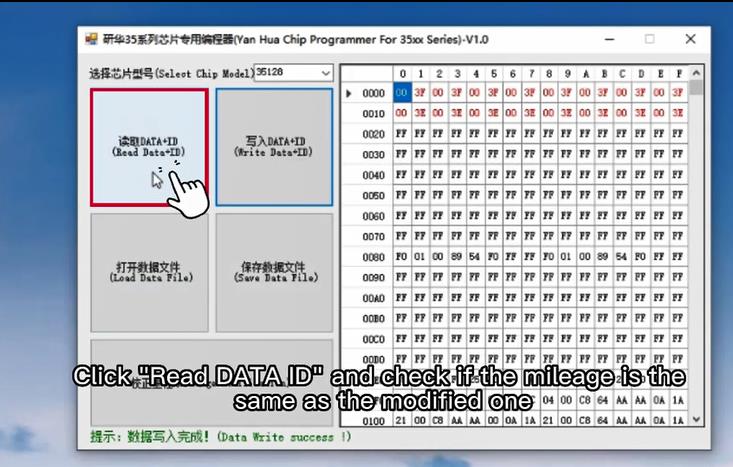
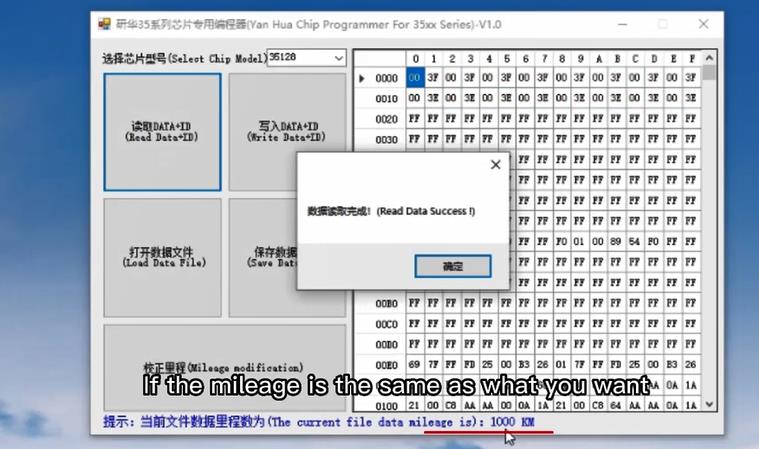
Launch the YANHUA official supporting software, select the corresponding chip model (35128WT/35160WT/35080). Click “Read Data” to back up the original vehicle odometer data. Always back up original data first to avoid irreversible data loss.
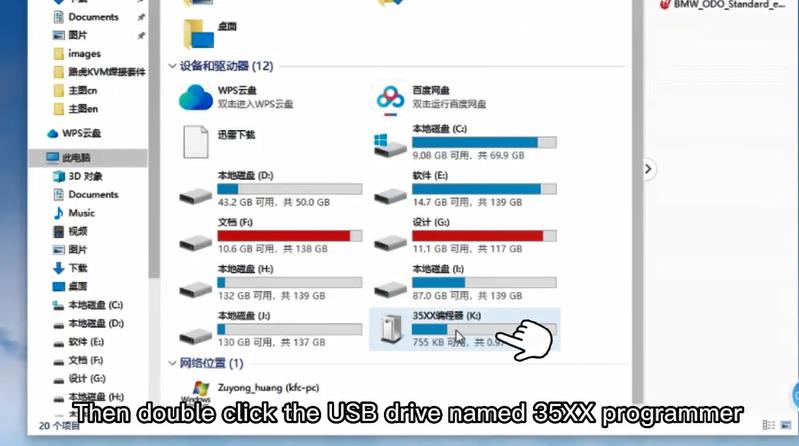
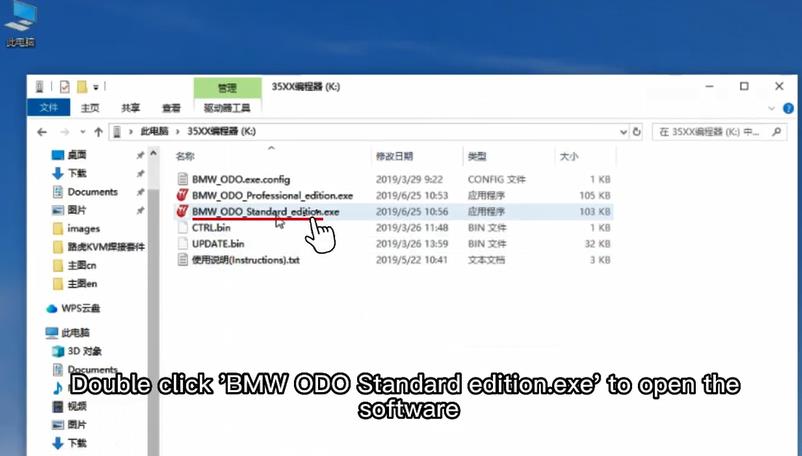
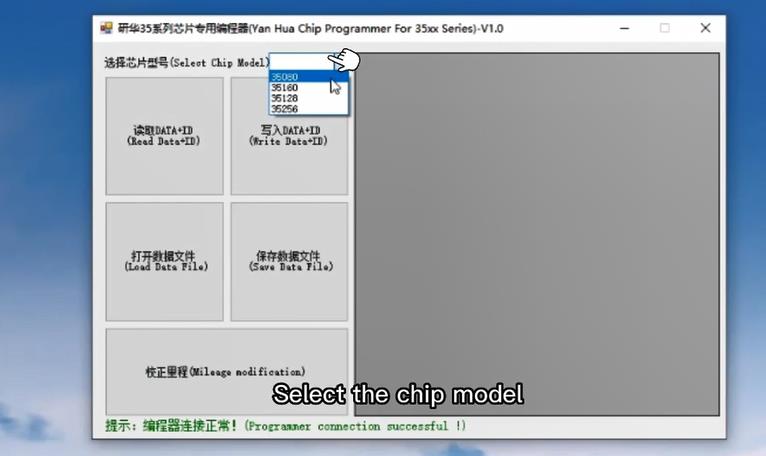
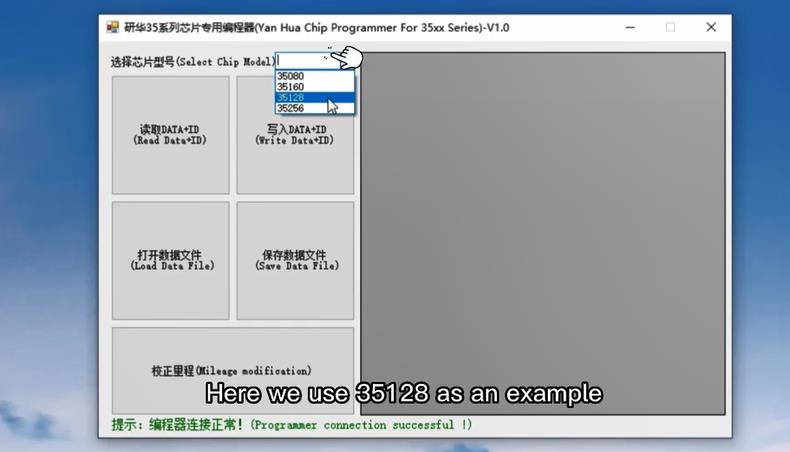
Step 4: Modify Mileage Data & Verify
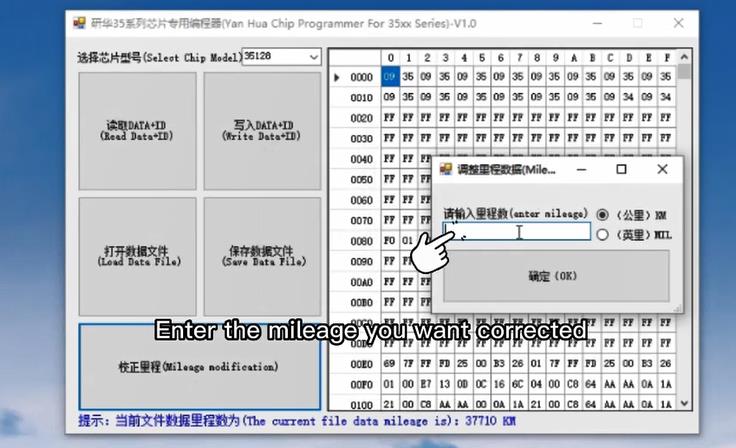
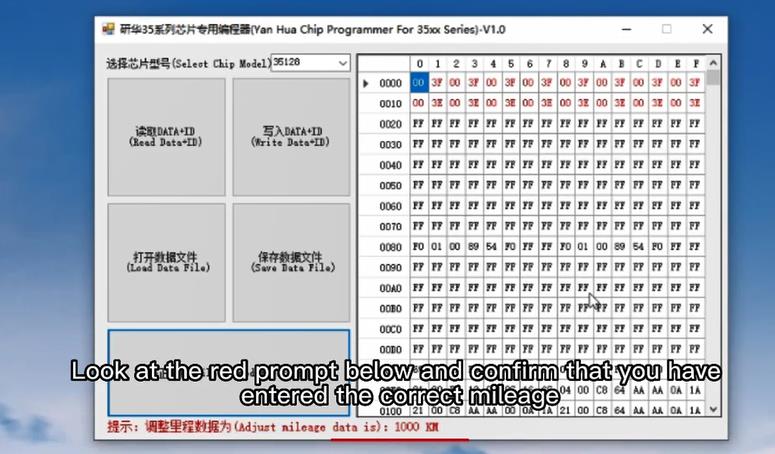
Edit the mileage data according to actual repair needs. After modification, perform software data verification to ensure no data code errors or missing parameters. The YH35XX system supports one-click data calibration to ensure matching with vehicle ECU parameters.
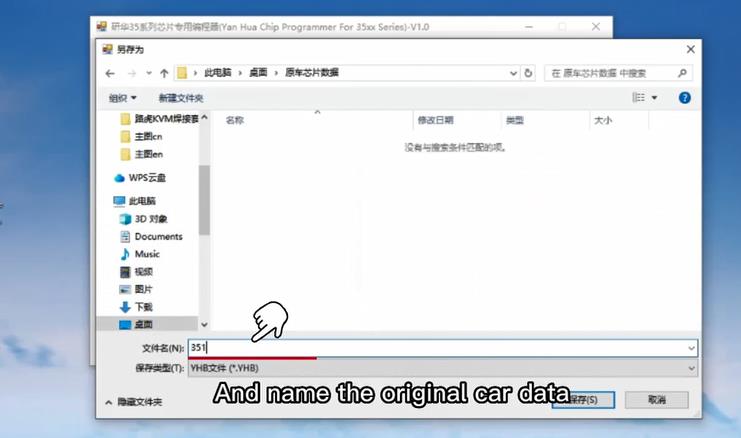
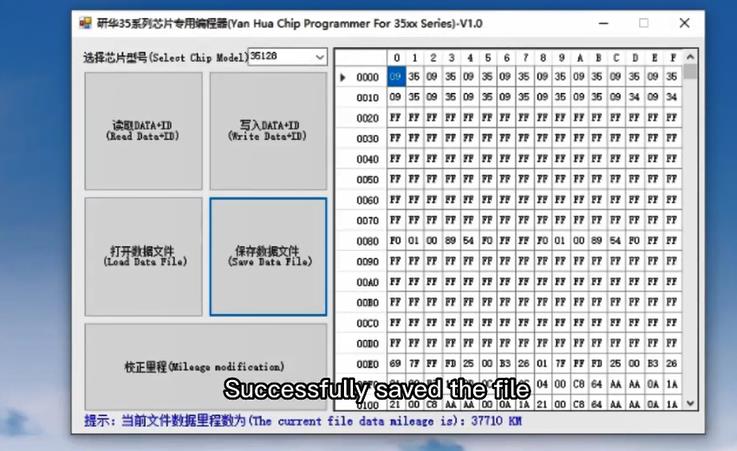
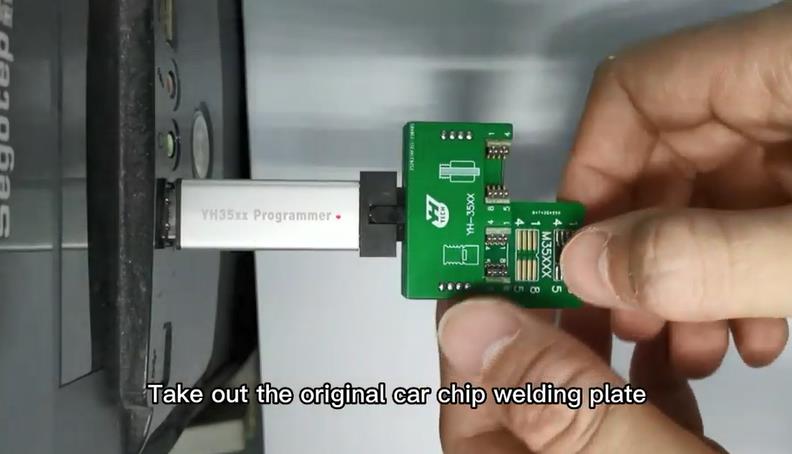
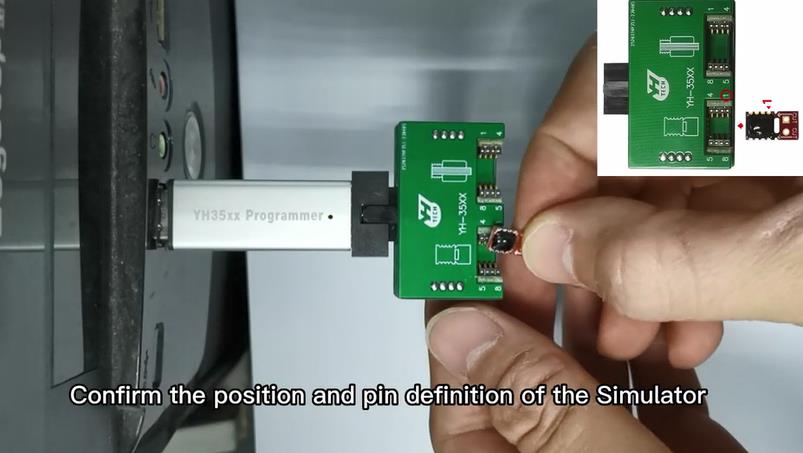
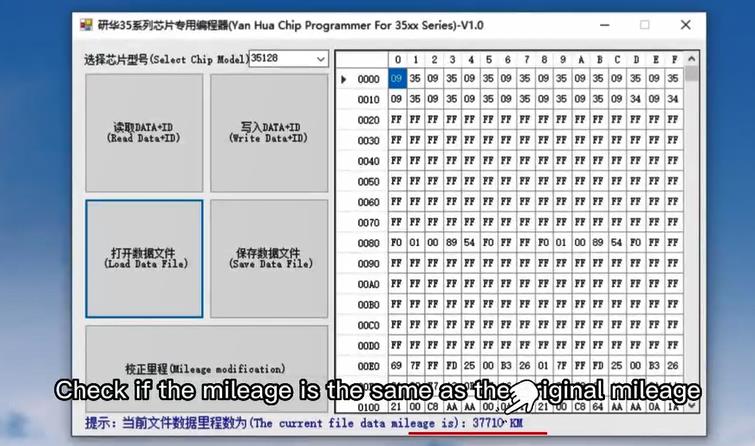
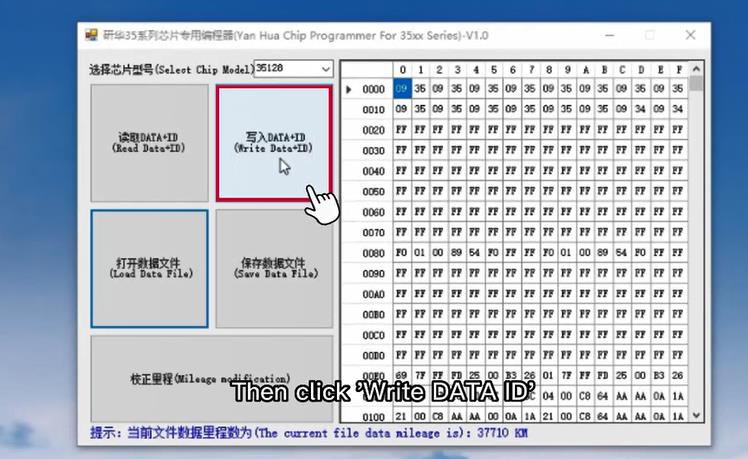
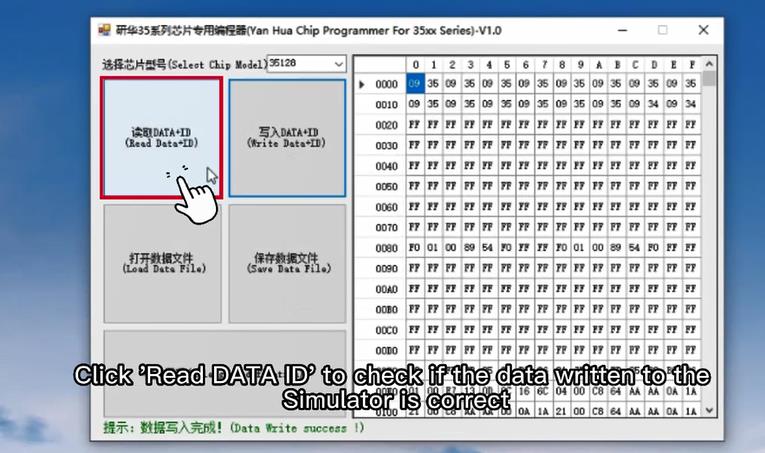
Step 5: Simulator Mode Activation & Data Write
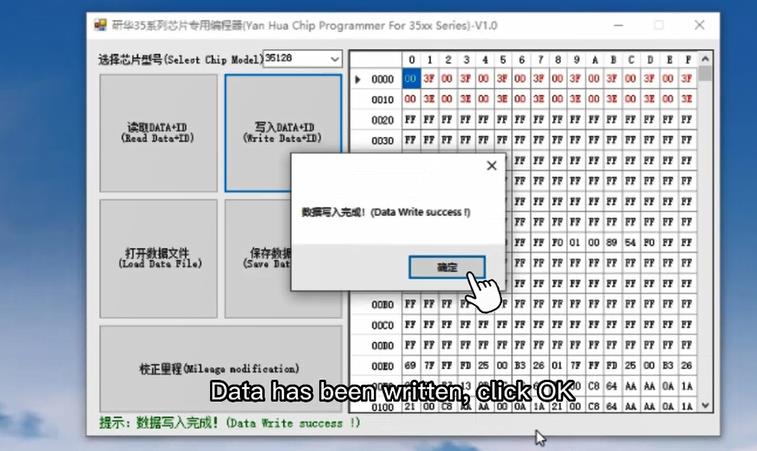
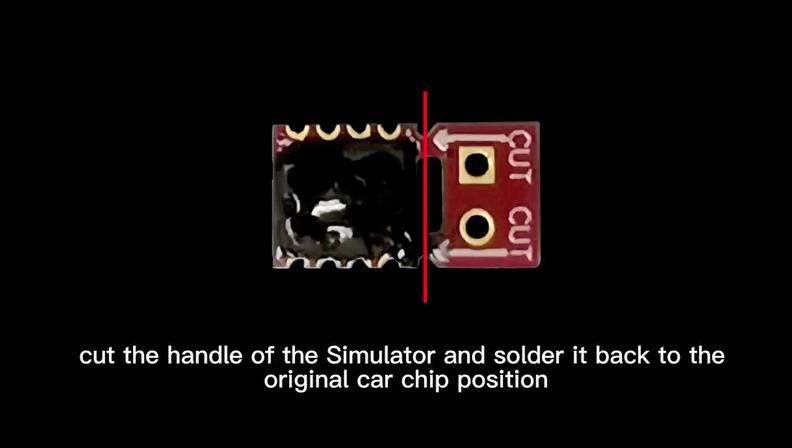
Turn on the built-in simulator function to simulate the original chip operating state, preventing instrument cluster lock-up and system error reports during data writing. After enabling simulation, click “Write Data” to program the modified data into the chip.
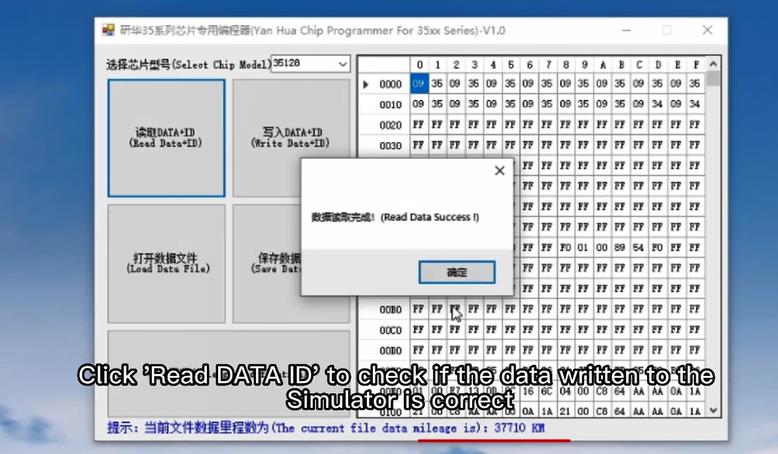
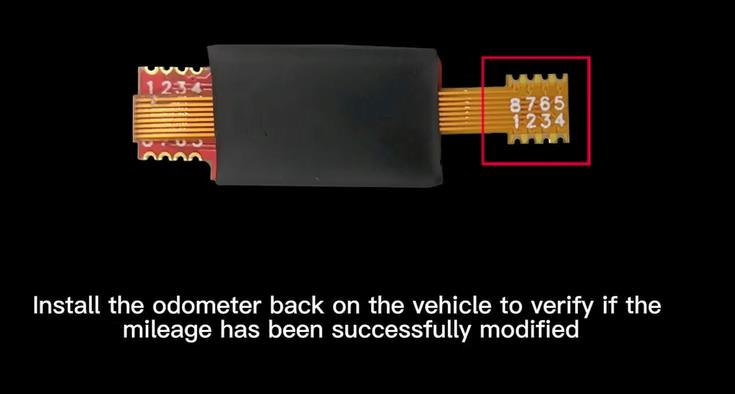
Step 6: Reinstall Chip & Test Vehicle
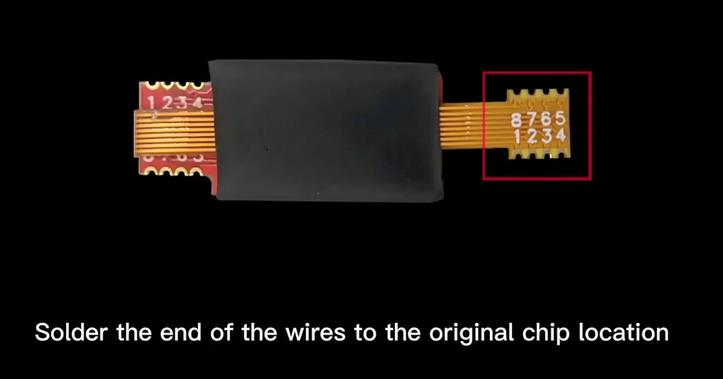
After successful writing, remove the clamp and adapter board, reinstall the programmed chip back to the original instrument cluster. Install the cluster back to the vehicle, power on and check the odometer display. No red dot warning, no fault codes, and the mileage data is fully synchronized and effective.
– Red dot after correction: Mostly caused by incorrect chip direction or unactivated simulator mode. Recheck hardware connection and restart the simulation program before writing data.
– Data writing failure: Check whether the clamp is in full contact with the chip pins, replace the data cable if necessary, and avoid unstable power supply during operation.
– Mileage data mismatch: Re-read and back up the original data, use the official software one-click calibration function to correct parameter deviations.
Many novice technicians encounter red dot failures, module damage and data loss when using cheap ordinary programmers. The YANHUA YH35XX integrated solution is tailor-made for 35XX chip odometer jobs. The matching simulator is the core guarantee for zero-error operation, helping every workshop improve work efficiency, reduce rework rates, and maximize profit on BMW instrument repair and mileage correction business.
Lightweight, easy to carry, no complicated setup, suitable for on-site door-to-door service and shop fixed maintenance scenarios. It is the most cost-effective professional BMW odometer correction tool in 2026.
Final Words
If you are looking for a stable, risk-free and easy-to-use 35XX EEPROM programming tool for BMW mileage correction, the YANHUA YH35XX Programmer + Simulator is your best choice. Master the standard operation steps, and you can efficiently handle all BMW F/G series 35XX chip odometer repair jobs.
Issue:
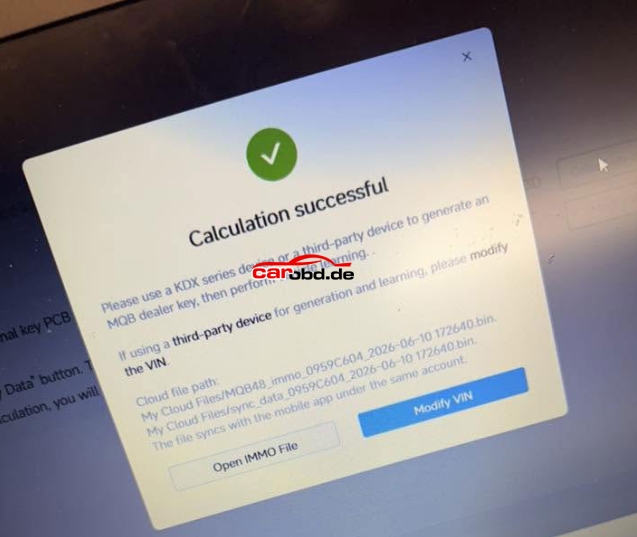
Tried to read an original Audi A3 2018 MQB48 key data with Keydiy KD-MP tool and KD’S MQB48 clip adapter.
KD MP keeps failing. Tried replacing the key in different positions.
Tried putting pcb flat etc
How to fix it ?
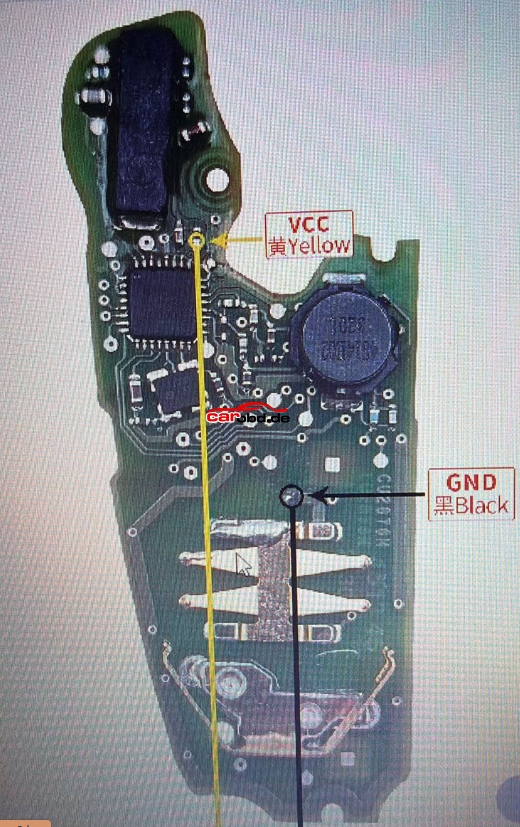
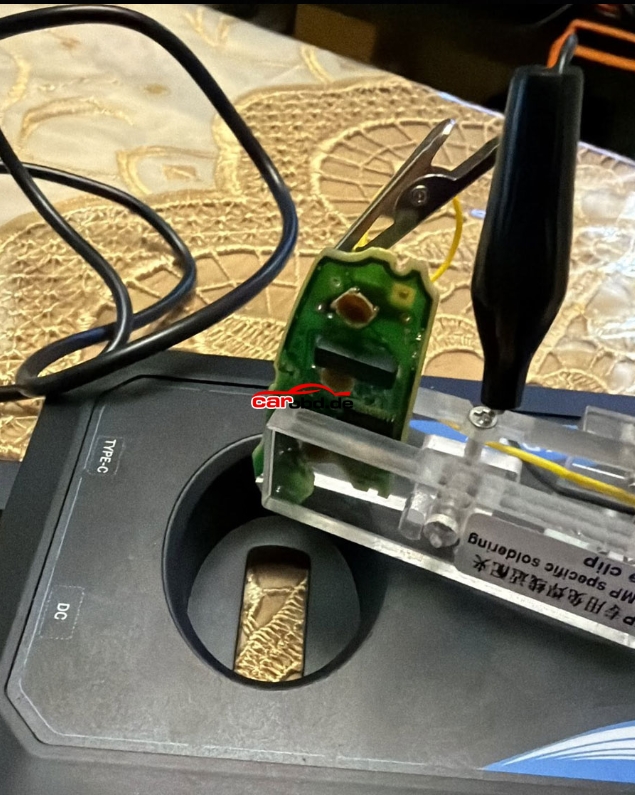
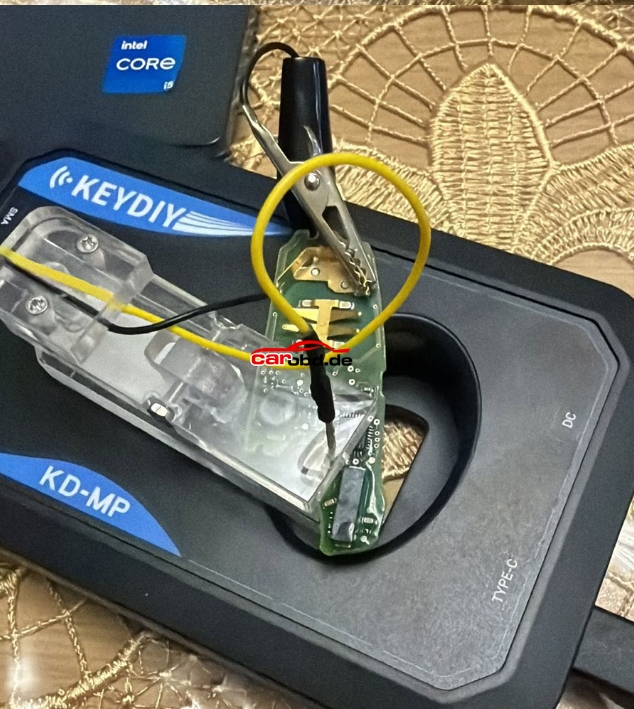
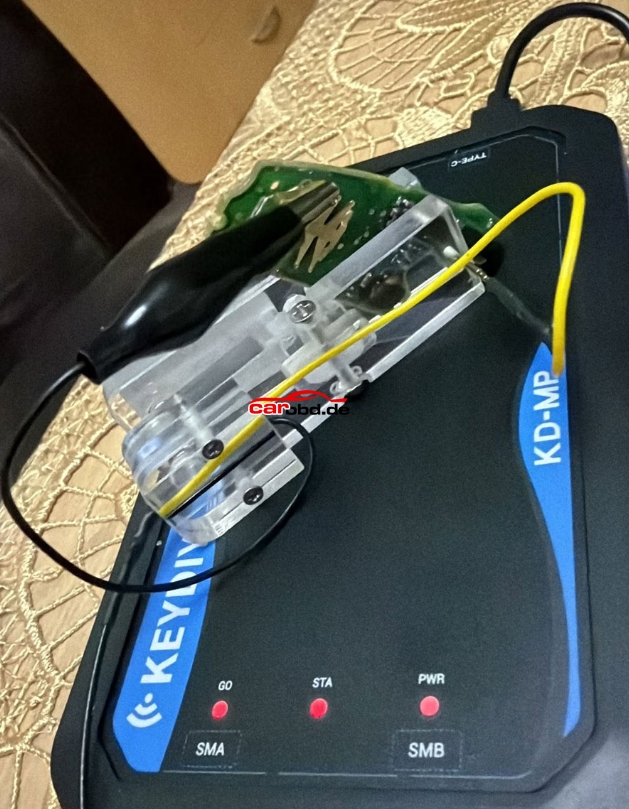
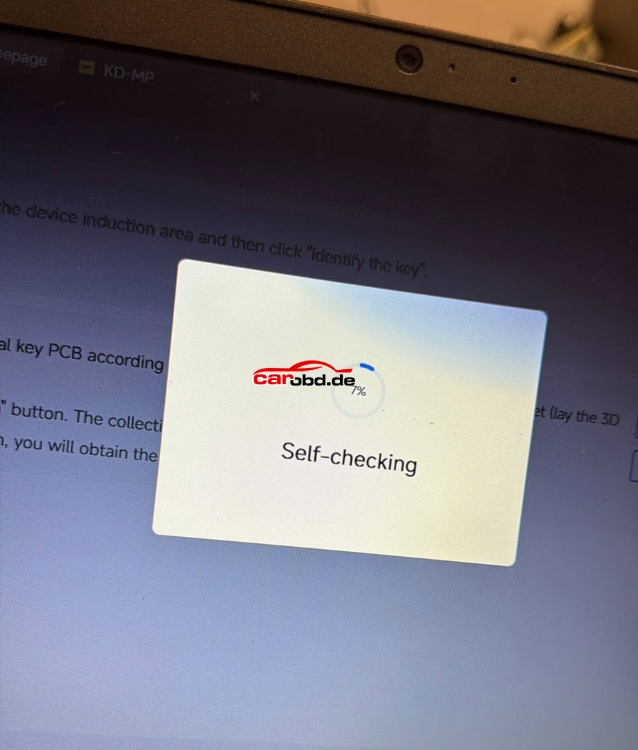
Possible reasons and solutions:
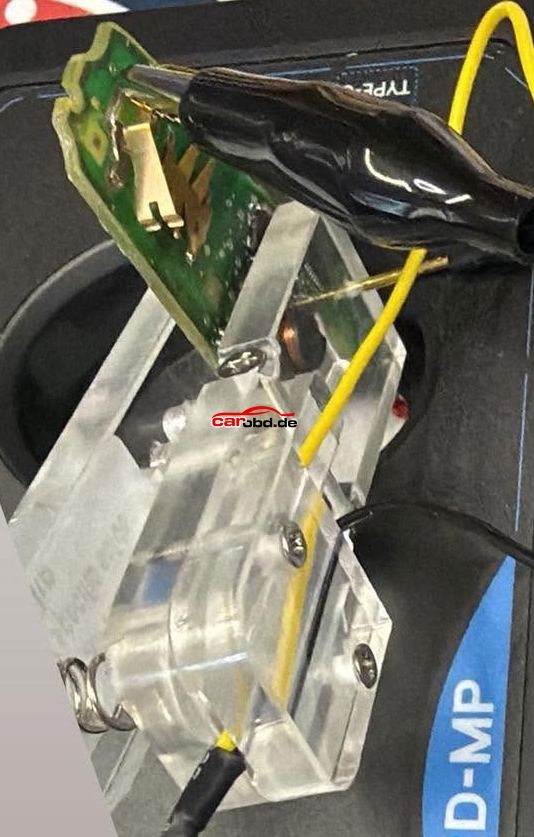
1. The GND connection is wrong. Put the clip in the battery+place
(Top side of cr2032 +, bottom part -)
2. Try put the spunge in and power the device.
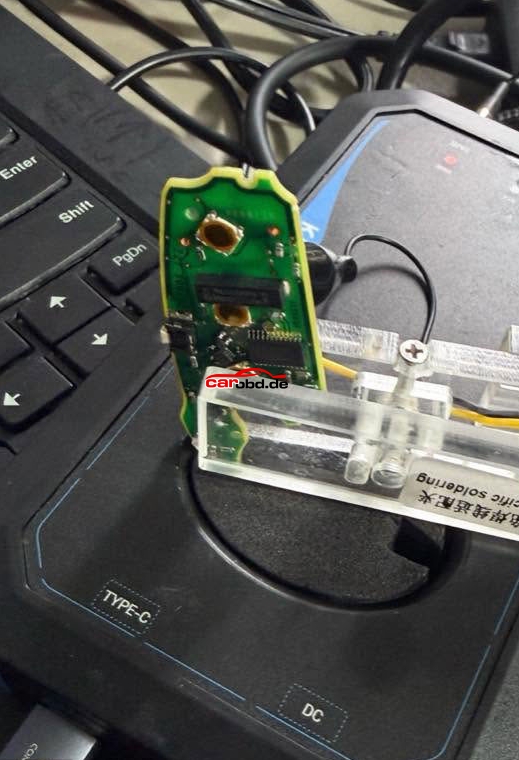
User Feedback:
It worked with+ position
Are you ready to unlock the full potential of your Mercedes-Benz? Whether you drive an A-Class, E-Class, or a van, our MBito diagnostic tool can transform your vehicle by activating hidden features that Mercedes keeps locked away. In this comprehensive guide, we’ll explore the Top 5 features we can unlock that will revolutionize your Mercedes-Benz driving experience.
What is MBito and Why Your Mercedes Needs Our Solution
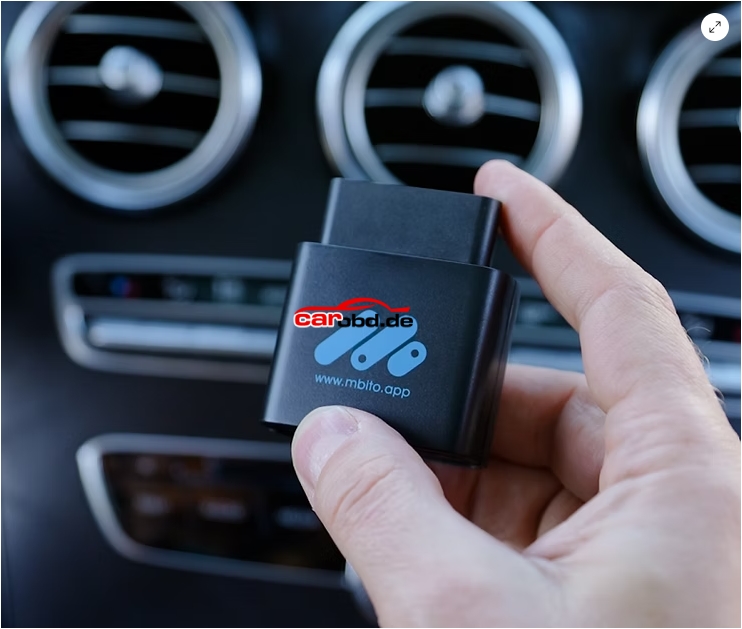
MBito is our professional-grade Mercedes coding tool that connects to your vehicle’s including but not limited to COMAND and MBUX infotainment systems, to unlock hidden functions and customize settings. Compatible with virtually all modern Mercedes-Benz models from 2008 onwards, our Mercedes diagnostic software gives you access to features typically reserved for higher trim levels or completely hidden from factory settings.
5. Start/Stop Adjustments: Take Control of Your Engine Management
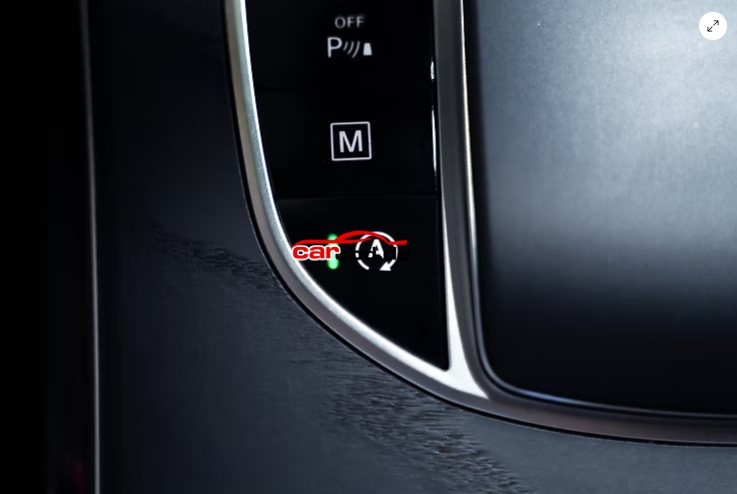
Last Mode Memory or Complete System Deactivation
One of the most requested Mercedes customizations we provide involves the start/stop system. Many Mercedes owners find the automatic engine start/stop function intrusive. With MBito, we can configure your vehicle to:
This Mercedes hidden feature activation is particularly valuable for owners who frequently drive in stop-and-go traffic or prefer traditional engine behavior.
4. Rear DRLs Activation: Enhanced Visibility and Style
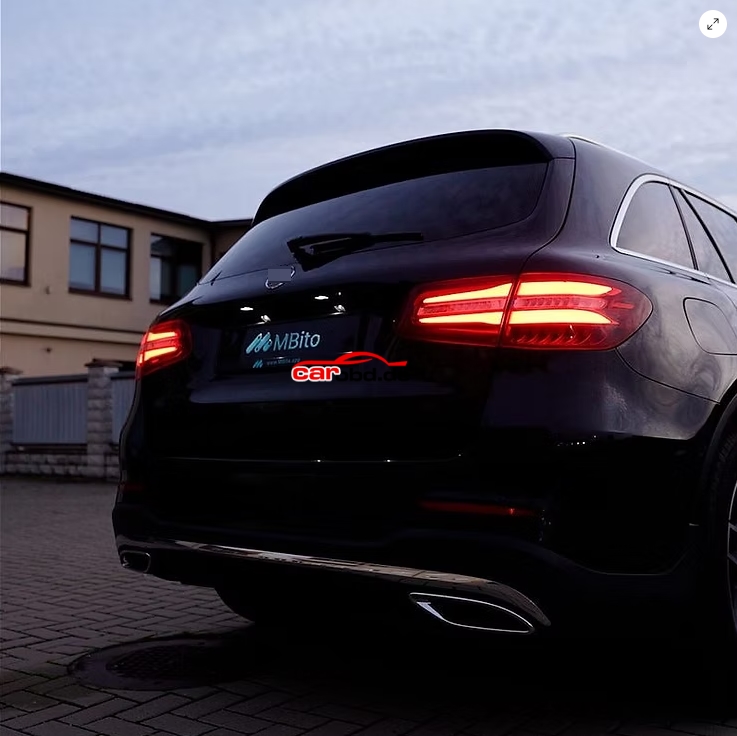
Illuminate Your Mercedes from Behind
Transform your Mercedes tail lights with our rear DRL activation service. This feature enables your rear daytime running lights, giving your Mercedes a more premium appearance while improving visibility during daytime driving.
Compatible Mercedes models we can activate rear DRLs on include:
This Mercedes lighting customization we provide not only enhances your vehicle’s aesthetic appeal but also improves safety by making your Mercedes more visible to other drivers.
3. Stroboscope/Knightrider Lights: Activate Dynamic Lighting Effects
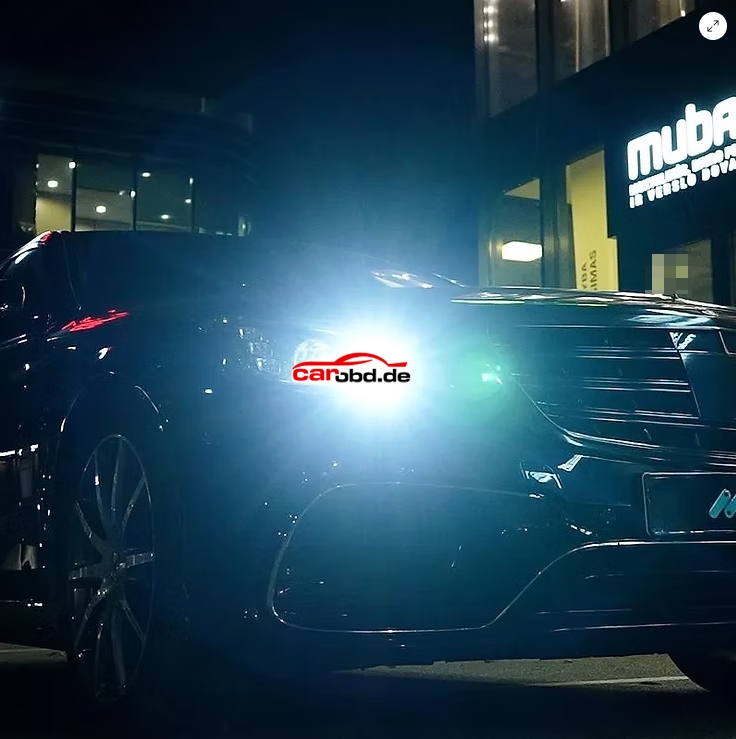
Turn Your Mercedes into KITT
Perhaps the most exciting hidden feature we can unlock is the activation of the Stroboscope and Knightrider effect lighting. This dramatic Mercedes headlight feature creates a sweeping light pattern across your headlight’s LEDs, similar to the iconic KITT car from Knight Rider.
Our Mercedes coding transforms your exterior lights into a dynamic light show, perfect for impressing passengers or creating a unique nighttime driving atmosphere.
2. Apple CarPlay/Android Auto Activation: Seamless Smartphone Integration
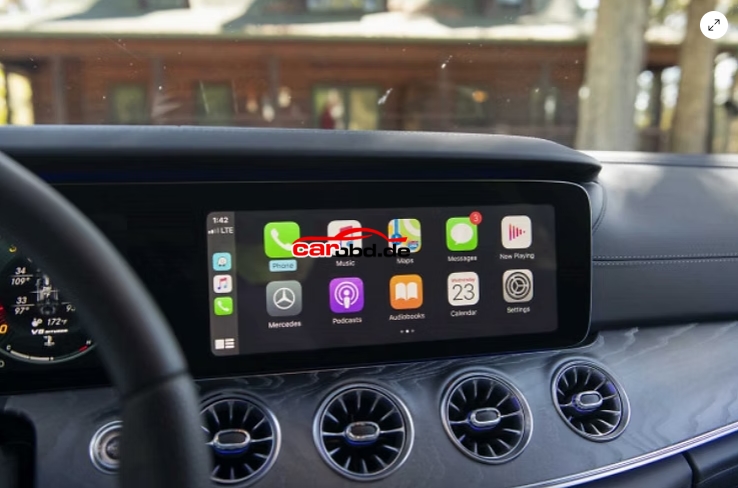
Unlock Connectivity on Older Mercedes Models
Many Mercedes-Benz vehicles manufactured between 2016–2019 came with smartphone integration hardware but without Apple CarPlay or Android Auto activated. We can unlock this functionality on compatible models, including:
Important Note: We activate wired CarPlay only — wireless functionality is not available through coding. Before purchasing, contact our customer support team to verify compatibility with your specific Mercedes VIN number and COMAND/MBUX software version.
This Mercedes smartphone integration we provide dramatically improves your infotainment experience, allowing seamless access to navigation, music, and apps through your Mercedes display.
1. AMG Menu Activation: Unleash Performance Features
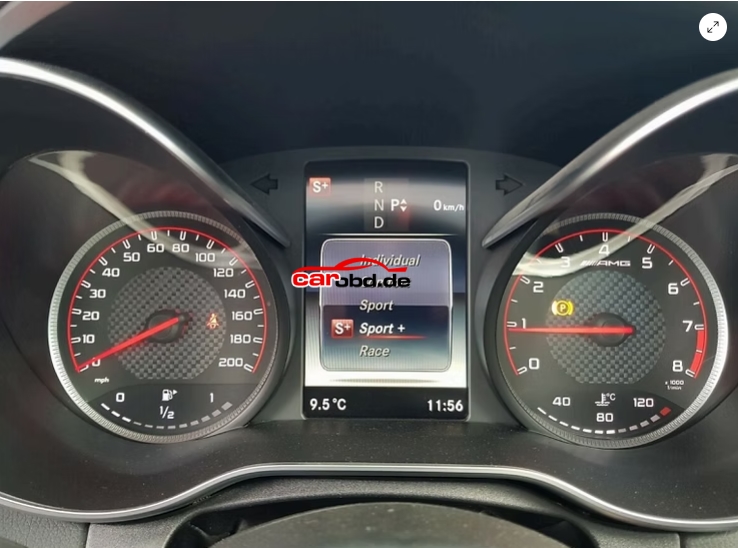
Transform Any Mercedes into an AMG Experience
The crown jewel of features we can unlock is AMG menu activation. This gives you access to Mercedes-AMG performance displays and settings, even if you don’t own an actual AMG model. Features we can activate include:
Performance Displays
This Mercedes performance upgrade we provide is available across the entire model range, from A-Class hot hatches to E-Class luxury sedans and G-Class SUVs. Our AMG menu activation transforms your Mercedes infotainment into a performance-focused command center.
Our Compatibility: Which Mercedes Models We Support
Our MBito solution works with an extensive range of Mercedes-Benz vehicles:
Passenger Cars
SUVs and Crossovers
Getting Started with Our MBito Service: Professional Mercedes Coding
To unlock these hidden Mercedes features with our service, you’ll need:
1. Our MBito diagnostic tool
2. OBD-II connection to your Mercedes
3. MBito mobile application
Important: Always verify compatibility with our customer support team before purchasing, especially for Apple CarPlay activation. Vehicle VINs and software versions can affect feature availability.
Conclusion: Transform Your Mercedes with Our MBito Solution
These top 5 features we can unlock represent just the beginning of what’s possible with our Mercedes coding services. From AMG menu activation to Apple CarPlay unlock, our MBito solution transforms your Mercedes-Benz into a truly personalized driving machine.
Whether you drive a compact A-Class, luxurious S-Class, rugged G-Class SUV, or commercial Vito van, these hidden Mercedes features we can activate will enhance your driving experience and add functionality that Mercedes keeps locked away.
Ready to unlock your Mercedes’ potential? Contact our team today to discover which features we can activate for your specific Mercedes model.
For more technical support ,please contact
Jenny
Whatsapp: +86 19947637411
Email: Sales@Carobd.de
We will introduce how to use CK-Prog programmer to repair BMW FRM3 footwell module data automatically
Example: 2011 Mini
Symptoms:
1. Headlights stay on constantly
2. Turn signals not working
3. Power windows not functioning
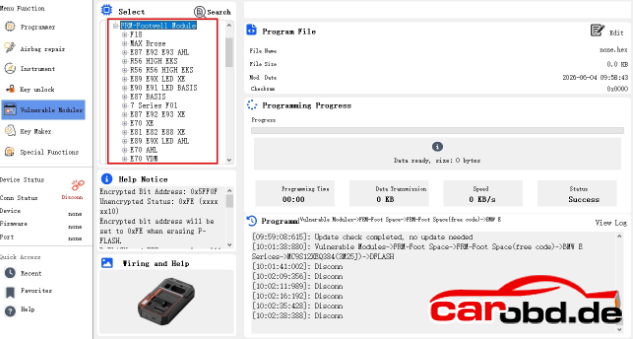
In CK-Prog software, select Vulnerable Modules-BMW-FRM-FRM Footwell (free code)-MC9S12XEQ384 (3M25J)
Free coding (no coding requires)here means the FRM has not been processed by any devices.
If the FRM module is brand new or has not read by any tools, select free coding option.
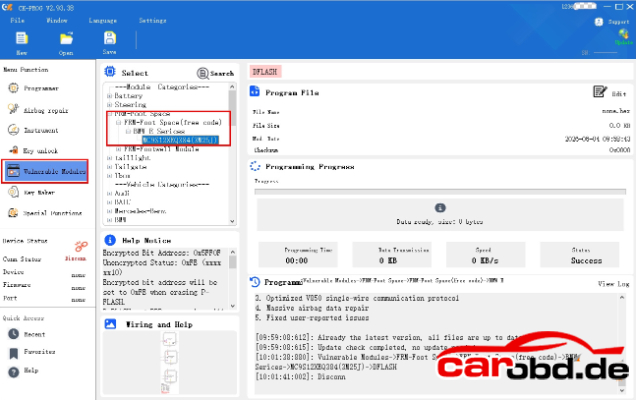
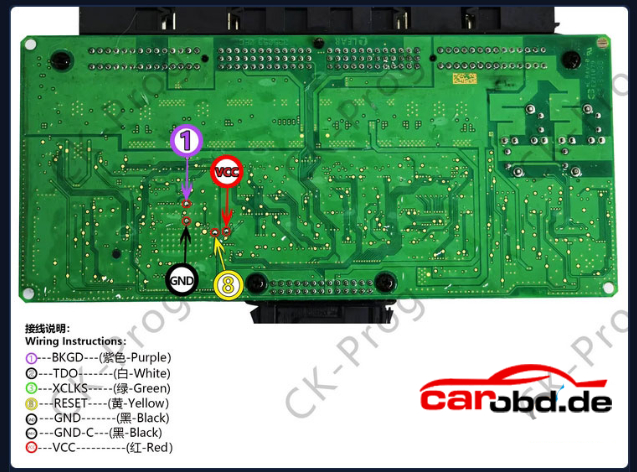
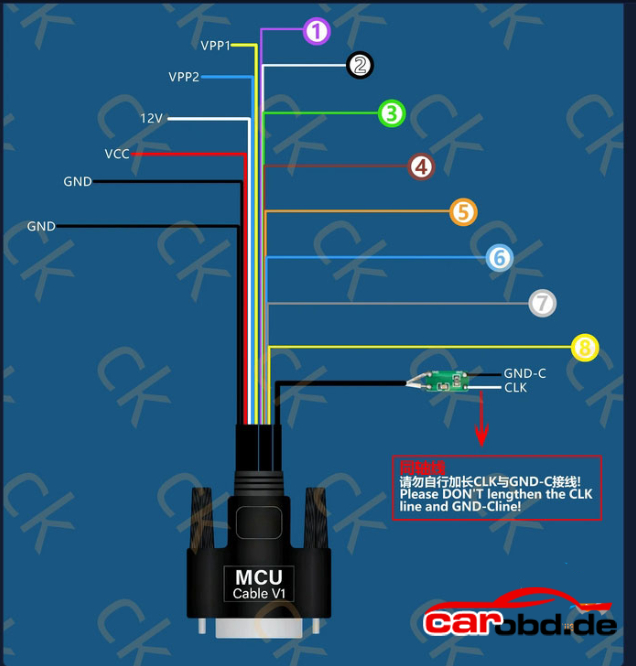
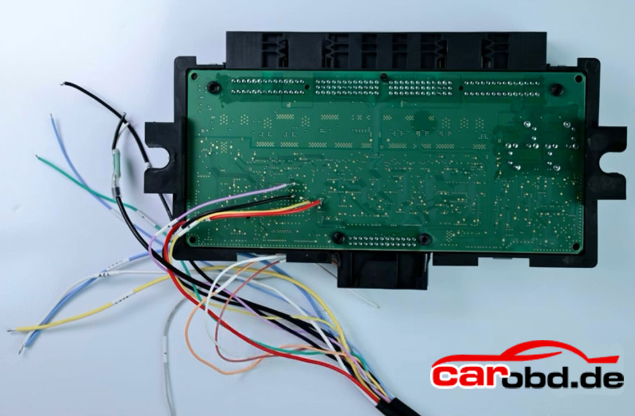
Check the wiring diagram
Wiring is very simple- only 4 wires need to be connected.
1-BKGD-Purple
GND-black
VCC-Red
8-RESET-Yellow
Encrypted Bit Address: 0x5FF0F
Unencrypted Status: 0xFE(xxxx xx10)
Encrypted bit address will be set to 0xFE when erasing P-FLASH.
D-FLASH and EEPROM space size will be judged automatically.
Steps
1. Use( Unlock) to decrypt the chip, the original encypted bit data will be displayed in the window.
2. You can read D-FLASH, EEPROM, P-FLASH, POF data, and rewrite new data multiple times.
3. Use(Lock),enter the original encrypted bit data read in Step1.
Mask: 2M25J ID:C482
Mask: 3M25J ID: C482
Mask: 0M12S ID: C483
Mask: 1M12S ID: C483
CK-PROG will repair the module automatically.
The software has a built-in algorithm for automatic repair. After installation in the vehicle, no coding is needed-it is ready to use.
If the FRM has already been processed by other devices:
Select the appropriate option below based on the FRM type to be repaired. Choose the correct type for the corresponding repair.
For more technical support ,please contact
Jenny
Whatsapp: +86 19947637411
Email: Sales@Carobd.de
Tutorial : How to downoad, install and update CK-Prog universal programmer software.
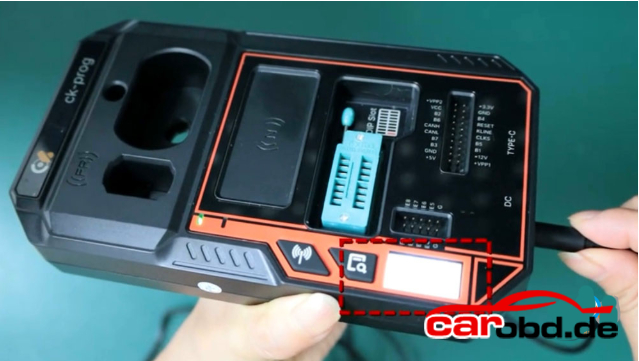
Connect the power cable and check if the small screen turns on.
If the screen lights up, it means there’s no issue with power cable
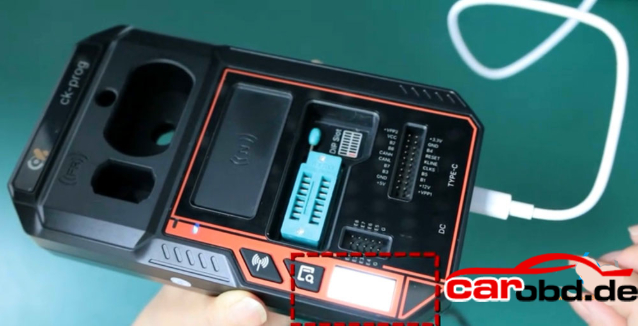
Next, check if there’s any problem with the Type-C USB connection.
The screen will also light up when you plug in the Type-C USB cable.
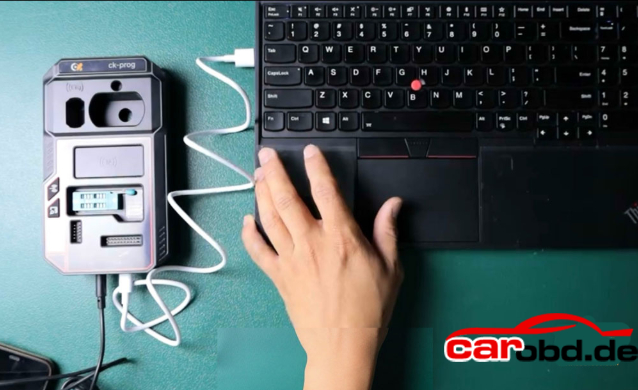
Connect CK-Prog programmer with the computer as follows:
CK-Prog software download link:
Download CK-Prog software (Language: English/Chinese)
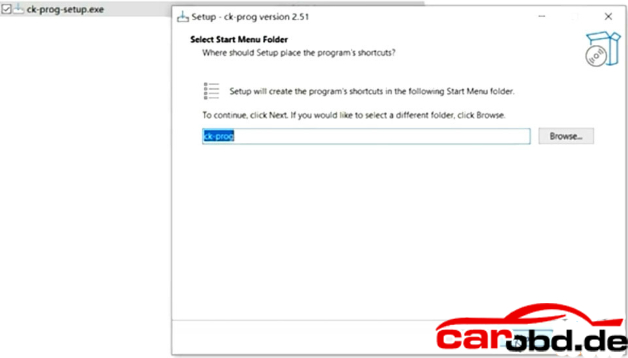
Download and install CK-Prog setup.exe software.
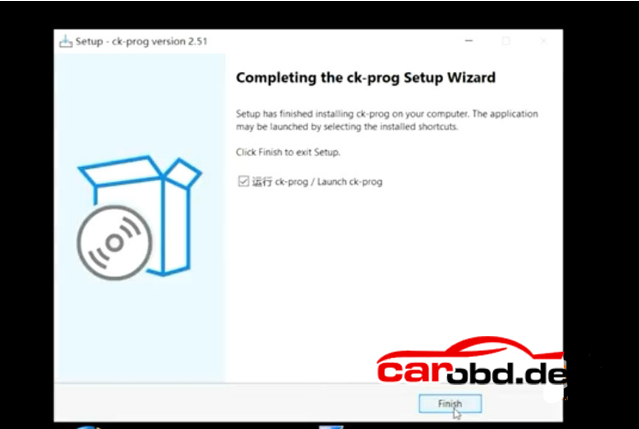
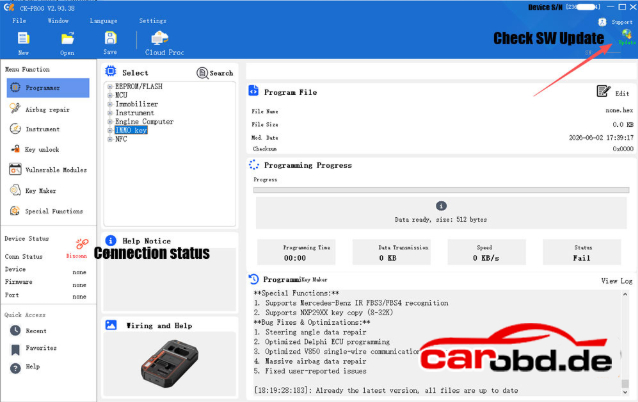
Run CK-Prog software.
Check device serial number on the top right corner
Check new software update. The CK Prog comes with 1 year free update
Now the CK Prog device is ready to use.
Check the CK-Prog ECU/MCU/Dash/Airbag/IMMO Coverage here:
https/xnt.ac.cn/ckproghelps/index.html
How to Use Xirdecoder ECU Tuning Software for EGR DTC Off Hardcut Stage 1
Xirdecoder is a leading software platform in automotive chip tuning, offering cutting-edge solutions for vehicle optimization. With a vast database for over 130,000 files,it provides professional-grade tuning for Stage 1 to Stage 3 modifications, including EGR/DTC/Vmax/Adlue off, Launch control,and Hardcut limiters.
In this guide, we’ll demonstrate how to use XirDecoder ECU Tuning software to modify a BMW Bosch EDC17C50 ECU, covering Hardcut, EGR removal, and Stage 1 tuning. The same process applies to other programmers like Flex, Autotuner, FC200 and more.
Why Choose XirDecoder ?
Extensive Database-Supports over 130,000 ECU files.
Multi-Function Tuning- Covers Hardcut, EGR/DTC/Vmax etc removal, Stage 1- Stage 3 tuning and more.
Compatibility- Works seamlessly with Foxflash, Flex, Autotuner, and other leading tools.
Xirdecoder has 3 configurations:
If you do not renew your annual license after one year, your access to the system will be temporarily suspended. This is due to the ongoing costs of maintaining our online serve infrastructure and the constant support provided by our engineering and AI teams. However, as soon as you choose to renew your license, your access will be fully restored.
How to use XirDecoder ECU Tuning Software ?
Upload Your File: Use a master device to read your ECU’s file and load it into the system
AI Analysis: The platform’s AI scans your file and suggest the best tuning options.
Select&Download: Upload your file and select the options you need. Within seconds, the AI will process your uploaded file based on your selections.
Additionally, if the uploaded file is not original, XirDecoder will detect non-original maps such as EGR and notify you. If desired, you can convert only the EGR maps back to their original state.
Example:
Step1: Read the ECU
1. Connect the ECU programmer to the EDC17C50 ECU(bench mode)
2. Read and save the original ECU data.
Step2: Perform hardcut function:
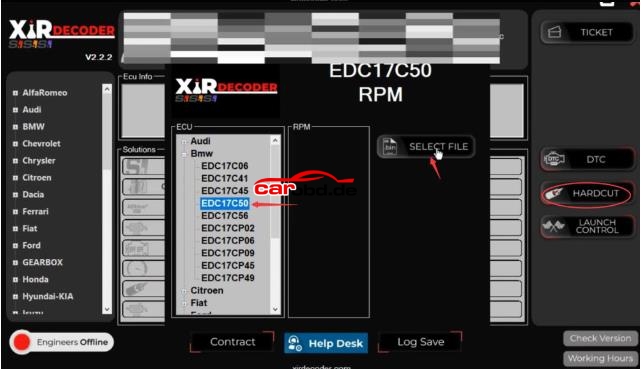
1. Open XirDecoder software and select Hardcut function.
2. Choose the vehicle brand and ECU model (EDC17C50)
3. Upload the original file read in Step1
4. Set the desired RPM limit (e.g, 4000RPM for a bouncing limiter effect)
5. Download and save the modified file.

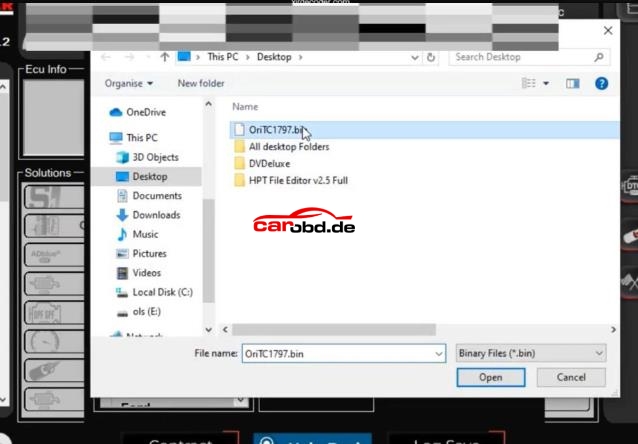
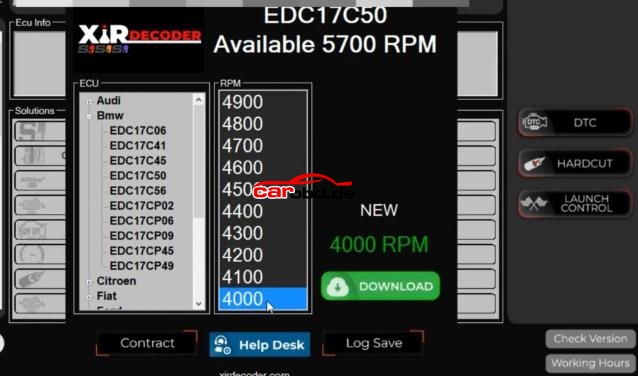
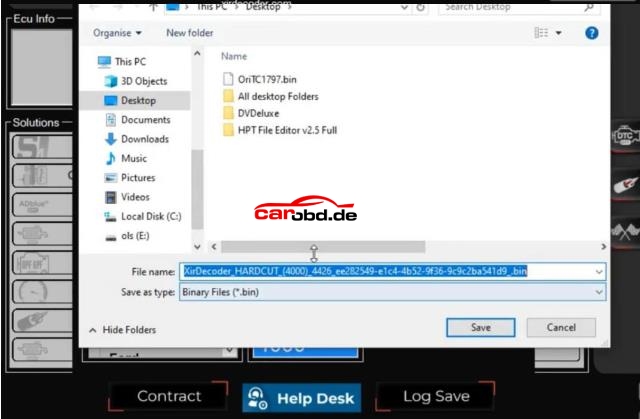
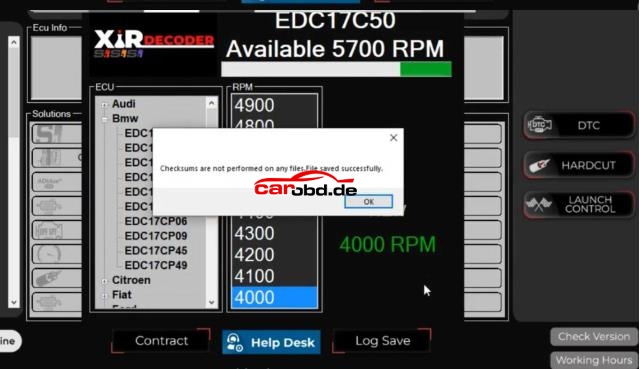
Note: Xirdecoder does not perform checksum correction – this must be handled by your hardware tool.
Step3: Perform other modification( EGR Off, Stage 1, etc.)
In XirDecoder, select the EDC17C50 ECU again.
Upload the original or Hardcut-modified file.
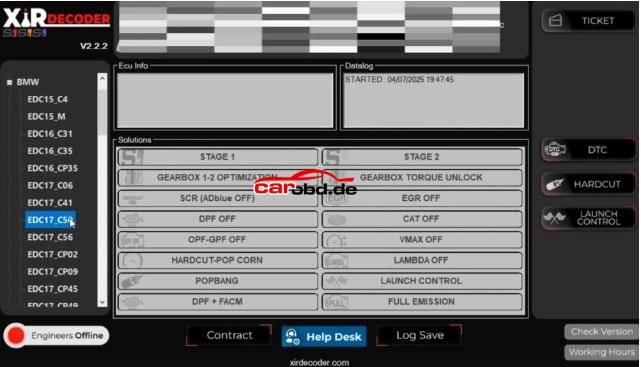
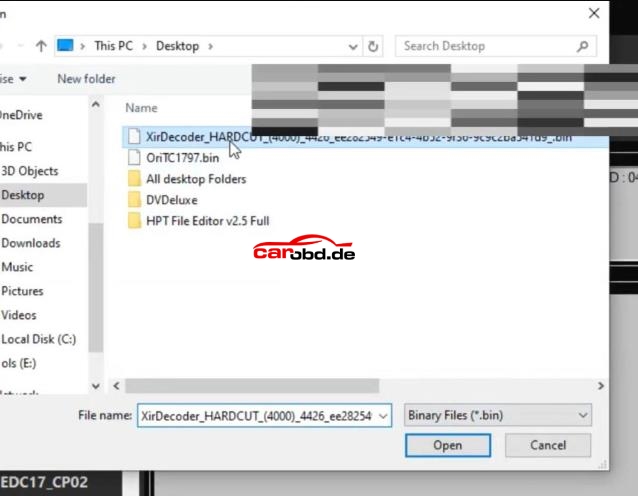
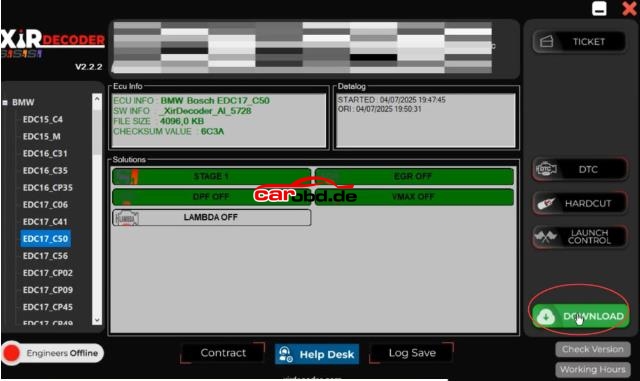
Choose desired functions:
EGR OFF( disable exhaust gas recirculation)
D-P-F OFF (remove diesel particulate filter restrictions)
VMAX OFF( eliminate speed limiter)
Stage 1( optimize fuel and boost maps for increased power)
Click Download and save the final modified file.
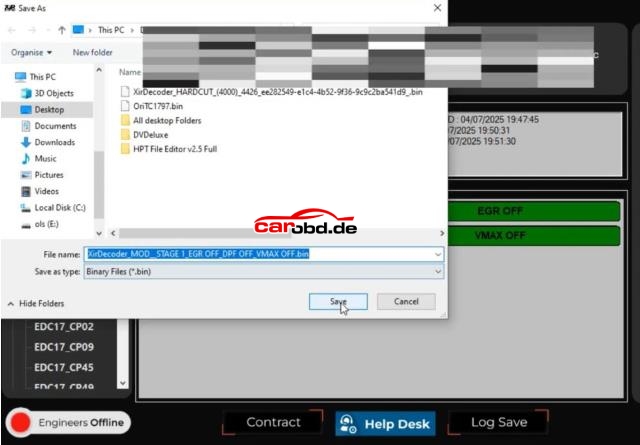
Step 4: Write file
Write the modified file back to the ECU.
Verify that all changes are applied correctly
For more technical support,please contact
Jenny
Whatsapp: +86 19947637411
Email: Sales@Carobd.de