
Archives

How to use Autel MaxiDAS DS808 diagnose Mercedes-Benz successfully?

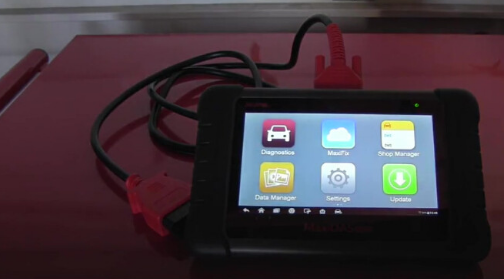
Let’s unpack and unbox the Autel MaxiDAS DS808 and see together what it will do out of box no registration, no update, no nothing.
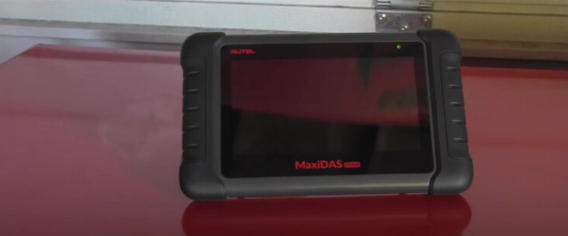
autel-maxidas-ds808k-tablet-diagnostic-tool-pic-1

So let’s go ahead to plug the OBDII cable to the DS808 for the first time,
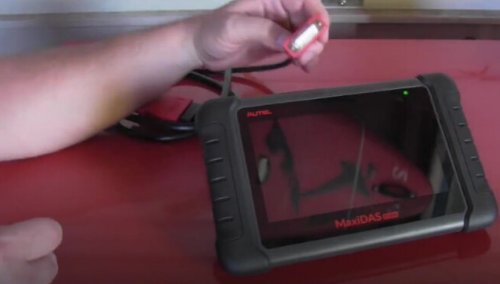
autel-maxidas-ds808k-tablet-diagnostic-tool-pic-2

Press the power button at the top, and you can slide the lock button.
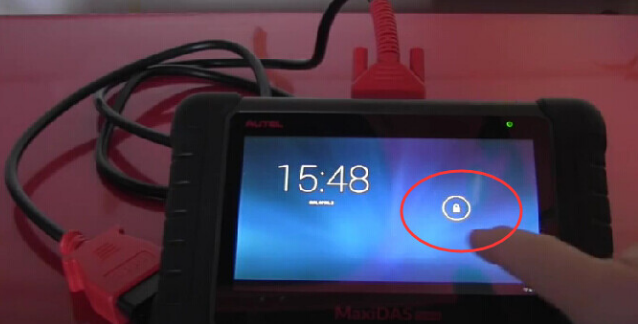
autel-maxidas-ds808k-tablet-diagnostic-tool-pic-3

autel-maxidas-ds808k-tablet-diagnostic-tool-pic-4

Both of my previous scanners one goes for 150 dollar and another one reaches 400 dollars are not able to access to the computer of airbags, so let’s see out of box without any updates and registration of this MaxiDas DS808 scanner can do for you.

As you can see, a red warning SRS light and watch the information sent, and it’s the reason why I need to get back DS808 scanner and find out what is happening to the vehicle.
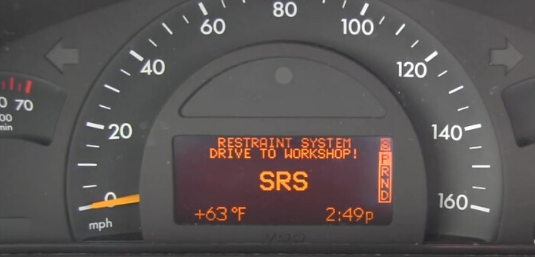
autel-maxidas-ds808k-tablet-diagnostic-tool-pic-5

Here you are, the MaxiDAS DS808 scanner is connected to the OBDII port of vehicle and the ignition is on.
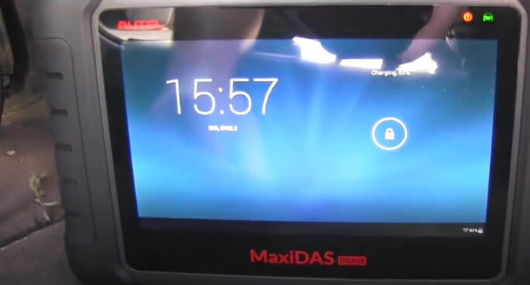
autel-maxidas-ds808k-tablet-diagnostic-tool-pic-6

So let’s see what we can do, let’s go to diagnostic.
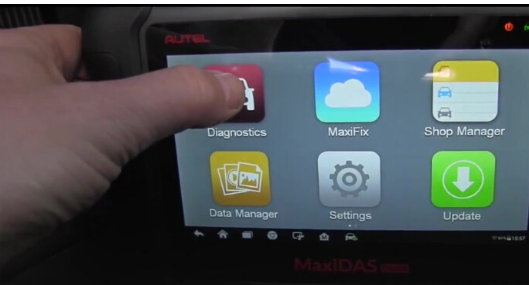
autel-maxidas-ds808k-tablet-diagnostic-tool-pic-7

Definitely go for “Automatic selection”
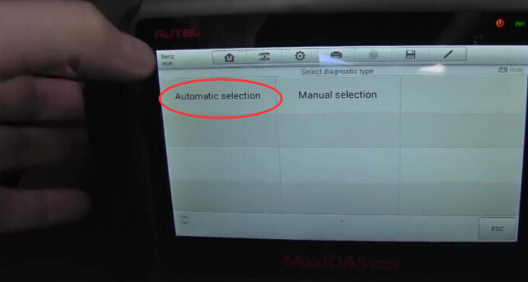
autel-maxidas-ds808k-tablet-diagnostic-tool-pic-8

I don’t want to tap the VIN, so I will read it automatically.
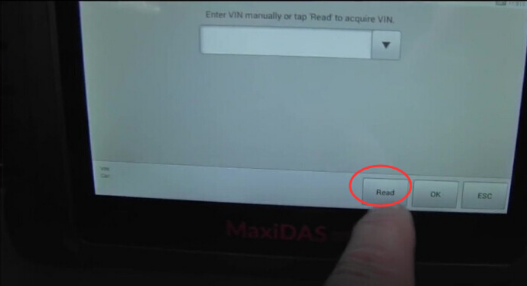
autel-maxidas-ds808k-tablet-diagnostic-tool-pic-9

And here you are, it is really pretty fast, this is absolutely awesome.

The new generation scan tool is super fast.
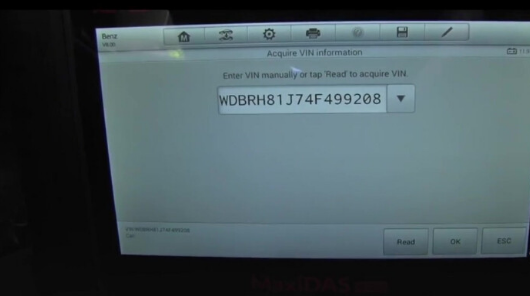
autel-maxidas-ds808k-tablet-diagnostic-tool-pic-10

I know this Benz is 2004, so I will click “From 09/2003 to 12/2007.

autel-maxidas-ds808k-tablet-diagnostic-tool-pic-11

Please select the steering left or right, all right , I click “Left”

autel-maxidas-ds808k-tablet-diagnostic-tool-pic-12

Confirm vehicle profile, let’s say yes.
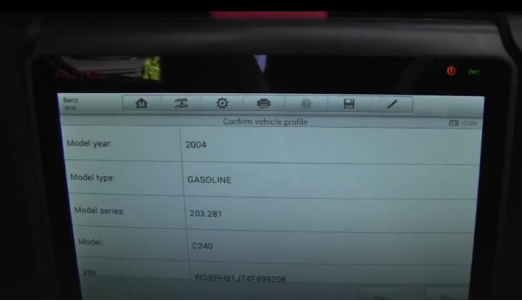
 

autel-maxidas-ds808k-tablet-diagnostic-tool-pic-13

Yes “Diagnosis”, so you can see fast it goes.
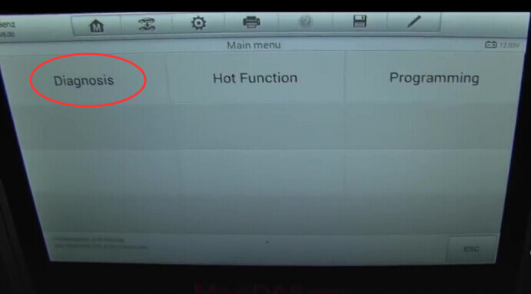
autel-maxidas-ds808k-tablet-diagnostic-tool-pic-13 autel-maxidas-ds808k-tablet-diagnostic-tool-pic-14

I’ll go for “Auto scan”

autel-maxidas-ds808k-tablet-diagnostic-tool-pic-14 autel-maxidas-ds808k-tablet-diagnostic-tool-pic-15

Try to read fault code

No fault codes detected.
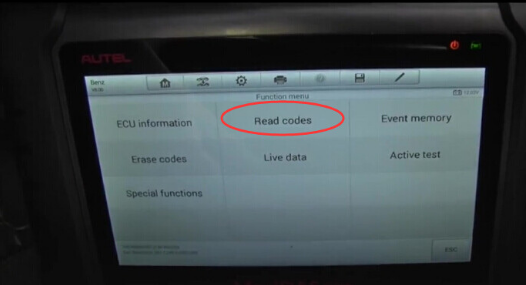
autel-maxidas-ds808k-tablet-diagnostic-tool-pic-16

But I’m just confusing where is the airbag problem.

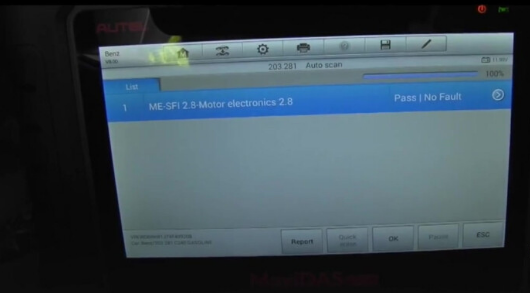
This is next screen we can see, the ME-SFI 2.8 Motor electronics 2.8 has no faults, but I want to go for airbag computer

autel-maxidas-ds808k-tablet-diagnostic-tool-pic-17

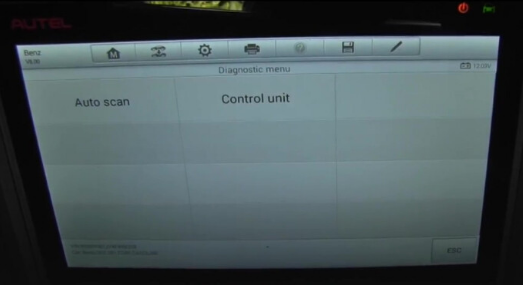
So let’s exit to “Diagnostic menu” and select “Control Unit”, and click on “Body” then “AB-airbag” all right. No communication between the tester and control unit.
autel-maxidas-ds808k-tablet-diagnostic-tool-pic-18

autel-maxidas-ds808k-tablet-diagnostic-tool-pic-19


Which mb sdconnect c4 worth the money? mbworld.org feedback

Mention mb sdconnect c4, it seems that there’s a lot of different manufacturers and quality levels of multiplexer clones. Here’s the one I went with, however I didn’t bother with the HDD/software they included or a dell D630 laptop. I have a background in computers, so I set myself up a vmware virtual machine and installed all the software with the (occasionally somewhat difficult to follow) information on mhhauto. I have heard of people having problems using VMware, but I didn’t experience any myself.
mb-sd-connect-compact-4-for-mercedes-benz-diagnosis-pic-1
As for the hardware itself, mine is of decent quality. I have no real complaints with it other than it losing it’s WiFi configuration once drained of battery (which happens quickly, but it’s not really an issue since it draws power from OBD when connected), but I prefer using a cable connection anyway.

P.S I will warn you that if you’re not very familiar with computers/configuring software/some basic computer networking (IP address assignments, etc), you might have a hard time getting everything to work. Definitely look into the details of getting everything set up before buying. I wish there were a complete and total guide to setting up everything (go to last part for details). Getting everything working properly took quite a lot of reading and searching, and a couple of days of tinkering. Patience is a plus.. if I had to compare this to something else in terms of difficulty (computer-wise), I’d say it’s similar to setting up a microsoft exchange server without errors.


sdconnect User guide:

How to install battery 

MB SD Connect 4 hardware update instruction

MB SD Connect 4 activation manual

www.carobd.de offers you only 469EUR

[Promotion]V2017.7 MB SD C4 WiFi Diagnostic Tool Plus Dell D630 1GB Laptop Plus Free Activation Service

CarOBD.de provide you best quality MB SD C4 Star diagnostic tool plus dell d630 laptop in combination kit, we will set up and activate the software before shipping, that you can use it directly after you get it.

mb-sd-c4-dell-d630-1


Features
1. New MB SD Connect Compact 4 Star Diagnosis support wireless diagnose;
2. New MB SD C4 Star Diagnosis not only support K line diagnose and CAN BUS, but also UDS diagnose protocol. Because old MB STAR C4 main board do not have UDS chip, so old MB STAR C4 can not support it;
3. Multiplexer now use Lan cable to connect, can fit Only applies to DELL computer and ThinkPad computer
4. Connector adopt Military quick swap technology, it can support 10,000 times pull plug, more stable;
5. All core accosseries adopt original new packing chip, and 24hours test, guarantee the quality of the products;
www.carobd.de offers you only 599 EUR with free shipping

Best Quality CAN Clip V169 for Renault Diagnostic Interface with AN2135SC AN2136SC Full Chip

Support Multi-Languages of Renault CAN Clip V169 can diagnose Renault cars models including automatically test all Renault models’ computers, reporgramming, airbag test and other functions. See all the information related to the vehicle

can-clip-v169-for-renault-diagnostic-interface-1

Top 4 Reasons to Get Can Clip for Renault
1. Software Version: V169
2. Multi-Language: English, German, Danish, Spanish, Finnish, French, Italian, Norwegian, Dutch, Portuguese, Romania, Swedish
3. Update by CD
4. Best Price, only 119 EUR
Notice:
1. Operation System: Windows XP
2. DO NOT disassemble the body part yourself, or we wouldn’t be responsible for repair.
Renault Can Clip Functions:
1. See all the information relating to the vehicle
2. Computer test
3. Automatic test of all computers
4. Airbag test
5. Ccantool (OBD tests)
6. Base Doc (access to Technical Notes)
7. Physical measurements
8. Antipollution
9. Multimeter

What’s the different between SP19-A and SP19-D

Those day,some customer ask me what the different between SP19-A and SP19-D,now i will tell the big different of them.

First,the price is different,SP19-D (99.99 EUR)is a new arrival,and it is cheaper then SP19-A (133.99EUR).

Second,the outlook:

SP19-A

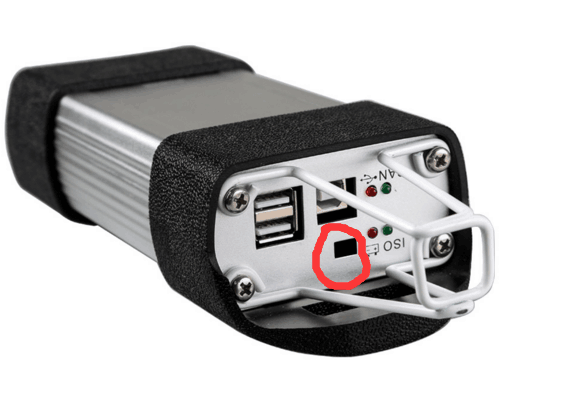
This hole is real,and can use to connect cable.the quality of board is better.

renault-can-clip-diagnostic-tool-sp19-a

SP19-D

This hole is useless,just a hole there.

renault-can-clip-diagnostic-tool-sp19-d

New Arrival~CAN Clip For Renault V162,French Customer Favorite

Renault CAN Clip V162

renault-can-clip-diagnostic-tool-blog-1
1. See all the information relating to the vehicle
2.diagnose Renault cars models including automatically test all Renault models’ computers, reporgramming, airbag test and other functions.
3.Support Multi-Languags

CAN Clip For Renault V162 Latest Renault Diagnostic Tool Multi-languages French Customer Favorite

Top 5 Reasons to Get Can Clip for Renault

1. Software Version: V162
2. Support Multi-Language: English, German, Danish, Spanish, Finnish, French, Italian, Norwegian, Dutch, Portuguese, Romania, Swedish
3. Update by CD
4. Best Price
5. Wide System Coverage : ENGINE, automatic gear shifting, Air conditioning system, SRS, ABS, ASR, MPL, GM, IMMO, KEYZESS GO system, OBD-I I and so on

Notice:
1. Operating System: Windows XP and Win7
2. Please Don’t Disassembly the Body Apart Yourself, Or We Won’t be Responsible for Repair

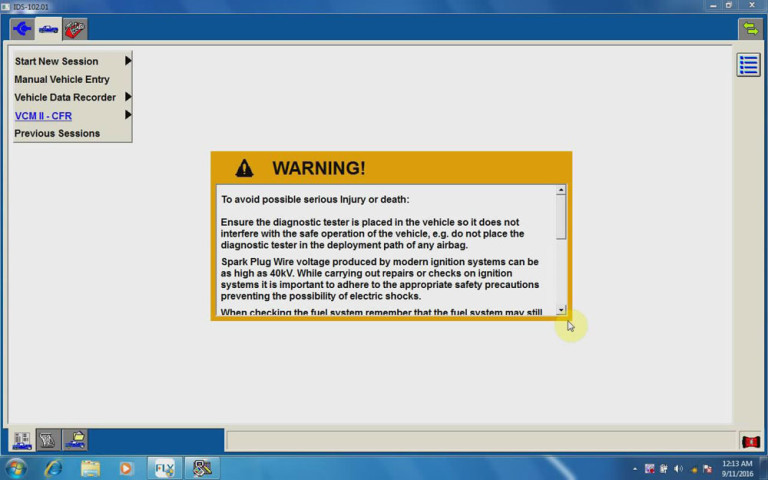
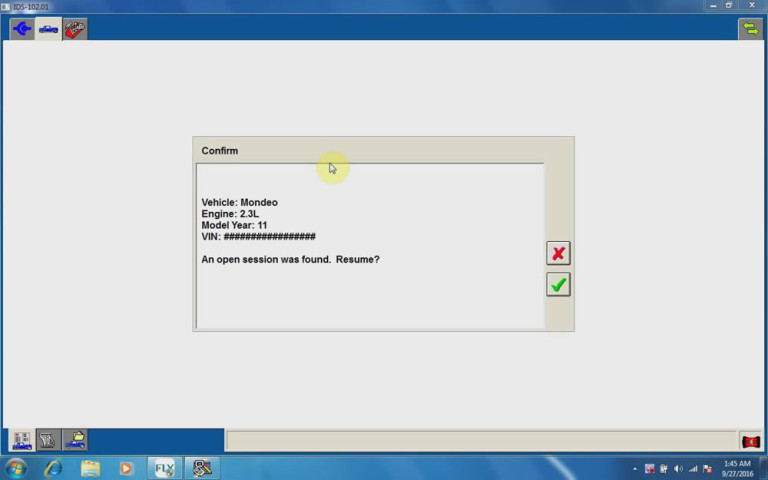
ALL Ford/Mazda 2 in 1 Diagnostic & Key programming Tool—FLY VCM IDS 3

FLY VCM IDS 3 is the best diagnostic & key programming tool for Ford & Mazda till 2016. It is fully replacement of Ford IDS VCM 2.

What’s special ofFLY OBD Ford Mazda VCM IDS 3?

-With Only €299 you get a best scanner with softwareFord IDS V102.01A and Mazda IDS V100 for all Ford and Mazda till 2016, no matter new or old cars. CANBUS is recommended.

-No need to install new operating system. It can work with Windows XP/ 7 / 8 and Windows 10.

-No need VM to install IDS software.

-No need user name and password when use IDS. You can directly login the software.

-Free update by CD

-Multilanguage, support 29 languages

You can get the detailed languages here:

http://www.cardiag.co.uk/fly-vcm-ids-3-obd2-for-ford-mazda-diagnostic-scanner-tool.html

What you can do with VCM IDS3?

-Scantool Diagnostics

-Vehicle Reprogramming: reprogramming for all Ford vehicles ;reprogramming for all Mazda vehicles

-Immobilizer and smart key:
* All ford vehicles(Include all functions of original VCM/IDS);

* All mazda vehicles(Include all functions of original VCM/IDS)

How to use VCM IDS 3 with Internet?

How to use it without Internet?

Here are two guide videos for your reference:

https://mega.nz/#!ElR10RgY!AoGZWBCe_PyGt6jFEWRUdf_FBJowMCGCIMv6BbG8f3M

vcm-ids-3-without-internet-3-1-768x480

vcm-ids-3-with-internet-2-1-768x480

New Renault-COM Bluetooth Diagnostic and Programming Tool for Renault

Carobd.de comes the new tool for Renault,it is good then SP19-B of V162,cause this one is the update one for Renault can clip,also,the price is good.

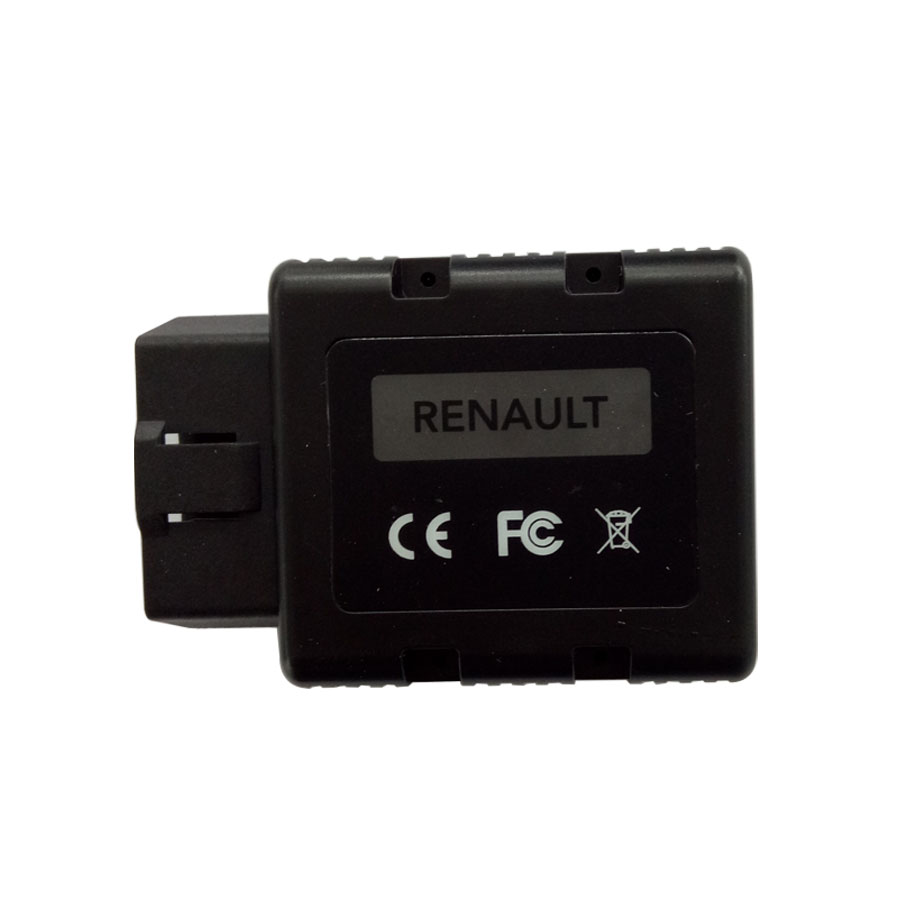
Renault-COM Bluetooth is dealer level diagnostic and programming advanced device for Renault vehicles. It can access to various electronic control units (ECUs) such as Engine, Gearbox, ABS, Airbag/SRS. It can perform these functions including display identification, read and clear fault code memory, display and record measured values and perform actuator tests.

new-renault-com-diagnostic-and-programming-tool-1

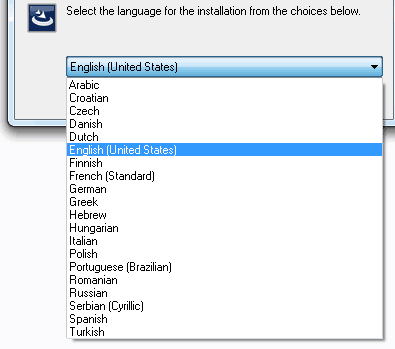
Multi-languages Available: 

new-renault-com-diagnostic-and-programming-tool-language-pic-1

Renault-COM Features:

Fully multiplexed all-in-one Bluetooth interface
Automatic ECU recognition
Automatic vehicle scan
ECU Identification: – finds all the available ECUs in the car by pressing the single button
Bluetooth – wireless connectivity to your Windows laptop or tablet
Fault code (DTC) reading
Fault code clearing, with the ability to store DTC vehicle history forever
Freeze frame reading
Measured values / live data Live data recording, fully dynamic with graphing of up to 6 data streams at a time, recording and other manipulations
Diagnostic protocol printing
Actuator tests, test components via direct ECU access


VXDIAG Serial Promotion by the manufacturer

In order celebrate Black Friday,VXDIAG factory give a big promotion.

For Example:

WIFI Version VXDIAG VCX NANO VAS 5054 ODIS V3.03 OEM Diagnostic Tool  Only need 62.99 EUR now

VXDIAG VCX NANO Multiple GDS2 and TIS2WEB Diagnostic/Programming System for GM/Opel   109 EUR now

VXDIAG VCX NANO for TOYOTA TIS Techstream V10.30.029 Compatible with SAE J2534 Support Win7&XP   62.99 EUR

And so many Vxdiag products,you can find more on here.