Archives

How To Recharge TJECU CN900mini Toyota G Chip Token?

Post on TJECU CN900 Mini Toyota G chip token recharge procedure, before do this, you are required to login the official site to bind the device with serial number and active device.

Note:For more auto key programmer,pls visit this website:

http://www.carobd.de/wholesale/auto-key-programmer/

1. Login your member on the cn900 mini official website, click” Personal Center”

how-to-recharge-tjecu-cn900mini-toyota-g-chip-token-pic-1
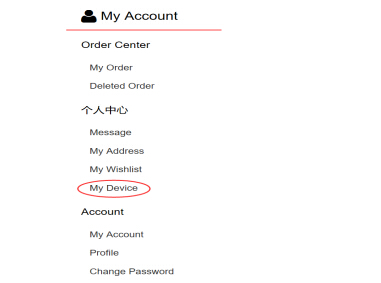
2. In my account, please click ” My Device”
how-to-recharge-tjecu-cn900mini-toyota-g-chip-token-pic-2
3. Click “Bind the new device”

how-to-recharge-tjecu-cn900mini-toyota-g-chip-token-pic-3
4. Fill out Equipment Model, serial number, purchasing date and remark

how-to-recharge-tjecu-cn900mini-toyota-g-chip-token-pic-4
5. After you bind the device, please back to home page ,select”product list”and click “Device activation”
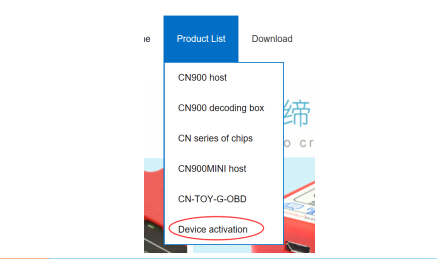
how-to-recharge-tjecu-cn900mini-toyota-g-chip-token-pic-5
6. Click “TOY-G Chip Recharge”, Add to Cart, open your shopping cart, select the purchase products , proceed to checkout
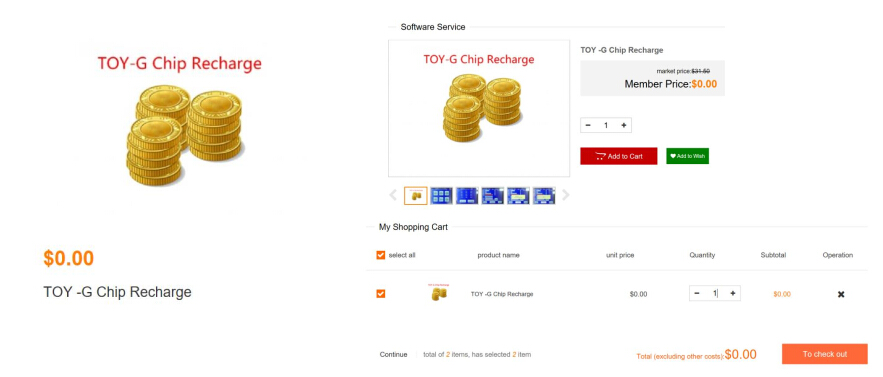
how-to-recharge-tjecu-cn900mini-toyota-g-chip-token-pic-6
7. Fill out order information (Receiver address, payment way, express delivery are required), when you select the device, please choose the one which you binding, and fill out the check code. If you have no yet binding device, please click “Device Management”, and operate according to step 3 and Step 4.
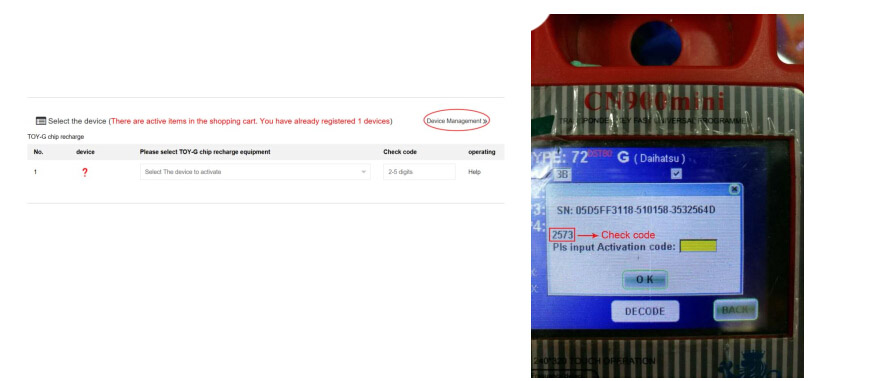
how-to-recharge-tjecu-cn900mini-toyota-g-chip-token-pic-7
8. Concluding remarks.
Tips of SKP1000 program 2013 Maserati Gran Turismo smart key

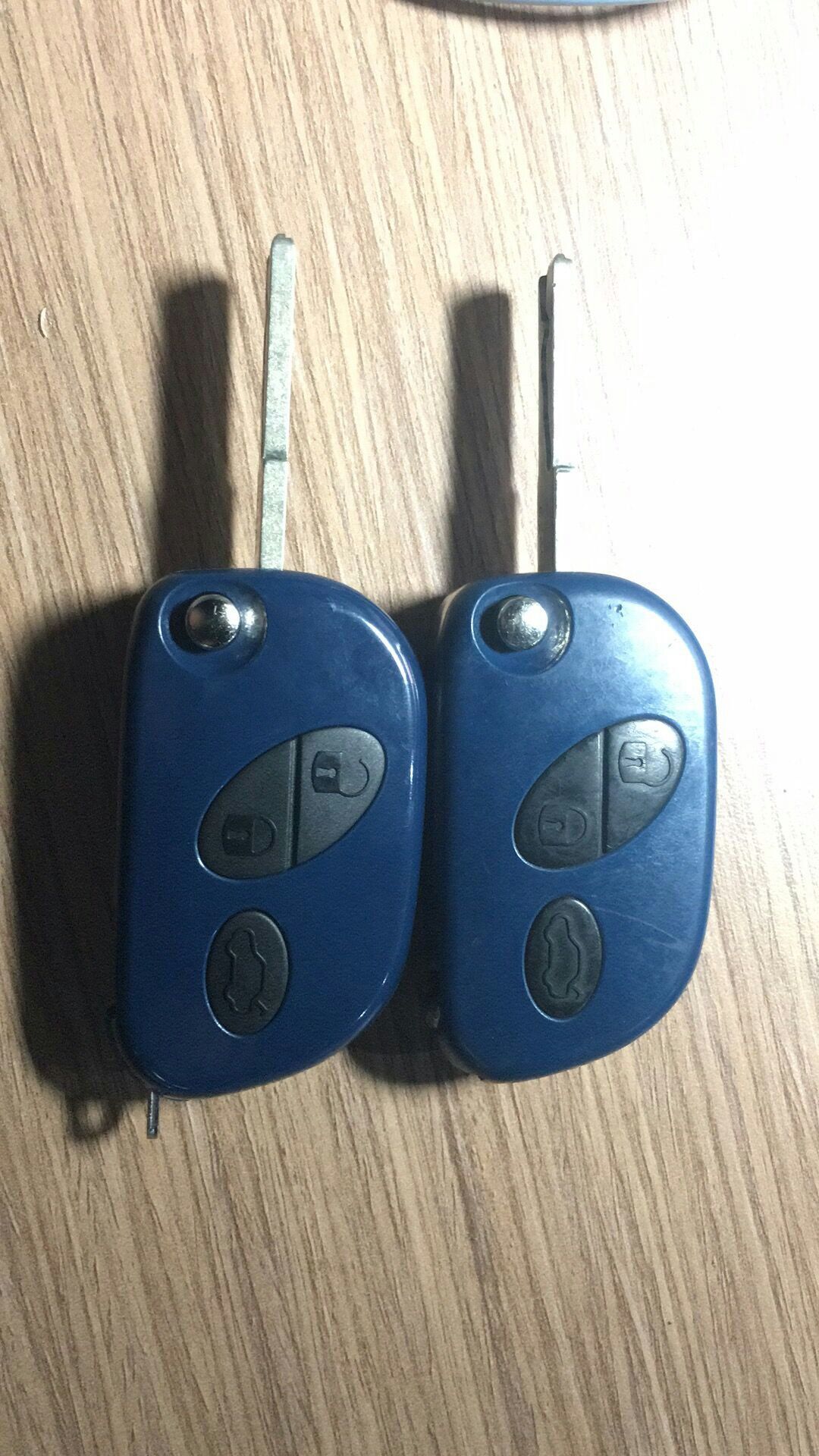
Used SKP1000 key programmer to program 2013 Maserati Gran Turismo smart key, at first the new key can start the car but the remote fail to open the door.

Finally, I found the reason and it worked great.

It’s not a long story, hope it helps.

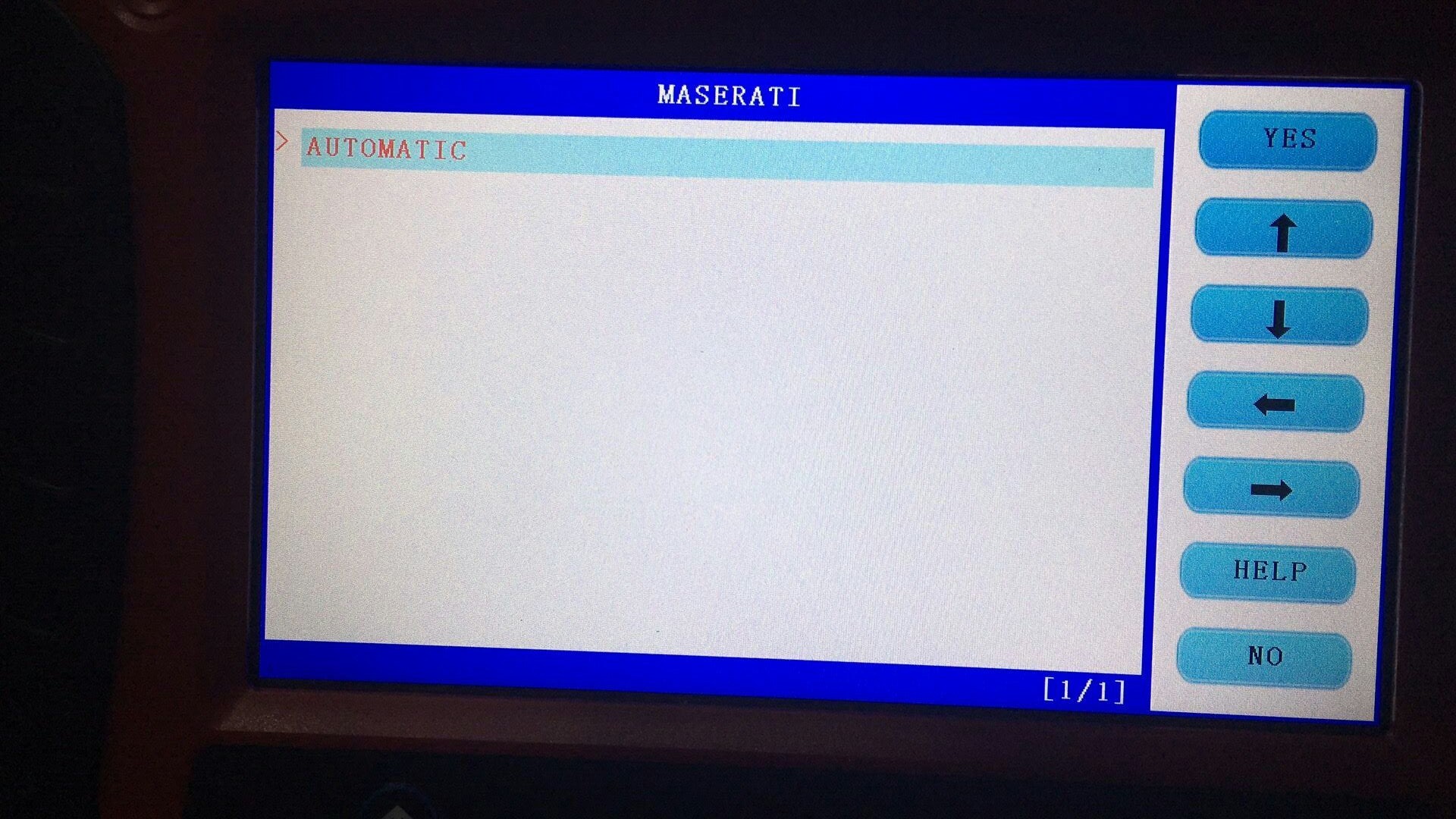
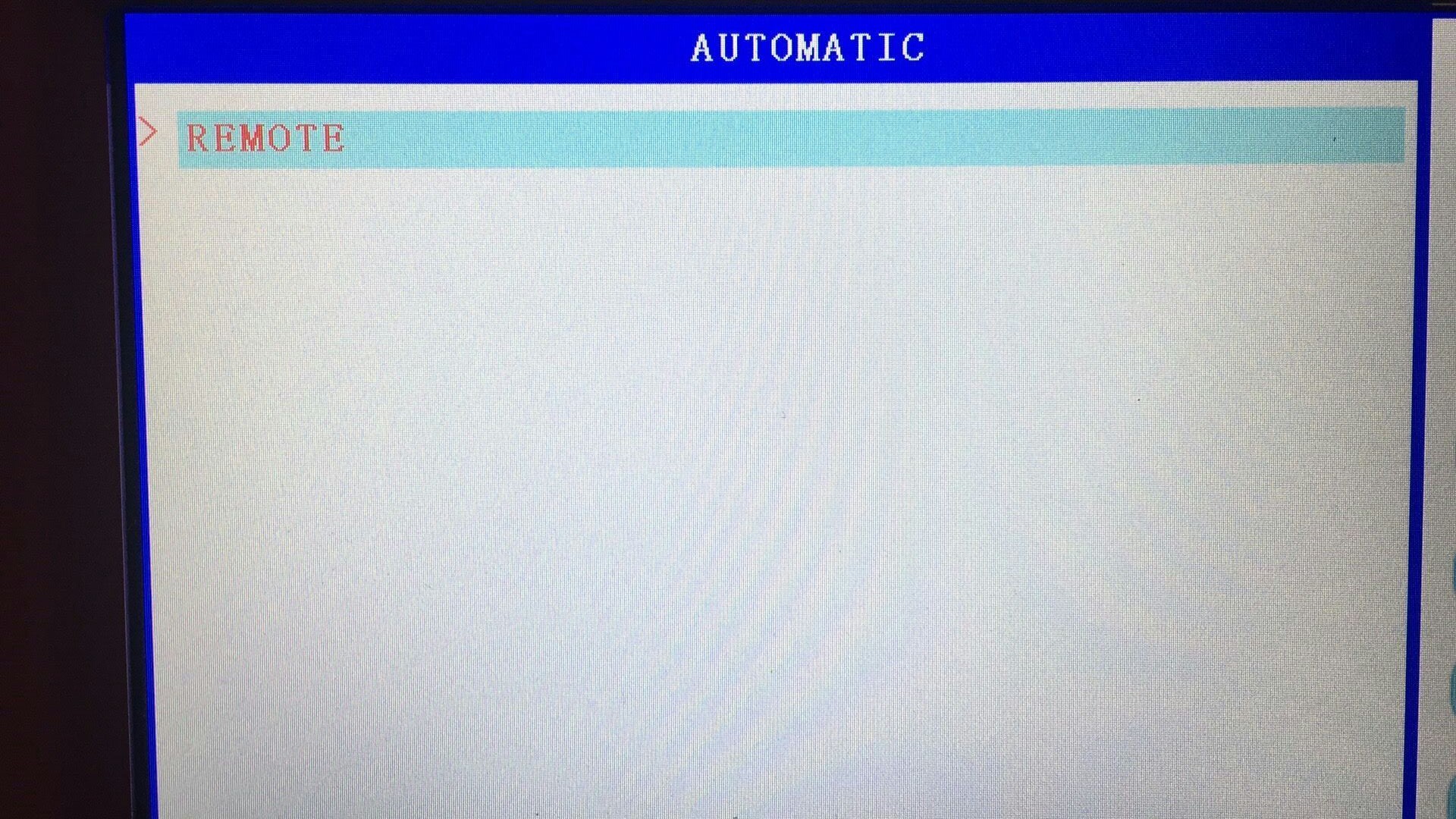
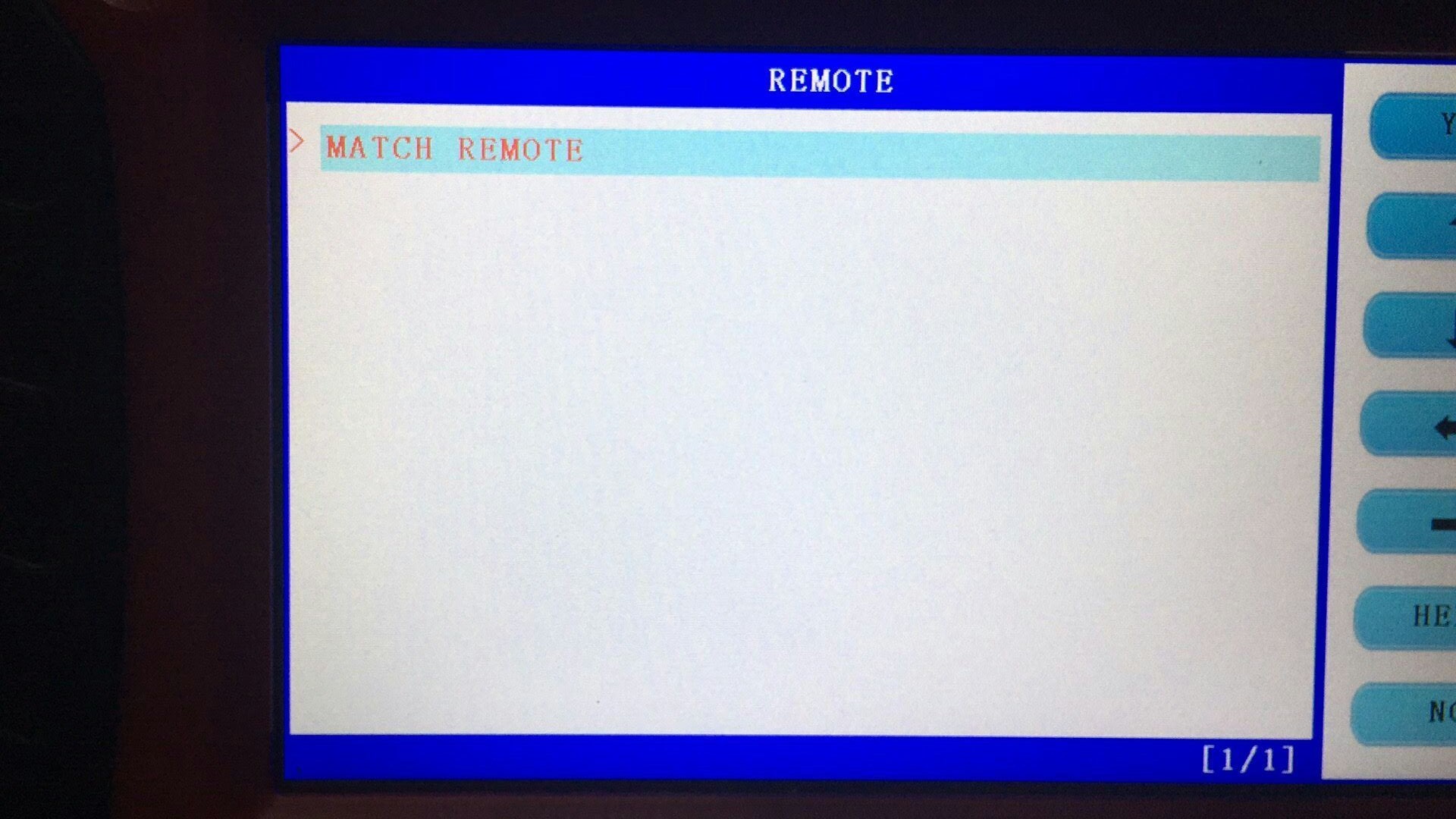
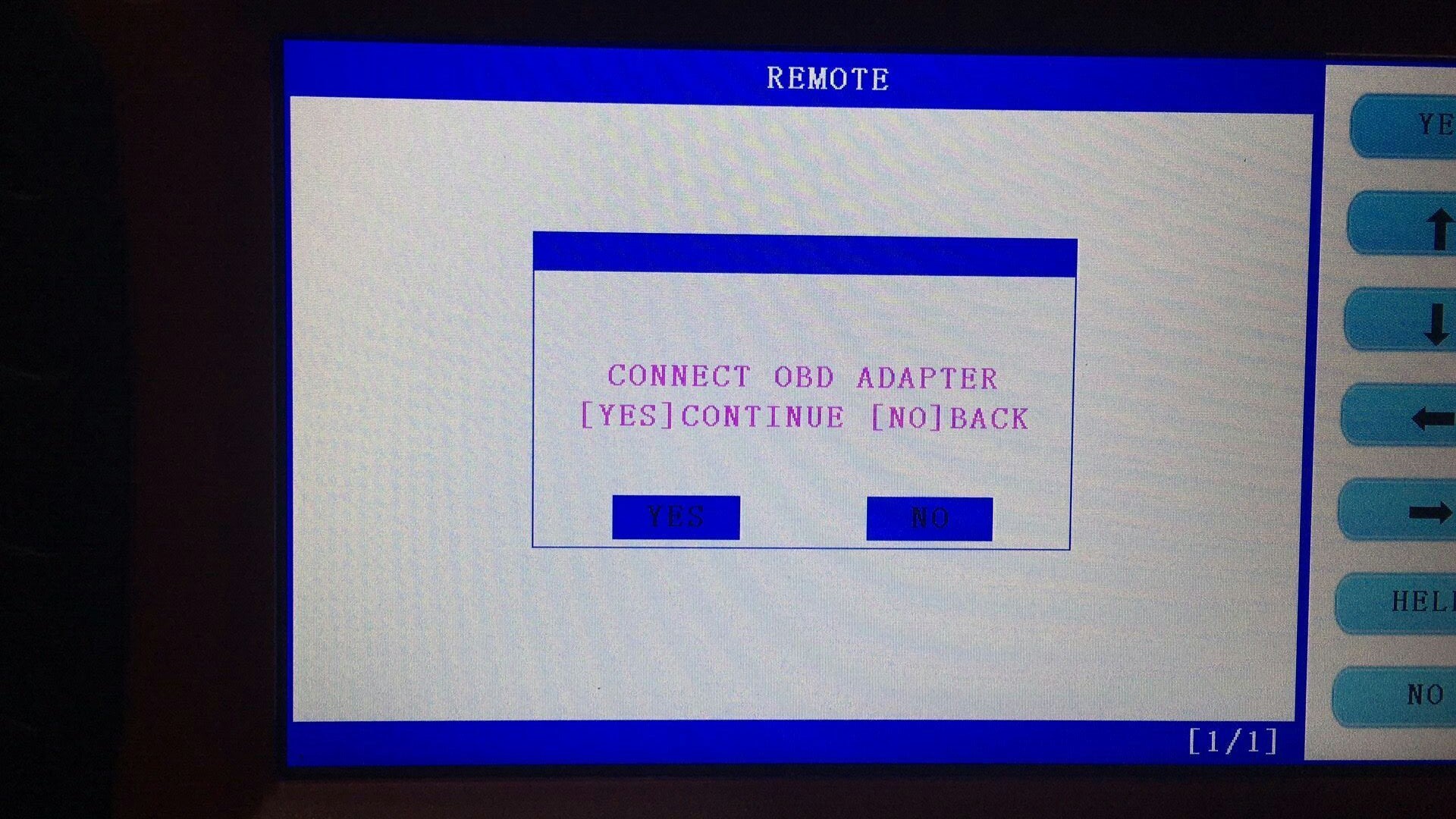
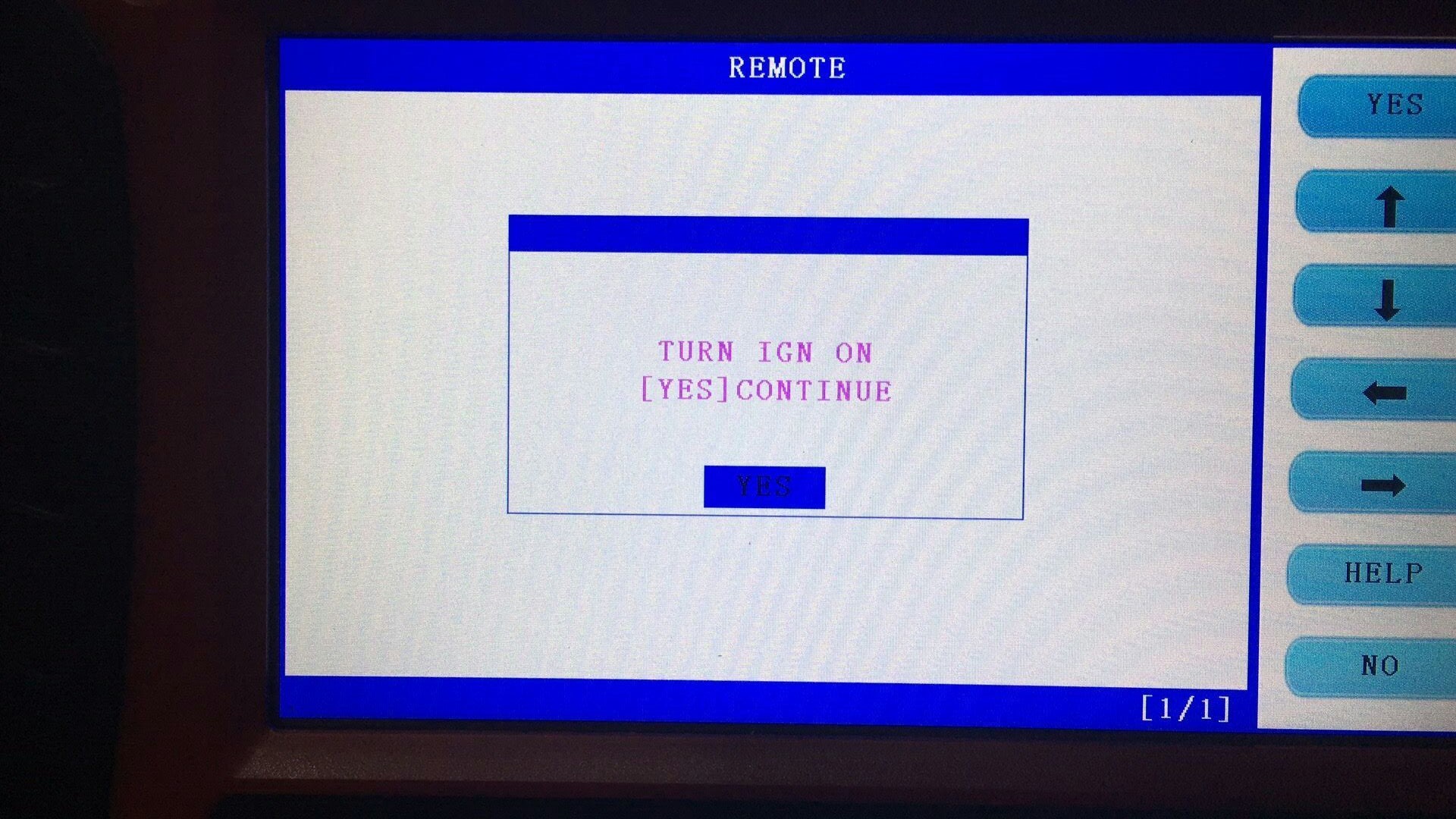
Go on with the above-mentioned problem, after that I tried to enter “Remote System”, tap “Maserati” but received prompt “Connection fail”.
Screenshots helps a lot to understand what I say.

tips-of-skp1000-program-2013-maserati-gran-turismo-smart-key-pic-1

tips-of-skp1000-program-2013-maserati-gran-turismo-smart-key-pic-2

tips-of-skp1000-program-2013-maserati-gran-turismo-smart-key-pic-3

tips-of-skp1000-program-2013-maserati-gran-turismo-smart-key-pic-4

tips-of-skp1000-program-2013-maserati-gran-turismo-smart-key-pic-5

tips-of-skp1000-program-2013-maserati-gran-turismo-smart-key-pic-6

With a new key to turn.

tips-of-skp1000-program-2013-maserati-gran-turismo-smart-key-pic-7

I didn’t believe it’s true, then I tried one more time, this time I did it, the remote works fine.

Tip for sharing: After complete programming key, do not wait for some time but immediately complete remote, then the remote will open the door successfully.


CGDI BMW FEM BDC key learn in the dismantling method

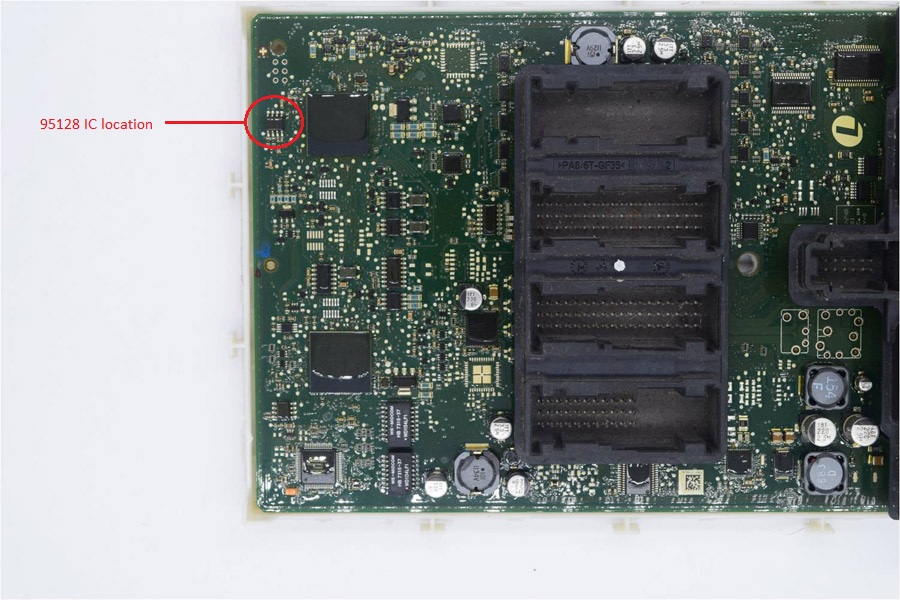
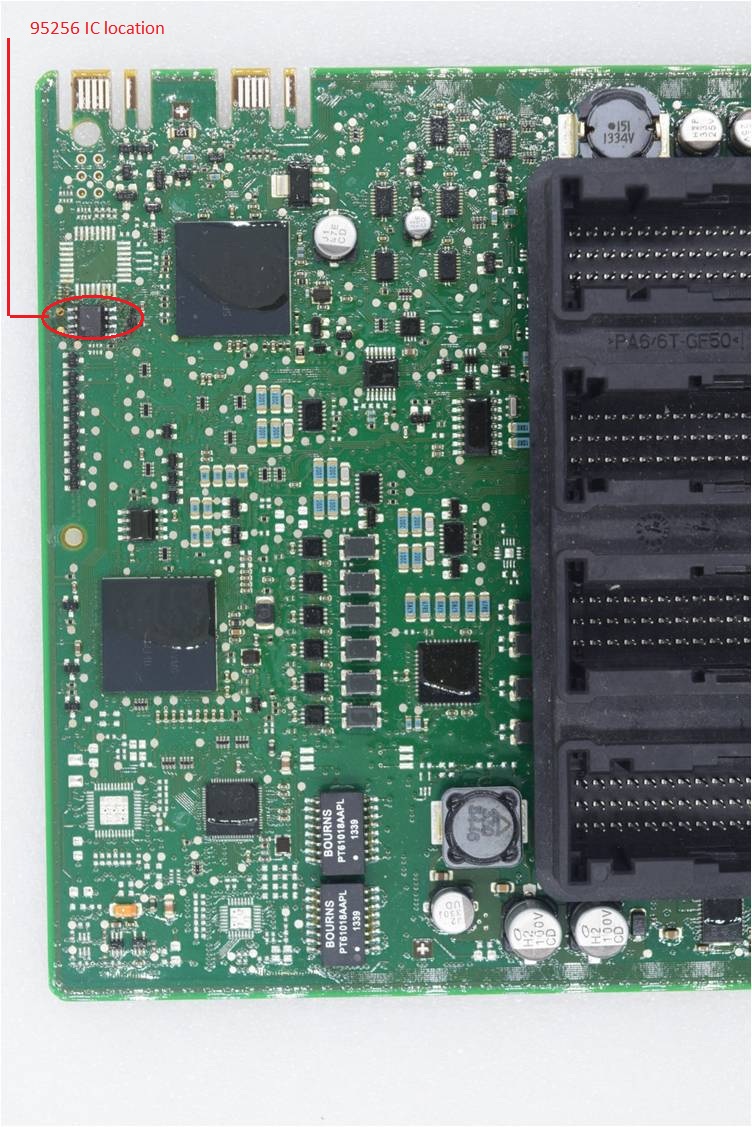
CGDI BMW FEM BDC key learn is in the dismantling method instead of OBD method. Then you have to know the FEM/BDC system location, 95128 IC location, 95256 IC location and Key learning position, read the detail in the below parts.

1.BMW FEM/ BDC installation location.

cgdi-bmw-fem-bdc-key-learn-in-the-dismantling-method-pic-1
2.95128 IC location

cgdi-bmw-fem-bdc-key-learn-in-the-dismantling-method-pic-1
3.95256 IC location

cgdi-bmw-fem-bdc-key-learn-in-the-dismantling-method-pic-2
4.Key learning position

cgdi-bmw-fem-bdc-key-learn-in-the-dismantling-method-pic-3
That’s all.

Value bundle:

CGDI Prog BMW MSV80 plus BWM FEM/BDC Authorization.

Compare XTOOL EZ400 PRO, Xtool EZ400 & Xtool PS90

XTOOL EZ400 PRO is different from Xtool EZ400 in the VCI box, XTOOL EZ400/EZ400 Pro is different from Xtool PS90/PS80 in the special functions.

1.Different:
1). XTOOL EZ400 PRO = Xtool EZ400 + VCI box

XTOOL EZ400 PRO is all-in-one machine, no need any more VCI box, so it is 2.64LB lighter than Xtool EZ400, lighter package means less shipping cost and easier to use.

Attach Xtool EZ400 VCI box

compare-xtool-ez400-pro-xtool-ez400-xtool-ps90-pic-1

Attach XTOOL EZ400 PRO full package (without the above Xtool VCI box)

compare-xtool-ez400-pro-xtool-ez400-xtool-ps90-pic-2

2). XTOOL EZ400 PRO / XTOOL EZ400 functions < Xtool PS90

Xtool PS90 (10inch tablet with wifi and all function):

Full system diagnosis on all makes……confirmed

IMMO……confirmed

Odometer Adjustment ……confirmed

Special functions (Oil Reset/Engine Oil Light Reset, EPB Electrical Parking Brake Adaptation, TPS Throttle Body Adaptation, EPS Electric Power Steering Calibration, Gear Learning, ABS Bleeding , ECU Reset, Tire Pressure Warning Light Reset and Battery Reset.) ……confirmed

XTOOL EZ400 PRO 7″ functions:

Full system diagnosis on all makes……confirmed

Special functions works: Oil Reset/Engine Oil Light Reset, EPB Electrical Parking Brake Adaptation, TPS Throttle Body Adaptation …confirmed

3). XTOOL EZ400 PRO / XTOOL EZ400 is much cheaper than Xtool PS90

Xtool PS90: 1500 dollars to 2900 dollars (google to confirm)

XTOOL EZ400: 554 dollars

XTOOL EZ400 PRO: 419 EUR

SRC: http://www.carobd.de/wholesale/xtool-ez400-pro-tablet-diagnostic-tool.html

2.Same:
■Original Xtool products and update on Xtool official site xtooltech.com.
■Full system diagnosis…… confirmed
■Both can perform these special functions: Oil Reset/Engine Oil Light Reset, EPB Electrical Parking Brake Adaptation
■One-year free update, one-click software update via WIFI
■After-sales technicalsupport (Remote access).


That’s all

OBDSTAR X300 DP renew key PCF79XX adapter unlock Audi 5 Generation key

Post on how to use OBDSTAR renew key PCF79XX adapter to unlock Audi 5 Generation key by working together with OBDSTAR X300 DP(Orange)/ OBDSTAR key master DP(Green). Besides, OBDSTAR renew key PCF79XX adapter is designed for BMW, VW, Volvo, Chrysler, Renault, GM, Kia, Hyundai etc.

To unlock Audi 5 Generation key, please prepare the two tools:

OBDSTAR renew key PCF79XX adapter

OBDSTAR X300 DP or OBDSTAR key master DP

Guide:

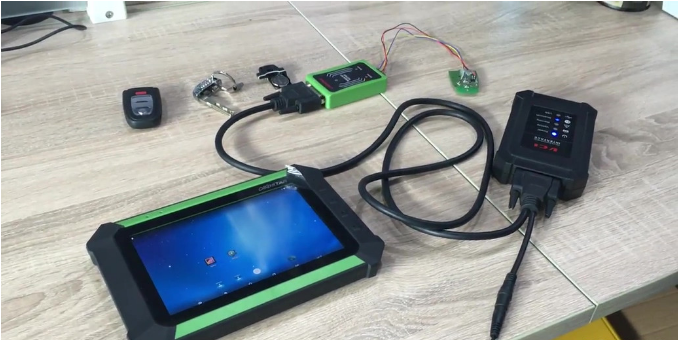
Plug OBDSTAR X300 DP with VCI box, renew key PCF79XX adapter etc shown as below picture, make sure the indicator lights flash.

obdstar-x300-dp-renew-key-pcf79xx-adapter-unlock-audi-5-generation-key-pic-1

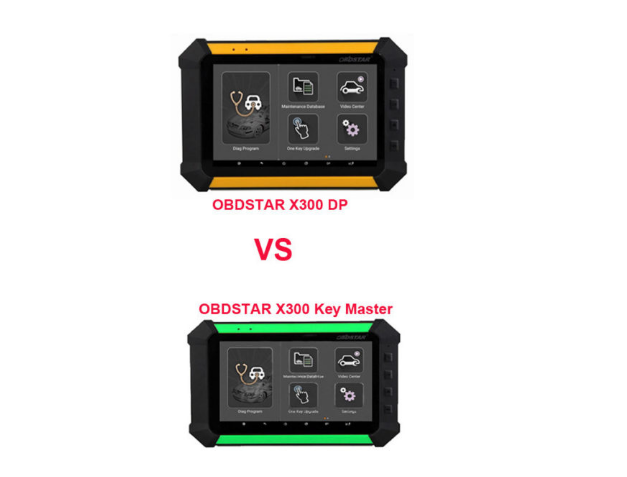
FYI, OBDSTAR X300 DP (Orange)VS OBDSTAR key master DP(Green):

They are the same tool, they have same function, save vehicle coverage. They differ from each other in color, the orange one X300 DP is supplied on Eshop, so it does not need to waste money to order both two.

obdstar-x300-dp-renew-key-pcf79xx-adapter-unlock-audi-5-generation-key-pic-2

Tap X300 DP option “DP” then “Diag Program”.

obdstar-x300-dp-renew-key-pcf79xx-adapter-unlock-audi-5-generation-key-pic-3

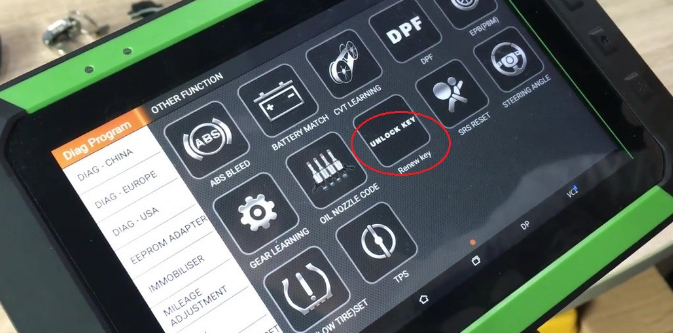
Tap “Other Function” then “Unlock Key”.

obdstar-x300-dp-renew-key-pcf79xx-adapter-unlock-audi-5-generation-key-pic-4

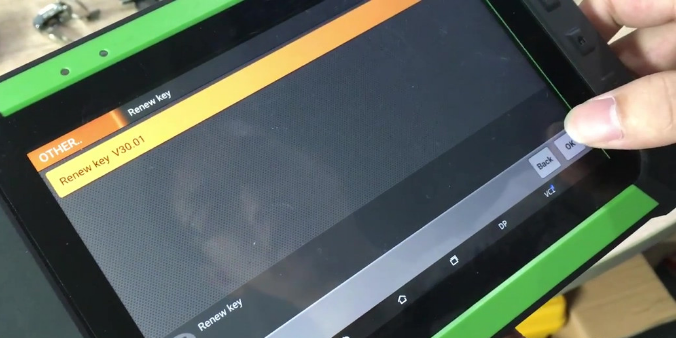
Have option “Renew key V30.01”, click “OK”.

obdstar-x300-dp-renew-key-pcf79xx-adapter-unlock-audi-5-generation-key-pic-5

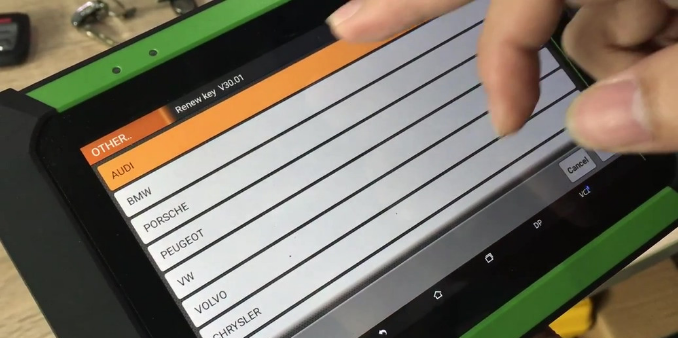
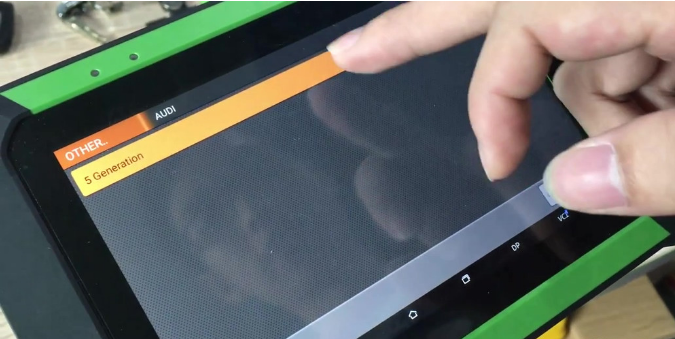
Tap “Audi”, then “5 Generation”

obdstar-x300-dp-renew-key-pcf79xx-adapter-unlock-audi-5-generation-key-pic-6

obdstar-x300-dp-renew-key-pcf79xx-adapter-unlock-audi-5-generation-key-pic-7

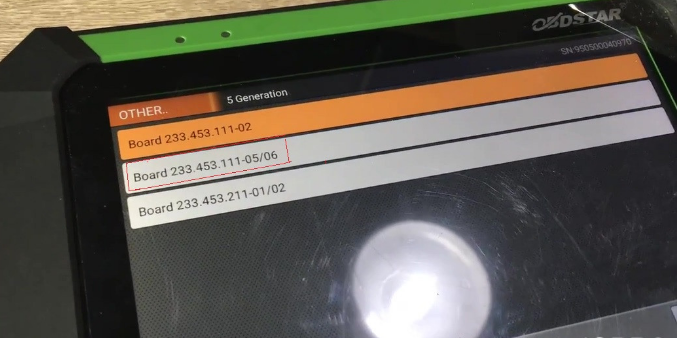
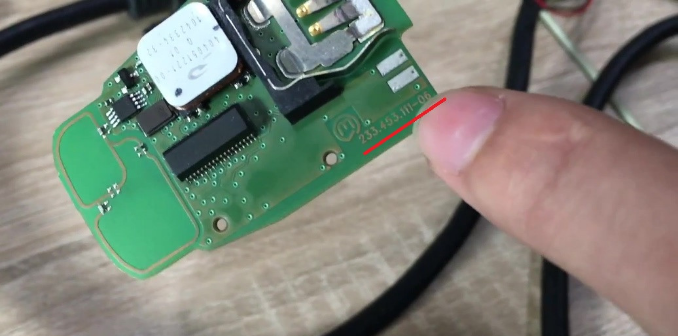
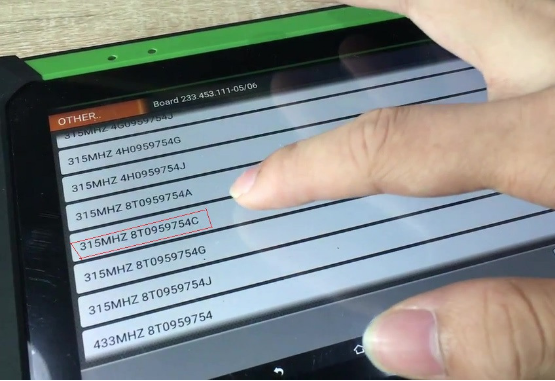
Have 3 options shown as below, go to check the chip board number and tap “Board 233.453.111-05/06

obdstar-x300-dp-renew-key-pcf79xx-adapter-unlock-audi-5-generation-key-pic-8

obdstar-x300-dp-renew-key-pcf79xx-adapter-unlock-audi-5-generation-key-pic-9

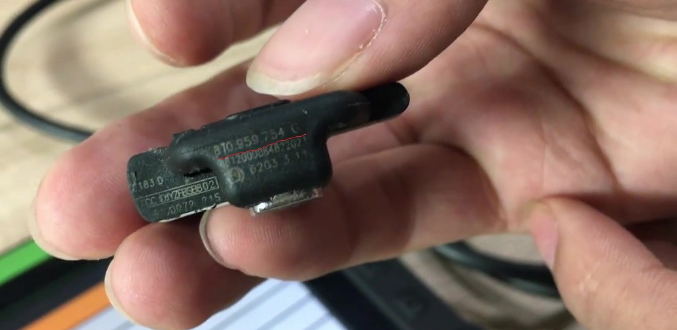
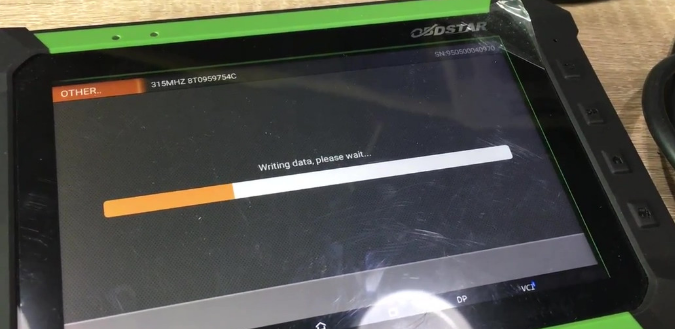
Tap “315MHZ 8T0959754C”

obdstar-x300-dp-renew-key-pcf79xx-adapter-unlock-audi-5-generation-key-pic-10

obdstar-x300-dp-renew-key-pcf79xx-adapter-unlock-audi-5-generation-key-pic-11

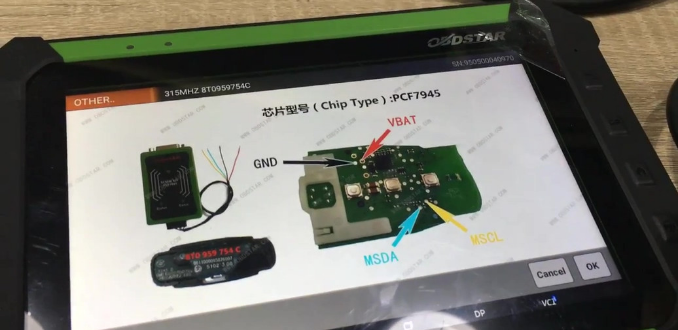
Please refer to the following figure for the correct connecting line.

obdstar-x300-dp-renew-key-pcf79xx-adapter-unlock-audi-5-generation-key-pic-12

Pop up “Connect the host to the PCF79XX adapter and supply the 12V power to the adapter.” Tap “OK” and writing data, please wait……

obdstar-x300-dp-renew-key-pcf79xx-adapter-unlock-audi-5-generation-key-pic-13

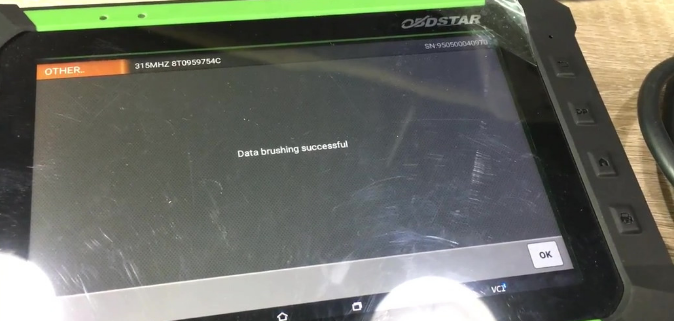
Data Brushing successful, click “OK”

obdstar-x300-dp-renew-key-pcf79xx-adapter-unlock-audi-5-generation-key-pic-14

Done

How to use FEM BDC Module Test Platform on BMW F20 F30 F35 X5 X6 I3?

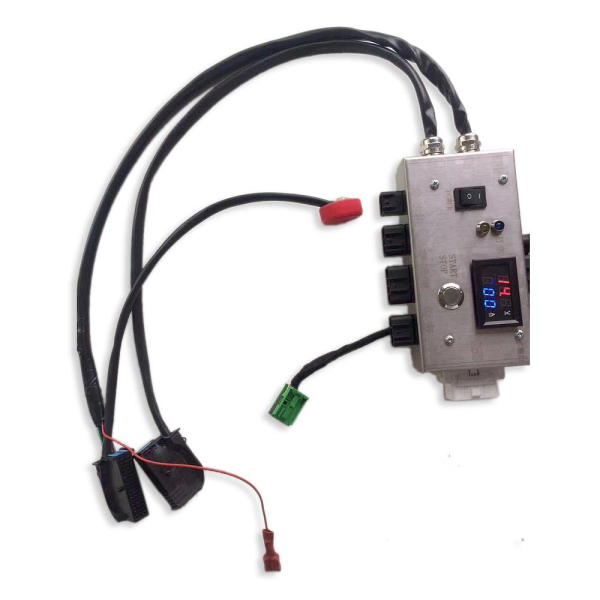
FEM BDC Module Test Platform for BMW F20 F30 F35 X5 X6 I3 is newly available, and several questions will be asked: what it can do? any special features? how to use it? who need it?

1.what is it can do?
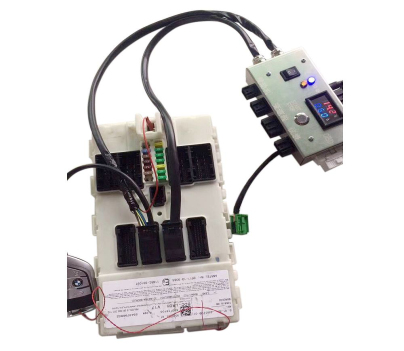
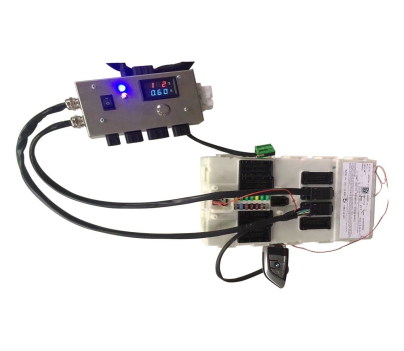
Working together with BMW FEM/BDC key programmer (i.e Yanhua BMW-FEM,BMW Explorer, VVDI2 BMW, CGDI Prog etc) and BMW F series FEM Blade key , FEM BDC Module Testing Platform is easy to detect FEM BDC Control Module in good condition. It plays an important role in key programming, ECU programming and basic diagnosis.

2.any special features? how to use it?
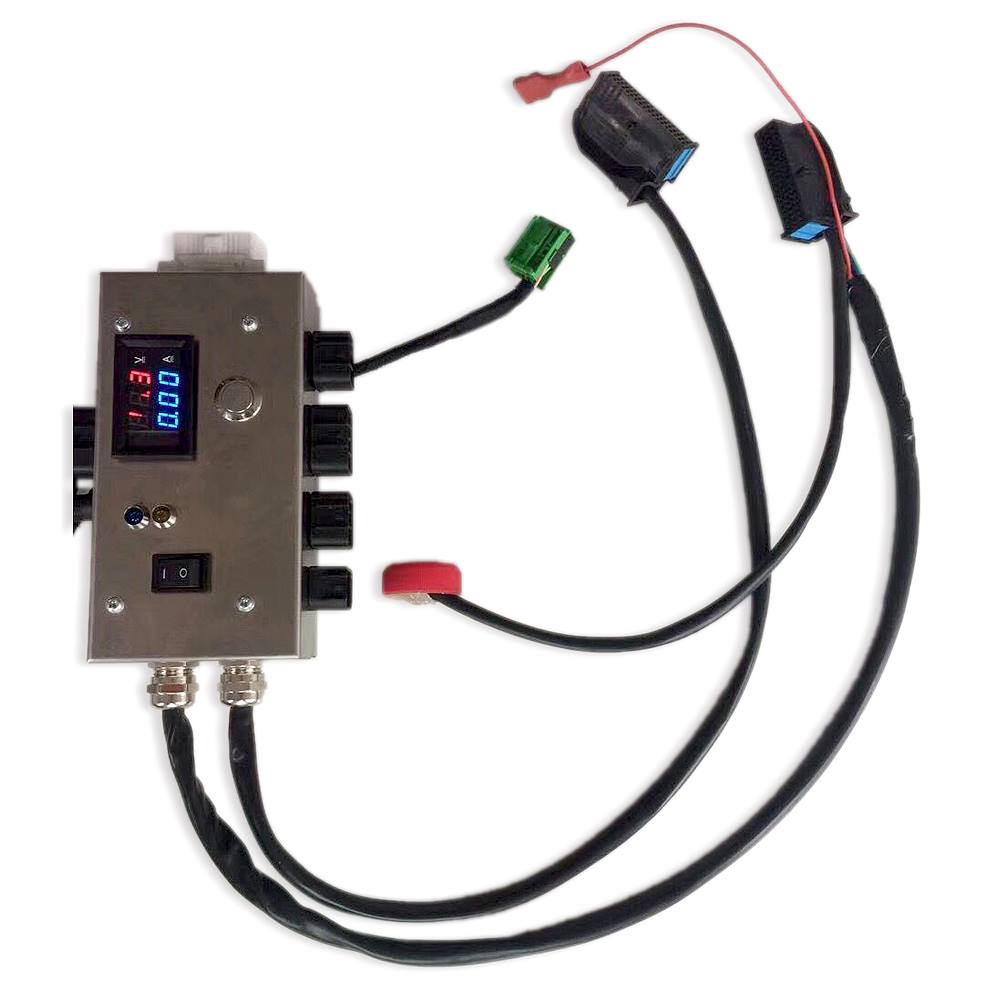
No need start-stop button, FEM BDC Module Testing Platform is designed with 4 ports which can connect to engine, gearbox, instrument and an extended port to connect with other modules.

Power supply: 14V 5A dedicated

3.Who need this FEM BDC Module Testing Platform?
It’s a must for professional locksmiths, auto electronic technicians and vehicle repairing garages.

4.Is it good quality?
Yes, It features in good induction, frequency resonance, the stainless steel shell (the copper wire inside it is very thick).

Testing FEM BDC Module Test Platform:

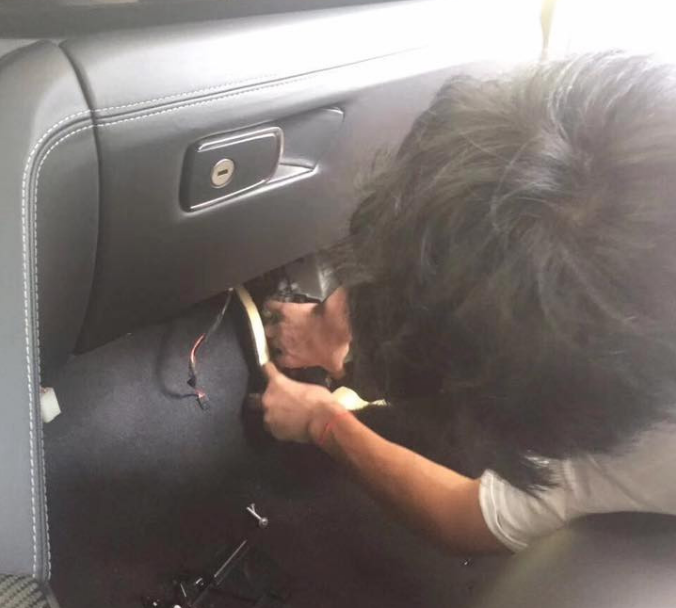
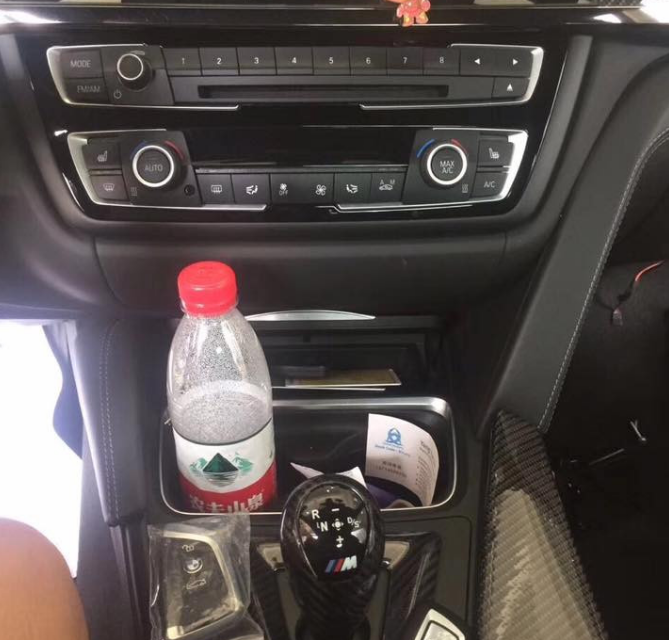
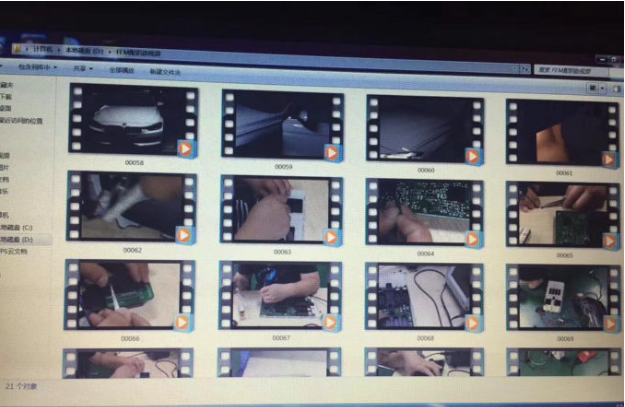
Attach several pictures:

how-to-use-fem-bdc-module-test-platform-on-bmw-f20-f30-f35-x5-x6-i3-PIC-1

how-to-use-fem-bdc-module-test-platform-on-bmw-f20-f30-f35-x5-x6-i3-pic-2

how-to-use-fem-bdc-module-test-platform-on-bmw-f20-f30-f35-x5-x6-i3-pic-4

how-to-use-fem-bdc-module-test-platform-on-bmw-f20-f30-f35-x5-x6-i3-pic-5

how-to-use-fem-bdc-module-test-platform-on-bmw-f20-f30-f35-x5-x6-i3-pic-6

BMW M4 FEM 433MHZ key program with CGDI Programmer

A brief instruction on how to program BMW M4 FEM 433MHZ key with CGDI BMW Programmer.

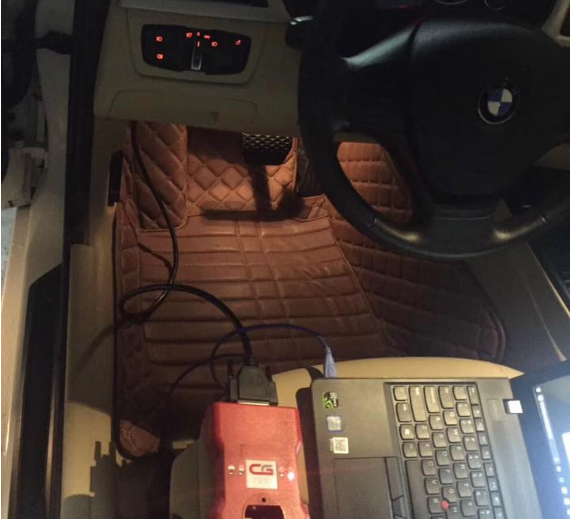
This is BMW M4 with FEM system.

bmw-m4-fem-433mhz-key-program-with-cgdi-programmer-pic-1

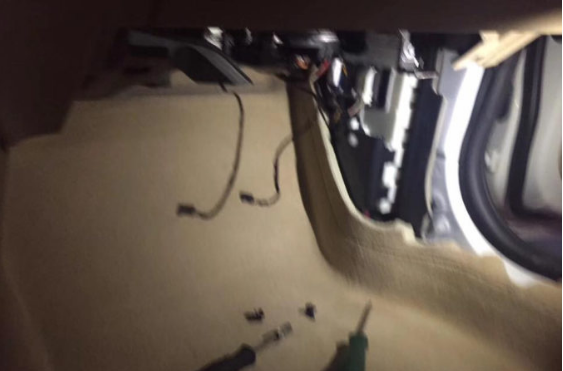
Remove the FEM module from the BMW.

bmw-m4-fem-433mhz-key-program-with-cgdi-programmer-pic-2

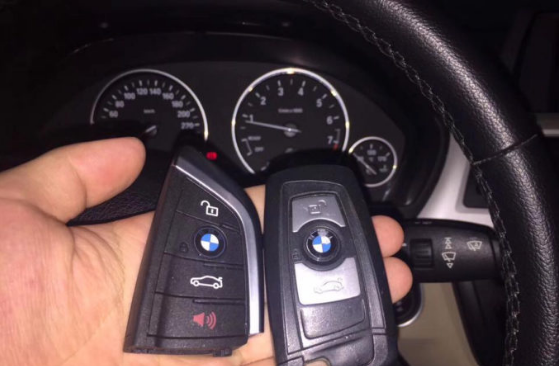
Prepare 433MHZ blade key

bmw-m4-fem-433mhz-key-program-with-cgdi-programmer-pic-3

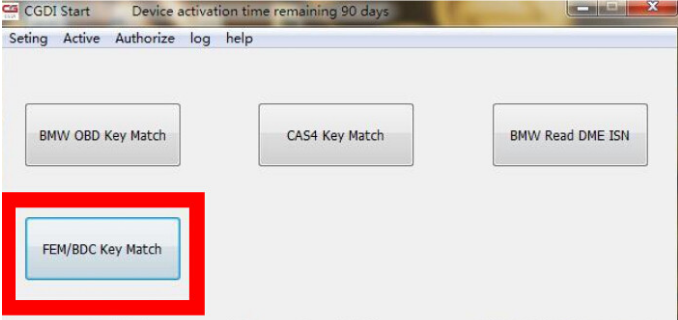
Open “CGDI Start” then click on “FEM/BDC Key Match”, if you are the first time to use CGDI Pro, you will receive a message “unauthorized”, follow this user manual to get authorization.

http://www.carobd.de/upload/pro/201709/cgdi-prog-bwm-fem-bdc-authorization-guide.pdf

bmw-m4-fem-433mhz-key-program-with-cgdi-programmer-pic-4

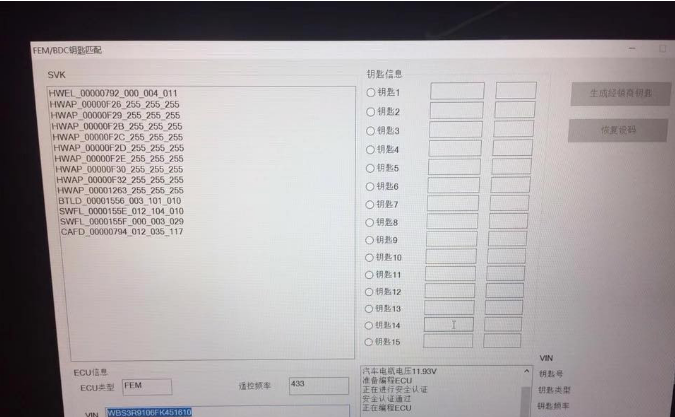
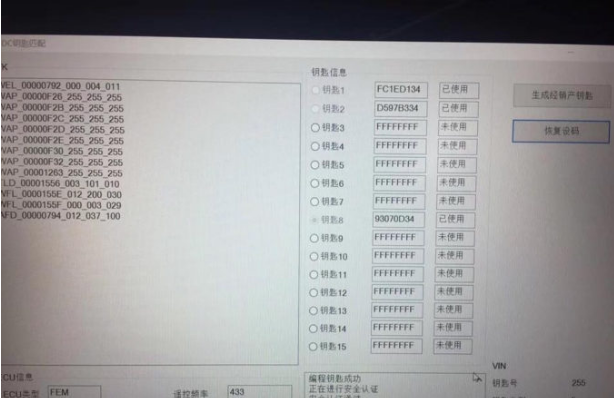
Read key info.incl. ECU type, 433MHZ, VIN, etc.

bmw-m4-fem-433mhz-key-program-with-cgdi-programmer-pic-5

CGDI BMW Pro green indicator flashes, it is working fine.

bmw-m4-fem-433mhz-key-program-with-cgdi-programmer-pic-6

This is BMW FEM module removed from the car.

bmw-m4-fem-433mhz-key-program-with-cgdi-programmer-pic-7

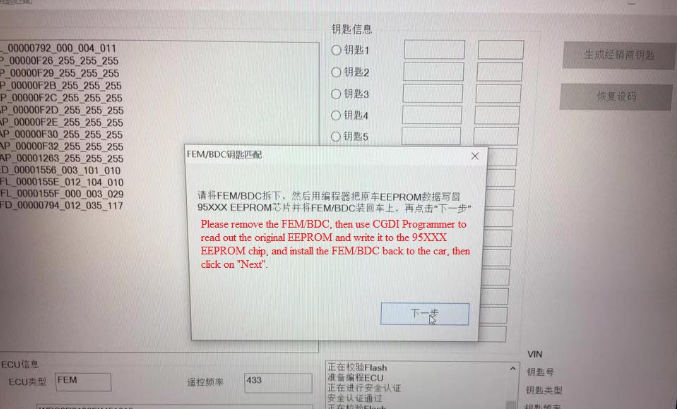
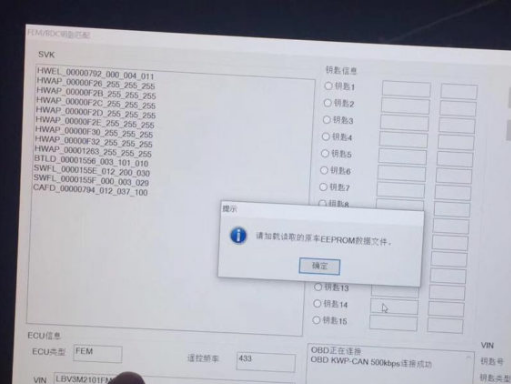
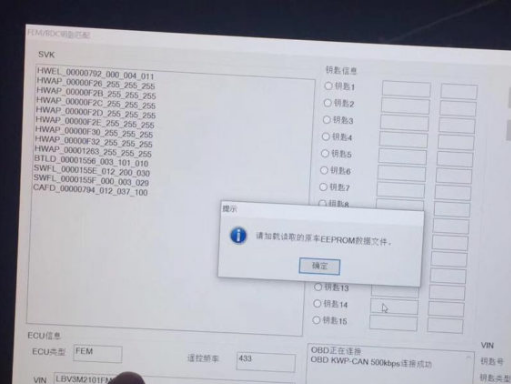
Get message: Please remove the FEM/BDC, then use CGDI Programmer to read out the original EEPROM and write it to the 95XXX EEPROM chip, and install

the FEM/BDC back to the car, then click on “Next”.

bmw-m4-fem-433mhz-key-program-with-cgdi-programmer-pic-8

Done.

How does SKP1000 program 2015 Buick Excelle remote key?

This post is on how to use SKP1000 tablet key pro to program 2015 Buick Excelle remote key.

Buick Excelle after 2013 comes with 70 big capacity chip which needs security code to program key.

The way to get security code is on the frame which is as the same as new Lacrosse and new Regal.

Step by step procedure:

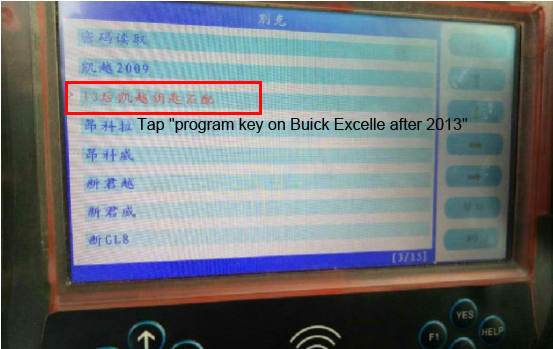
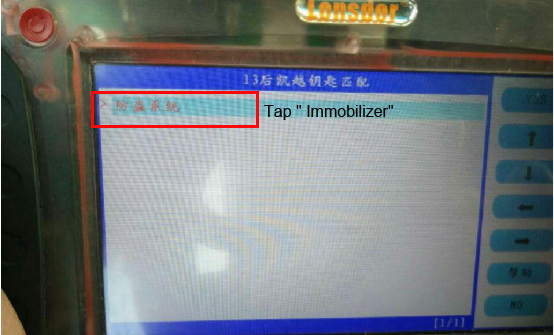
Please be informed: the pictures comes from the Chinese version Lonsdor CI600 plus, and the words on the pictures are Chinese. Acutally the SKP1000 engineer ensure SKP1000 can perform the same as CI600, and the instructions on the screen are translated as the title.

Tap “program key on Buick Excelle after 2013”

how-does-skp1000-program-2015-buick-excelle-remote-key-pic-1

Tap ” Immobilizer”

how-does-skp1000-program-2015-buick-excelle-remote-key-pic-2

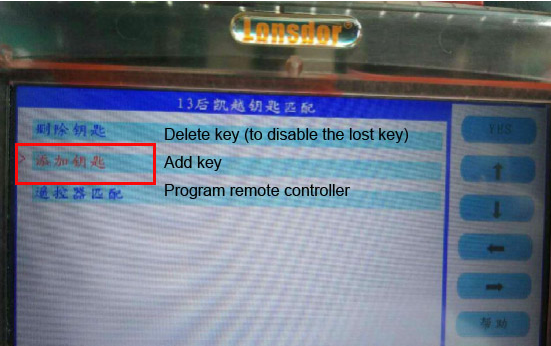
There are 3 options : delete key (to disable the lost key), add key and program remote controller

how-does-skp1000-program-2015-buick-excelle-remote-key-pic-3

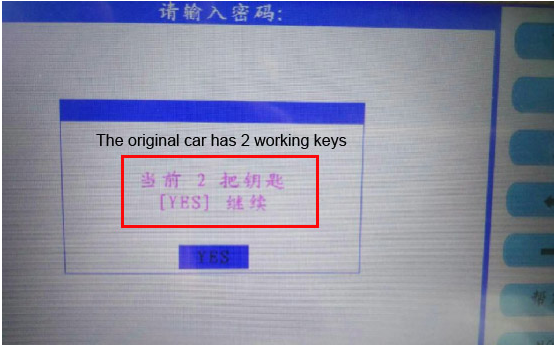
Tap “add key”, the original car has 2 working keys

how-does-skp1000-program-2015-buick-excelle-remote-key-pic-4

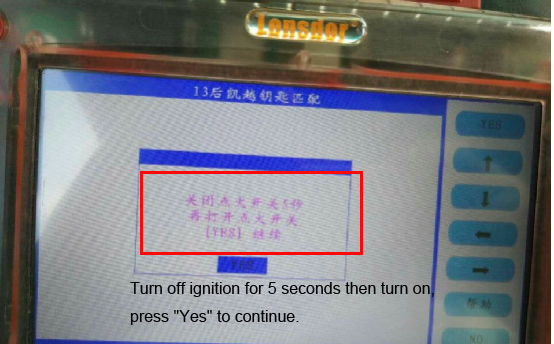
Turn off ignition for 5 seconds then turn on, press “Yes” to continue.

how-does-skp1000-program-2015-buick-excelle-remote-key-pic-5

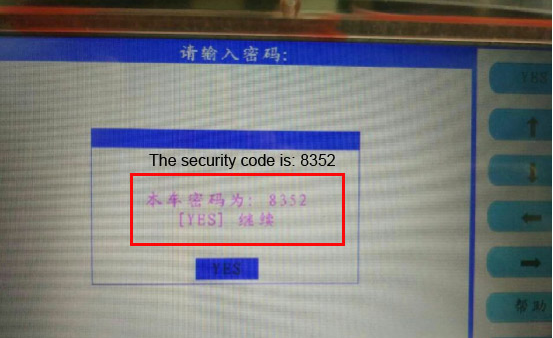
The security code is: 8352

how-does-skp1000-program-2015-buick-excelle-remote-key-pic-6

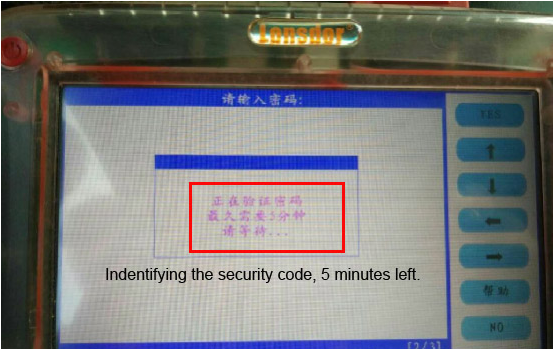
Indentifying the security code, 5 minutes left.

how-does-skp1000-program-2015-buick-excelle-remote-key-pic-7

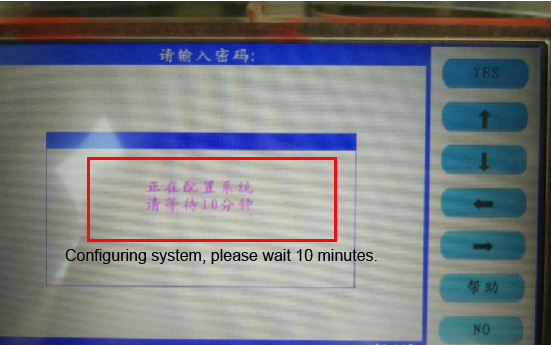
Configuring system, please wait 10 minutes.

how-does-skp1000-program-2015-buick-excelle-remote-key-pic-8

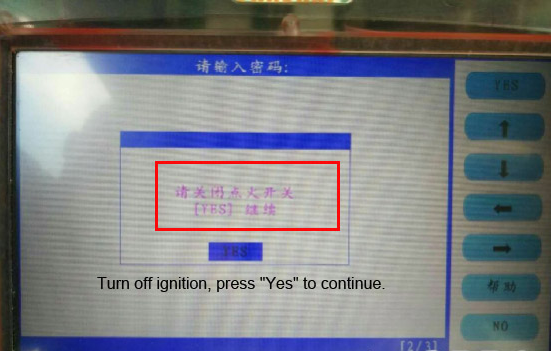
Turn off ignition, press “Yes” to continue.

how-does-skp1000-program-2015-buick-excelle-remote-key-pic-9

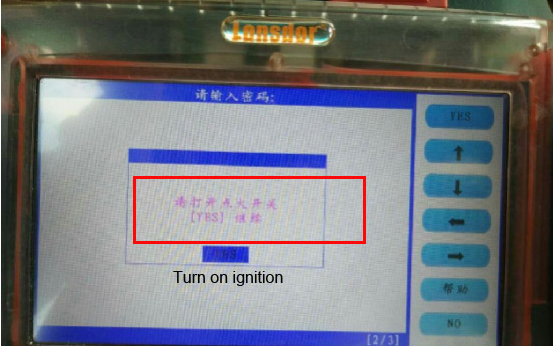
Turn on ignition

how-does-skp1000-program-2015-buick-excelle-remote-key-pic-10

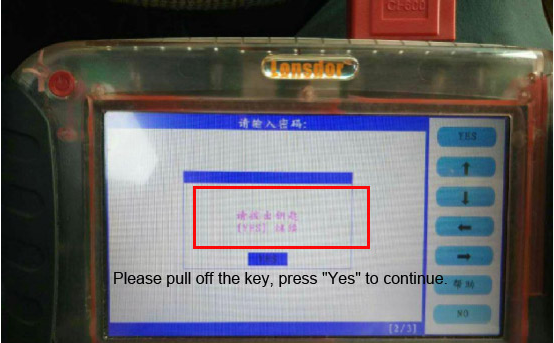
Please pull off the key, press “Yes” to continue.

how-does-skp1000-program-2015-buick-excelle-remote-key-pic-11

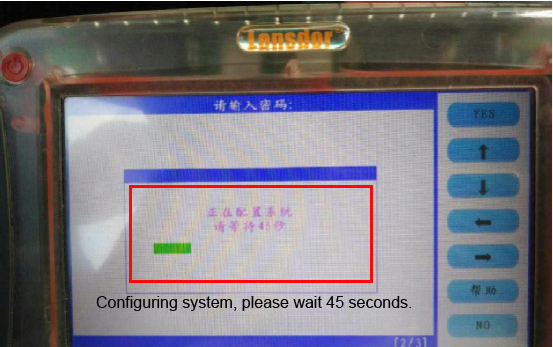
Configuring system, please wait 45 seconds.

how-does-skp1000-program-2015-buick-excelle-remote-key-pic-12

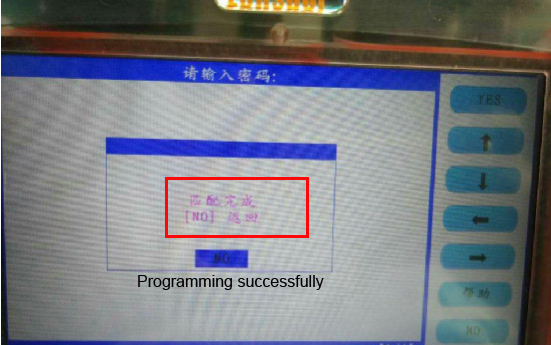
Add key on 2015 Buick Excelle successfully with SKP1000 tablet key pro.

how-does-skp1000-program-2015-buick-excelle-remote-key-pic-13

After the chip program successfully, back to tap “program remote controller”, it also needs the security code and the procedure is as the same as to program the chip.

How to add VVDI2 BMW FEM/BDC Authorization?

V4.3.0 VVDI2 newly add BMW FEM/BDC system key learning, erase key; Add BMW FEM/BDC system reset KM; Add FEM/BDC system backup coding, restore coding.If you have VVDI2 Full or VVDI2 BMW,how can you get VVDI2 BMW FEM/BDC authorization?

There are two ways to get VVDI2 BMW FEM/BDC function:

1.Purchase from us.This is what we will introduce in our blog.

2.Remote points exchange.If you have condor key cutting machine,6000 points.If without,8000 points.F

How to add VVDI2 BMW FEM/BDC Authorization?

If you have condor key cutting machine,please check VVDI2 BMW FEM/BDC Function Authorization Service For Condor Cutter Only

If do not have,please check:VVDI2 BMW FEM/BDC Function Authorization Service

After you purchase,please provide the following information:

VVDI2 Serial number,if you have some other Xhorse tool,please also provide us their serial number.

How to check VVDI2,VVDI PROG,VVDI MB Tool serial number?

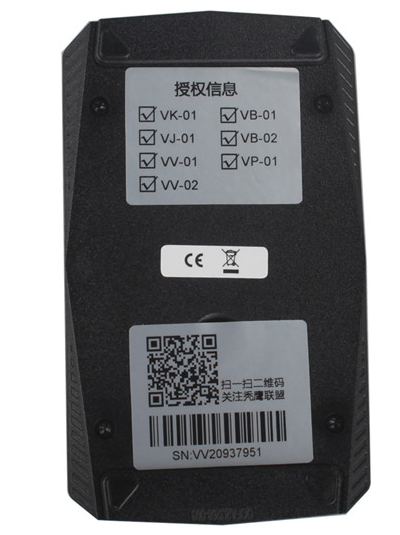
Back of main unit,it shows the serial number,send them to us is OK.

How to check VVDI Key Tool serial number?

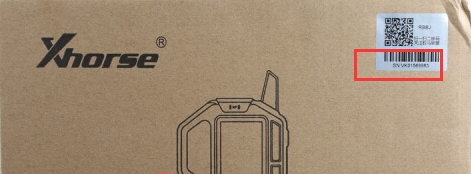
VVDI Key Tool back does not tag the serial number,you can check from the carton box.

Or if you can not find the carton box,please download VVDI Key Tool update tool software,connect VVDI Key Tool with computer,click device info,it will display serial number,format is :VK********.

When authorization is OK,we will send email to inform you.Then wait more than 30 minutes,update vvdi2 firmware.P;lase confirm you use newest VVDI2 software,update vvdi2 firmware.