
2016 MB SD C3 Activate Test Vedio:
Archive by Author | sales
Autodiagtool.de Is On Spring Promotion
In order thanks for regular customer’s support,Carobd.de is on big sales,most of products are free ship by Post,
Any needs,please go and see.
For Example:
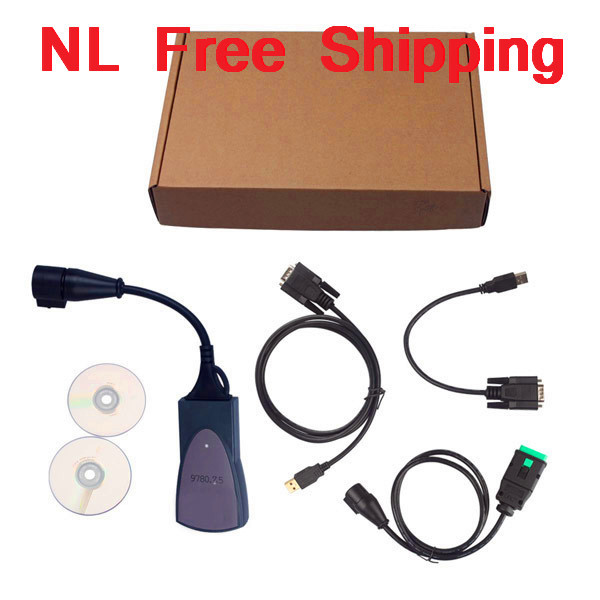
Lexia-3 V48 PPS 2000 V25 with Diagbox V7.57 Deutsche Version with Original 921815C Chips
OPCOM OP-COM 2009 V CAN OBD2 OPEL Support Deutsch&English

Renault CAN Clip Latest Renault Diagnostic Tool V156 With Multi-language

And So on,want to know more,please check this link.
MB SD C4 update to V2016.03
Dear All Customers:
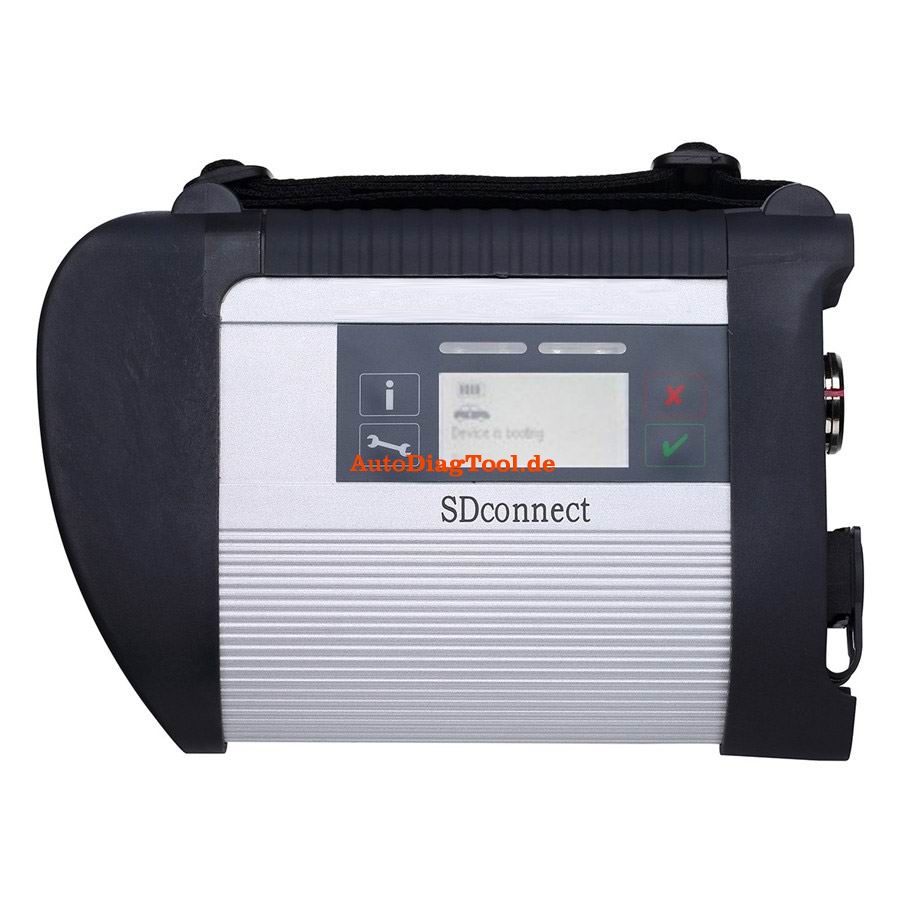
Carobd.de MB SD C4 update to V2016.03,it is the newest software on market,and very stable and usefully!!
How to activate the MB SD C4? Please click here.
MB SD Connect Compact 4 support reading out & erasing trouble code,reading the real-time data of sensor and actuator, coding and programming. Also support wireless diagnose, support K line,CAN BUS and UDS protocol, with multi-language.
MB Star C4 SD Connect Diagnostic Tool Highlights:
1. Multi-languages: English/Bulgarian/Danish/Greek/Spanish/French/Italian/Korean/Polish/Romanuan/Serbo-Croatian/ Turkish/Czech/German/Finish/
Hyngarian/Japanese/Dutch/Portuguese/Russian/Swedish/Chinese
Hyngarian/Japanese/Dutch/Portuguese/Russian/Swedish/Chinese
2. Newest Version: 2016.03 Hardware version: OS:2.3 CSD:2.8
3. Update via hard disk, you are offered to buy newest software HDD alone when newer software come out
4. Support both WiFi AND Lan cable connection. more easy to use!No need COM port computer.
5. Supports reading out & erasing trouble code, coding and programming for Mercedes Benz car and truck from 1996-2015.
6. Support both offline and online programming, but you need pay for the SCN Coding service
7. One year warranty, we also offer install service if you buy dell 630 computer from us.
8. There are two software model to choose: Dell D630 HDD, External HDD
Kindly Note
External HDD can not support WIFI function
After activating Xentry, if you can not save the code,pls try to use the following solution.
1. Change the time of your laptop to current time
2. Delete the file lic-key2.dat in Disk C【Patch C:\Documents and Settings\All Users\Application Data\LicDir】, and pass us the ID to activate again for you.
3. Make sure you pass us the correct HW-ID and APP ID
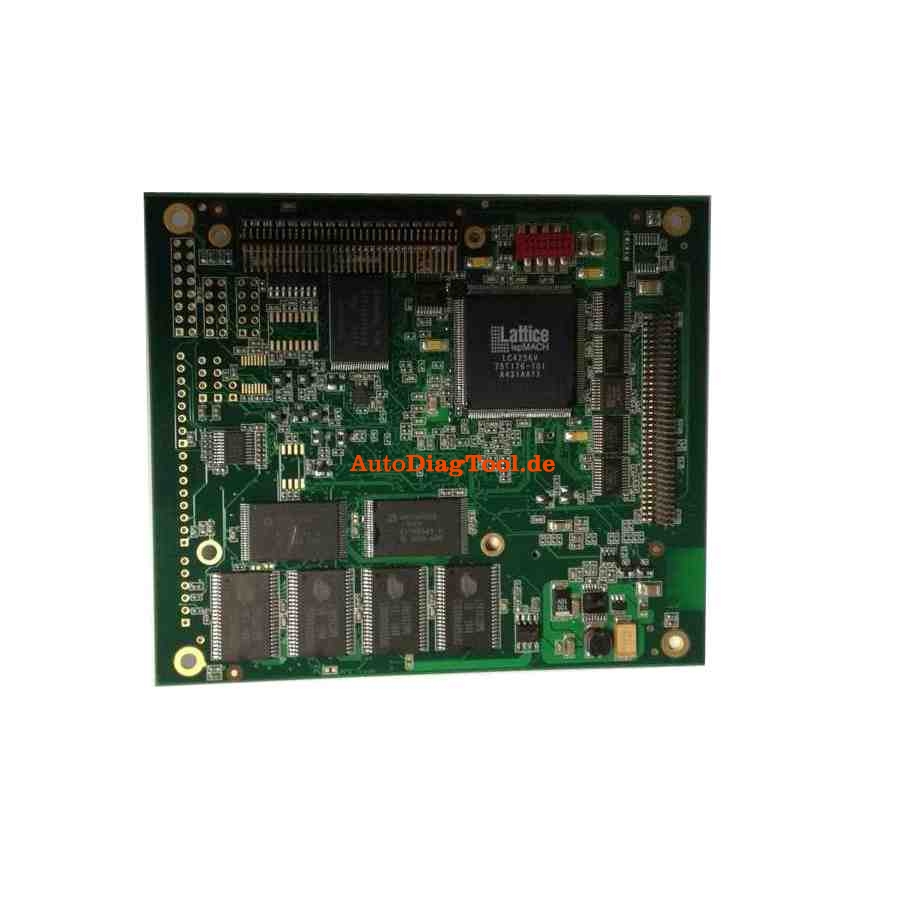
The Main Unit board display:
How to Update KD900 Remote Maker
KD900 Remote maker supports 1 Button Smart Online Update, next we will show you how to update it.
Note: When updating, need to connect the net and download data, some anti-virus software may not allow our software to work. So when updating, please quit the anti-virus software to make sure the updating progress will work smoothly.
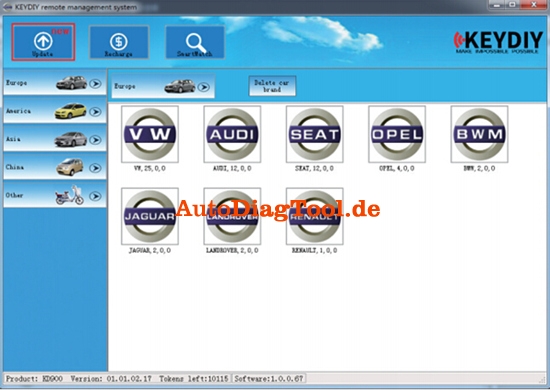
1.Click the Update Button
(Remark: Where there are new for updating, it will be showed on the top left with “new” in red.)
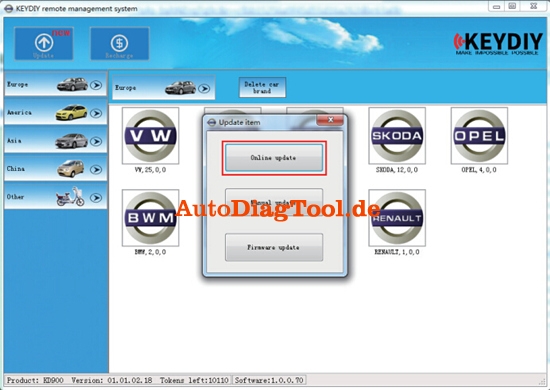
2. Click the Online Update Button
3. Click the Update
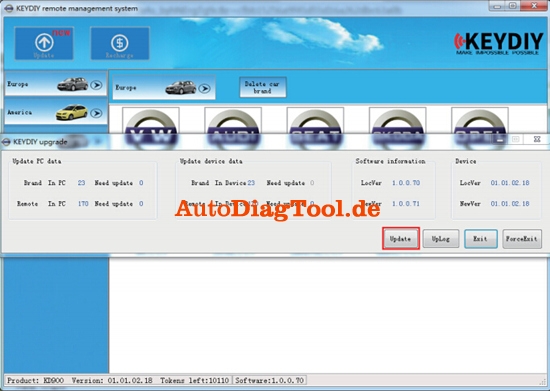
It will start to update and then wait few minutes.
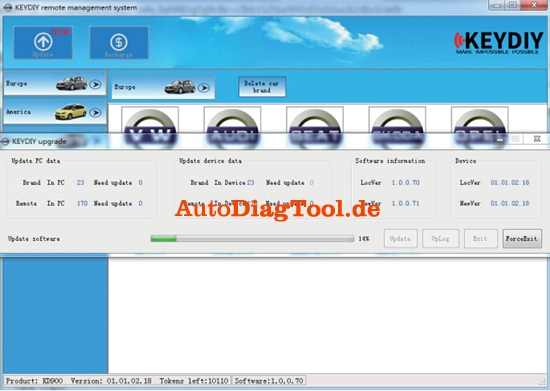
4. Click OK after updated

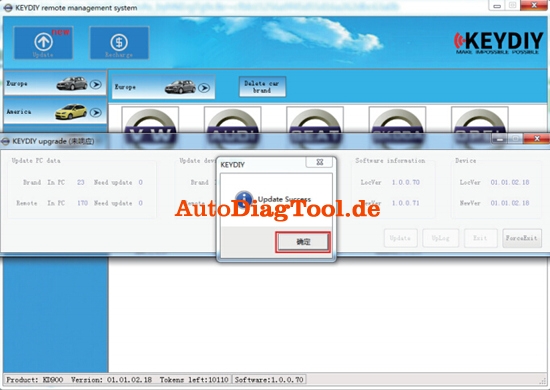
5. Then Exit
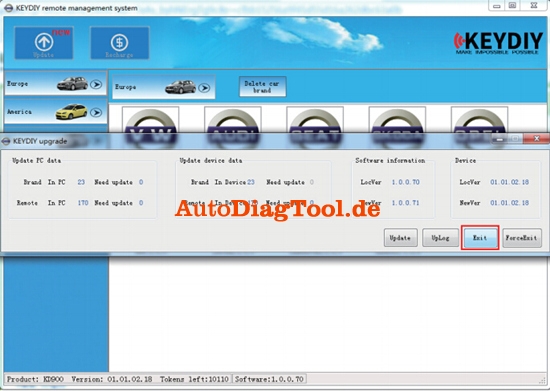
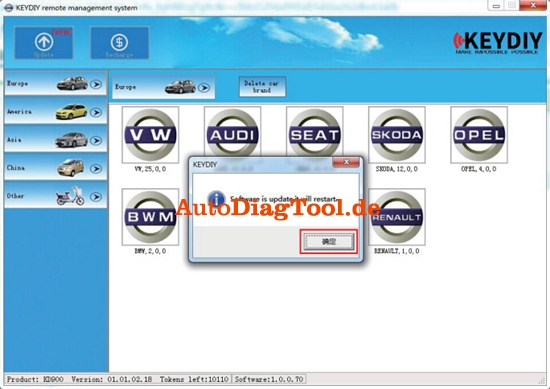
6. Press OK, then software will restart itself, updated finished.
(Remark: Sometimes, online update may not work, thus need to update manually.)
(Tested)Quickly 4C/4D/46/48 transponder key chip copy machine
The Quickly 4C/4D/46/48 transponder key programmer has been introduced for a period of time. Our engineers have successfully copied various types of key chips, following are our test results.
Ⅰ T5 chip (11-12-13-33)
Ⅱ PCF7935 chip series including: 40/41/42/44/45
40 Opel 40 Cherry 40 (cannot be interoperated)
41 Nissan
42 Jetta and HongQi
44 VW Vista 44 and Mitsubishi 44 (cannot be interoperated)
45 Old Peugeot
Quickly key chip reader can generate ALL above chips and save the read key code data unlimited if connected with Chinese PC software (Dell D630, Lenovo etc).
Ⅲ PCF7936 chip (46 chip)
PCF7936 chip, also called 46 chips are widely used in Honda, Nissan, Mitsubishi, GM etc many vehicle makes.
Quickly auto key programmer will decode and duplicate ID46 key. But you need to buy extra ID46 decoder.
Ⅳ 48 chip
48 chip is most used on VW Volkswagen group models
Ⅴ 8C
8C chip is used on domestic Haima car
Ⅵ 8E chip
8E chip is applied on part of Honda model
Ⅶ 4C Toyota
Toyota 4C chip including: 60/61/62/63/64/65/66/67/68/69/6A6B
72G is the 80-bit encryption chip applied on 2010-2012 Toyota models
8A is the chip used 2013 and up Toyota models
Ⅳ 48 chip
48 chip is most used on VW Volkswagen group models
Ⅴ 8C
8C chip is used on domestic Haima car
Ⅵ 8E chip
8E chip is applied on part of Honda model
Ⅶ 4C Toyota
Toyota 4C chip including: 60/61/62/63/64/65/66/67/68/69/6A6B
72G is the 80-bit encryption chip applied on 2010-2012 Toyota models
8A is the chip used 2013 and up Toyota models
For 4D and 46 copy functions, need buy special 4D decoder cloner box and 46 Decoder with dedicated chips. Here is the Quickly 4C/4D/46/48 key copy machine 4D Box connection diagram:

SuperOBD SKP-900 V3.9 Hand-held OBD2 Auto Key Programmer No Tokens Limitation
How to operate the SKP-900?
This operation instruction will tell you how to use your scan tool. For other vehicles, you
can perform it by referring to the instructions or according to operation tips on the screen.
Take FORD as an example, if all key is lost, you can use SuperOBD SKP-900 to match
key. Firstly, you must connect this device to the OBDⅡconnector via Main Cable.
Select Vehicle: [FORD]→[FOCUS]:
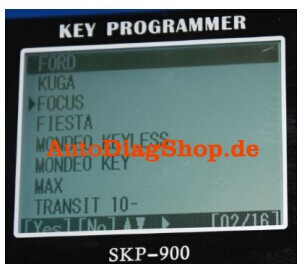
Press [YES], and select ‘IMMOBILIZER’ according to your vehicle:
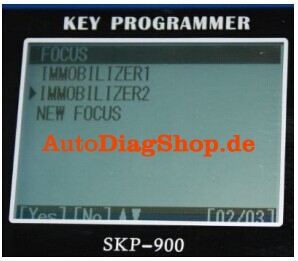
Press [YES]
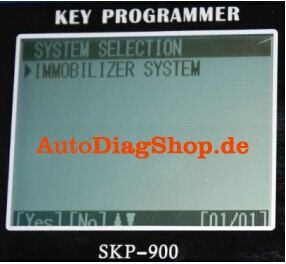
Press [YES]
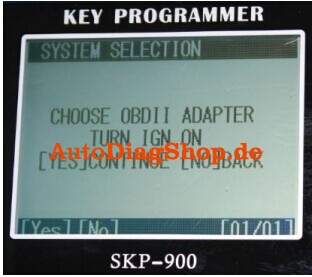
Press [YES]
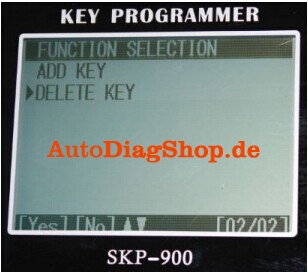
ADD KEY: for matching new key
DELETE KEY: for deleting all registered keys and so the lost keys can’t be used neither
We suggest that you delete all keys before matching new keys.
Select [DELETE KEY] and press [YES]:
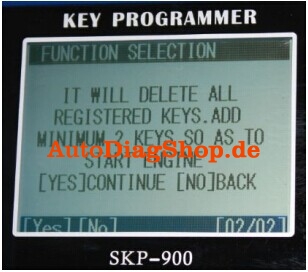
As shown on the screen, you must add at least 2 new keys to start the engine after
deleting all registered keys.
Press [YES]

Press [YES]

Press [YES]
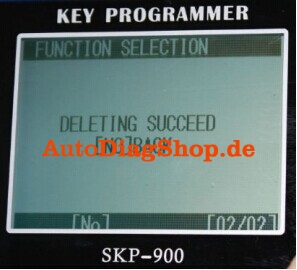
It shows that deleting keys is succeeded.
Press [NO]:
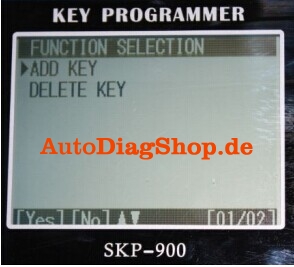
Press [YES]
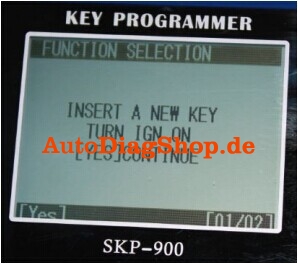

According to the instruction on screen, you should insert a new key and turn IGN on.
You may see the IMMO indicator light will flash when inserting a key which cannot start
Engine.
Press [YES]
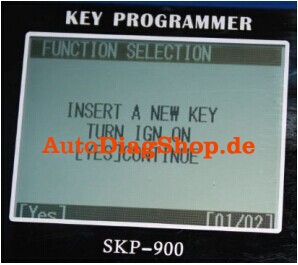
Press [YES]

Press [YES]
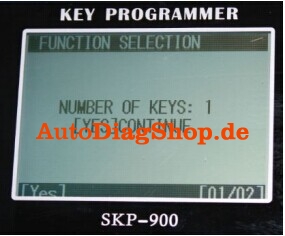
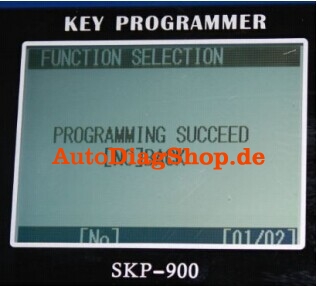
You have successfully programmed the first new key. Press [NO]:
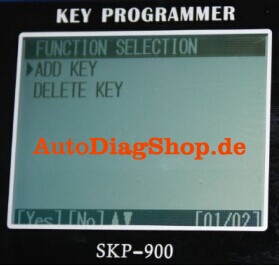
Press [YES], continue to program another key:
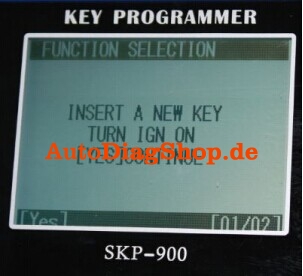
Press [YES]
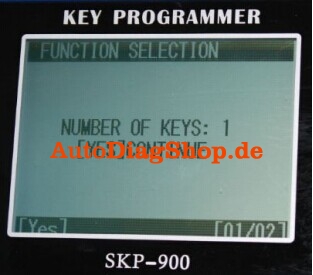
Press [YES]
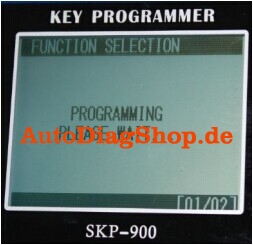
Press [YES]
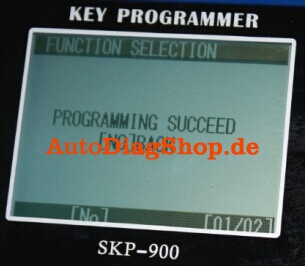
So far two new keys have been successfully programmed. Now you can use any one of them to start the engine. Of course, if you want add more keys, you just need to repeat the above operations.
Digimaster 3 White/Black Screen of Death (solved)
Some forum bros talked about their death screen (white or black screen of death) of their Digimaster iii. And now, we technicians offers some solutions.
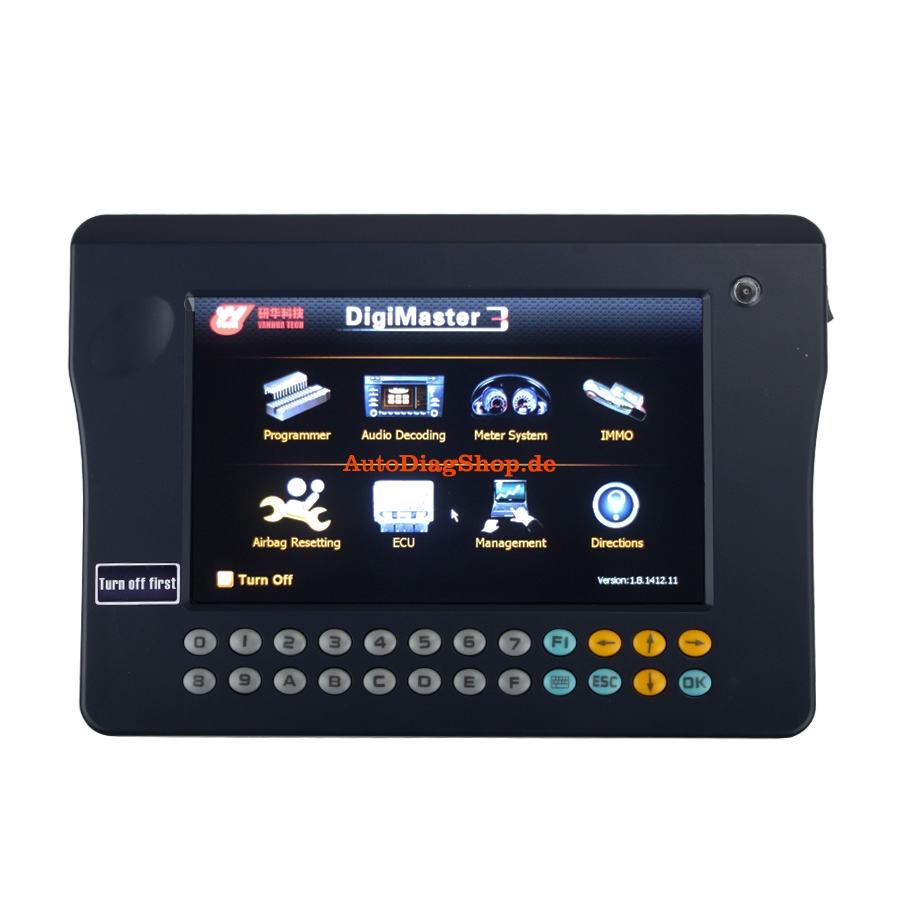
First, please try to update your kernel
Then, try the following solution if white or black screen of death still appears on your Digimaster 3 after you have updated the kernel.
1. Remove SD card from D3 to cardreader,and connect to PC. After successful connection, click “Removable Disk(E:)” as showed in the picture.

2. Delete the old file “YHTech” which is in the SD card.
3. Copy the “YHTech” files from CD, and save it in SD card.
4. Please insert SD card into Digimater3 after successfully copy and paste. Then connect to
network and turn on Digimaster 3, click “OK” for downloading when appear remark of “Please connectnetwork download hypervisors!” in the interface.It can be functioned aftersuccessful download.
How to install Diagbox V7.57 software for Lexia 3 Citroen and Peugeot
The Diagbox for Lexia 3 V48 PP2000 V25 Citroen and Peugeot diagnostic has newly upgraded to latest V7.57. Here is the step-by-step Daigbox V7.57 installation instruction:
ⅠInstall Lexia 3 DiagBox V7.57 setup1
1) Insert CD software into the computer
2) Open Diagbox V7.57 (E:) CD
3) Select and open setup1
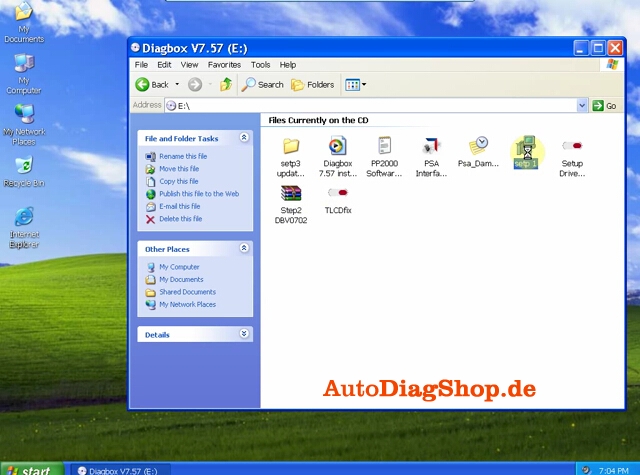
4) After loading setup. Select system language
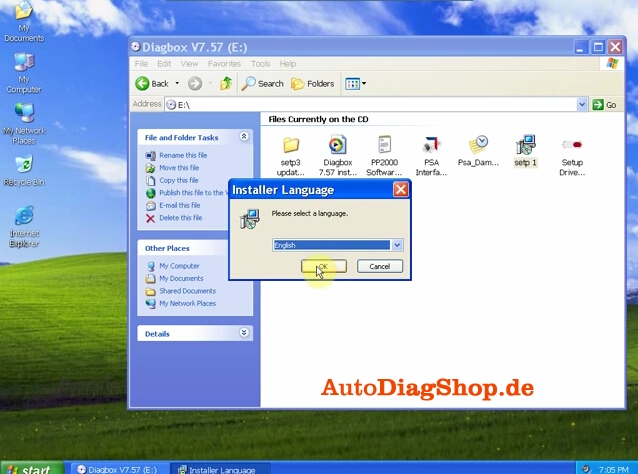
5) Accept SPTD setup license agreement.
6) Restart the computer
7) Select language again
8) Accept license agreement
9) Save file to a certain folder and click next
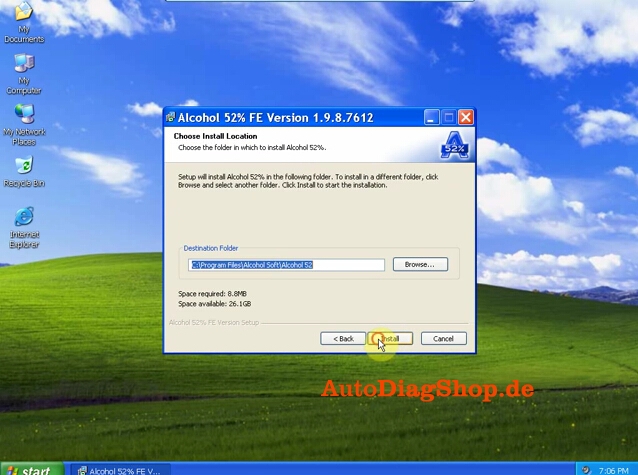
10) Select Alcohol 52% file on the desktop, select Add image from my computer Diagbox V7,57 and mount on Setup BDV0702
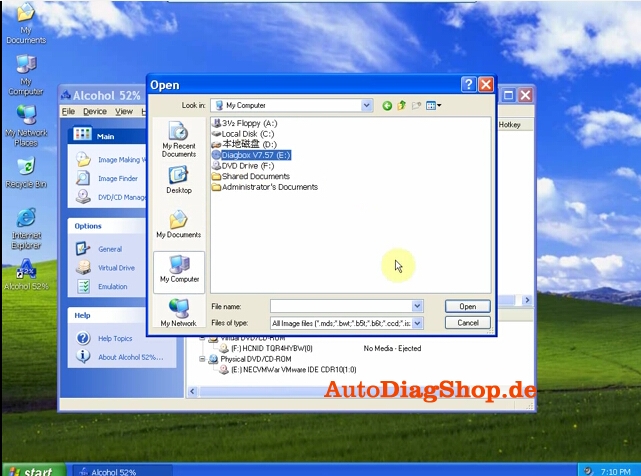
11) Setup is installing. Select language again.
Ⅱ Install DaigBox-setup
12) Open Diagbox.V07.02(F:) and open Diagbox-setup driver
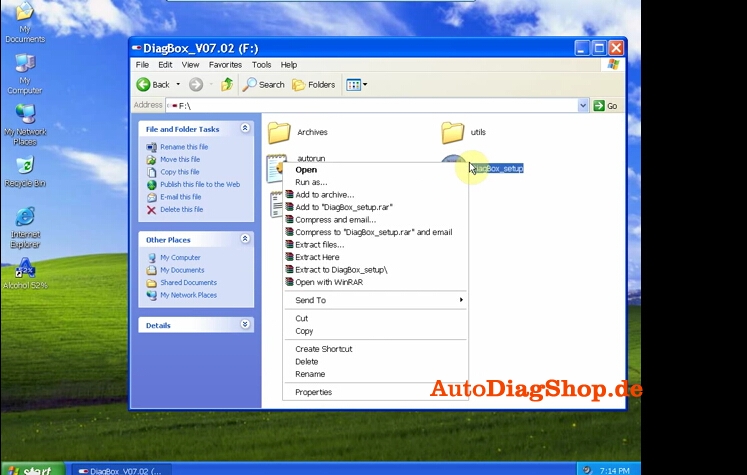
13) Select language. Installing setup driver will generate three folders on the desktop, EmalDiag, WEBEX and Diagbox. Accept the windows security alert
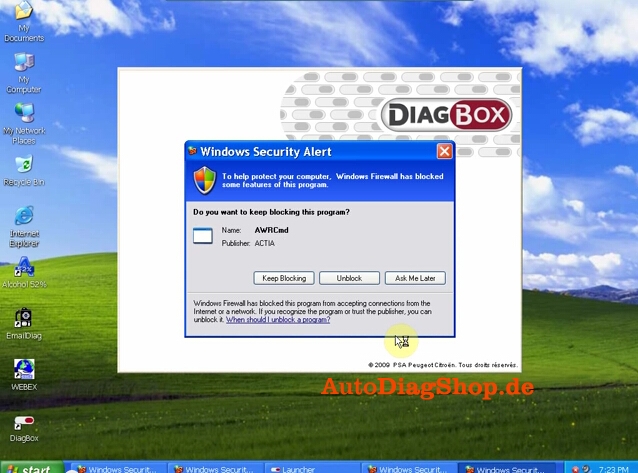
14) Diagbox software is loading.
Ⅲ Activate Lexia 3 DiagBox software
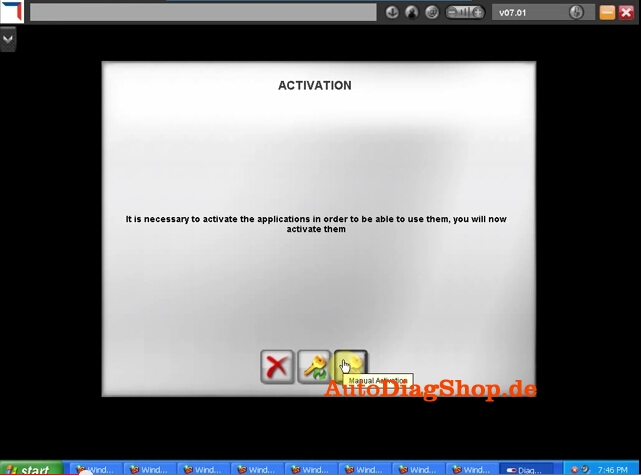
15) The system will prompt ACTIVATION message, click manually activation (3rd option)
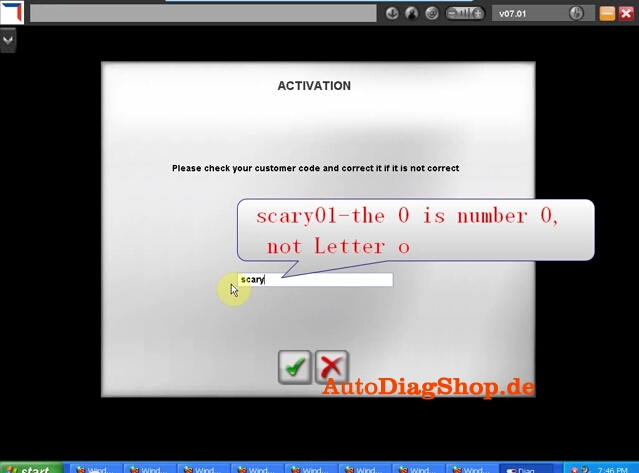
16) Check your customer code and correct it if it is not correct
17) Please wait until the software complete installation. Usually it will take about 12 minutes. The waiting time depends on your computer configuration
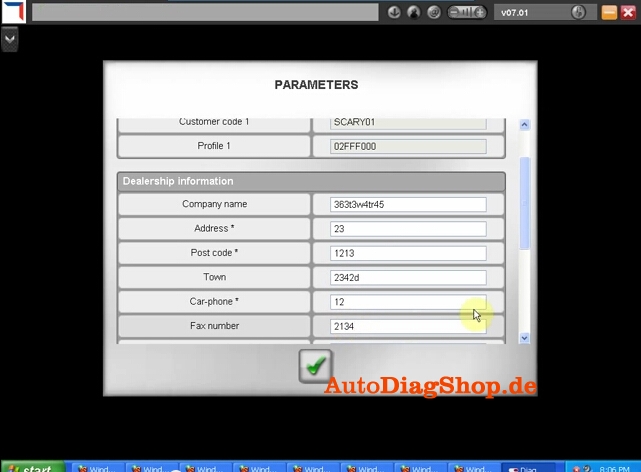
18) After complete install, click Yes to continue When come to the PARAMETER program, fill in the Dealership Information and Technician information , including Company name, Address, Post Code etc
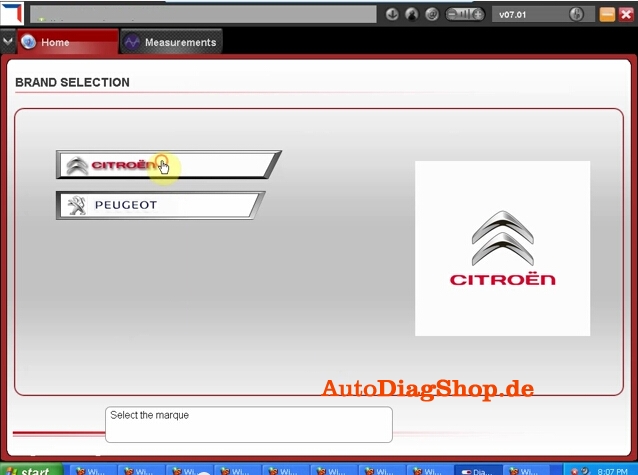
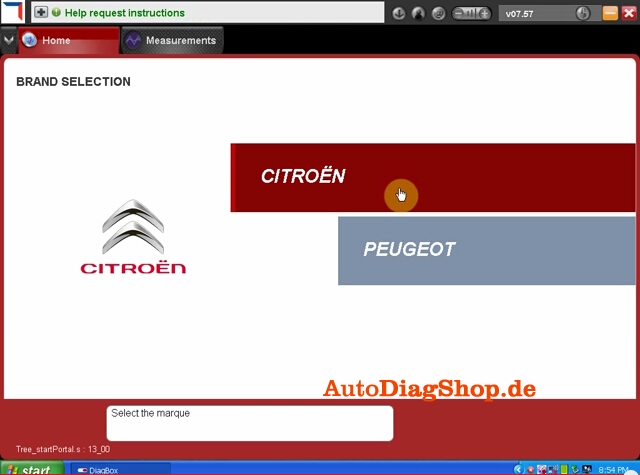
19) Click No when the system asks for new update. Select Citroen or Peugeot band in BRAND SELECTION program and then select detail vehicle model to check vehicle information.
20) Close the activation program. Unlock windows security alert
Ⅳ Update DiagBox to V7.57
You can not directly update DiagBox to V7.57. You have first update to V7.44, than update V7.44 to V7.49, then update V7.49 from V7.57.
21) Open DiagBox shortcut on the desktop, the software is updating to V7.02
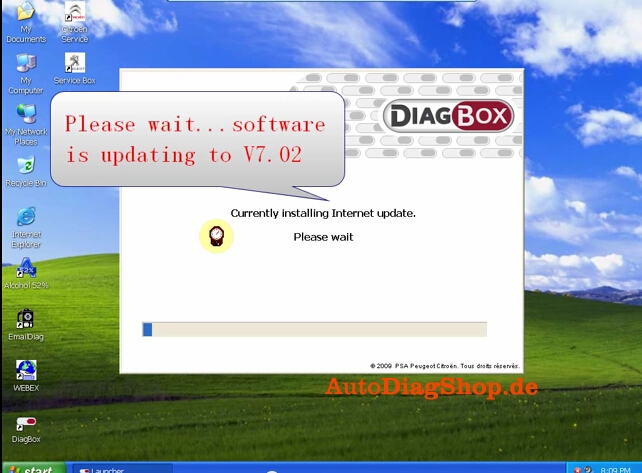
22) When the system asks for an update, click no. Check the vehicle information again. Close the program.
23) Open DiagBox V7.57(E:) CD software on My computer. Select setup3 update V7.02 to V7.57 file.
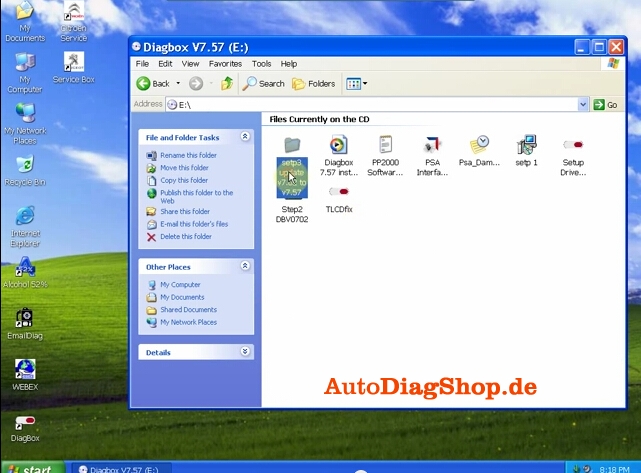
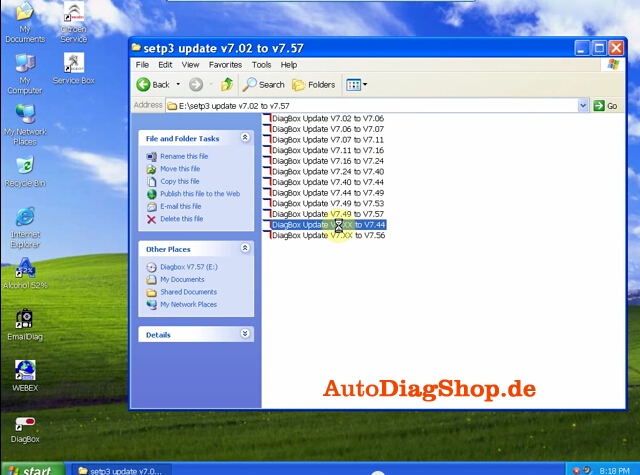
24) Select DiagBox Update V7.xx to V7.44, select language, accept windows prompts
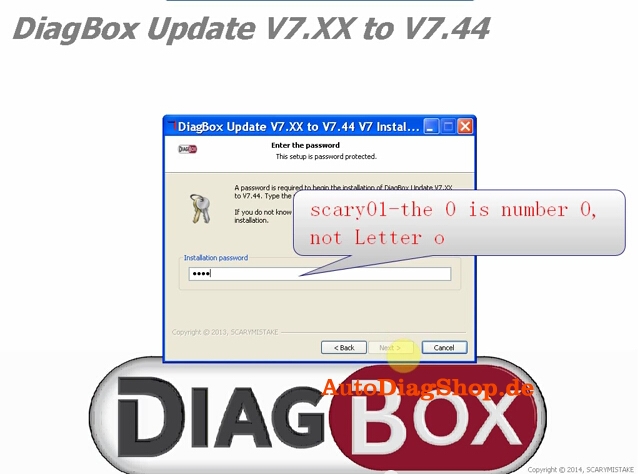
25) Enter the setup password, scary01
26) After update complete, select no to restart the computer now but restart the computer later.
Back to setup3 folder, select Update V7.44 to V7.49, follow the operation of updating DiagBox V7.xx to V7.44.
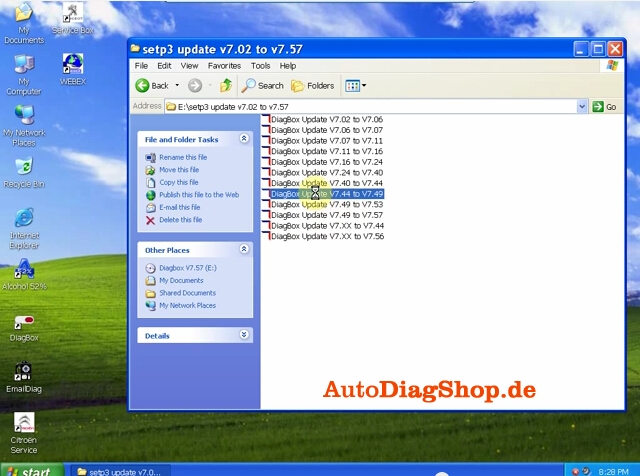
27) Select DaigBox Update V7.49 t0 V7.57. Follow the same update operation as previous update.
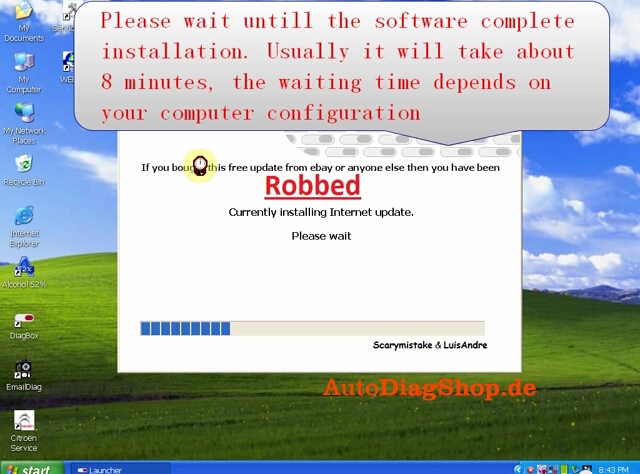
28) Here is the new DiagBox software program of V7.57
29) Please connect the device to the car, then use the short USB cable to connect with the computer, then it will prompt to install driver.
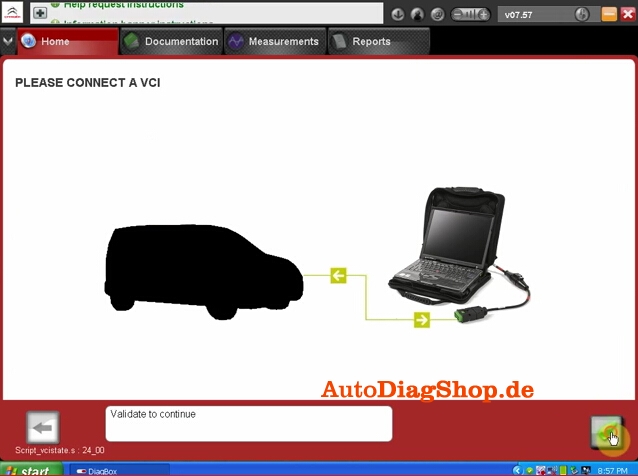
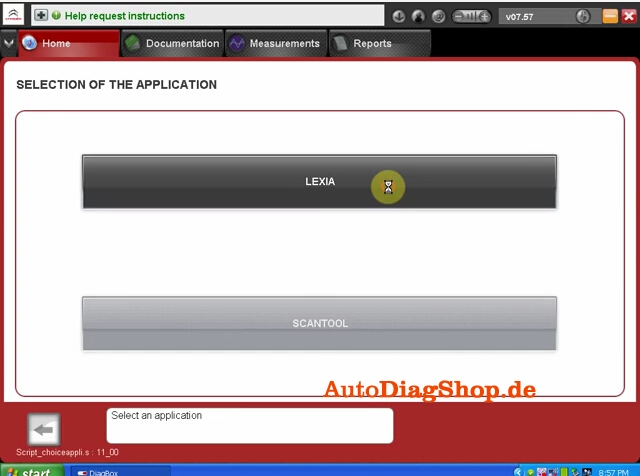
30) Select the application as LEXIA
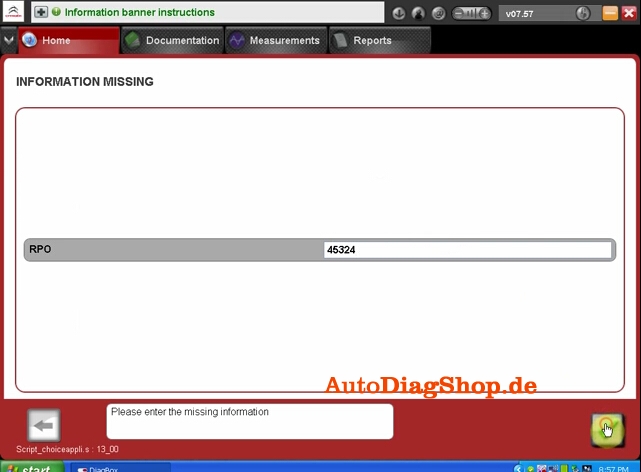
31) Enter missing information
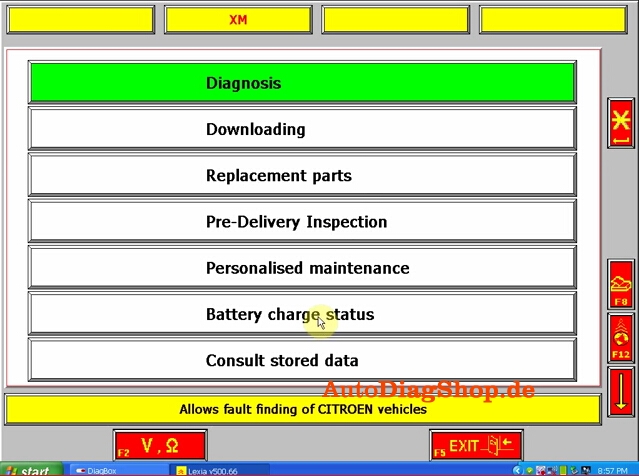
32) Come to the main diagnosis function, select the function you want to project.
Toyota G and Remote Function Dongle €28 Feedback
Toyota G and Remote Function Dongle price cut down to €28 + free shipping worldwide.
Details at blow link:
http://www.carobd.de/wholesale/toyota-g-h-chip-obd-remote-key-programming-device.html
I suppose you want to overview users’ feedback before place order, read following Toyota G and Remote Function Dongle feedback:
It works perfectly fine. I had not used it until now to do immo but remote programming works as advertised. Very simple. Tested on Toyota Highlander and Toyota Rav4 until now.Separate key and remote on these cars that I tested.
Remote section works perfect no problem tested on a 2009, 11, 15 Camry , RAV4 , Prius C
Following are supplier’s description, some function I haven’t tested, I attach here aim to give you a reference.
Toyota G and Remote Function Dongle Description:
Apply to 4D67,68,72(G), support both G and H chip, test on 2015 Camry
Toyota add remote control:
Get in the car and close the door, insert the key and turn the key on, insert the device into OBD. After the sound(Dee-), it will start to add the remote control.
After the sound ( Dee- Dee-),open the door, when hear the sound blaring. Press ‘ lock & unlock’ key at the same time. And press the’ lock’ key. If the blaring end, It’s OK.
Note: Switch is on the right.(add remote control)
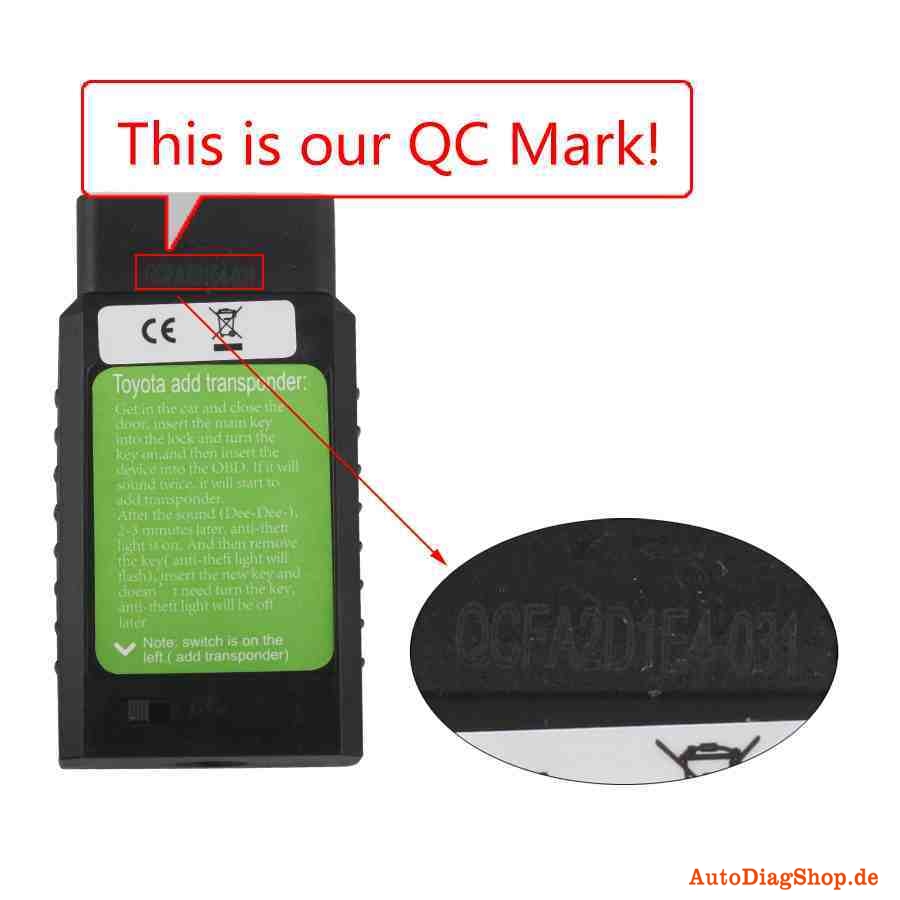
Toyota add transponder:
Get in the car and close the door, insert the main key into the lock and turn the key on,and then insert the device into the OBD. If it will sound twice, it will start to add transponder.
After the sound (Dee-Dee-), 2-3 minutes later, anti-theft light is on. And then remove the key( anti-theft light will flash), insert the new key and doesn’t need turn the key,
anti-theft light will be off later.
Note: switch is on the left.( add transponder)
Original Digimaster 3 Software display
Digimaster 3 Function Menu

Digimaster 3 IMMO code reader is applicable for the following car models
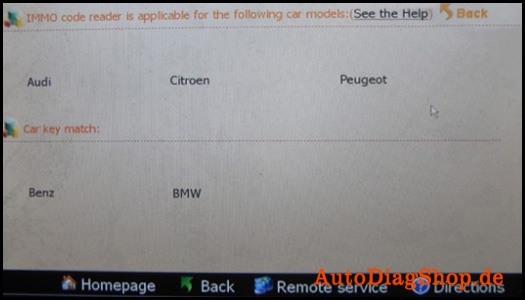
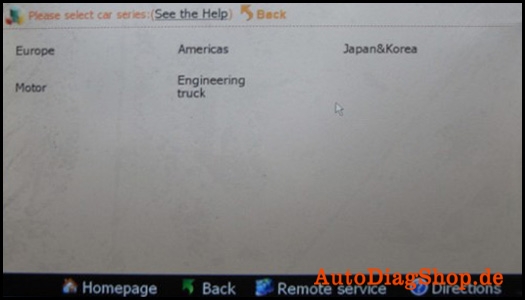
Digimaster 3 workable market and cars: Europe, America, Japan and Korea, Motor and Engineering truck

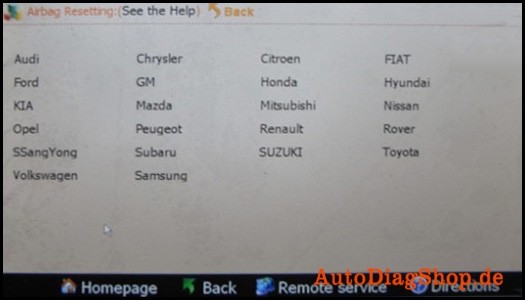
Digimaster 3 airbag resetting for the following brand cars
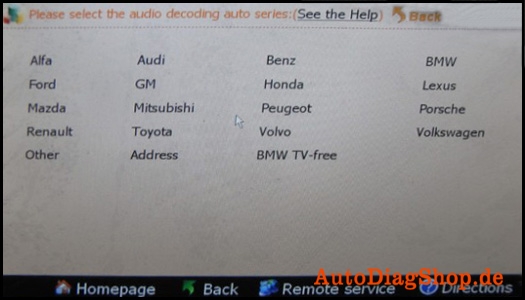
Digimaster 3 supports audio decoding for the following cars
Digimaster 3 workable market
Digimaster 3 supportted European car list
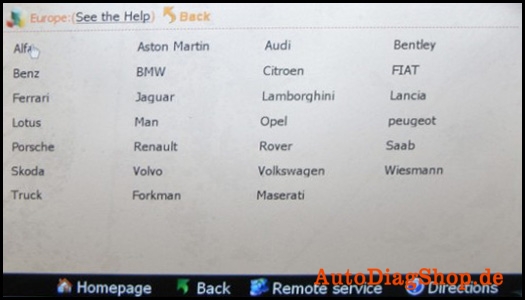
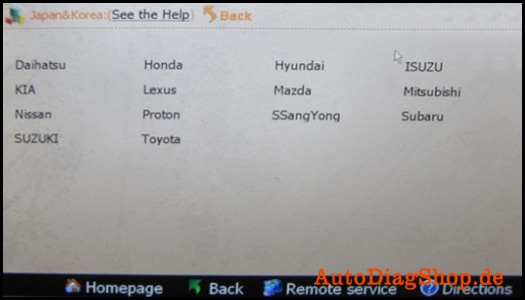
Digimaster 3 supportted Japanese and Korean car list
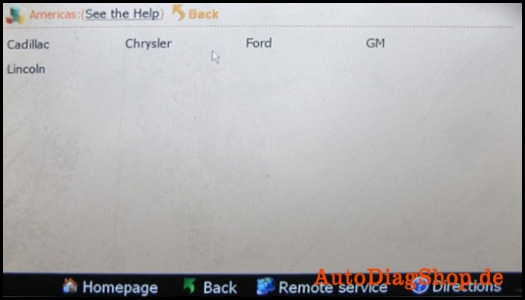
Digimaster 3 supportted Japanese and Korean car list
Digimaster iii support Motor type
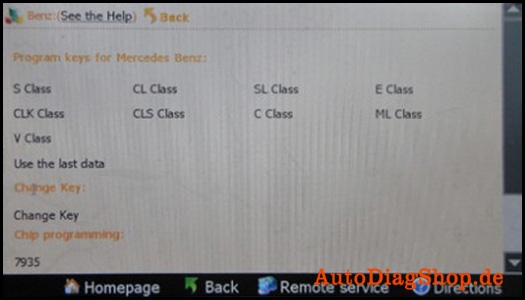
Digimaster iii program keys for Mercedes Benz and support models
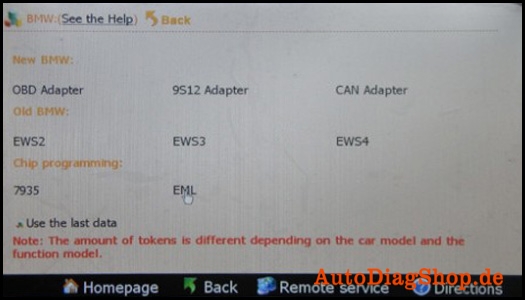
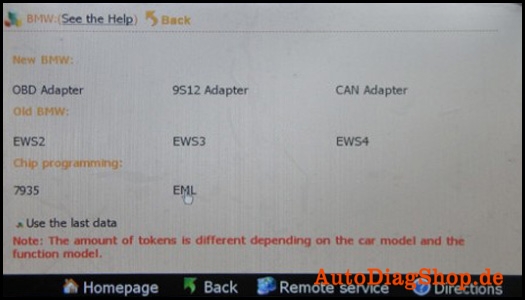
Digimaster iii make key for BMW and workable immobilizer type, D3 program ECU for BMW and
supported chip type
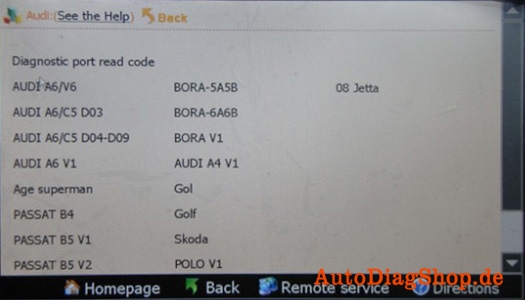
Digimaster iii-please select the operation type: File, IC Read, CPU Program and Signal Generator
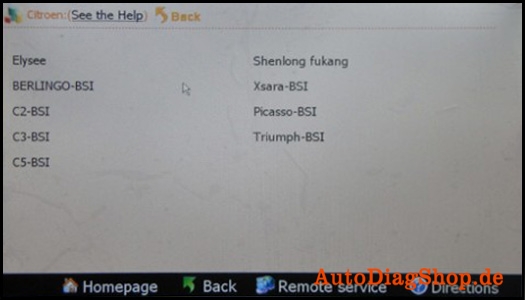
Digimaster iii supported Citroen type
Kindly Note
All digimaster 3 has already been registered before shipped out. So no need register again. Customer who want buy digimaster 3 please do have basic knowleage about chip desoldering.Techinical question about DIGIMASTER III, please check our techinical service next to the description.